


GTA 6, which just launched in the past couple of days, has quite complex visuals, and to conserve resources, Rockstar has now locked the frame rate at 30 FPS on every console platform—even high-end models like the PS5 Pro. However, some players have managed to get GTA 6 running at 280 FPS at 4K resolution, but they only achieved this through a game console + PC + DLSS 5, and the method is a bit convoluted.
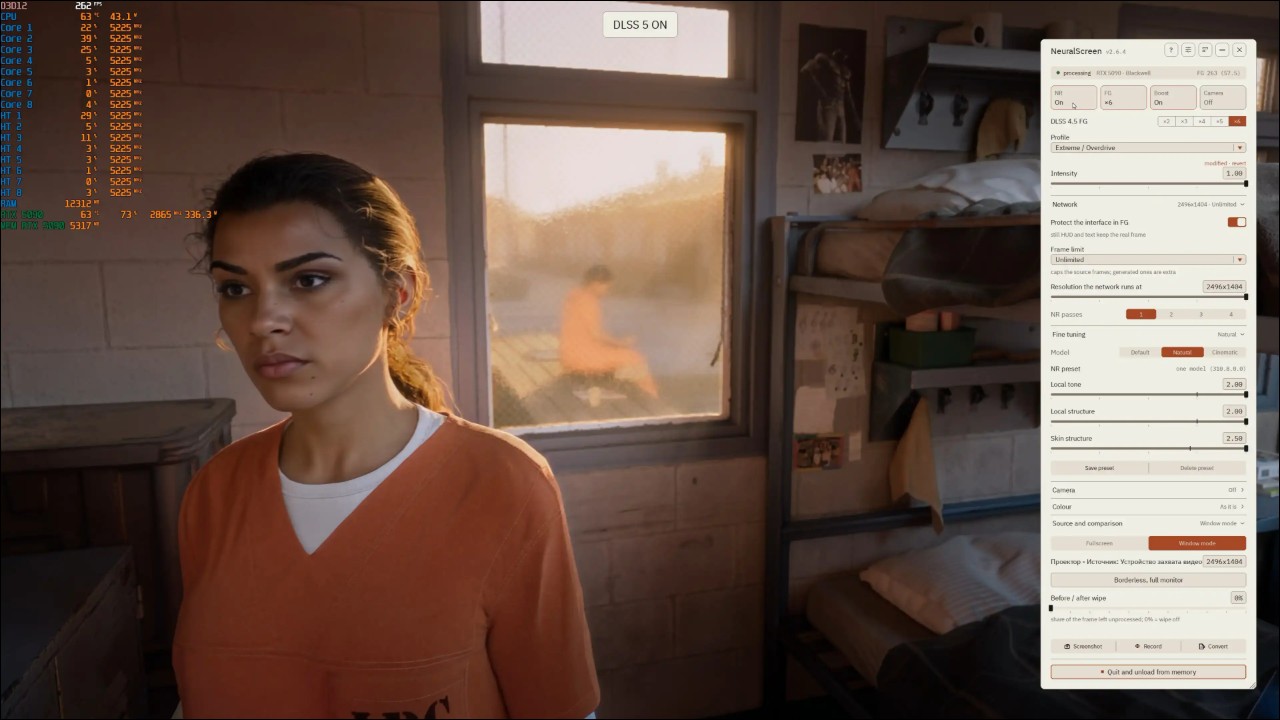
Let’s clarify the test architecture first.
Their approach is to have the game run on PlayStation 5 Pro Next, after capturing the footage with a signal video capture card, third-party tools are used to apply NVIDIA’s AI neural rendering and 6x frame interpolation. Simply put, the 280 FPS is “generated.” The PC hardware is an AMD Ryzen 7 9800X3D processor plus an NVIDIA GeForce RTX 5090 graphics card. But the PlayStation 5 Pro console isConnect to the computer through the AVerMedia Live Gamer ULTRA 2.1 GC553G2 external capture card.The game runs at 4K resolution and maximum graphics settings. Video output uses OBS Studio, and recording uses NVIDIA App. Then, on this captured image stream, they enabled NVIDIA DLSS 5 (3D-Guided Neural Rendering) real-time generative neural rendering, using the Natural profile, plus DLSS 4.5’s sixfold frame generation, using NeuralScreen v2.6.4 This third-party software.
“6x frame interpolation” means inserting five generated frames between every original frame. If the original image stream is 30 FPS, the interpolated result is 180 FPS; if it’s 46 FPS, the result is close to 280 FPS. The numbers look impressive, but only one-sixth of the frames are real. In one sentence: the console runs the game, while the PC re-renders the image.
The external capture card here is responsible for sending the PS5 Pro’s 4K output to the PC, and after the PC processes it, it outputs to the monitor and recording. This is also why the whole test setup works: without the capture card feeding the image into Windows, no software on the PC can access the game visuals.
What is NeuralScreen?
This tool is an open-source project, and its purpose is stated on its GitHub homepage: to apply NVIDIA’s DLSS 5 neural renderer toThe entire Windows desktop, processing everything on screen in real time, including games, videos, and photos.
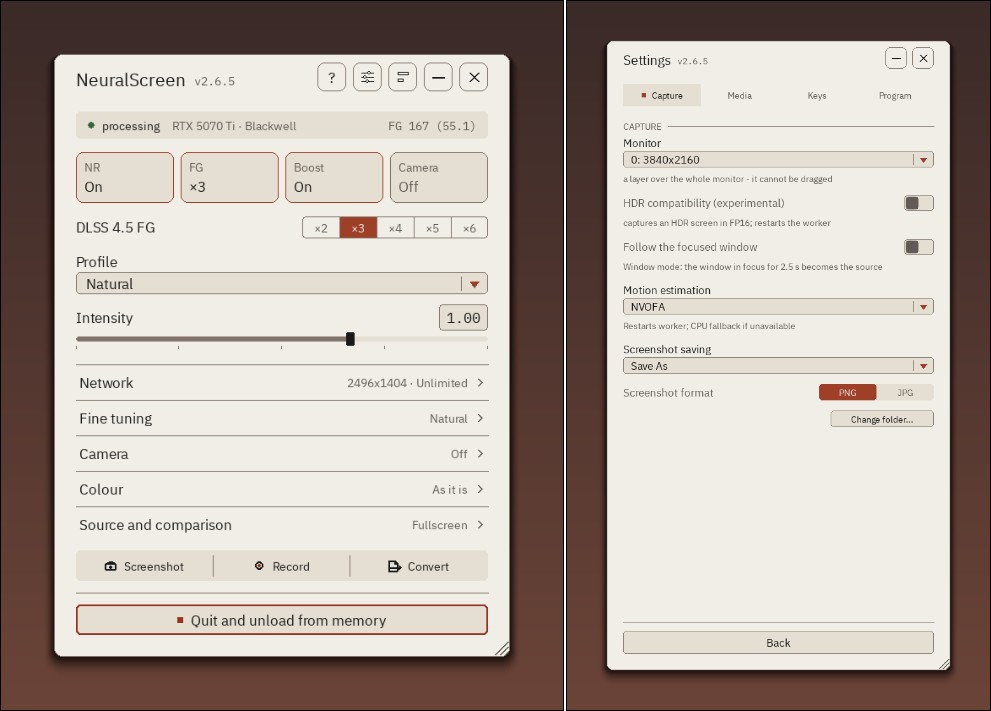
It supports RTX 30, 40, and 50 series graphics cards, offering an interface in 12 languages, user-customizable presets, recording with audio, and a single-window mode. The project is written in Python, was created on September 6, 2026, and currently has 1,321 stars.
Those numbers
The specific data provided by GameGPU is as follows:
In the opening prison scene (where protagonist Lucia Caminos appears), they directly compared standard console visuals with neural rendering. According to the official statement, after enabling the neural network, Lucia’s face, skin texture, hair strands, prison uniform wrinkles, and the soft light coming through the window all became more realistic. Six-times frame generation pushed the frame rate to a stable 262 to 280 FPS, with a peak of 286 FPS.
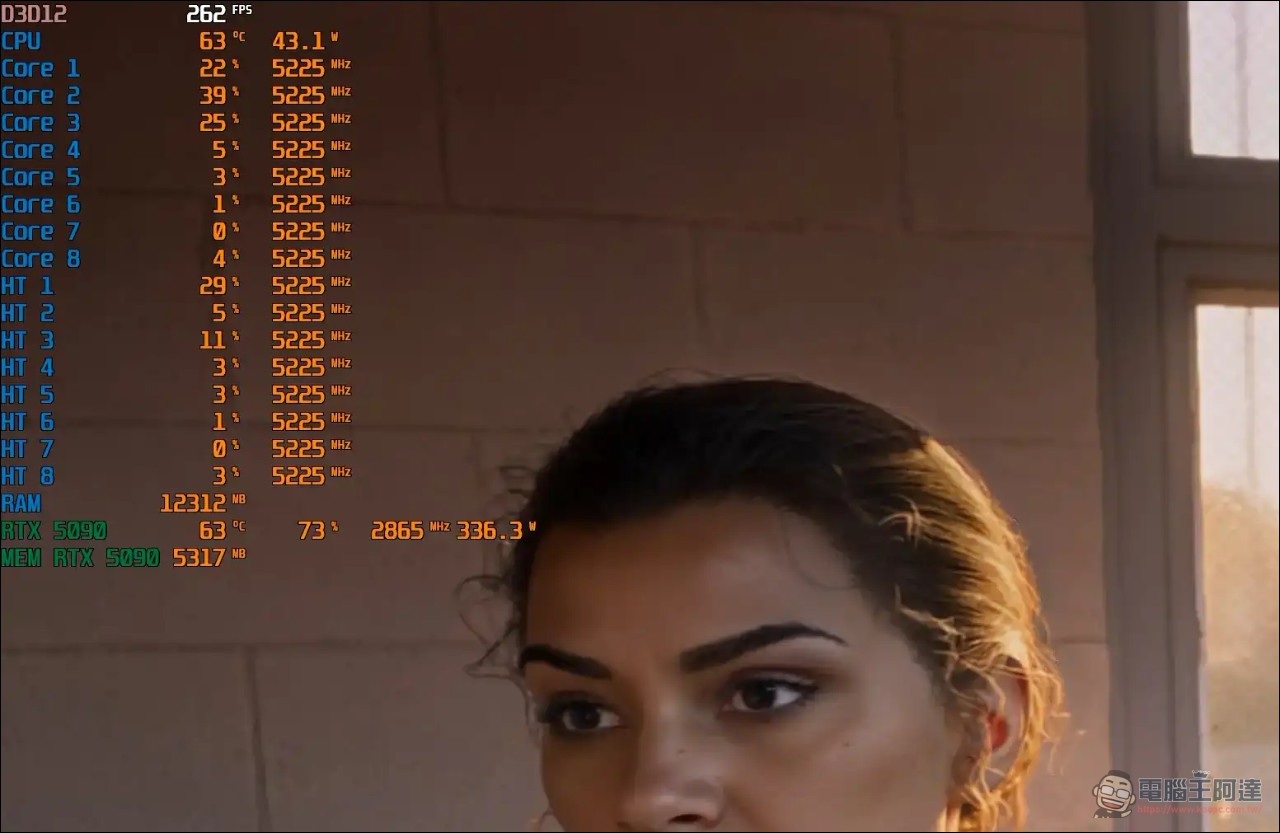
It’s no coincidence that this scene was chosen for comparison. The window light in the prison is a typical soft light source, the characters wear prison uniforms with a rough texture, and their hair and skin are shown in close-up shots. These are exactly the areas where material textures and lighting rendering matter most, and where it is easiest to tell whether neural rendering makes a difference.
The hardware utilization section is quite informative. With neural rendering enabled, the RTX 5090 ran at 62% to 75% utilization, with clocks of 2857 to 2917 MHz, temperatures of 57 to 65 degrees, and power draw of 305W to 368W.When neural rendering is turned off and only frame generation is left on, GPU usage drops to 37% to 40%, and power consumption falls to 189W to 214W.。
The system used about 5.3 GB of VRAM and just over 12 GB of RAM. The Ryzen 7 9800X3D ran stably at 5225 MHz, with temperatures from 57 to 63 degrees and power consumption from 41W to 48W, and had no problem handling real-time streaming.
The same approach has already been used in other games.
This is not a one-off experiment. GameGPU tested other PS5 Pro exclusive games using the same framework:
The sequel to Ghost of Tsushima, Ghost of Yotei, reached a maximum of 383 FPS on an RTX 5090; Marvel’s Wolverine reached a maximum of 360 FPS; and this time GTA VI is at 280 FPS. All three used the same NeuralScreen v2.6.4l and the same 6x frame-generation setting.
For console-exclusive games that haven’t yet been released on PC, this essentially opens up a path: you can use the latest AI rendering technology on PC to “remaster” console visuals, at the cost of an extra capture card and a third-party software suite.
Soure:GameGPU
Source: KOCPC Chinese