


I recently discovered this very powerful free video downloader called Tube Snip on social media. It supports most well-known social platforms, and YouTube is especially impressive: it claims to support downloads up to 4K MP4 and MP3, and downloads are fast. In my tests, several videos finished within 5 seconds, with no ads at all. In addition, the tool offers AI features that let you ask questions about video content, generate transcripts, create study notes, summaries, and more, but this part requires a separate payment. Registering an account comes with trial credits, so anyone interested can give it a try.
ReminderBefore use, please confirm yourself whether content on YouTube or other websites is legally licensed, such as works you uploaded yourself, Creative Commons-licensed content, or public domain materials. If it is music or audiovisual work protected by copyright, downloading or converting it without the rights holder’s consent may involve copyright risks and may also violate the original platform’s terms of service.
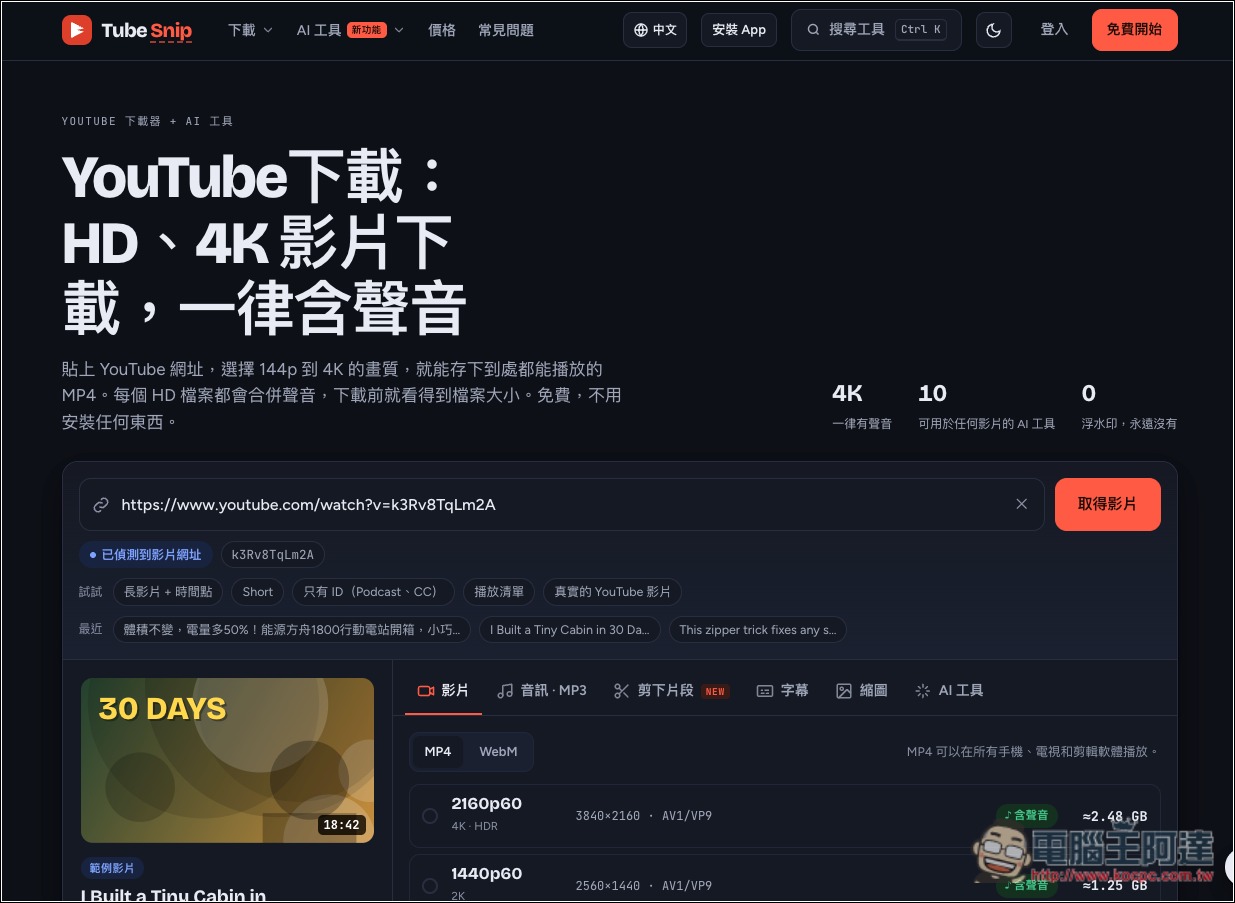
Introduction to Tube Snip, a free YouTube video download tool
Tube Snip is a free online video downloader focused on high-quality YouTube video downloads. Just paste the video URL, and you can choose your desired quality and format, with support for up to 4K resolution, and you can also convert videos into MP3 audio files. No additional software or browser extension is required—it works directly through the web page—and it supports a Traditional Chinese interface.
Compared with typical YouTube video download sites, Tube Snip offers more comprehensive features. In addition to the common 720p and 1080p quality options, you can choose up to 4K resolution whenever the original video provides it. During download, it also shows the estimated file size so users can confirm their storage space in advance. The tool also automatically handles video and audio merging for high-quality videos, preventing users from discovering only after the download is complete that the video has picture but no sound.
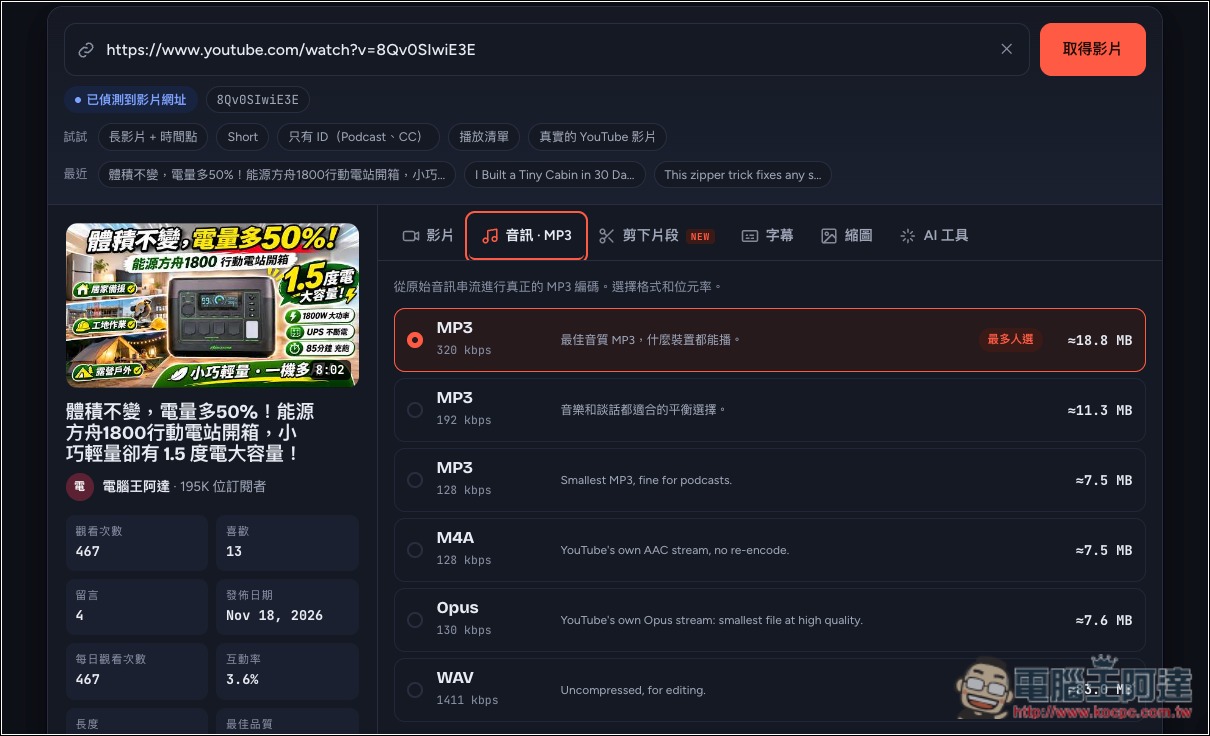
If you only want to keep the music, interviews, or podcasts from a video, you can also use the YouTube-to-MP3 feature, which offers audio quality up to 320kbps. It also includes a built-in video clip trimming tool that lets you set the start and end times yourself, extract only the content you need, and export it as MP4, GIF, or MP3—no need to download the entire video just for a short segment and then use separate editing software.
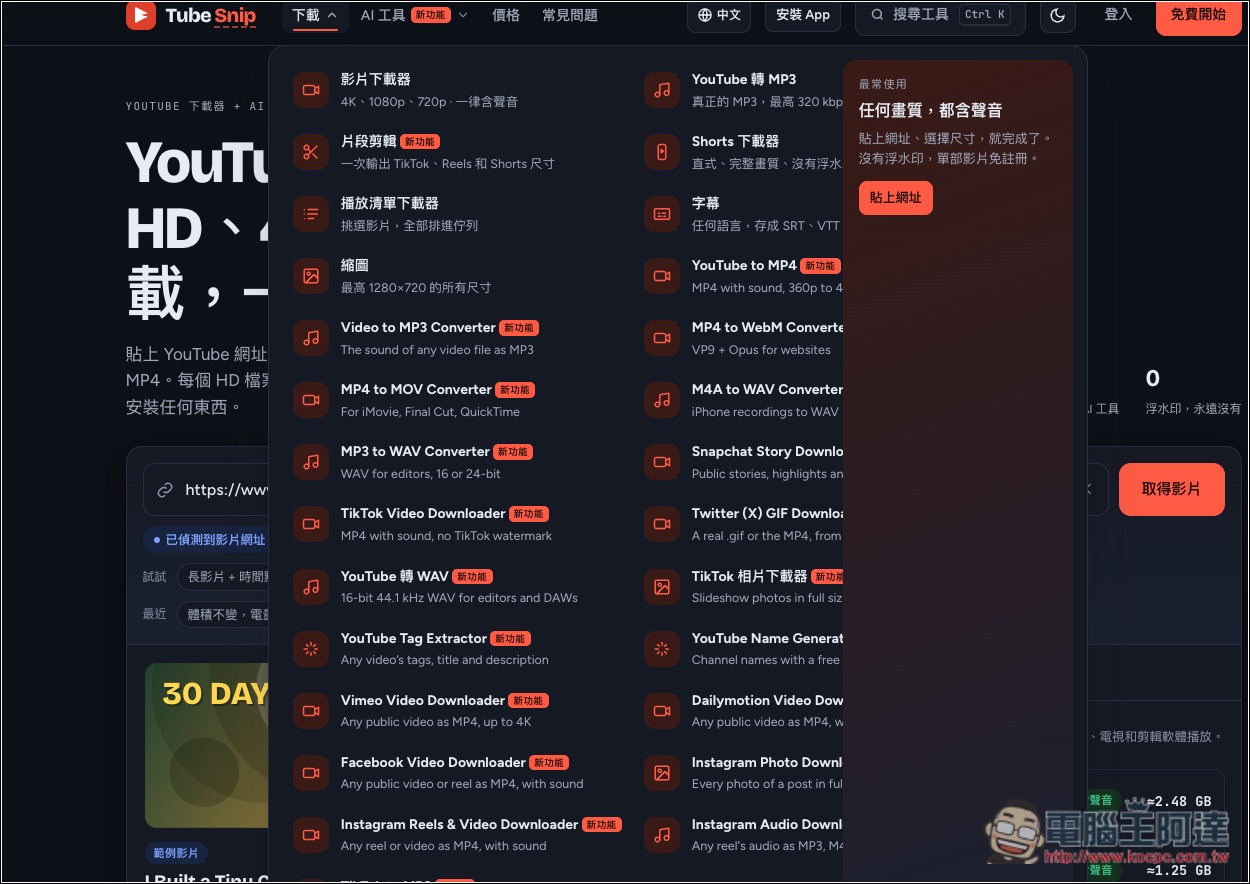
It also provides video download tools for platforms such as Instagram, Facebook, TikTok, Vimeo, and Dailymotion, and can also download Instagram photos, TikTok images, and GIFs from X (Twitter).
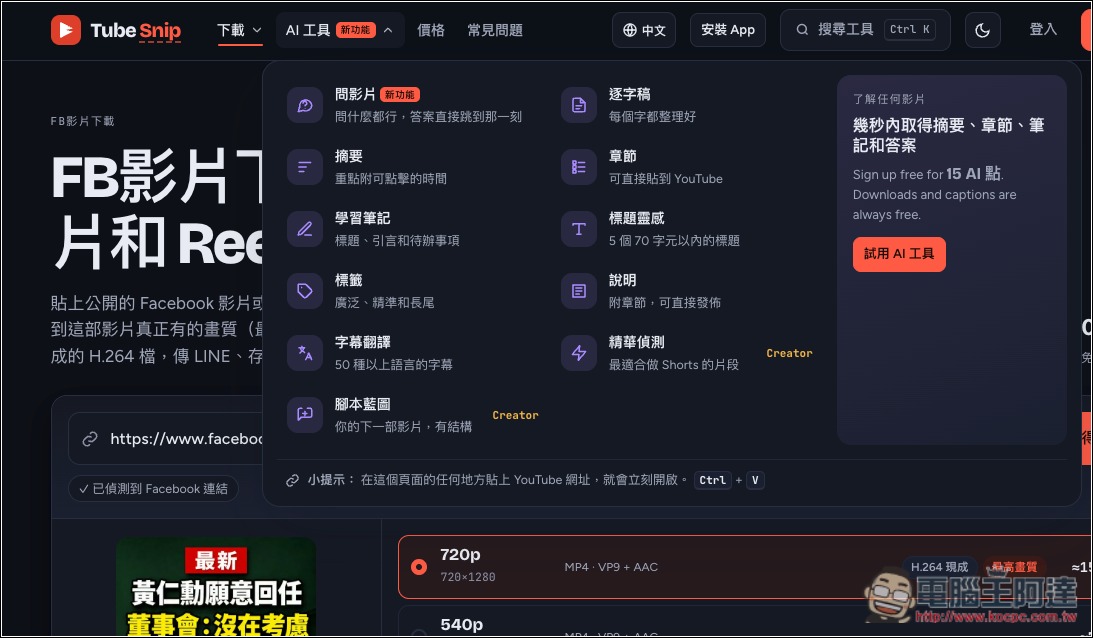
In addition to downloading audio and video content, Tube Snip also offers multiple AI features, such as automatically generating video summaries, transcripts, chapters, study notes, and subtitle translations. Users can even ask the AI directly about the video content and get answers with timestamps, so they can quickly grasp the key points without watching an entire long video.
Key Features
- Free YouTube video download: supports multiple resolutions from 144p to 4K, choose based on the quality available in the original video.
- High-definition video with audio preserved: automatically merges video and audio, supports MP4 format downloads.
- YouTube to MP3: Extract audio from videos, with support for up to 320kbps quality.
- Supports multiple video platforms: provides download tools for YouTube, IG, FB, TikTok, Vimeo, Dailymotion, and more.
- Video clip editing: Set your own clip time; supports output formats such as MP4, GIF, and MP3.
- Shorts and playlist downloads: Supports YouTube Shorts, and you can also select videos from a playlist.
- Subtitle and thumbnail downloads: Get SRT and VTT subtitle files and YouTube video thumbnails.
- AI video summaries and transcripts: Use AI to organize video content and generate chapters and study notes.
- AI Q&A and subtitle translation: ask questions about the video, or translate subtitles into other languages.
After clicking the link above to go to the Tube Snip website, the default is the YouTube downloader. If you want to download from other platforms, you need to manually switch it in the download menu:
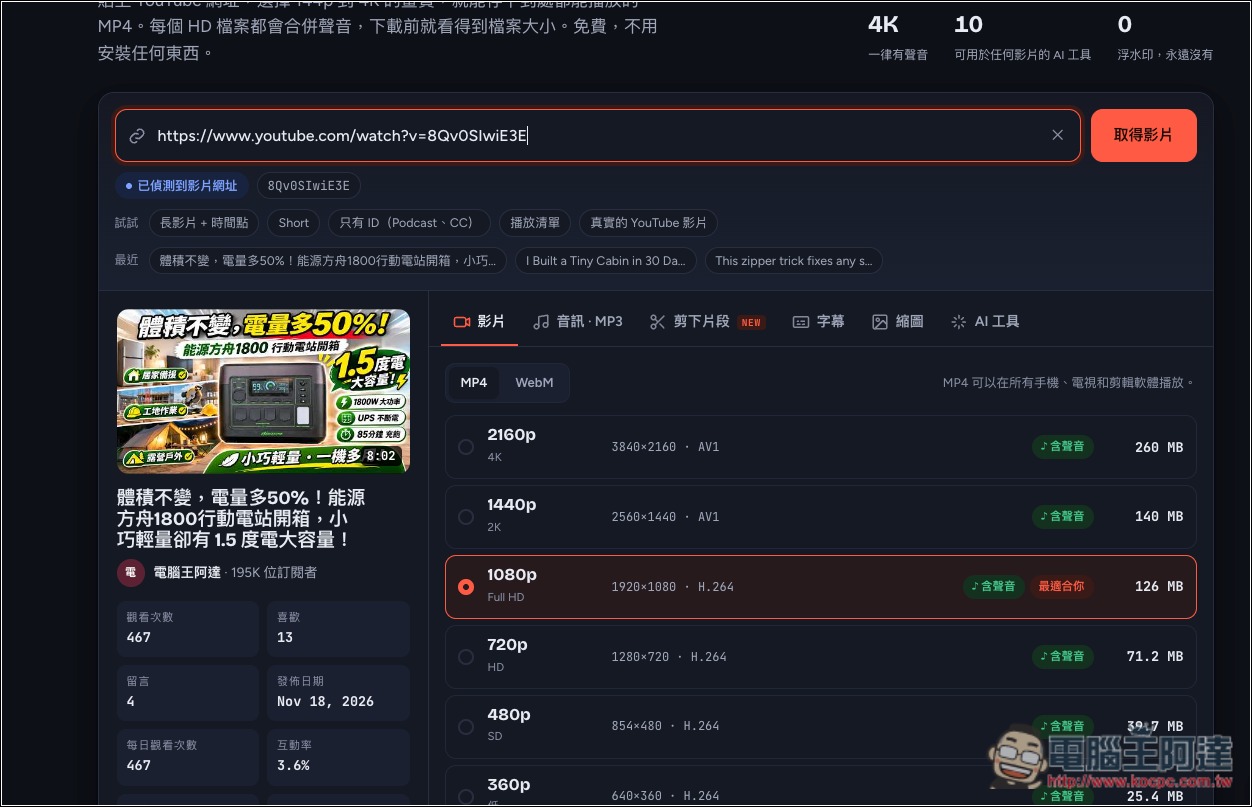
After you paste the YouTube video URL, download links and various tools will appear below. In the video section, there are two formats, MP4 and WebM; the highest quality can indeed be downloaded up to 4K, and it is specifically marked as including audio:
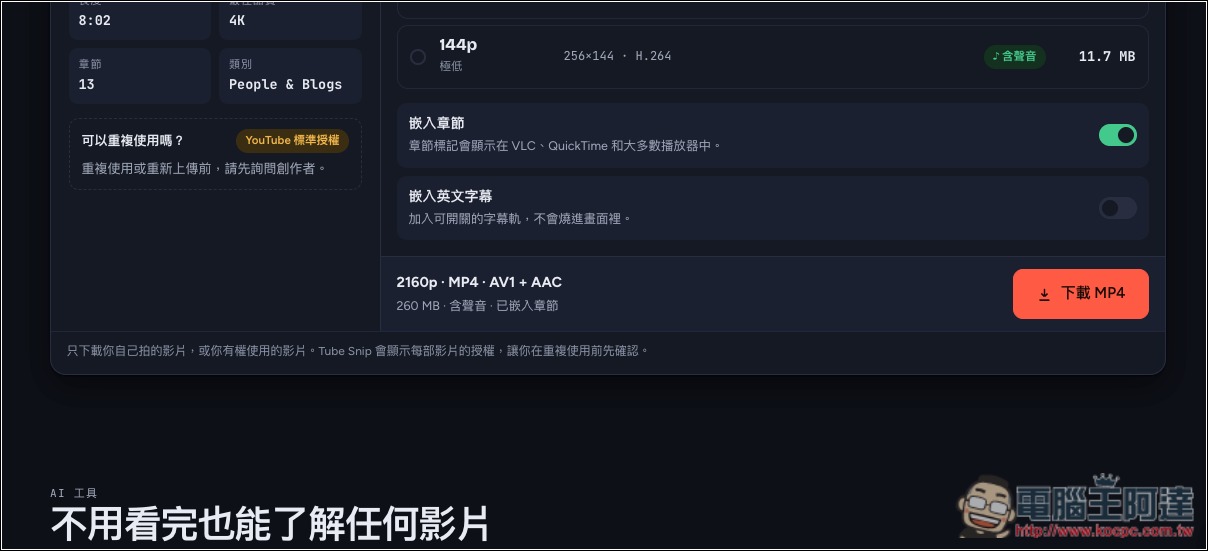
After selecting the desired quality, click Download MP4 below and the download will begin. Even 4K quality downloads in just a few seconds, which is quite impressive:
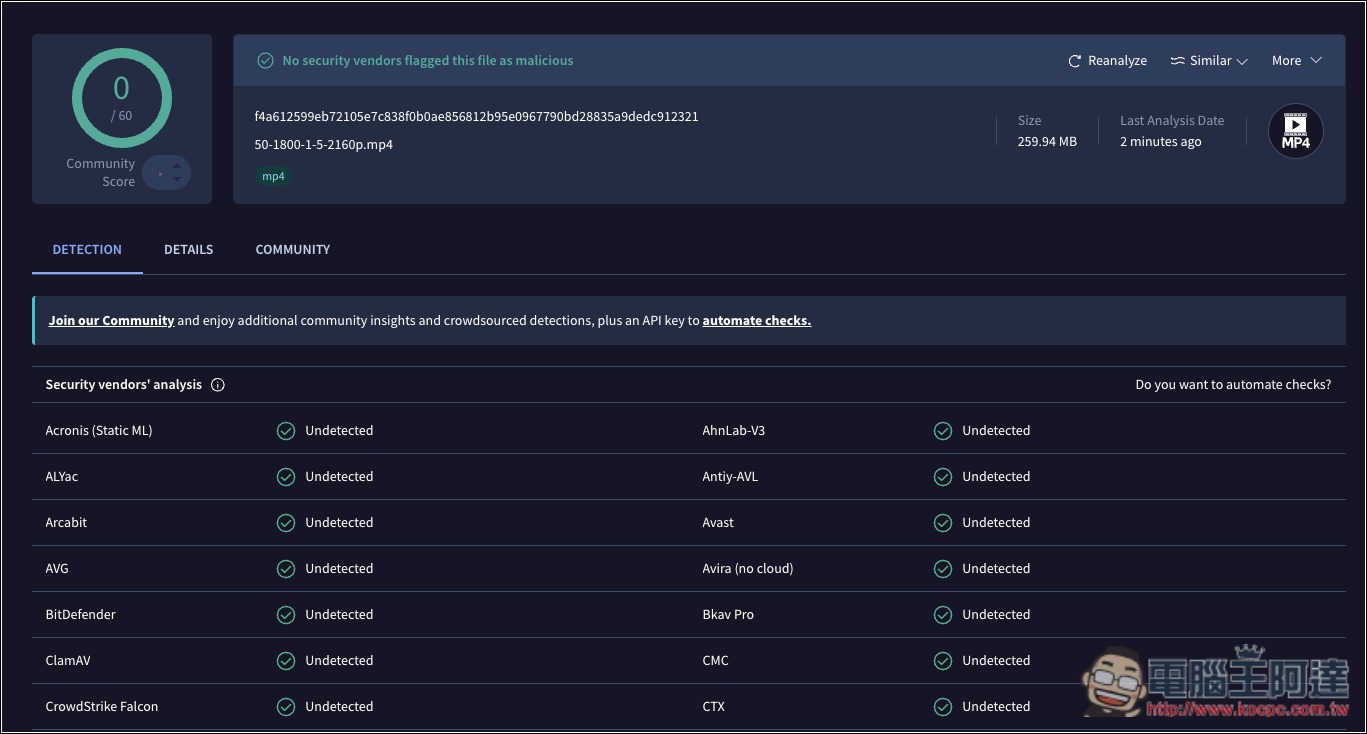
After downloading it, I also ran it through VirusTotal first to confirm the file is safe:
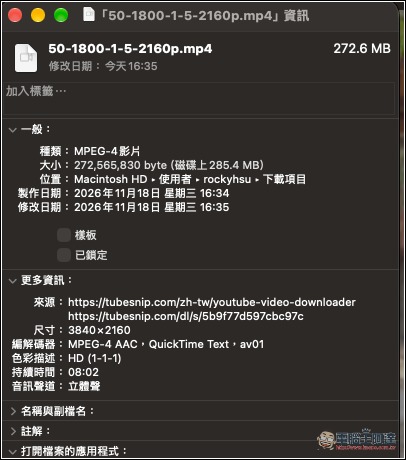
Check that it is indeed 4K quality and has sound:
For audio, the formats include MP3, M4A, Opus, WAV, etc.:
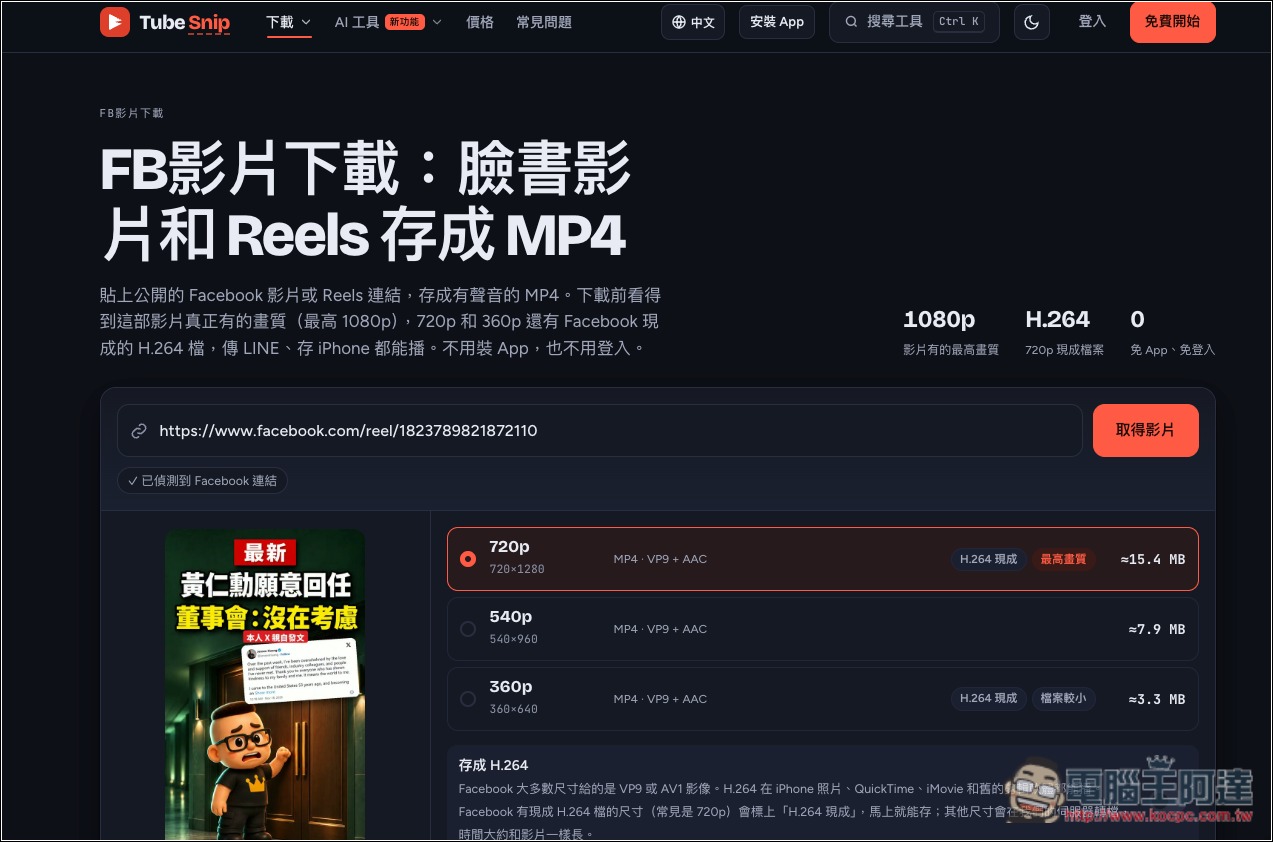
Tested with Facebook too, and it worked—it really can download:
There are quite a few AI tools on offer—anyone interested can play around with the free credits:
Source: KOCPC Chinese