


Every so often, Gemini Notebook can be said to be getting stronger and stronger. There are already many small tools that help us grasp the key points of notes faster, such as generating an audio summary or a presentation. Recently, Google announced another super useful new feature: “Interactive Sites,” an interactive website. Just enter a prompt in the notebook, and AI will directly generate an interactive webpage you can operate based on the data you put in—no coding knowledge required. Gemini Notebook users must learn this.
Gemini Notebook adds an interactive website feature: type “Create Website,” and notes can become dashboards, learning materials, and project tracking tools.
Gemini Notebook recently announced on its official blog the launch of a new “Interactive SitesWhat’s different about the interactive website feature from before is that it isn’t added directly as a button in the studio; instead, it requires using “prompts.”
Interactive Sites uses the data in the notebook as its basis and automatically generates an interactive page. Compared with traditional static content, the difference lies in “how it is used.” With a typical report, summary, or infographic, you can only read it from beginning to end, whereas an interactive site lets you operate it by clicking, checking boxes, entering text, and so on, making learning more intuitive.
Google also cited three use cases in the article, corresponding respectively to learning, work data, and project management.
First, learning. Interactive learning materials can make complex knowledge easier to understand, and Google cites the interactive periodic table and historical timeline as examples. Imagine that before finals you have a whole semester’s handouts, textbook chapters, and class notes. In the past, you could only ask AI to condense them into a summary; now you can ask it to directly turn them into a timeline webpage, where clicking each timeline node pops up an explanation of that event.
The same principle applies to the periodic table: by clicking on different elements, you can see their properties and related information without having to flip back and forth through dozens of pages of lecture notes. For subjects that require memorizing a large amount of scattered knowledge, this approach makes it easier to build an overall understanding than reading through long lecture notes from start to finish.
For the work data section, Google uses “quarterly sales performance” as a demonstration. Simply drop sales reports into the notebook, and you can ask the AI to organize them into an easy-to-browse dashboard that consolidates numbers scattered across different files onto a single page.
With project management tools, you can ask AI to create a task tracking page based on the project plan, bringing tasks and deadlines together, along with checkboxes and input fields to record your progress.
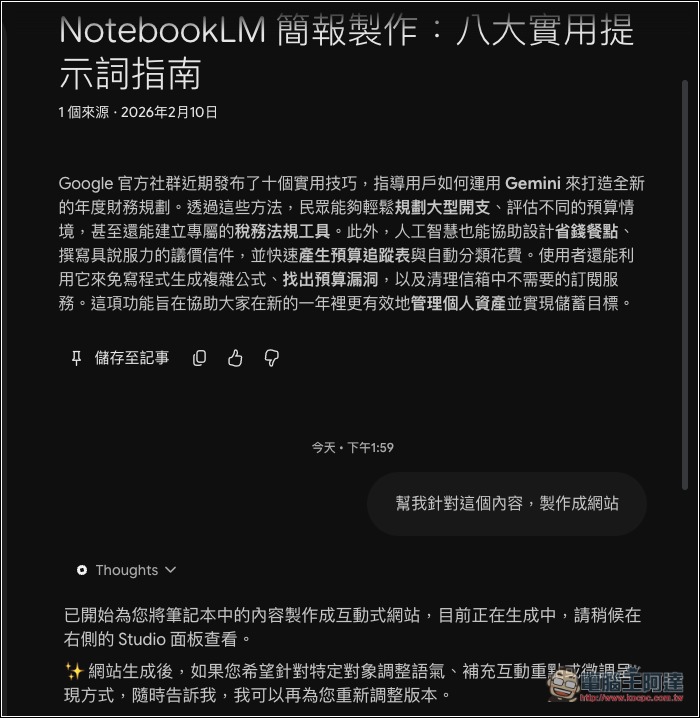
The actual usage is very simple: just mention “website” in the prompt, and Gemini Notebook will generate an interactive website. The rest depends on your requirements—such as what you want the website to include, particularly important content, and so on. The prompt I gave (“Help me turn this content into a website”) didn’t include any requirements and left everything to Gemini Notebook’s own judgment:
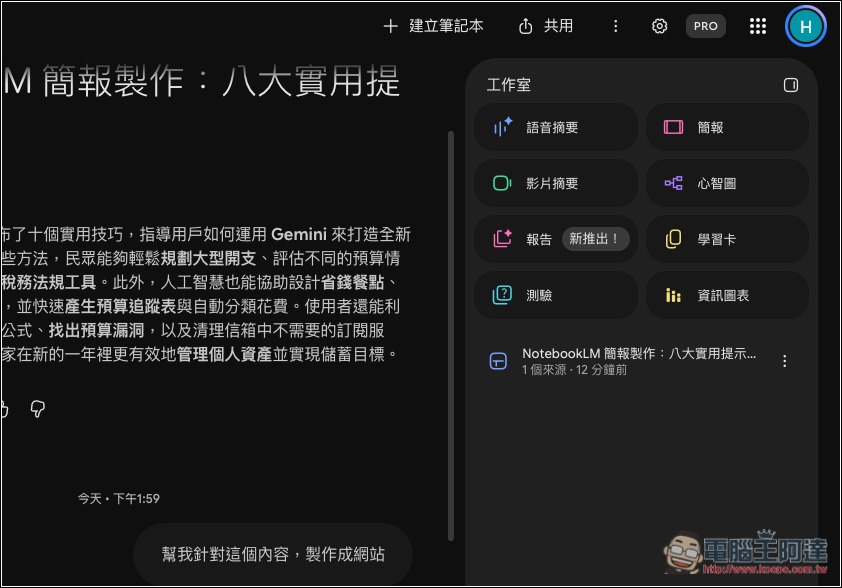
Once generated, the result will appear on the right:
Then you can open the website and browse:
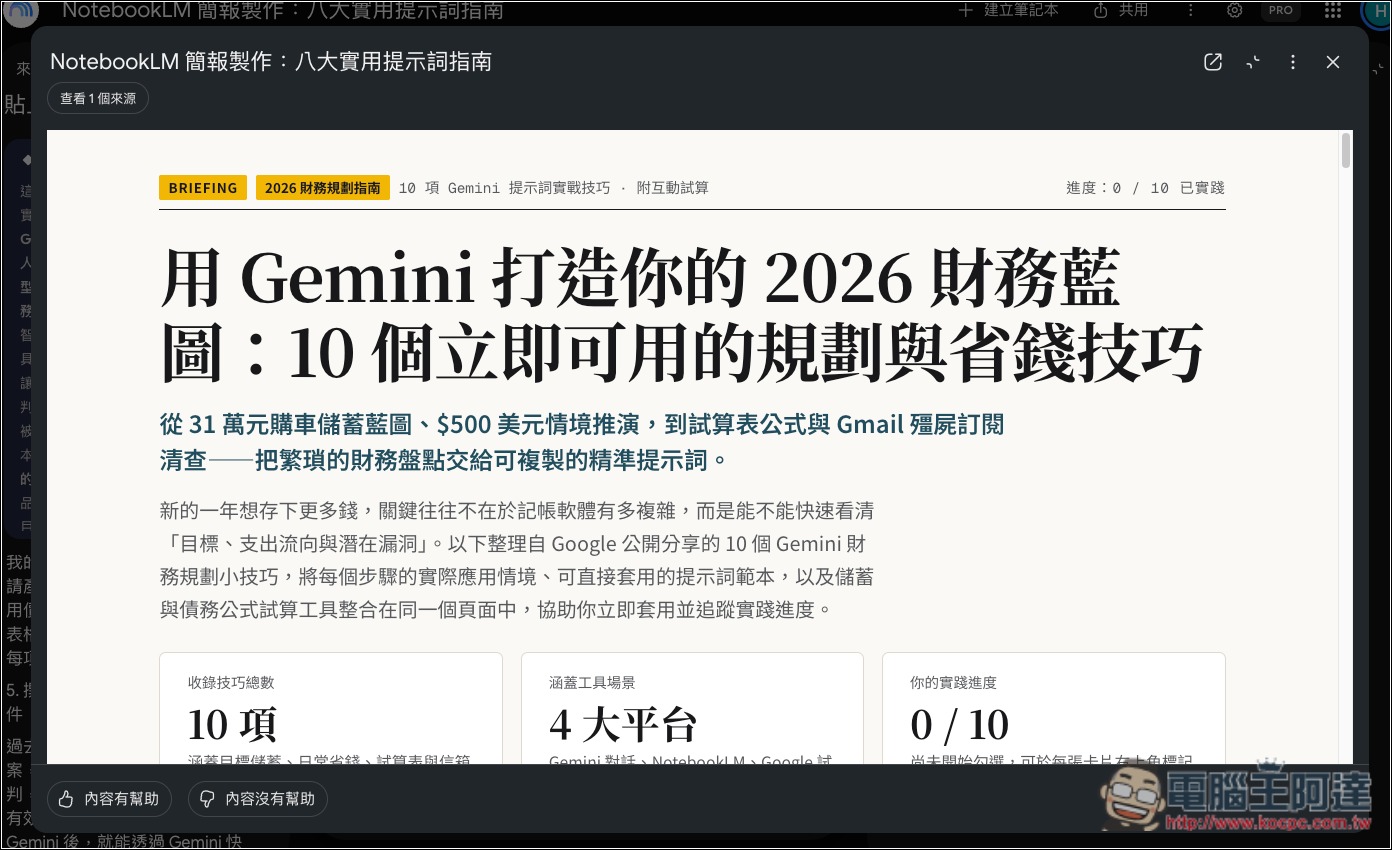
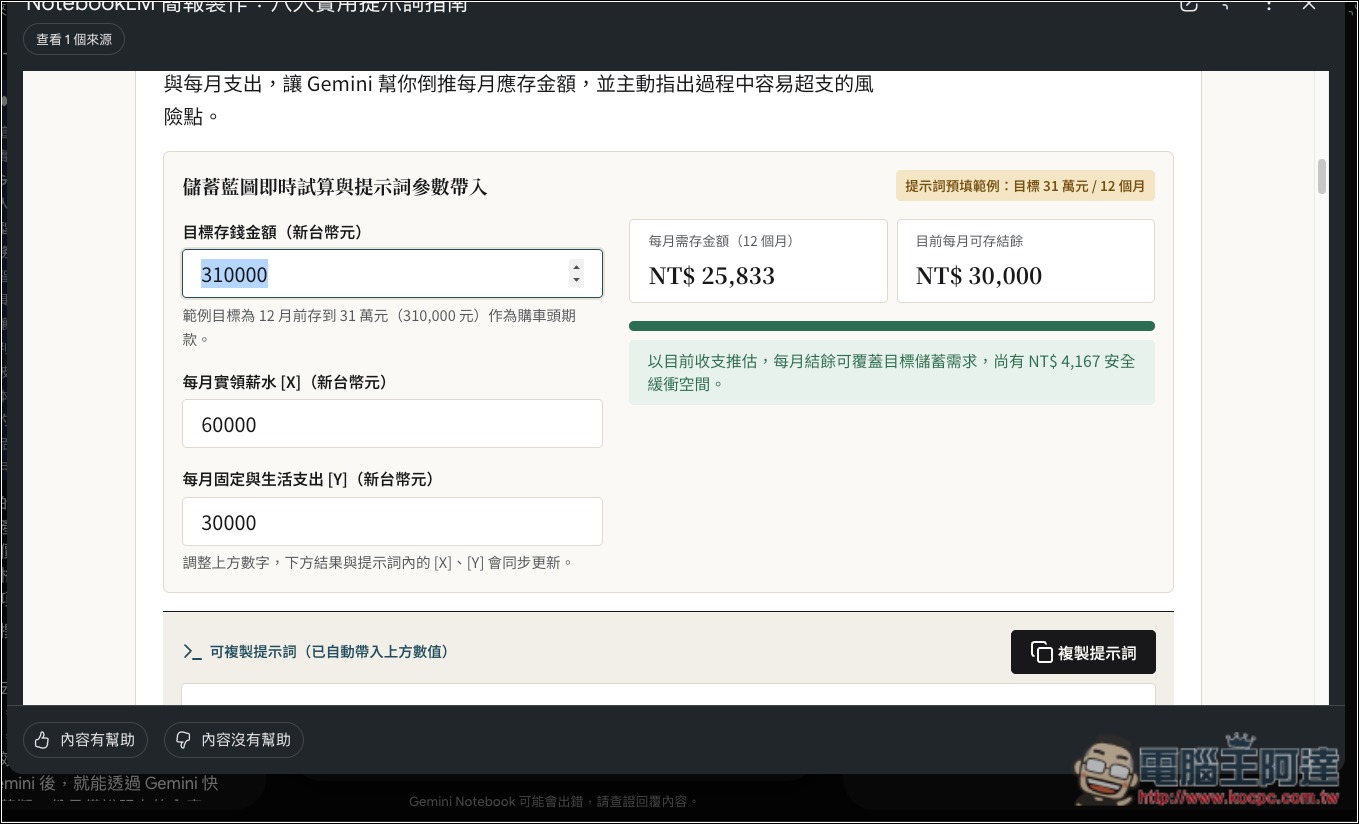
Gemini Notebook automatically determines, based on the content, what kind of interactive tool should be created—that’s really impressive. For example, for the monthly expenses shown in the image below, it created a calculator that lets me enter amounts myself to calculate my savings goal:
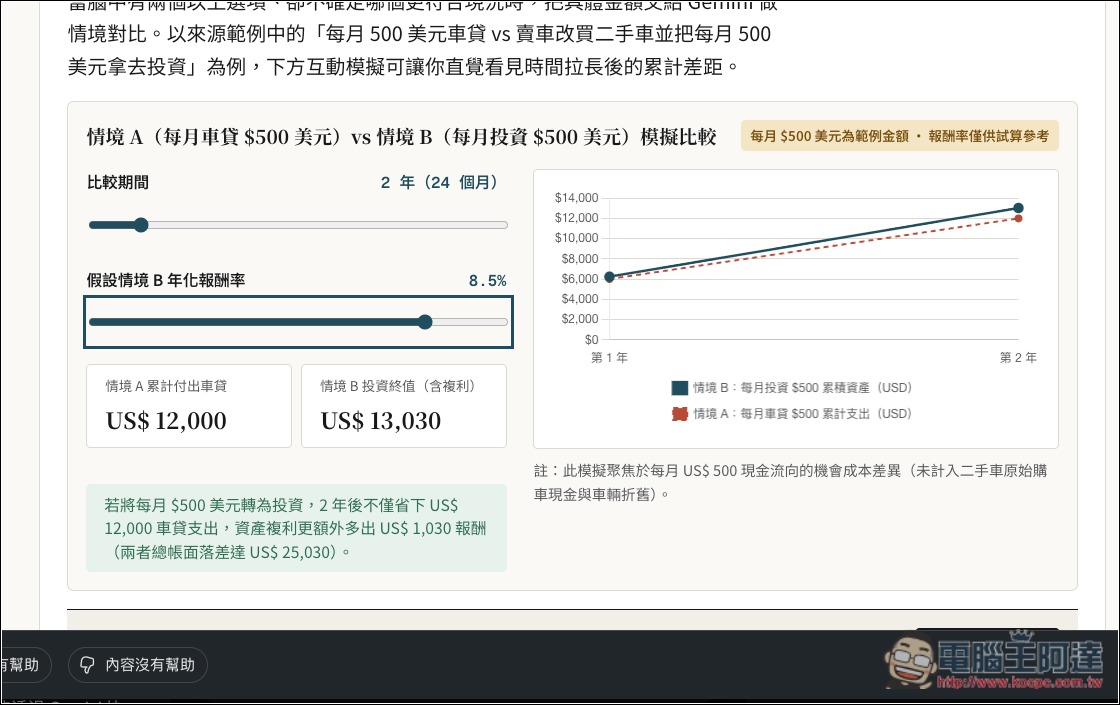
In the loan section, there is a slider on the left that I can adjust, and a corresponding chart on the right:
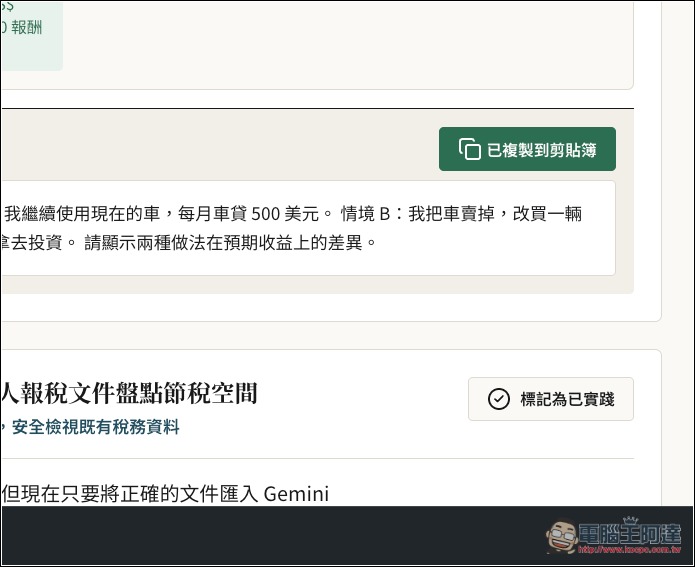
Each topic also provides prompts that I can copy and use with one click:
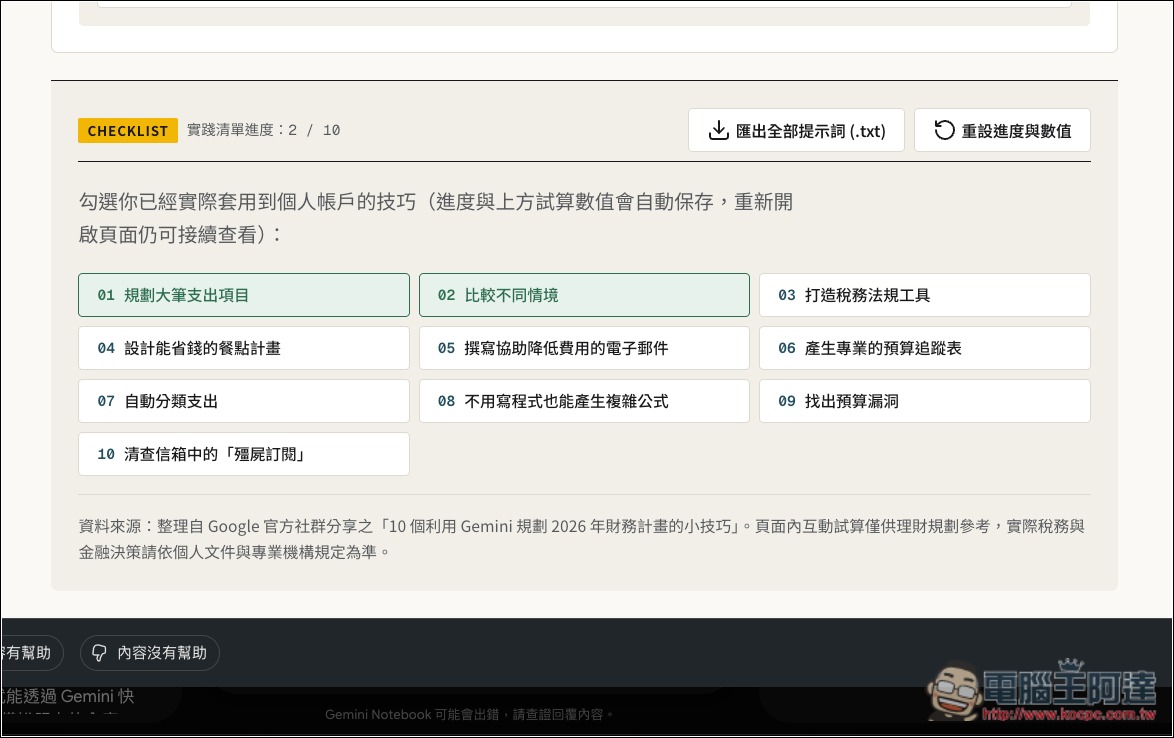
At the end, there’s even a checklist:
Interactive Sites will begin rolling out to web users worldwide starting November 16, 2026. Users must be at least 18 years old, Google Workspace subscribers are also included in the eligible audience, and the mobile app version will be supported later.
It can be used even without a free user account, but generating a website will consume Gemini Notebook’s AI usage quota, so you can’t create websites without limit.
Source: KOCPC Chinese