


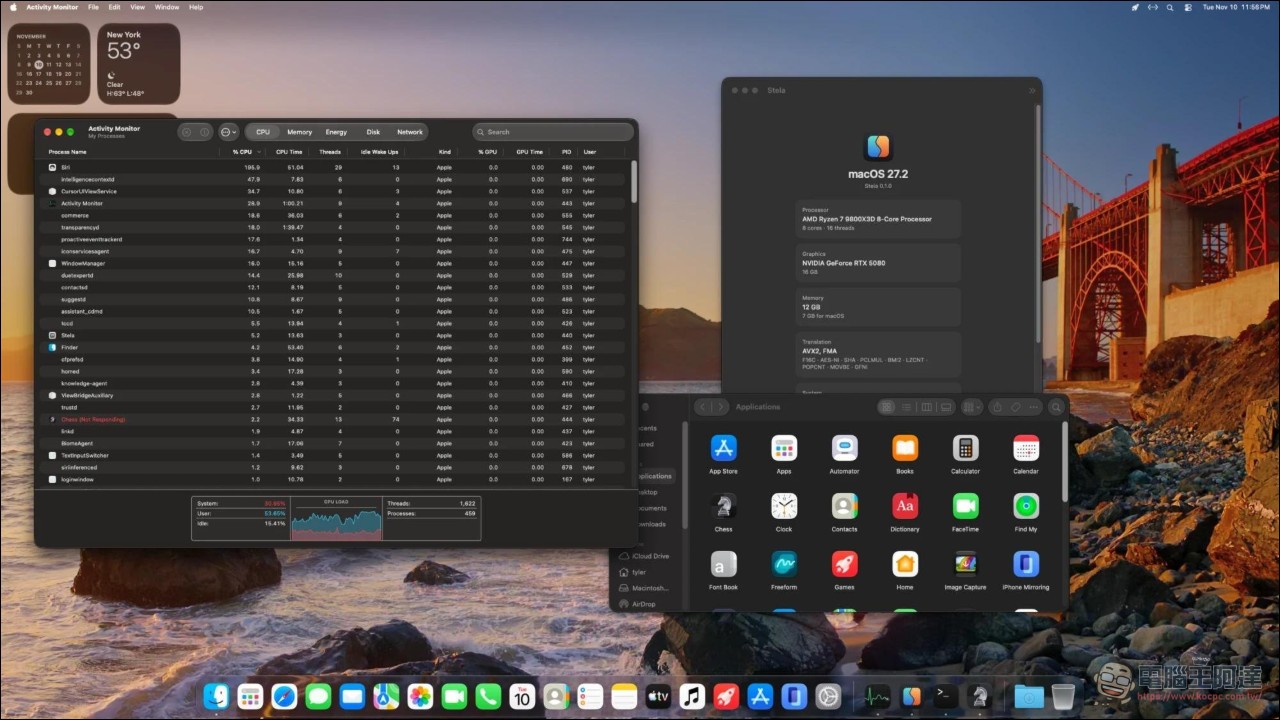
Apple officially ended support for Intel processors starting with macOS 27, which also brought the “Hackintosh” practice to an official end. However, on November 11, a developer announced Stela v0.1.0 on X. This tool allows the Apple M-series ARM architecture processor version of macOS to run unmodified on Intel and AMD x86 computers, translating arm64 instructions to x86-64 in real time; the author even built an NVIDIA Metal graphics driver from scratch. In the screenshot he posted, the machine is equipped with a Ryzen 7 9800X3D and RTX 5080, and macOS identifies this computer as an M2 Mac mini.
This is not a Hackintosh.
The first thing to clarify is that Stela takes a completely different approach from traditional Hackintosh. Traditional Hackintosh forcibly installs the x86 version of macOS on non-Apple hardware, relying on the OpenCore bootloader and a bunch of kext drivers to patch the gaps. Stela has no OpenCore and no kext; it is a UEFI boot program, and what it loads isUnmodified arm64 version of macOS。
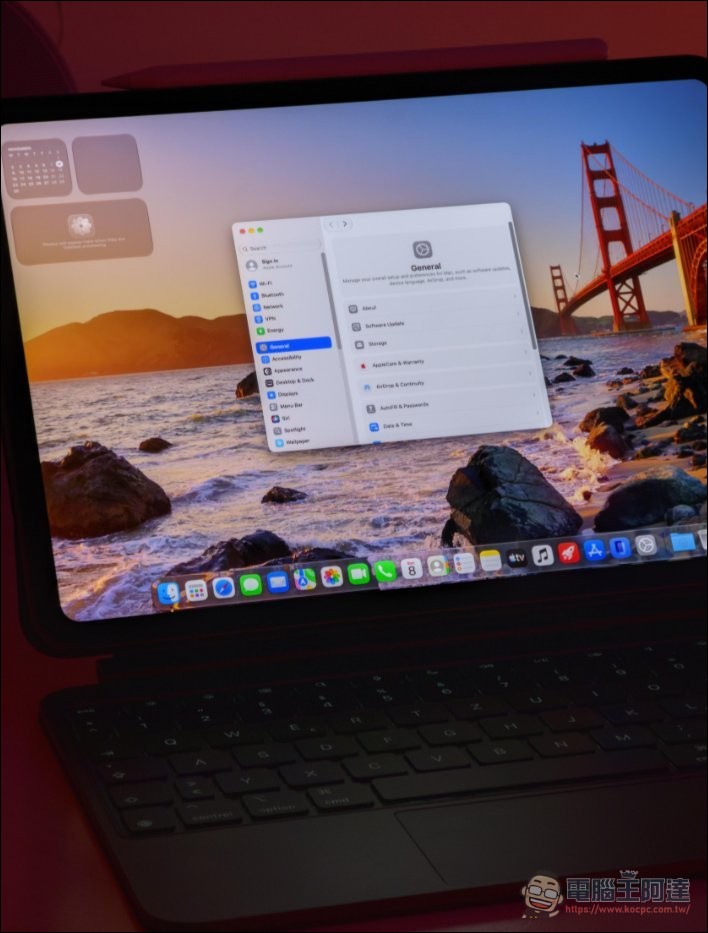
In other words, Stela’s approach is to emulate an Apple silicon Mac on x86 hardware. What macOS sees is an M2 Mac mini, and it has no idea where it is running. In his explanation on Reddit, the author mentions how another similar project, nullmoth, does it: piecing together the x86 remnants left in the macOS kernel. He believes that route won’t work, because if Apple removes those leftover pieces of code someday, problems will arise, so he chose the direction of emulating Apple hardware behavior.
Stela: A general-purpose Apple Silicon layer for PC (yes, macOS 27)
byu/AuspiciousCracker inhackintosh
Translate over 30,000 instruction codes.
The core technology is an arm64e-to-x86-64 instruction translator that uses both ahead-of-time (AOT) and just-in-time (JIT) compilation mechanisms. The official documentation states that it covers more than 3,000 AArch64 instruction encodings and includes several optimizations: mapping guest registers to host registers and caching translated code to avoid repeated translation. The execution requirement is any x86-64-v2-class processor, Intel or AMD, covering roughly machines from 2011 onward.
The author’s long-term goal is to bring performance up to the level of Apple’s own Rosetta 2. Rosetta 2 is a tool made by Apple that lets Intel applications run on Apple M-series processors. Stela goes in the opposite direction, but the technical challenge is comparable.
Self-written NVIDIA Metal driver
Another technical highlight is the graphics card. Apple stopped supporting NVIDIA graphics cards years ago, so running Metal on NVIDIA hardware requires doing it yourself. Stela’s Metal driver supports GTX 16 and RTX 20 series and later graphics cards. The approach is to compile AIR (Metal’s shader intermediate representation) directly into NIR (Mesa’s intermediate representation), skipping the step in similar projects that goes through SPIR-V. It currently supports two GPU families, Metal3 and Apple7.
The author states that this driver is built on the open-source nouveau driver, so theoretically it also supports hybrid graphics architectures such as NVIDIA Optimus. He also confirmed that support for AMD and Intel integrated graphics is under development, and replied that he hopes to support Intel’s Lunar Lake (Xe2) in the future.
Most of the code was written by AI.
This may be the most discussion-worthy part of the whole thing. In a Reddit post, the author admitted: “The vast majority of the code was written by AI.” He said he is a computer and software engineer, and his architectural judgment is still better than the model’s, but he never thought he could build something of this scale—not even a fifth of this scale.
The community’s reaction is sharply divided. Some feel that as long as the author truly understands the code, there’s no problem; others point out that the issue isn’t AI writing code, but that many people piece together a working prototype with a few prompts and release it as a finished product, skipping testing and debugging. Some comments say outright that regardless of whether AI wrote it, this level of result is simply impressive.
Hardware Requirements and Installation
The officially listed requirements are as follows:
The processor must be x86-64-v2 class (roughly 2011 or later), with UEFI and Secure Boot disabled, and at least 8 GB of RAM; the graphics card must be NVIDIA GTX 16 or RTX 20 series or newer; an 8 GB or larger USB flash drive; an empty GPT partition of at least 60 GB; the installation process requires internet because the tool will download macOS for you.
The installation process itself is cross-platform and can run on Windows, Linux, or macOS. On Windows, you simply double-click stela.exe; on Linux and macOS, use sudo ./stela setup. The tool will create a bootable USB. Users can select the macOS version and the Mac model to emulate.
The author himself says: don’t try now.
This must be placed in a prominent position. The GitHub README opens with a warning: Stela is still in development, and the chance of successfully booting is currently very low, with major hardware support and fixes in progress. The first sentence of the author’s Reddit post also says he does not recommend trying it now and just wants to release the source code and announce progress. The current state is that the OS and most applications can start, but it is very slow and still has many errors; it is only useful for testing and is not yet usable.
But more things can already run than expected. A user asked whether package managers like Homebrew that require Apple silicon can be used, and the author replied yes. Someone in the community also used it to bring up a full desktop environment, including Finder, Safari, Mail, Photos, Calendar, Terminal, and System Settings, with more than 400 processes running at the same time in Activity Monitor.
In addition, Stela currently emulates an M2 Mac mini running macOS 27. The author says they are updating it to an M5 Ultra hardware model, with the goal of making all macOS versions that support that hardware run easily.
Stela – GitHub
Why does this matter?
After Apple switched to its own chips in 2020, Intel Macs headed toward obsolescence, and the link between Mac and x86 broke year by year. Traditional Hackintosh’s room to survive grew narrower and narrower, because Apple kept removing x86 remnants from the kernel. Stela took a different approach: since there’s no going back to x86 versions of macOS, make x86 hardware pretend to be Apple silicon. The advantage of this direction is that as long as Apple still supports a certain generation of Mac hardware, the corresponding macOS version can theoretically be run by Stela, without having to chase what Apple has removed. But in reality, it can’t even achieve stable booting yet, and the author himself said, “Don’t try it now.” That sentence matters more than any spec number; anyone who wants to try should at least wait until the day the author changes his tune.
Source: KOCPC Chinese