


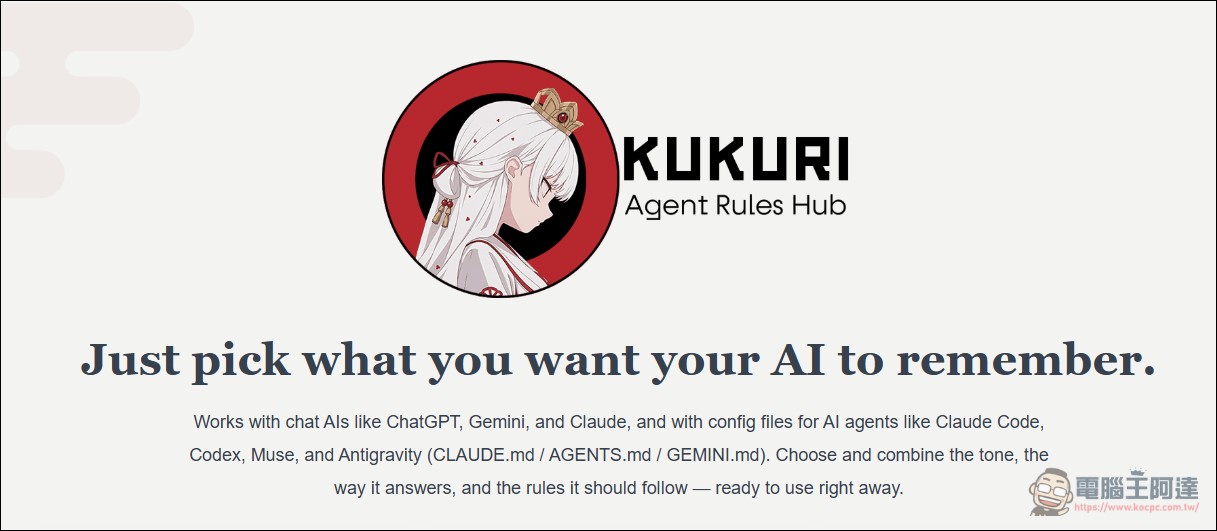
To use AI agents to write code, the AGENTS.md file has almost become a standard feature. Tools such as Claude Code and Codex read it and use its contents to decide how to write code, how to respond, and what not to touch. Chat-based AI is the same: paste the same instructions into the settings field, and you won’t have to repeat them in every conversation. The problem is what to write. The quality of the instructions file directly affects AI performance, but most people facing a blank file simply don’t know where to start. KUKURI – Agent Rules Hub, launched on November 10 by Japanese company Spider Networks Inc., is a service aimed at this barrier.

It’s not just for engineers.
KUKURI is defined as a library of instruction documents. Its purpose is to collect, according to need, behavioral rules such as how AI should speak and work. Users simply choose an instruction document that suits their purpose and give it to the AI. The selling point officially emphasized is its range of applications. The instruction documents included in KUKURI cover fields such as software development, design, copywriting, sales, email, customer service, research, data analysis, education, and business management: including website design, inbox classification, sales email writing, replying to customer complaints, and school notices to parents.
Another type specifically called out by the officials is “Loop Engineering,” which lets AI agents autonomously and continuously carry out long-running tasks within set limits. The popularity ranking on the official homepage shows more specific applications, such as “responding to abusive or threatening customers without leaving employees to bear it alone,” which separates the complaint from the behavior and covers explaining limits, issuing warnings, escalating to a supervisor, and what to do and how to document it when there is danger.
There are several more items worth mentioning on the official website’s popular list. One is “investigate based on publicly available information without harming the parties involved”: it first checks the purpose and risks, collects only necessary data, tracks the source of each piece of information, weighs all the evidence, and has others review it before publishing. Another is “add features to a layered desktop application and test every build”: the rules keep rule logic in the core layer, restrict the commands and folders tools can touch, and split optional features according to real dependencies. The level of detail in these documents shows that this library’s positioning is far more granular than a few generic lines like “please use a formal tone.”
How to: Edit and Combine
KUKURI’s instruction files are divided into two structures. The official documentation states that a complete AI rule is a full set of settings, while a “component” is a building block within it; users can freely combine the components they need.
The creation process is Q&A-style. Starting from the “New AI Rule” page, you answer a few questions such as name, personality, and tone, and the system generates a draft. Then, on the edit page, you can add components, reorder them, and adjust how strongly each component is applied. Paid plans also let you upload your own Markdown files; the system first splits them into components for you to review before importing.
Downloading and Pasting: Two Ways to Use
The instruction file produced by KUKURI has two paths available:
- Download as a file: Can be downloaded directly as CLAUDE.md, AGENTS.md, or GEMINI.md and placed in the project folder for use with tools such as Claude Code, Codex, and Antigravity
- Paste into the chat AI.: Copy from the “Use in web AI” button into an easy-to-paste format and feed it to ChatGPT, Gemini, or Claude; the site also includes paste instructions for each.
The service supports seven chat AIs and agents: ChatGPT, Gemini, Claude, Muse, Claude Code, Codex, and Antigravity.
Costs and Limitations
The fee structure has three tiers:
Free PlanIt is free forever and allows you to save 3 AI rules; downloads and AI consultations are each capped at 20 uses as a lifetime total. The free plan has another limitation that is easy to run into: the official documentation states that saved rules will not be deleted due to a downgrade, and users can still view them, but when the download or AI consultation quota is used up, the “Use in web AI” feature will also be disabled; when the number of saved rules reaches the free limit, you cannot create new rules and must delete unneeded rules before you can continue creating them.
Starter planThe monthly fee is $7; annual payment of $69 works out to $5.75 per month, officially listed as about 18% cheaper. There is no limit on the number of AI rules you can create, 15 can be stored, downloads and AI consultations are each 100 times per week, and you can upload your own AI rules with a compatibility check.
Premium PlanThe monthly fee is $15; annual billing at $149 works out to $12.42 per month, about 17% cheaper. The storage limit is 100 items. For downloads, the official description says “practically unlimited,” but it separately lists a high-traffic protection cap of 100,000 per week, while AI consultations are 300 per week. All three plans allow sign-in with an email password, a Google account, or a GitHub account.
Converted to New Taiwan dollars, the Starter monthly fee of US$7 is about NT$228, and Premium at US$15 is about NT$488; the annual prices are about NT$2,243 and NT$4,843 respectively. For paid plans, the billing cycle starts on the registration date and resets weekly. The next reset date is shown on the settings page. The free plan’s usage counts do not reset.
Conclusion
KUKURI solves a very specific problem: it gives people who aren’t sure how to write instruction files something they can adapt. Splitting rules into composable components and supporting direct download as AGENTS.md or CLAUDE.md—these two design choices are well targeted when compared with actual usage scenarios, because most people get stuck at “starting from a blank file” and “pasting the same instructions every time.”
There are also a few points to keep in mind. The free plan’s downloads and AI consultations are lifetime totals; once they’re used up, the paste-to-chat AI feature will also be disabled. The Chinese interface is available only in Simplified Chinese, and Traditional Chinese parameters revert to English. Most critically, MCP and the Enterprise edition are still “under consideration,” and no official timeline has been announced.
A service like a prompt library isn’t hard to build; the real barrier is continuously supplying content and maintaining quality control. When KUKURI launched, it already had a set of rules covering customer service, design, teaching, and development, and the official team also said it would keep expanding them based on user feedback. The next question is whether this content can stay at a usable standard.
Source: KOCPC Chinese