


Clearly, X is going all in on becoming an “all-in-one video creation platform.” After allowing users to upload podcasts and long videos up to an hour long, it recently launched a built-in Reaction Video creation feature in the app; now X has rolled out another major new feature: users can edit and share videos directly in the app without having to download them first or rely on third-party editing tools—and more importantly, this update finally gives original creators the exposure and real revenue they deserve.
Now you can edit videos directly on X, with no downloads and no third-party apps required.
In the past, if you wanted to share a highlight from someone else’s video on X, the process was quite cumbersome: you first had to download the original video locally, open external editing software to trim it, and finally re-upload and publish it. The biggest drawback of this model was that no matter how many views and interactions the edited clip received, the original creator often received no credit at all, let alone a corresponding share of revenue.
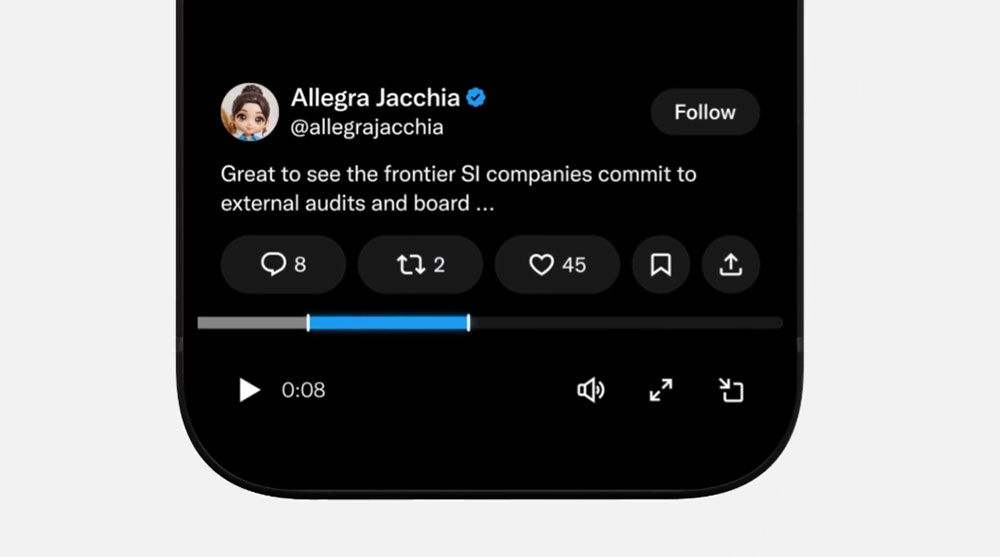
The new feature breaks this impasse in one stroke. Now every short clip that is edited comes with a link that directs viewers back to the original video. This not only helps original creators reach a broader audience and gain new fans; combined with X’s Creators Revenue Sharing program, both clip creators and original creators can profit from it together, creating a win-win content ecosystem.
Introducing Clipping 🎬 Until now, clipping on X meant downloading videos, editing them using outside tools, and reuploading. Original creators often didn’t get credit, and even when a clip went viral, they didn’t earn from it. Native clipping fixes both sides. Clippers: clip your favorite moments right on X in a few taps. No downloads, no extra steps. Creators: every clip credits and links back to your original video, so you get more reach and new viewers who keep watching. And for the first time, both the clipper and the original creator can earn from that clip through Original Content Rewards. Happy clipping!! https://t.co/aXzC8bLVXS
— Allegra Jacchia (@allegrajacchia) November 9, 2026
To protect original content from excessive misuse, X has established several key rules for this feature:
- Applicable to: Currently only supports pre-recorded videos that are at least 2 minutes long (live videos are not supported at this time).
- Clip length limit: The trimmed clip must be between 5 and 60 seconds long.
- Proportional limit: The edited clip must not exceed 30% of the original video’s total length. For example, from a 2-minute (120-second) video, you can edit at most a 36-second clip; if the total video length exceeds 3 minutes 20 seconds, the 30% limit does not apply, and you can edit a full clip up to the 60-second maximum.
In response to the frustration that Live Video cannot be edited in real time, Allegra Jacchia, X’s Creator Product Lead, has clearly stated that a live video clipping feature is already in development planning and is expected to launch officially soon.
@altryne It’s coming 🙂
— Allegra Jacchia (@allegrajacchia) November 9, 2026
This feature has an extremely low learning curve, and the workflow is very intuitive:
- Select Clip: Below the target video, click the “Repost” icon and select “Clip Video.”
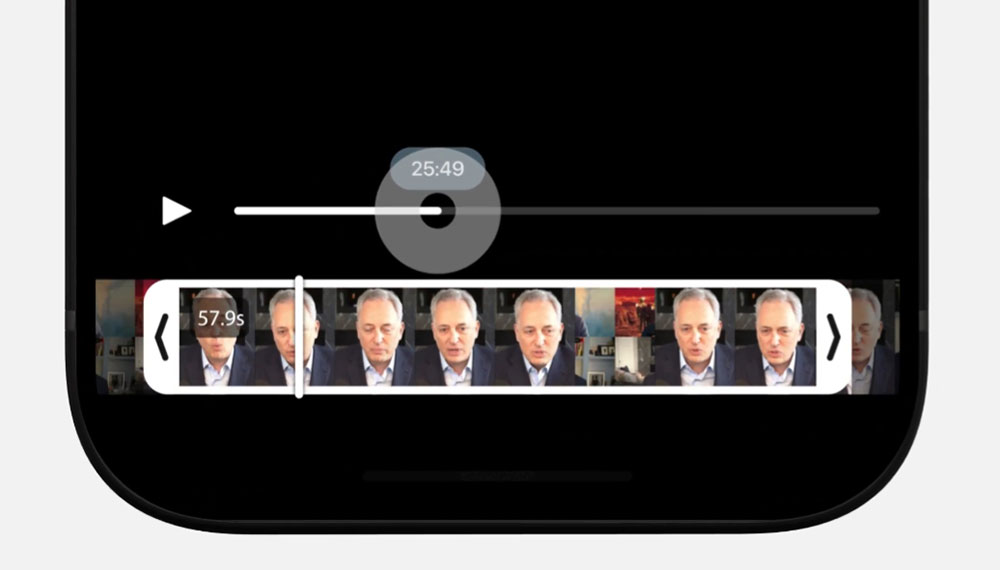
- Adjust range: Drag the editing handles on the timeline to select the highlight segment you want to capture. If the selected range exceeds the 30% length limit, an “X” icon will pop up on the screen as a warning.
- Write and publish: Click “Next,” enter your personal viewpoint or comment, then press “Publish” to complete.
For content creators and social media managers who were used to “download, edit, and re-upload,” they can now finally say goodbye entirely to those cumbersome steps. This X update not only makes video sharing faster and more convenient, but also, through a revenue-sharing mechanism, injects new monetization vitality into the platform’s video ecosystem.
Source: KOCPC Chinese