


Apple will start selling on October 23. iPhone Duo On the same day, a complete set of official repair manuals was quietly posted on the official website for users who want to replace parts themselves and independent repair technicians. Among them, “iPhone Duo Cover Layer” specifically covers iPhone Duo inner screen protectorremoval and replacement. This protective layer is not an ordinary screen protector. It is the one that, in a recent drop test, saved the inner screen from a direct-drop disaster.Nano-textured surface protective filmIt is applied at the factory to the 7.6-inch inner display, where it reduces glare and reflections and, through optically clear adhesive, allows the display layers to slide smoothly when folded. Apple Vice President of Hardware Engineering Kate Bergeron confirmed in an earlier interview that this layer has a removable design and can be replaced separately when worn, so users do not have to replace the entire display module just because the screen surface is damaged, as is the case with foldable phones from other brands.
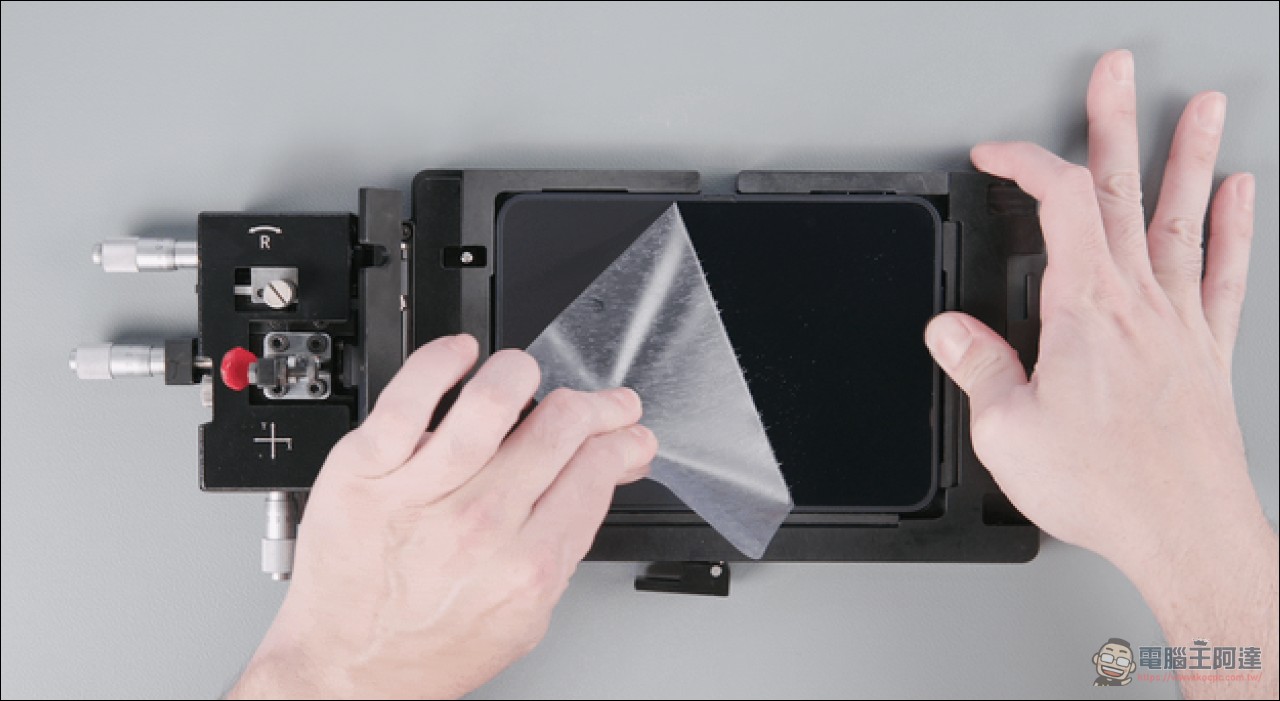
Learn how to replace the inner screen protector on the iPhone Duo — Apple’s official process tutorial is now available.
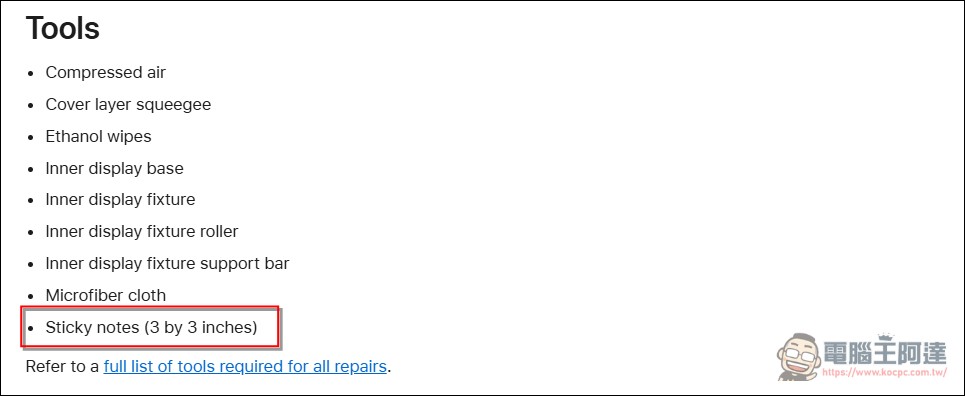
Removal Section: The official tool list includes sticky notes.
Looking through the list of tools, compressed air, a specialized scraper, ethanol wipes, and microfiber cloths are no surprise—but the last item brings a knowing smile:3-inch square sticky notes, in black and white, listed in the official tool table.
The disassembly method is like this: put the unfolded iPhone into the inner screen jig, take a sticky note and slide it back and forth at the upper right corner, tuck it under the protective layer, and use the sticky note to lift the corners.

Once a corner is lifted, peel it away from the inner screen in one go at a 45-degree angle; according to the official instructions, this angle helps reduce adhesive residue. Use ethanol wipes to clean off the residue—this is specifically emphasized.Do not use IPA wipes.Also clean any residual adhesive stuck under the frame trim; then use a microfiber cloth to wipe away residual adhesive and particles, and finally use compressed air to remove dust. Hard or sharp tools are prohibited throughout the process to avoid scratches.


Repost: The Fine Points of Micrometers, Rollers, and 70 Degrees
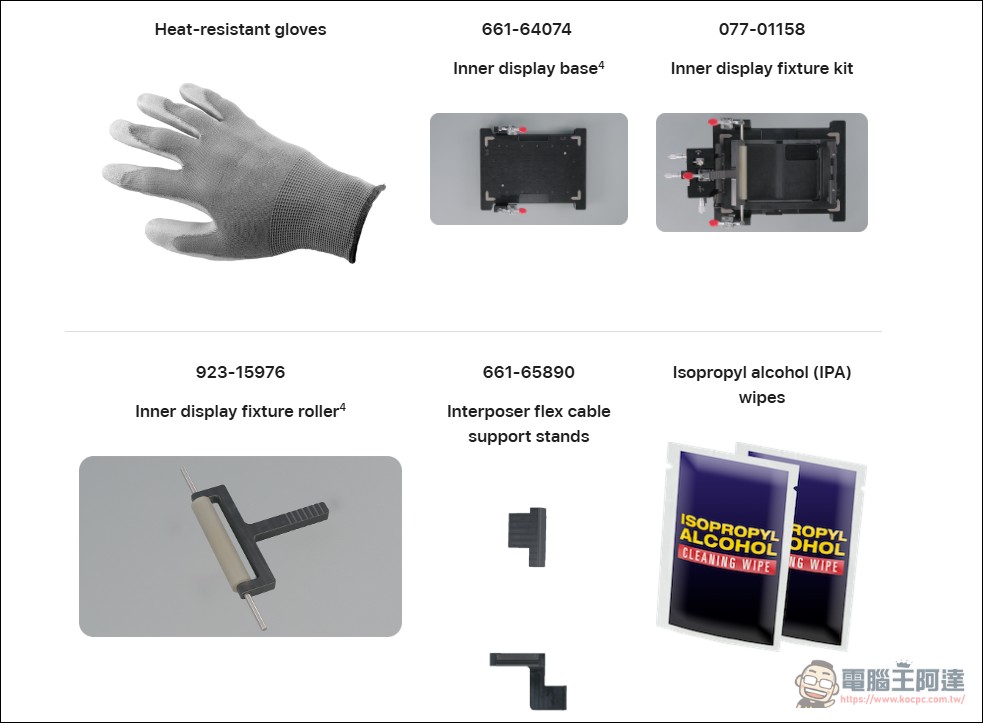
The re-lamination process is even more eye-opening. The entire workflow revolves around a set of dedicated jigs: the jig has a rotary knob, a rotation lock, X-axis and Y-axis micrometer knobs and locking devices, plus a support rod and a dedicated roller.
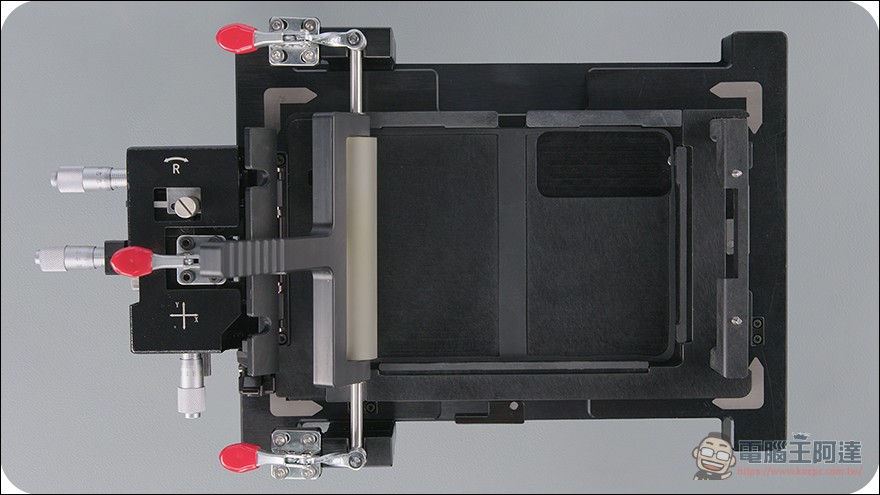
- Counterpoint: Place the new protective layer down with its positioning holes aligned with the fixture’s positioning pins; use the body trim and the outer front camera hole as references to rotate it into alignment and lock it; then, using the outer front camera hole as a guide, fine-tune with the X- and Y-axis knobs. Officials emphasize that the line of sight mustDirectly above the camera hole.Confirm complete alignment
- Mystery numberAfter locking the Y-axis, read the scale number on the X-axis knob of the micrometer,Add 13 moreThe document also gives an example: with the knob at 34, the final scale is 47. The document doesn’t explain where this 13 comes from, but if the number is wrong, it was simply pasted crookedly.
- Dust removal: Lift the protective layer and use compressed air to clear all particles from the inner screen. Grasp the white pull tab at the bottom of the release film and peel off the adhesive backing paper. At this point, the adhesive side of the protective layerUnder no circumstances should you touch the screen beforehand.
- Roller methodWith one hand holding the protective layer and the other pushing the roller, keep a 20-degree angle throughout and roll across the screen; when you reach the hinge, take the protective layerRaise to 70 degrees., to avoid bubbles near the hinge, once past the hinge set it back to 20 degrees and continue; roll back and forth over the entire surface five times
- Wrap-up: Use a scraper to remove visible air bubbles (replace the scraper tape if damaged), let it stand for one minute, then use 180-degree anglePeel off the top release film. If you pull at the wrong angle, it will lift the protective layer you’ve already applied along with it. Finally, check the alignment and bubbles. If it isn’t applied properly, remove everything and start the reapplication process from the beginning.
The manual is available, but the parts aren’t on sale yet.
This manual is available to users and independent repair technicians. Apple recommends reading the entire manual before starting and proceeding only once you are confident in the process; separate safety guides are also provided for broken glass and battery replacement. There is one caveat, however: although the Apple Self Service Repair Store sells genuine parts and tools,Parts for the iPhone Duo haven’t been listed yet.In other words, the documents were provided first, and the parts will arrive later.
Maintenance Manual FamilyIt also includes standalone guides for 22 items, including the back glass, cameras, two batteries, logic board, Taptic Engine, speaker, outer display, inner display, inner display assembly, USB-C connector, and chassis—even the “heated display removal fixture” has its own operating manual.
Price: outer layer NT$1,700 vs inner screen NT$37,350.
In Taiwan, out-of-pocket repair prices determine the risk calculation of whether to do it yourself. Repairing damage to the screen’s outer layer starts at NT$1,700; once the inner screen is damaged and display or touch is involved, the quote… 37,350 yuan, approaching half the price of the device itself (starting at NT$74,900 per unit). With AppleCare, it’s considerably cheaper: nano-texture surface coating NT$690, cover screen NT$900, back glass NT$900, inner display NT$3,200, and battery service NT$0.
Summary
This repair document unexpectedly pulled back one of the most mysterious layers of the foldable phone: behind a seemingly simple protective film is a whole ritual—lifting a corner like a sticky note, peeling it off at 45 degrees, a micrometer plus 13- and 20-degree rollers, and lifting the hinge area to 70 degrees. It also answers one of foldable phone users’ biggest concerns: what to do if the display surface gets scratched. Apple’s answer is that it “can be replaced independently,” at the cost of either waiting in line for first-party and authorized repairs, or waiting for Self Service Repair parts to become available and then following the document to perform precision surgery at home. As for those who are itching to try peeling off the film first, please think about the number 37,350 yuan.
Source: iPhone Duo Cover Layer – Source: Apple Support
Source: KOCPC Chinese