


When traveling abroad and eating at restaurants, many people get headaches seeing foreign-language menu items they don’t understand at all. Recently, I came across this quite convenient free app called “MENU-PAAN.” After taking a photo of the menu, it not only translates all the dishes but also explains what makes each dish special and switches into ordering mode, letting you select which dishes you want directly in the app. Once you’ve finished, you get an “order slip,” and then you just show it to the server. No more worrying about language barriers or saying the wrong thing when ordering. More importantly, it also offers a “mark dietary restrictions” feature, so servers can quickly know which foods you’re allergic to or don’t eat, and it supports multiple languages.
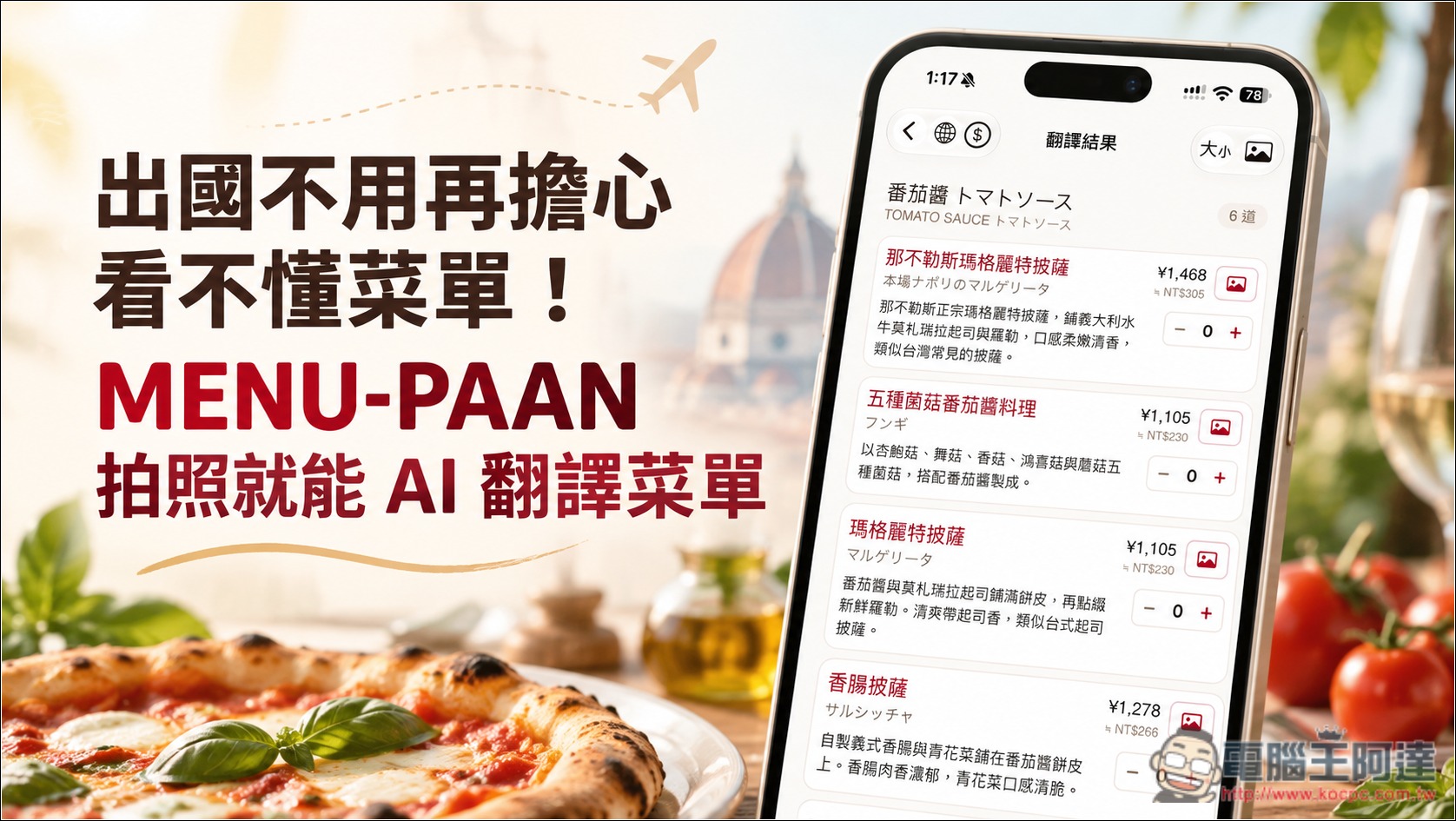
MENU-PAAN: An Introduction to a Menu Translation App for Traveling Abroad
MENU-PAAN is an AI menu translation app designed for overseas travel, launched by the Japanese company PAAN. Users simply take a photo of a menu with their phone, and the app uses AI to recognize the text, translate the dish names, and explain in Traditional Chinese the ingredients used, cooking methods, and local ways of eating the dish, so users do not just learn the Chinese name of a dish but can quickly understand what makes it special.
Compared with ordinary translation tools, MENU-PAAN places greater emphasis on real dining scenarios. For people with dietary restrictions, they can pre-set ingredients they don’t eat, so dishes that may contain those ingredients display a reminder. It can also generate dietary restriction cards in the local language, which can be shown directly or read aloud to staff when necessary, saving the trouble of finding a translator on the spot.
After deciding what to order, you don’t need to type anything else to translate. Just select the dishes and quantities you want from the translation results, and it will automatically generate an ordering screen with the local language and Chinese side by side, which you can show directly to the server for confirmation. Requests such as steak doneness, whether to add ice to drinks, and whether you need extra plates for sharing can also be communicated through the screen, making it very useful for people who are not good at foreign languages.
In addition, MENU-PAAN also provides approximate foreign currency conversion based on daily-updated exchange rates, and displays reference information on taxes, service charges, and tips. Translated menus are saved in the app, so you can view them again later even without an internet connection, and share them with friends traveling with you via QR Code or a link. The free version includes 3 Lite translations per day.
Key Features
- AI photo menu translation: Take a photo to recognize foreign-language menus, with support for printed text, vertical menus, and handwritten chalkboards.
- AI cuisine content explanations: In addition to translating dish names, it also explains ingredients, cooking methods, and local ways of eating, and provides reference images.
- Supports Traditional Chinese: provides 12 interface languages, including Traditional Chinese.
- Dietary restrictions and ingredient alerts: You can set ingredients you don’t eat, and dishes that may contain them will be marked.
- Generate a dietary restriction card: automatically translates into the local language and can be shown or read aloud to staff.
- Order directly by showing the screen: select items, quantities, and customization requests to generate a bilingual ordering screen.
- AI ordering combination recommendations: Recommends suitable meal combinations based on the number of diners and budget.
- Automatic currency conversion: converts meal prices into the specified currency and provides reference information for service charges and tips.
- View translation history offline: Translated menus can be saved and viewed again without an internet connection.
- Share translated menu: share via QR Code or link, so friends can view it without installing the App.
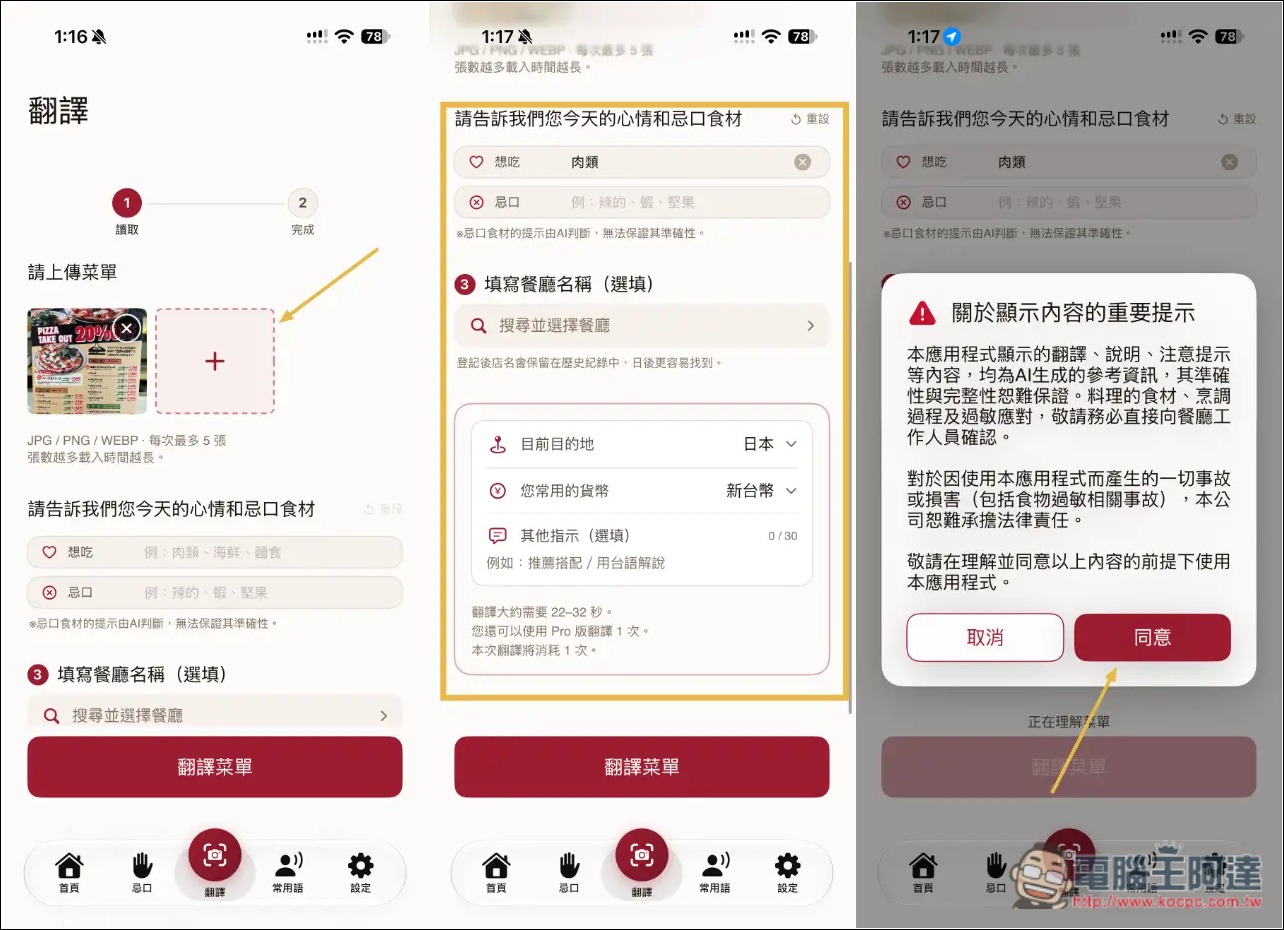
I’ll use the iOS version as an example. MENU-PAAN is easy to use: open it and go to the translation feature, then take photos or upload menus—up to 5 at a time—so even multi-page menus can be translated in one go. Below, you can note whether there’s a particular type of food you want to eat or any dietary restrictions. If so, it’s recommended to fill it in. For example, I enter meat, and after translation, dishes that are meat will be specially marked. The restaurant name is optional; it’s mainly for easy lookup later. Next, select the destination and currency. The destination will automatically detect your current location, and the currency defaults to TWD, so basically you don’t need to change it. First-time use includes 1 Pro translation trial:
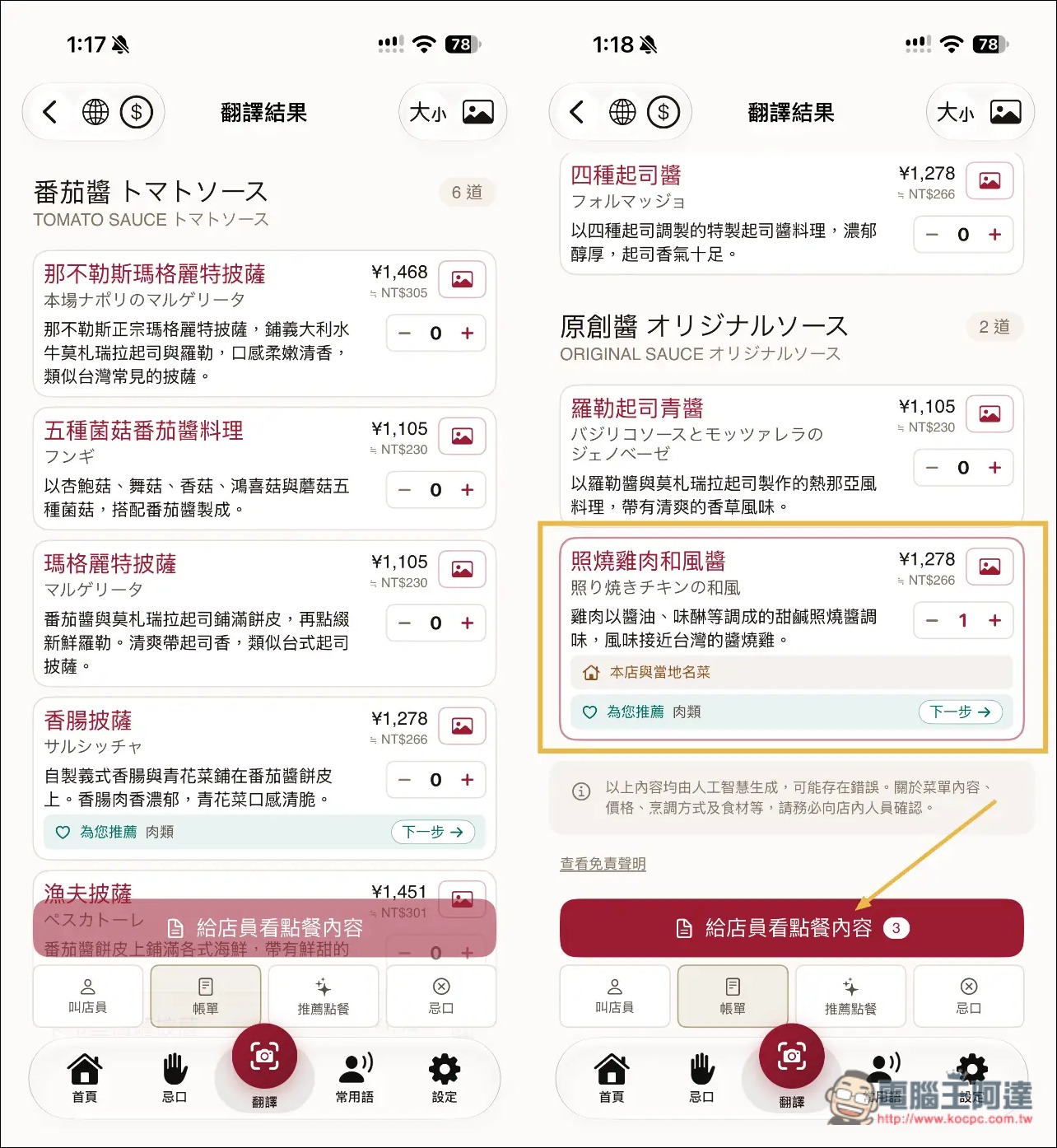
Then you can get the translation results. In addition to showing the Chinese and original names of each dish, below there will also be a Chinese description of the dish’s features and how it is made. Next to each dish there is an – + function, which is for ordering. Prices are also converted to New Taiwan dollars in real time. Although it feels convenient, I think it’s best to use it only as a reference; the price may be recognized incorrectly. For example, my menu lists multiple prices (special price, tax-included, tax-excluded), and it picks the wrong actual price. In addition, I previously entered that I wanted to eat meat, so dishes that are mainly meat will be specially marked:
After pressing Order, just show this screen directly to the staff:
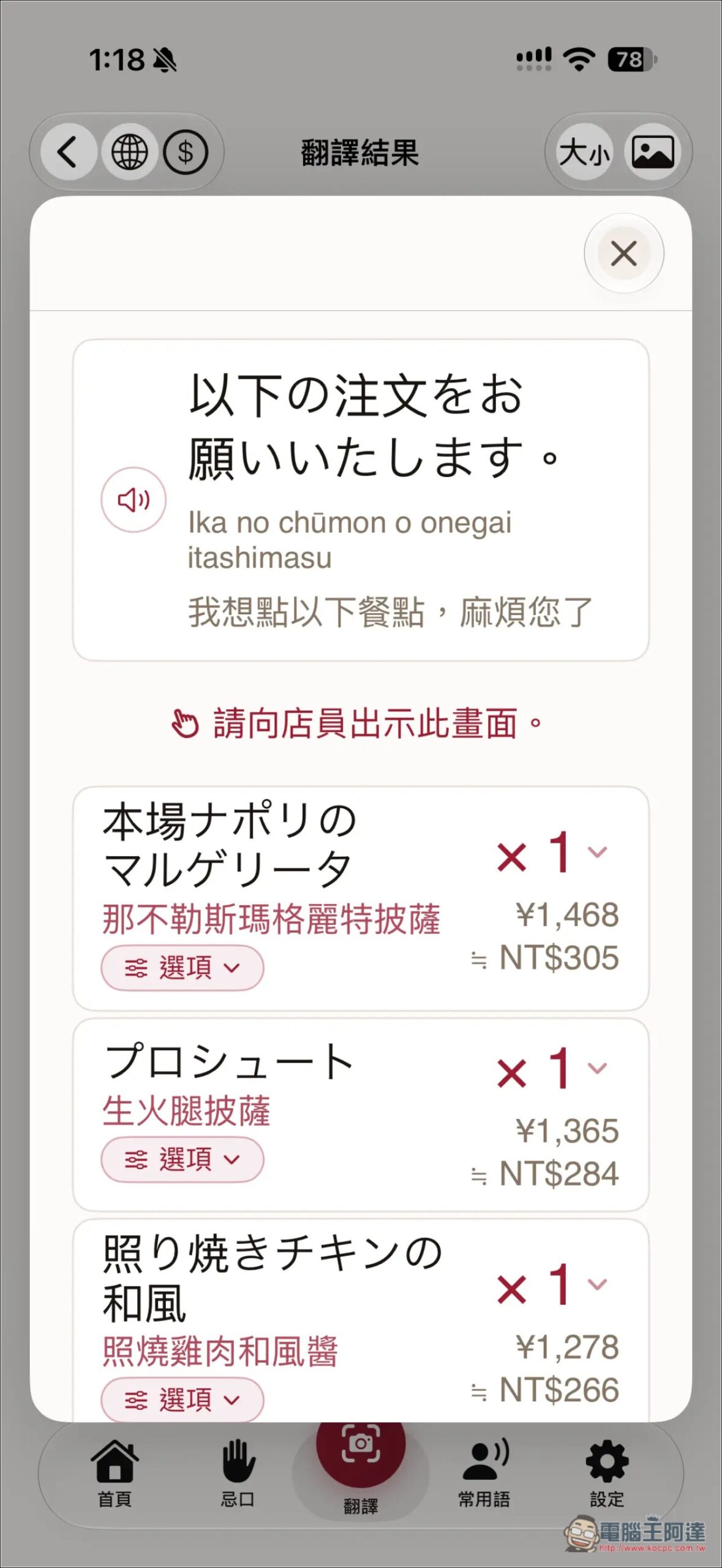
If you would like small plates, extra spoons, cups, etc., there are additional options below for you to add:
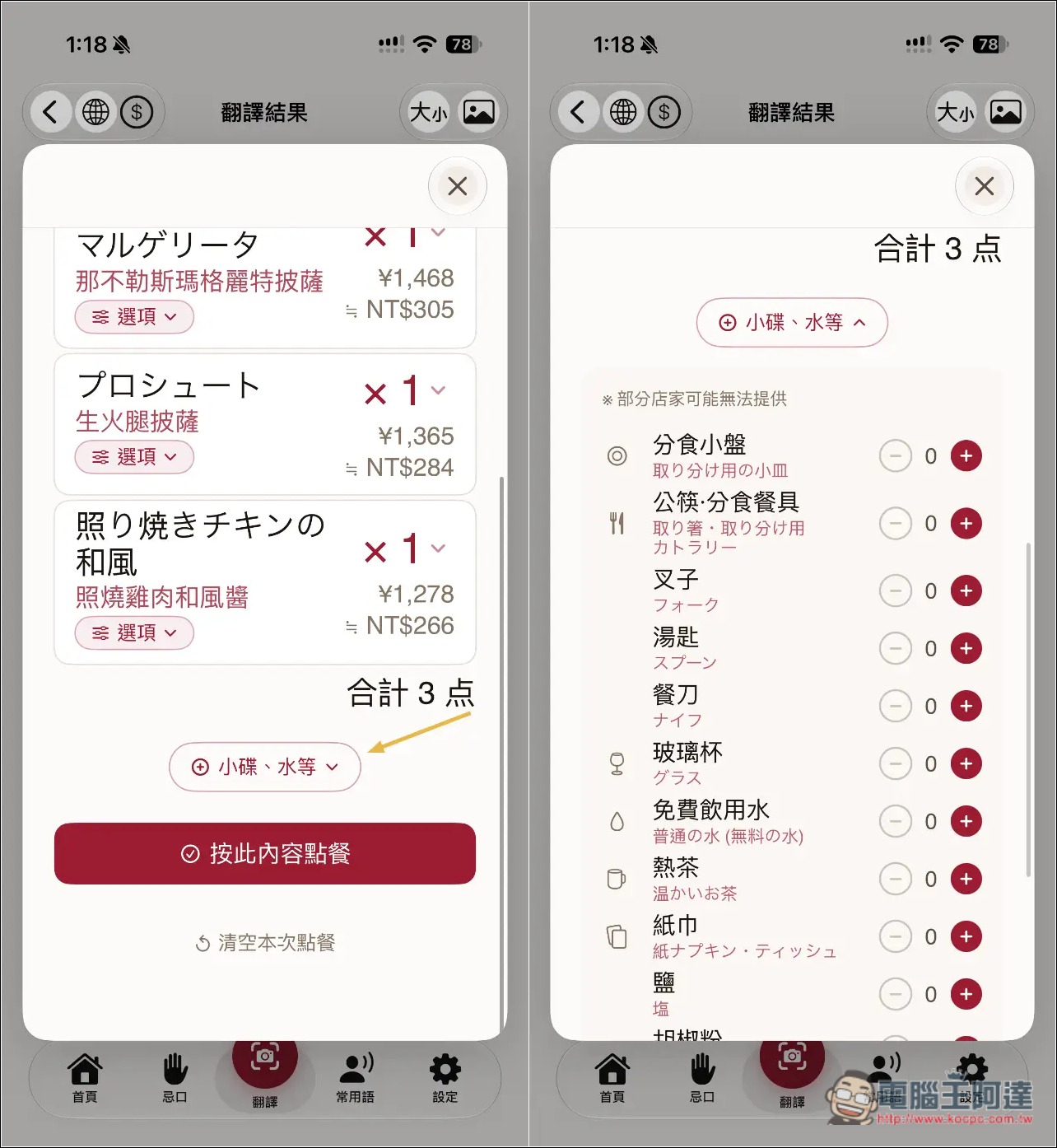
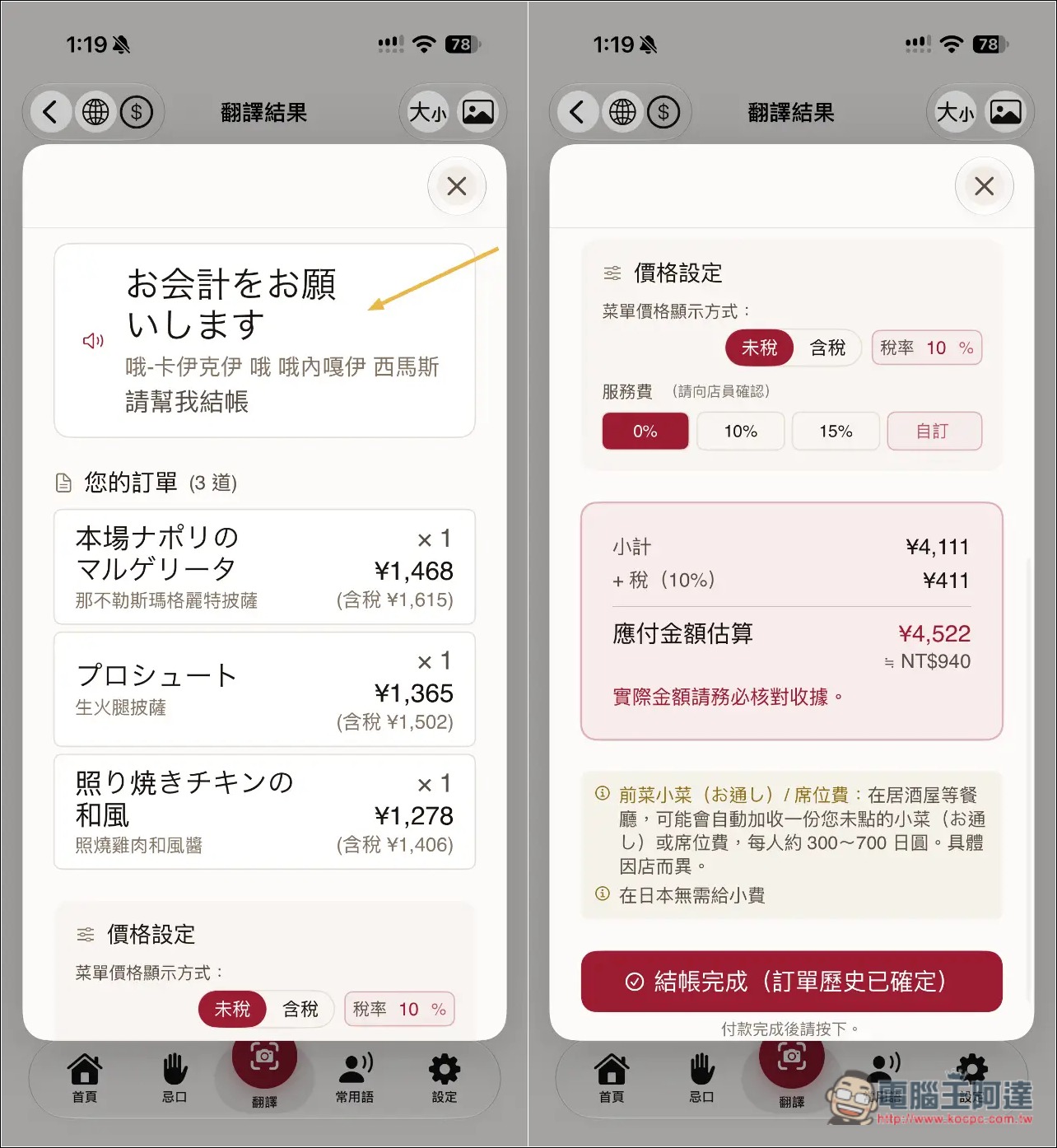
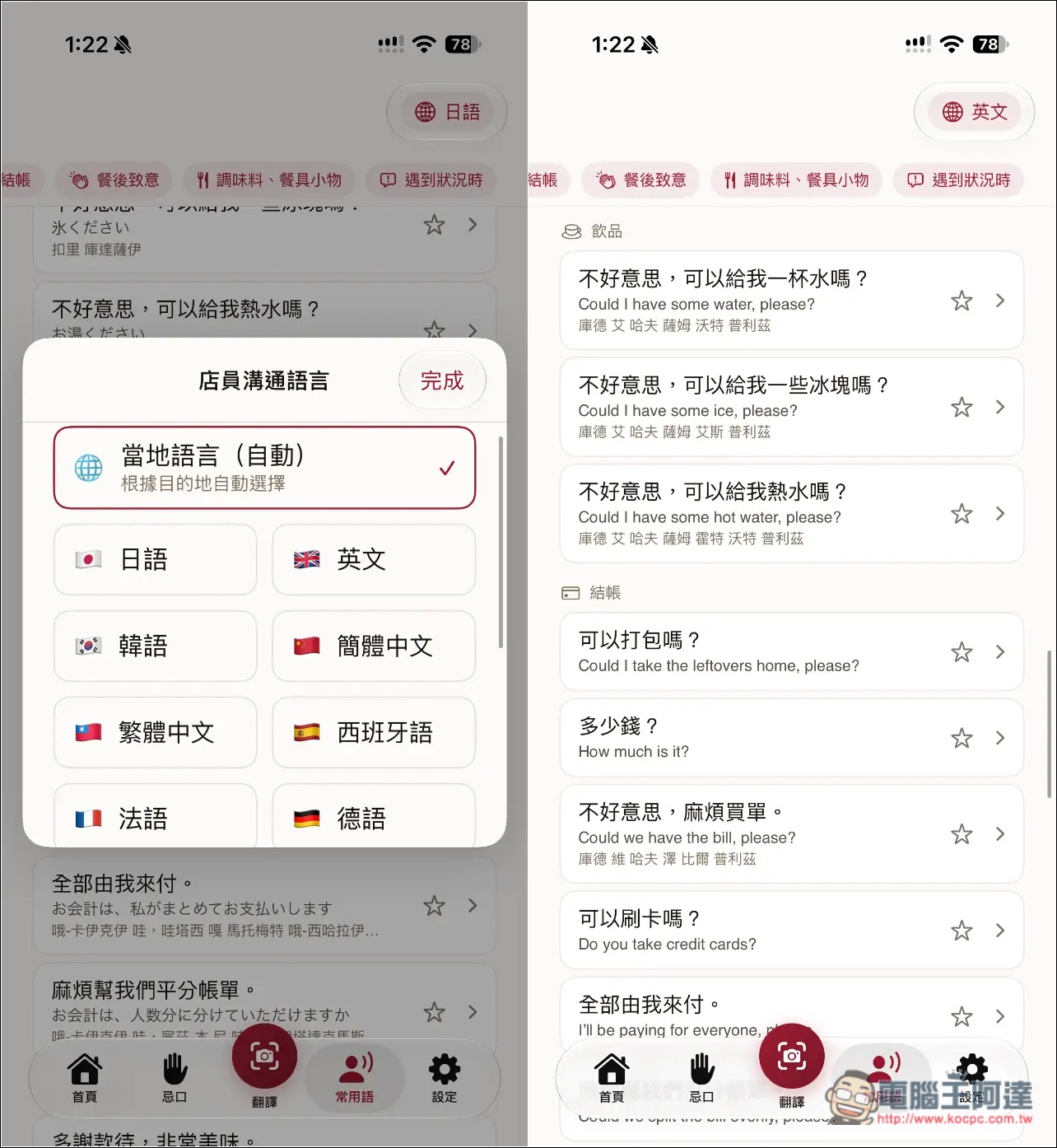
There’s also a checkout screen, and it even uses Chinese pronunciation to teach you how to say things to store staff in a foreign language. The bill can also be configured with tax, service charges, etc., and the final amount is automatically totaled:
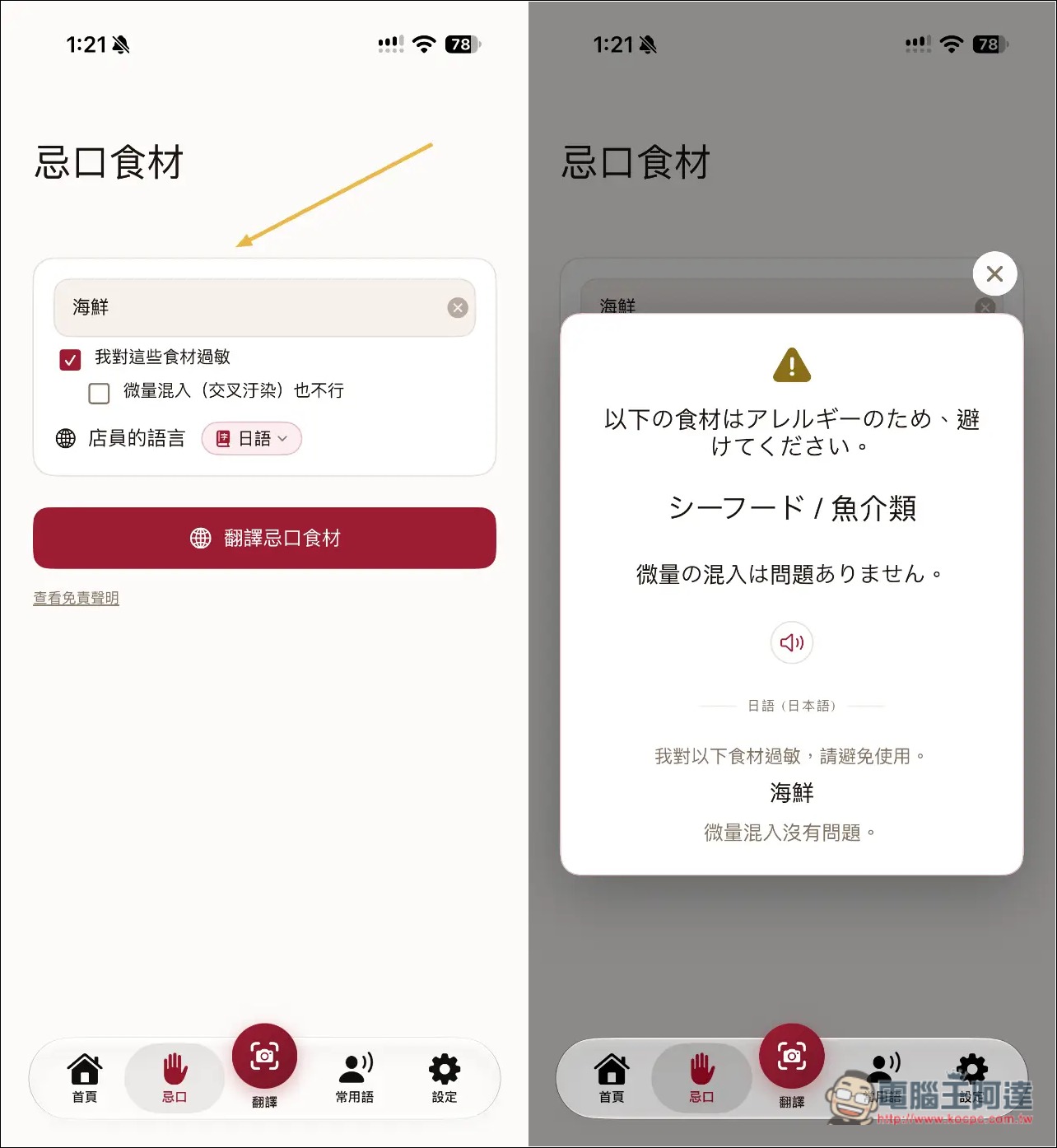
In the dietary restrictions menu, you can create cards for ingredients to avoid, so you can show them to staff at any time:
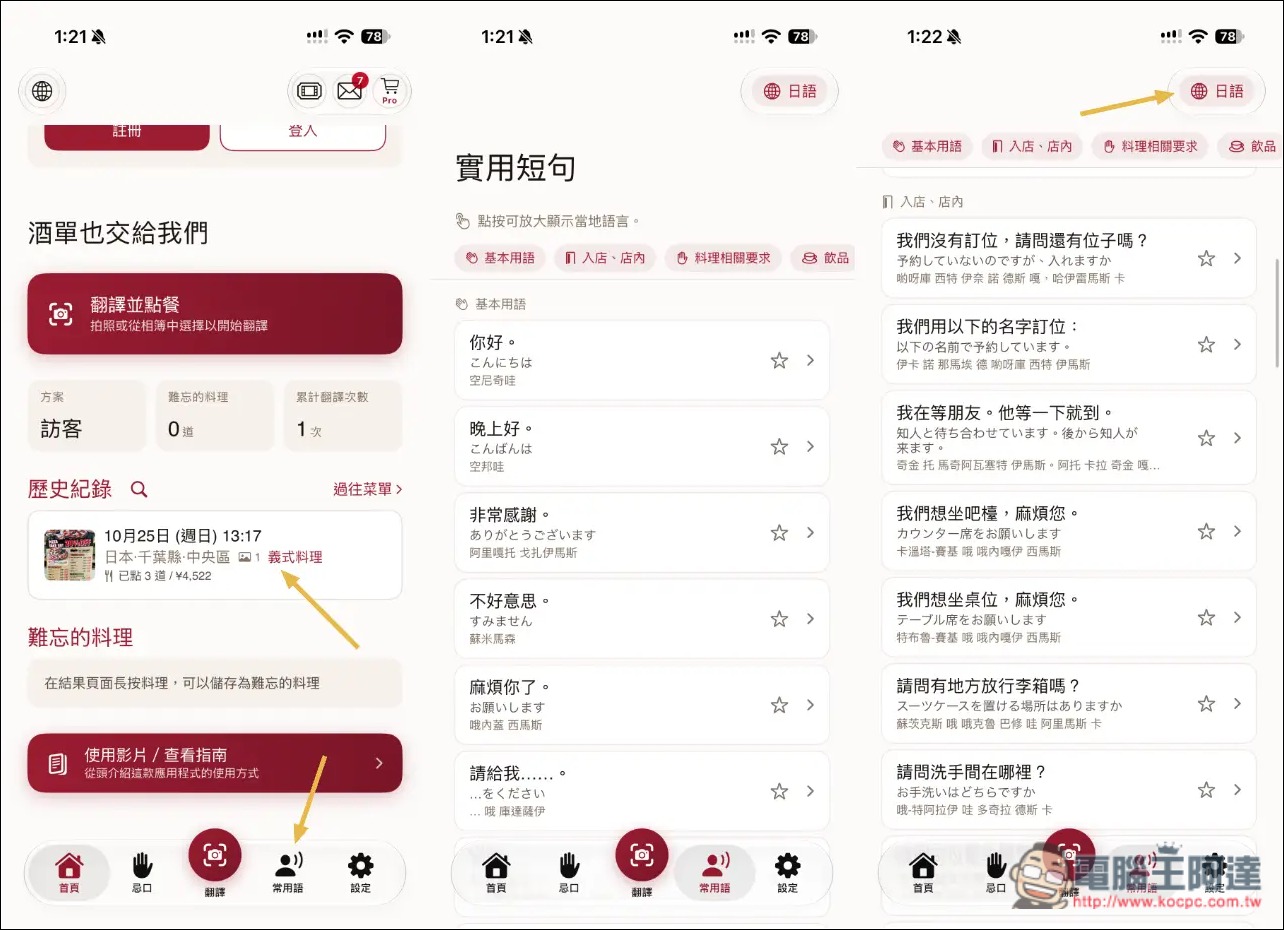
Order history can be found on the homepage. Common phrases and sentences in various foreign languages are also provided. You can switch languages in the top right corner:
Supports multiple languages:
Source: KOCPC Chinese