


When using ChatGPT, besides work, many people also ask about their personal matters, and you may not want some of that content to be seen by others. In the past, the only option was to delete it, but this has drawbacks—you might lose some important conversational context, which is very troublesome. The good news is that earlier OpenAI announced that ChatGPT has officially introduced a chat passcode lock feature: locked chats. You can now lock important conversations and set a PIN, Face ID, and Touch ID. And it’s not just for paid users—free users can use it too.
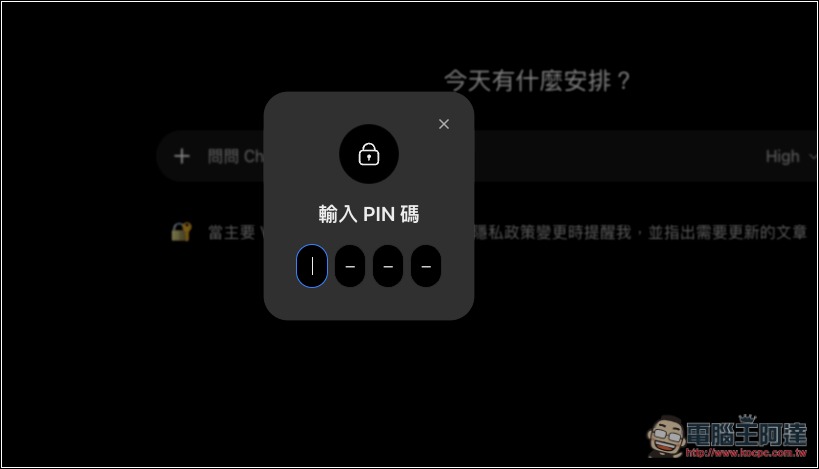
ChatGPT launches a conversation lock feature! Private chats can be locked with a PIN or Face ID, and free users can use it too.
OpenAI recently announced on its official X community the launch of a new ChatGPT feature, “Locked Chats,” which is currently being rolled out in batches. Simply put, this feature moves the conversations you select into a dedicated project called “Locked Chats”; these conversations will no longer appear in regular chat history, pinned chats, or chat search. Once locked, to open them, you need to enter the 4-digit PIN you set or use Face ID or Touch ID biometric authentication.
It’s available in ChatGPT Free, Go, Plus, Pro, Business, Enterprise, and Edu, as well as on the web, iOS, Android, and the new macOS and Windows desktop apps.
Keep sensitive conversations out of view with Locked Chats in ChatGPT. Move chats out of your regular history and search into a protected space you can unlock with a PIN on web and desktop, or a PIN, Face ID, Touch ID, or device unlock on supported mobile devices. New messages sent in locked chats won’t update the memory used in your regular chats. Rolling out starting today to Free, Go, Plus, Pro, Business, Enterprise, and Edu plans.
— ChatGPT (@ChatGPT) October 20, 2026
Cloud conversations in the regular “Chat” or “Work” mode can be locked, but Codex conversations (including cloud Codex) and local Work conversations cannot.
In addition, after a conversation is moved into a locked project, you can still use voice features within the conversation on the web version and the iOS and Android apps; however, the desktop app does not currently support voice.
As for how long it takes before it automatically locks, the web version and desktop app work on a per-tab/per-window basis: whichever tab you enter the PIN in, only that tab gets access, and after being away for a period it automatically locks again. For the web version, as soon as you refresh or close the tab, you need to re-enter the password to unlock.
The mobile app is stricter: if you leave a locked conversation or a locked conversation project for more than 1 minute, or if the app is moved to the background for more than 1 minute, it automatically locks. Access also ends when you log out or switch accounts or workspaces.
When unlocking, if you enter incorrect input too many times in a row, ChatGPT will temporarily disable access, and you must wait for the cooldown period to pass before trying again. This is a basic brute-force protection mechanism.
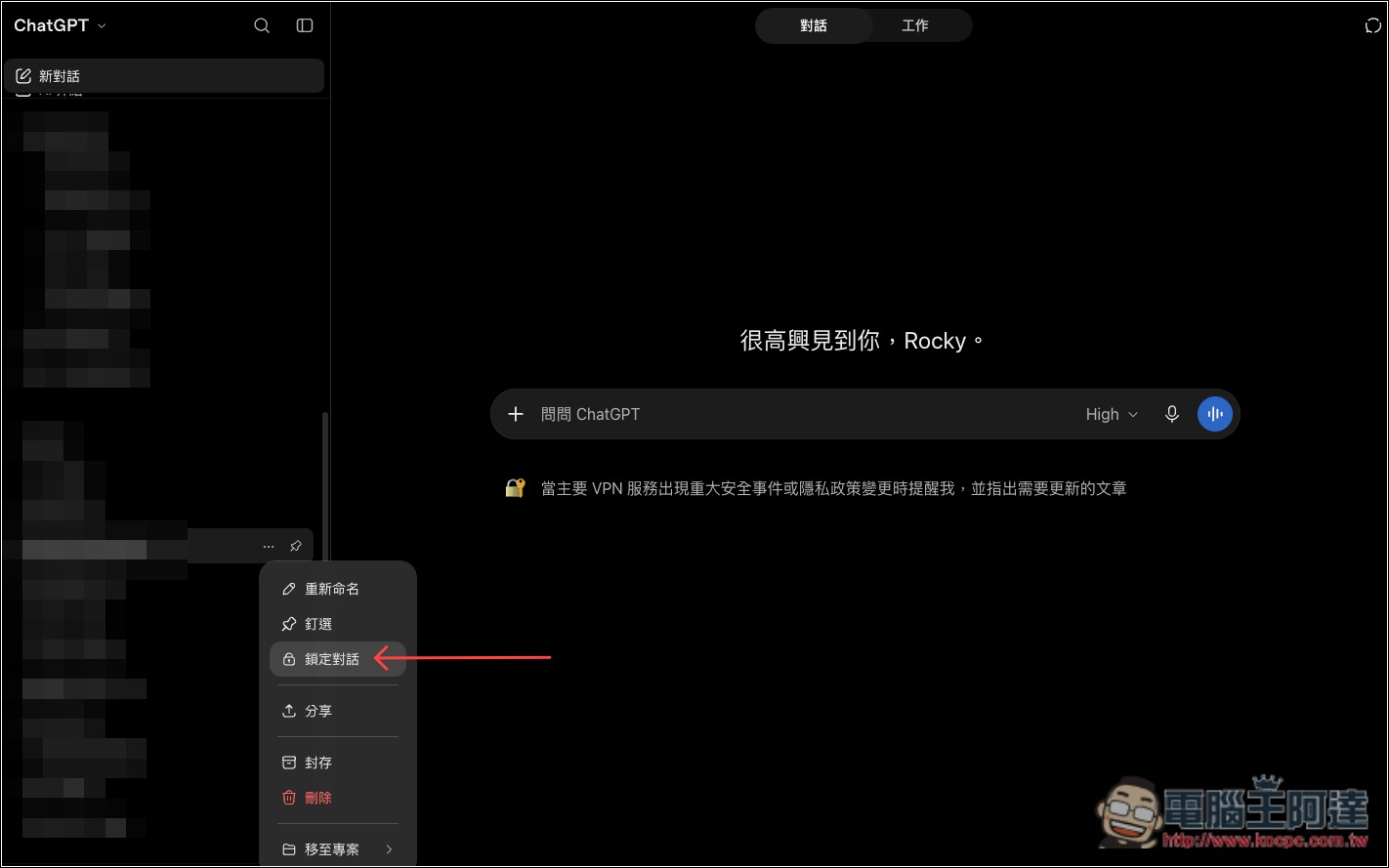
After opening ChatGPT, open the … menu on the right side of the conversation you want to lock, and you’ll see the new “Lock conversation” feature:
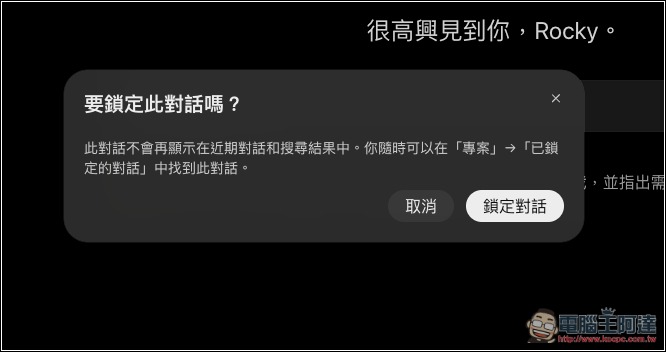
A prompt will pop up; press “Lock Conversation”:
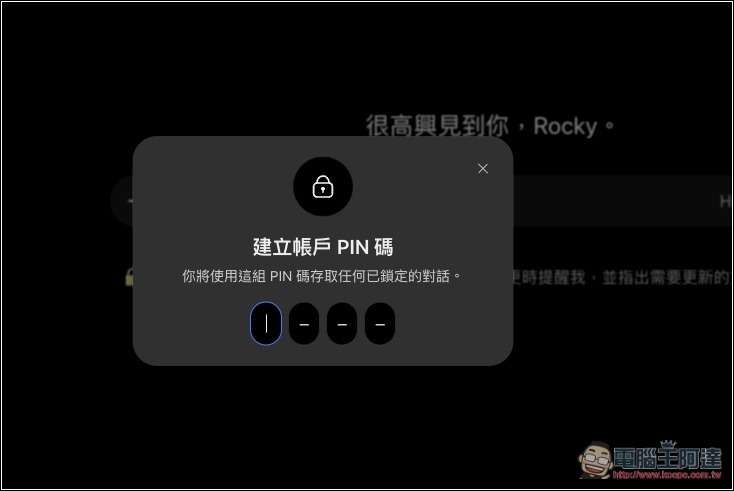
On first use, you’ll be asked to set up a 4-digit PIN. Be sure to remember it—you’ll need this PIN to unlock it in the future:
Next, you can find “Locked conversations” in the project list; once you open it, you’ll see the conversations you’ve locked. Going forward, you can continue those conversations right there without moving them out. This also means that any conversation you consider important or private is safest to move in here:
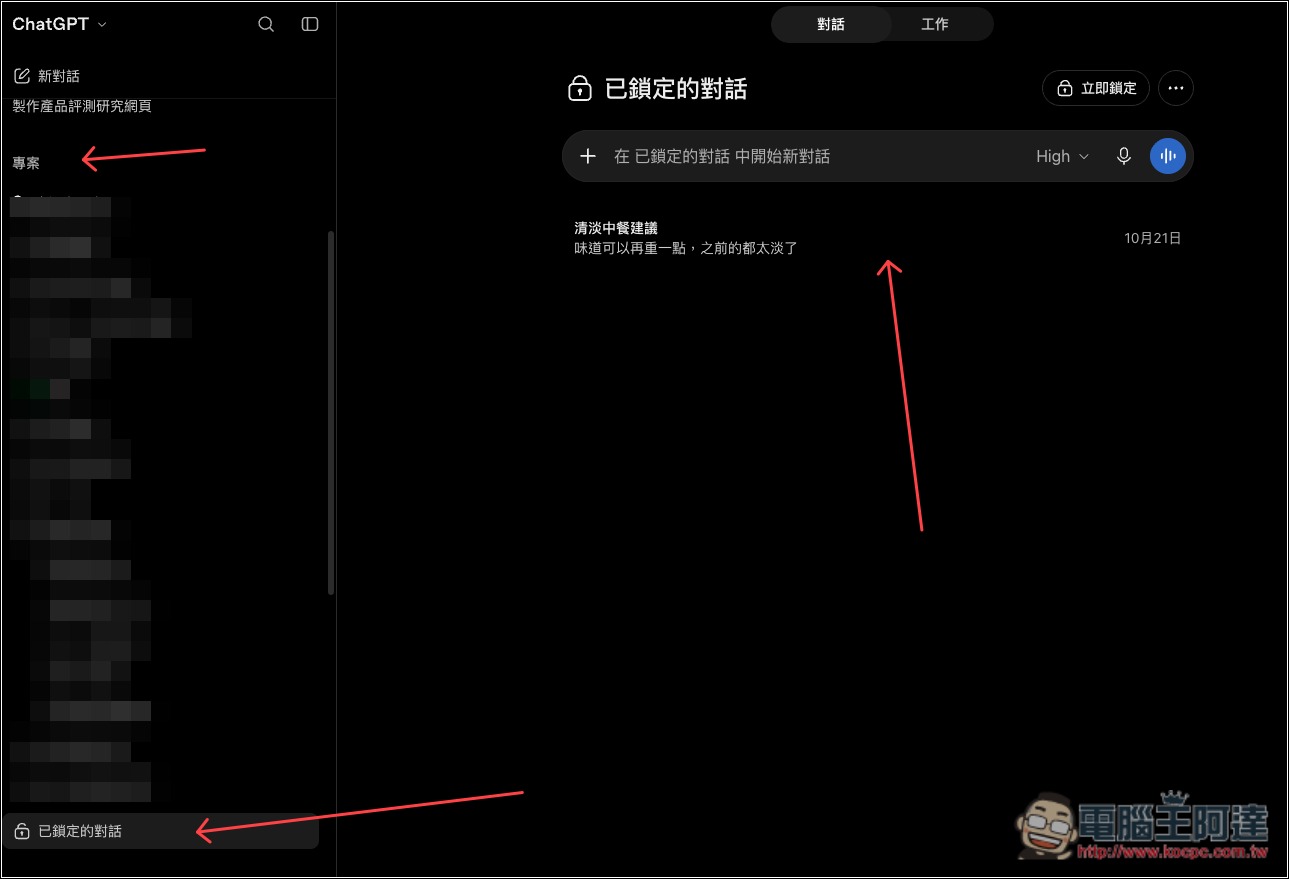
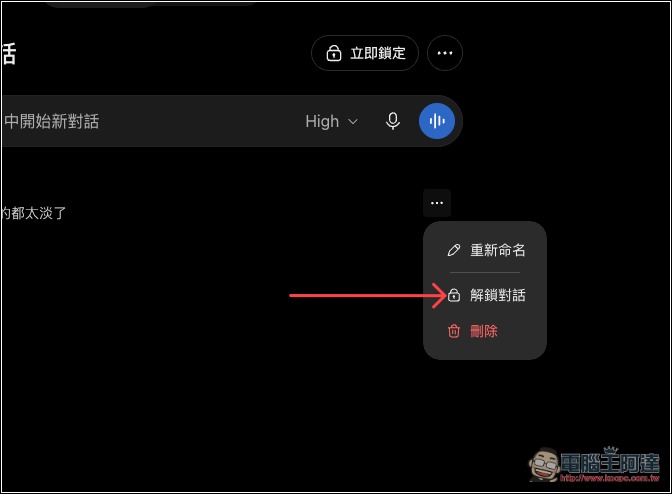
Tap Unlock Conversation to move this conversation out:
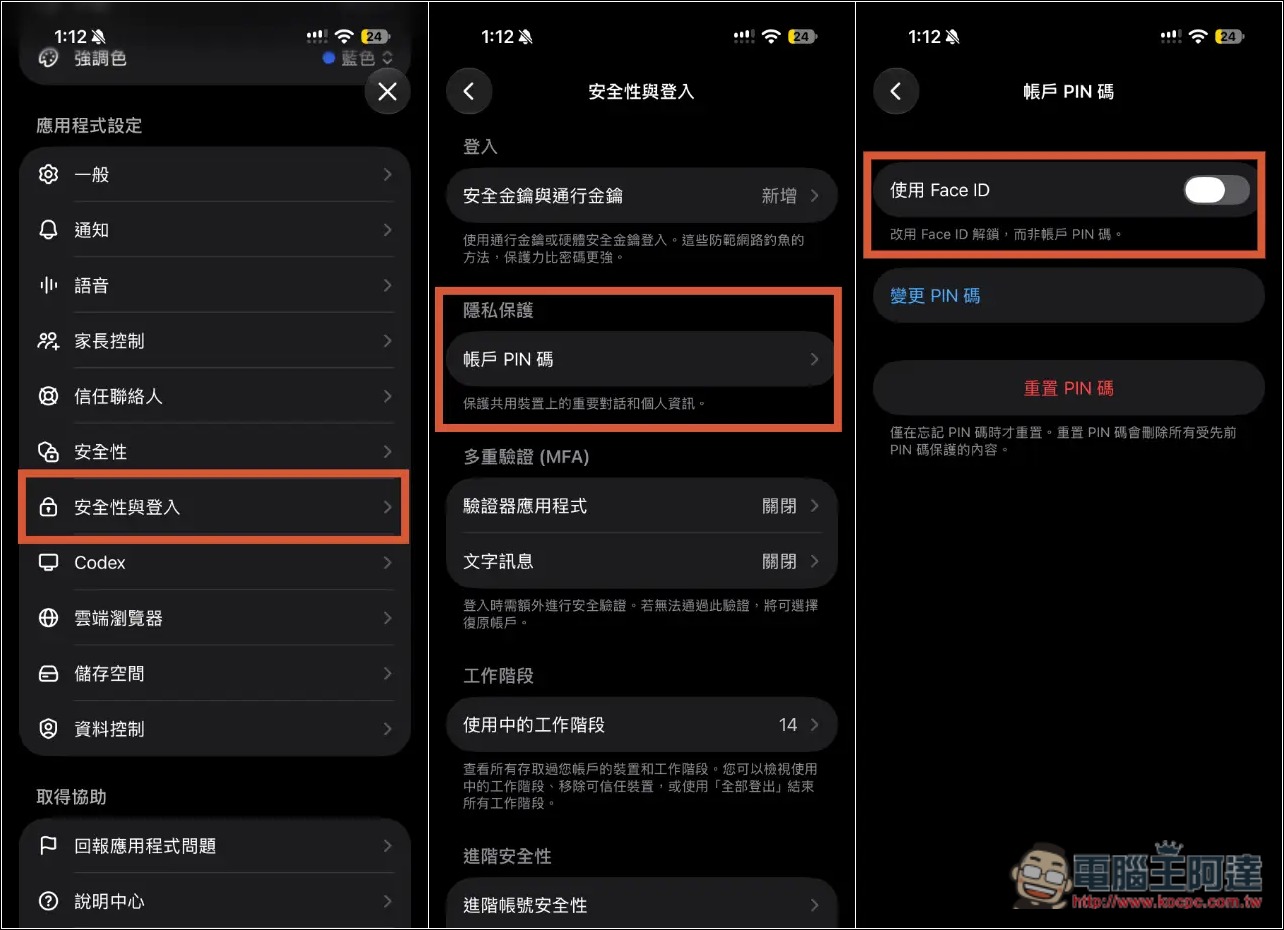
On mobile, if you want to use Face ID or Touch ID to unlock, open Settings, go to “Security & Login,” then find “Account PIN,” and you’ll find the toggle there:
Source: KOCPC Chinese