


In recent years, Microsoft has continued to drive deep integration of artificial intelligence and productivity tools, gradually bringing Copilot features into its Office ecosystem, including core applications such as Word, Excel, and PowerPoint. Through the built-in Copilot Chat feature, users can interact directly with AI while writing documents, working with spreadsheets, or creating presentations, without having to switch to other applications, greatly improving work efficiency and the creative experience.
Microsoft introduces full Word, Excel, and PowerPoint experiences in the new Copilot app.
However, Microsoft is now taking things a step further. In addition to embedding Copilot into Office, it has also begun integrating the full Office experience into the new Copilot app. This means users will no longer have to leave Copilot to create, edit, and manage Word documents, Excel spreadsheets, and PowerPoint presentations, and can even invite others to collaborate directly, gradually transforming Copilot from a simple AI assistant into a complete productivity work platform.
Last month, Microsoft announced a major revamp of Copilot, introducing three new experiences: Home, Code, and Autopilot. Among them, integrating Office features into Copilot was one of the key highlights of this update. Now Microsoft has revealed further details explaining how the new Copilot redefines the way Office is used.
In the all-new Office experience, users can get started with simple natural language prompts and also use Copilot Cowork to initiate more complex tasks. For example, users only need to provide research notes or relevant materials, and Copilot can automatically organize the content and generate a complete Word document, then open it directly within the Copilot window, allowing users to immediately review and edit it.
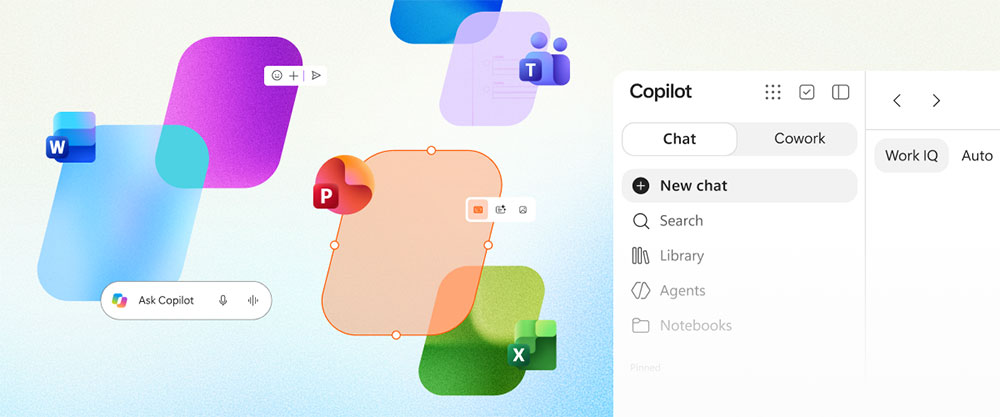
Although previous versions of Copilot already had the ability to create Office files, the biggest difference in the new version is that users can continue handling subsequent editing tasks directly within the Copilot environment. For Word documents, for example, users can ask Copilot to rewrite paragraphs, add content, create tables, or adjust structure; they can also manually edit document content using familiar Office editing tools, seamlessly combining AI and human editing workflows.
Collaboration capabilities are also one of the highlights of this update. The new version of Copilot supports file sharing, comments and annotations, and real-time collaboration among multiple people. When team members make changes to a document, the relevant changes are synced and displayed in real time, providing the same experience as traditional Office online collaboration. Currently, the Copilot app supports direct editing of Word, Excel, and PowerPoint files, allowing users to complete most everyday office tasks on a single platform.
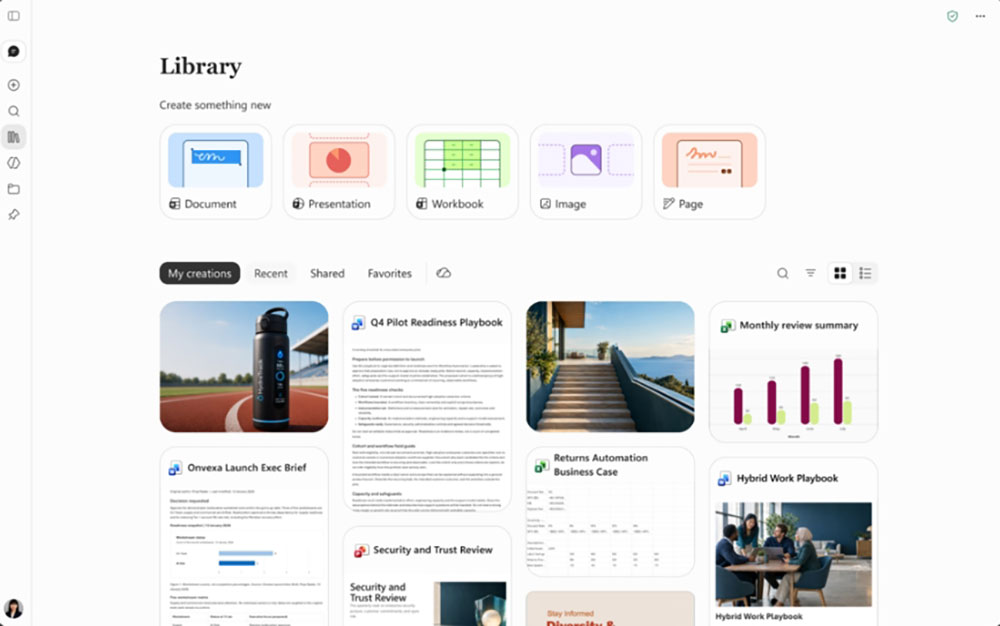
In addition to file editing features, Microsoft has also added a “Library” section in Copilot as a new entry point for centralized content management. Users can view recently used Office files, Copilot Pages pages, and AI-generated image content here. Through the Library feature, users can not only quickly reopen previous work but also directly create new Office documents, further improving workflow continuity and convenience.
All Office files created or edited through Copilot will still be stored in OneDrive cloud storage, with their original formatting, comments, sharing permissions, and version history fully preserved. This means that whether users access files through Copilot or the traditional Office interface, they will get a consistent and continuous experience.
In addition, Microsoft has also retained a flexible AI model selection mechanism. Users can specify a particular model to handle tasks based on their needs, or enable Copilot’s automatic mode, allowing the system to automatically select the most suitable AI model based on the current task type and complexity, balancing efficiency and result quality.
This new integrated Office experience is currently available first to participants in Microsoft’s Frontier Early Access program, with support for features such as chat interaction, document creation, and multi-user collaboration. As the line between Office and Copilot gradually blurs, Microsoft is clearly moving toward building a next-generation office platform with AI at its core, making Copilot no longer just an auxiliary tool but a central entry point in users’ workflows.
Source: KOCPC Chinese