


The F1 United States Grand Prix will be held in late October in Austin, Texas, USA. To celebrate the race, Google Maps quietly released a “McLaren F1 race car” navigation icon a few days ago. As long as it’s within the specified time, every user can get it for free. If you like it, don’t miss out. Below, we’ll show you how to do it.
Also, just to add: It’s still unclear whether this will be a permanent keep after claiming it or only usable within the time limit. Google has not made any official announcement, and most foreign media reports also believe it is free to use only within the period. So after claiming it, don’t get your hopes up too much that you’ll be able to use it permanently; at least you can use it before November 23.
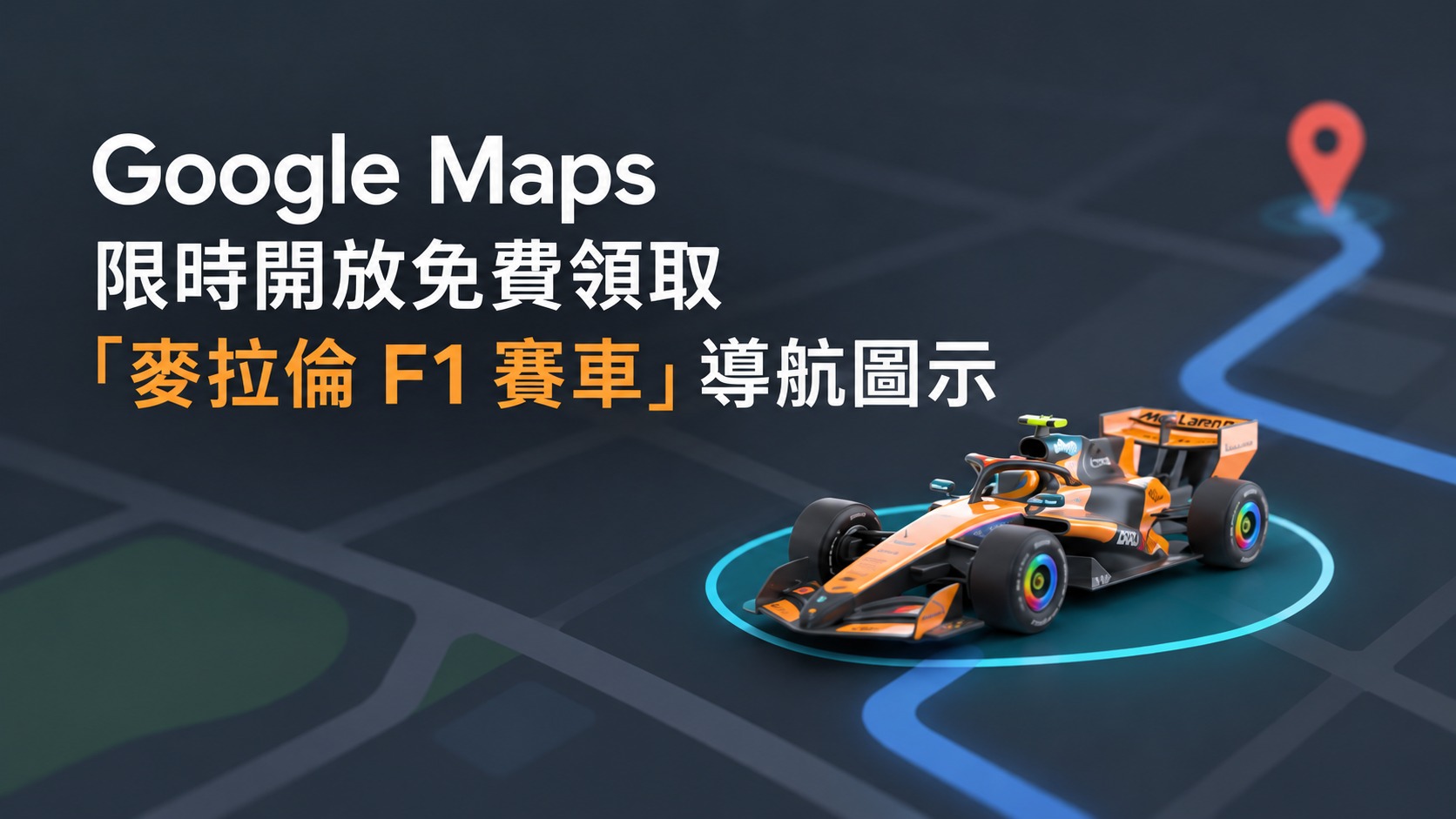
Google Maps can be switched to a McLaren F1 race car navigation icon! Claim it for free until November 23.
According to foreign media reports, around October 5, Google added the “official F1 race car of the McLaren Racing team” to the “vehicle icon” menu in Google Maps through a server-side push to celebrate the F1 United States Grand Prix held in Austin, Texas, from October 23 to 25. This time, Google did not issue a press release or publish an official blog post; instead, the news only spread after foreign media outlets such as 9to5Google and Android Central discovered it in the app.
This icon is completely free to get, with no serial number required, and it can be changed on both iPhone and Android. When you connect to CarPlay or Android Auto for navigation, the icon representing your location on the car screen will also turn into a race car.
It’s not really surprising that Google is teaming up with McLaren for this limited-time event—Google has been a partner of the McLaren F1 team since 2022. On this race car icon, the word Gemini is printed on the side of the car, which also doubles as an ad for its own AI.
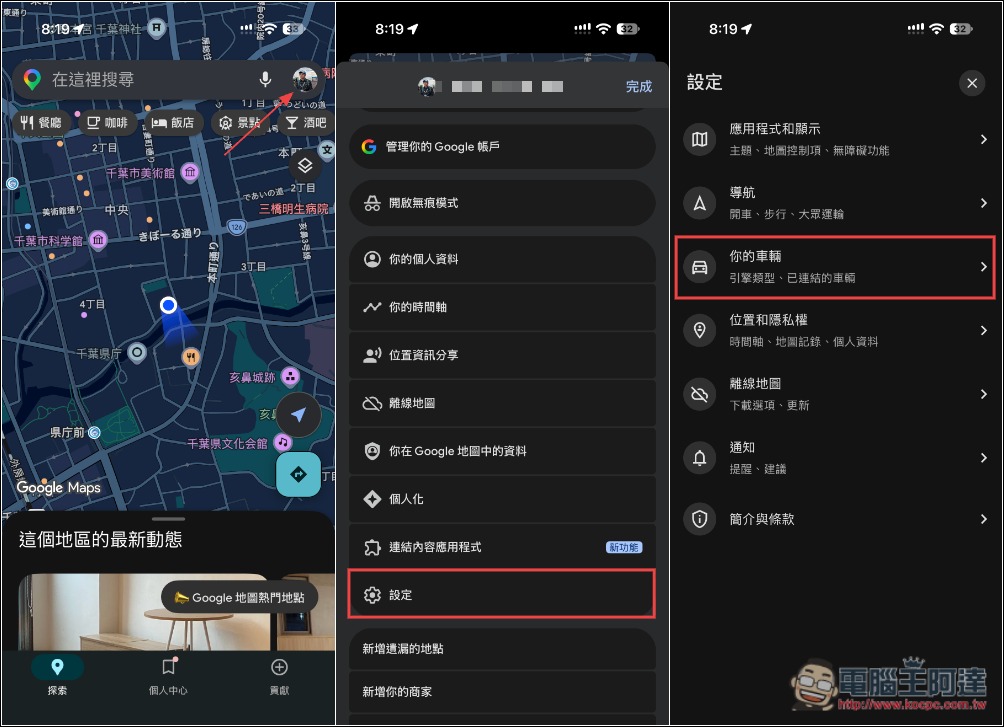
There are two ways to claim it. The first is the easiest: change it directly from the navigation screen. Once you enter driving navigation mode, tap the blue arrow on the screen that represents your location (or, if you’ve changed your vehicle before, tap that vehicle), and you can switch to the F1 race car.
The second way is to claim it in Settings. Tap your account icon, then go to Settings -> Your Vehicle:
Open the car under the vehicle icon, then switch the vehicle icon, and you’ll find “McLaren F1 race car.” Below it also says, “Claimable for a limited time until November 23, 2026”:
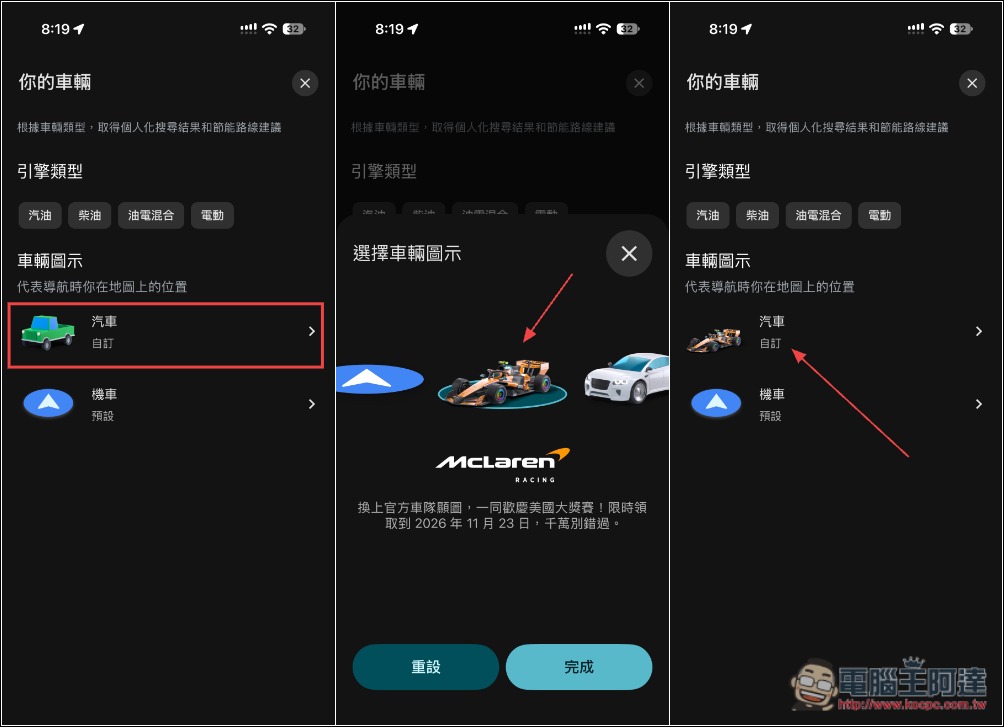
Just a reminder: this is a server-side staggered rollout and is not directly related to the App version, so if you don’t see it, it may just be that your turn hasn’t come yet.
If you want to switch back to the original look, it’s easy—just go back to the same menu and select the blue arrow or another vehicle icon. Also, this only changes the appearance; GPS positioning and route planning work exactly the same as before, so switching won’t use more battery.
And when I looked at screenshots from foreign media reports, I noticed the redemption instructions were a bit different: only the Chinese version says “claim,” while most of the others say “provided” or “can be used until,” so there’s a high probability it’s just a limited-time free use. In any case, we’ll know after November 23:
| Language Version | Collection Instructions (Original Text) | meaning | Deadline |
|---|---|---|---|
| Traditional Chinese | Limited timeCollectBe sure not to miss it by November 23, 2026. | Collect before the deadline. | November 23 |
| English | official team avatar, available until November 23, 2026 | Can provide | November 23 |
| Italian | avatar ufficiale del team, disponibile fino al 23 novembre 2026 | Provided to | November 23 |
| Czech | kterého můžete používat až do 23. listopadu 2026 | can be used to | November 23 |
Google has offered similar limited-time navigation icons in the past. For example, on Mario Day, March 10, 2018, Google Maps let users replace the navigation arrow with Mario driving a go-kart. It was only available for a week and ended when the time was up, so it couldn’t be used indefinitely.
Source: KOCPC Chinese