


Although local models are getting stronger and stronger, there is still a big gap compared with cloud AI, which is why many people now use cloud AI to handle their work. But when doing small projects or tasks that don’t require very powerful AI models, you can’t help but wonder: could I switch to local? Although tools like Ollama and LM Studio can now run local AI models on your computer, you have to install and configure them yourself, and constantly switching back and forth manually is also very cumbersome.
To solve this problem, Microsoft announced earlier that it will build an all-new “Hybrid Intelligence” architecture for Windows. In the future, any AI application that supports this architecture will be able to automatically choose whether to use a local model on the computer or hand off processing to a more capable cloud model based on the task requirements, which is pretty impressive.
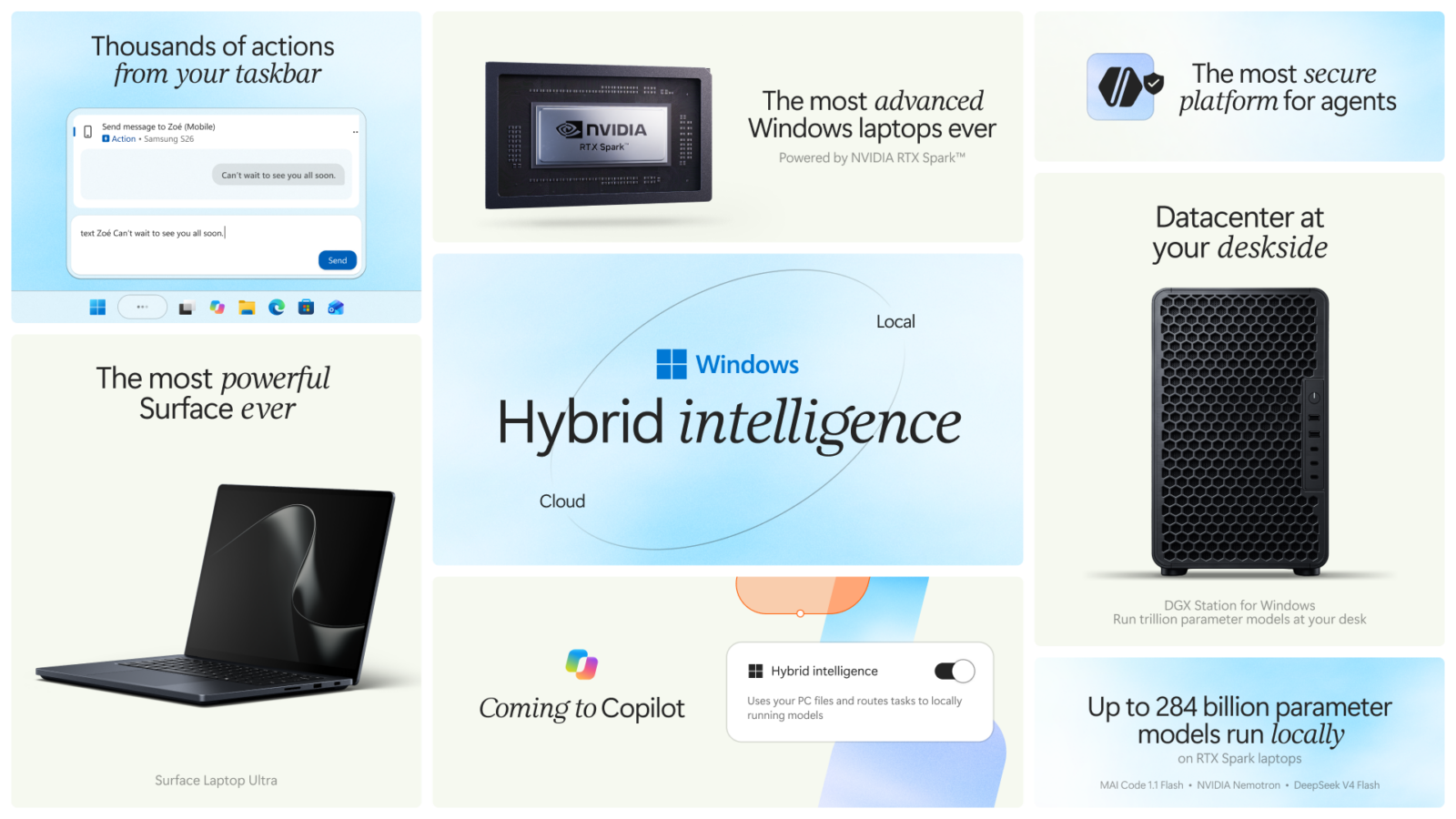
Microsoft builds Windows Hybrid Intelligence to divide AI intelligence work between local and cloud.
According to Microsoft in Windows Experience Blog According to an official announcement, Windows will evolve toward a Hybrid Intelligence platform, allowing AI agents to choose whether to run directly on the local computer or hand off processing to more powerful cloud AI models based on task requirements.
Microsoft believes AI agents will become increasingly widespread, and the demands on compute resources, security, and control will rise along with them. On top of that, cloud AI costs are growing, and many enterprises’ AI needs have already exceeded their budgets. Everyone wants every Token to be spent where it counts most, so Windows needs the ability to integrate local AI and cloud AI, rather than offloading all work to the cloud.
The so-called “Hybrid Intelligence” is not a new AI model, nor is it a single feature in Windows that you can just turn on directly; rather, it is an entire architecture that enables local and cloud AI to work together.
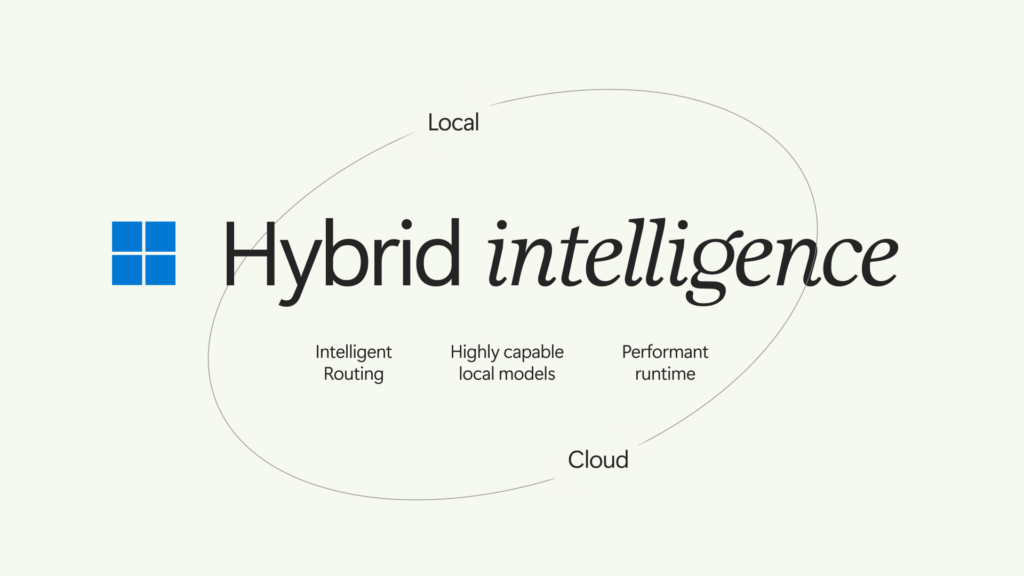
So how does it actually work? Simply put, it puts local AI models and cloud AI models in the same system and divides the work according to task difficulty and requirements.
To illustrate with a real-world scenario, suppose you are writing code using GitHub Copilot.
When you ask AI to add comments to code or fix a simple syntax error, if the local AI model on your computer is already capable enough, it may be able to handle it directly locally without calling cloud AI. For more complex problems, such as analyzing the architecture of an entire large project or tracking down hard-to-reproduce bugs, the system may switch to a more capable cloud AI model.
In this architecture, the roles each is responsible for are roughly as follows:
- Local AI: Run models using hardware resources on a computer such as CPU, GPU, and NPU. Microsoft’s Windows ML runtime can deploy models to these three types of hardware, and this time it will also add llama.cpp support, making it easier for developers to use various open-source models.
- Cloud AI: Handles more complex tasks, or work that local hardware cannot run or is not suitable for local execution.
- Smart routing: lets supported AI applications automatically decide which model to use based on task requirements.
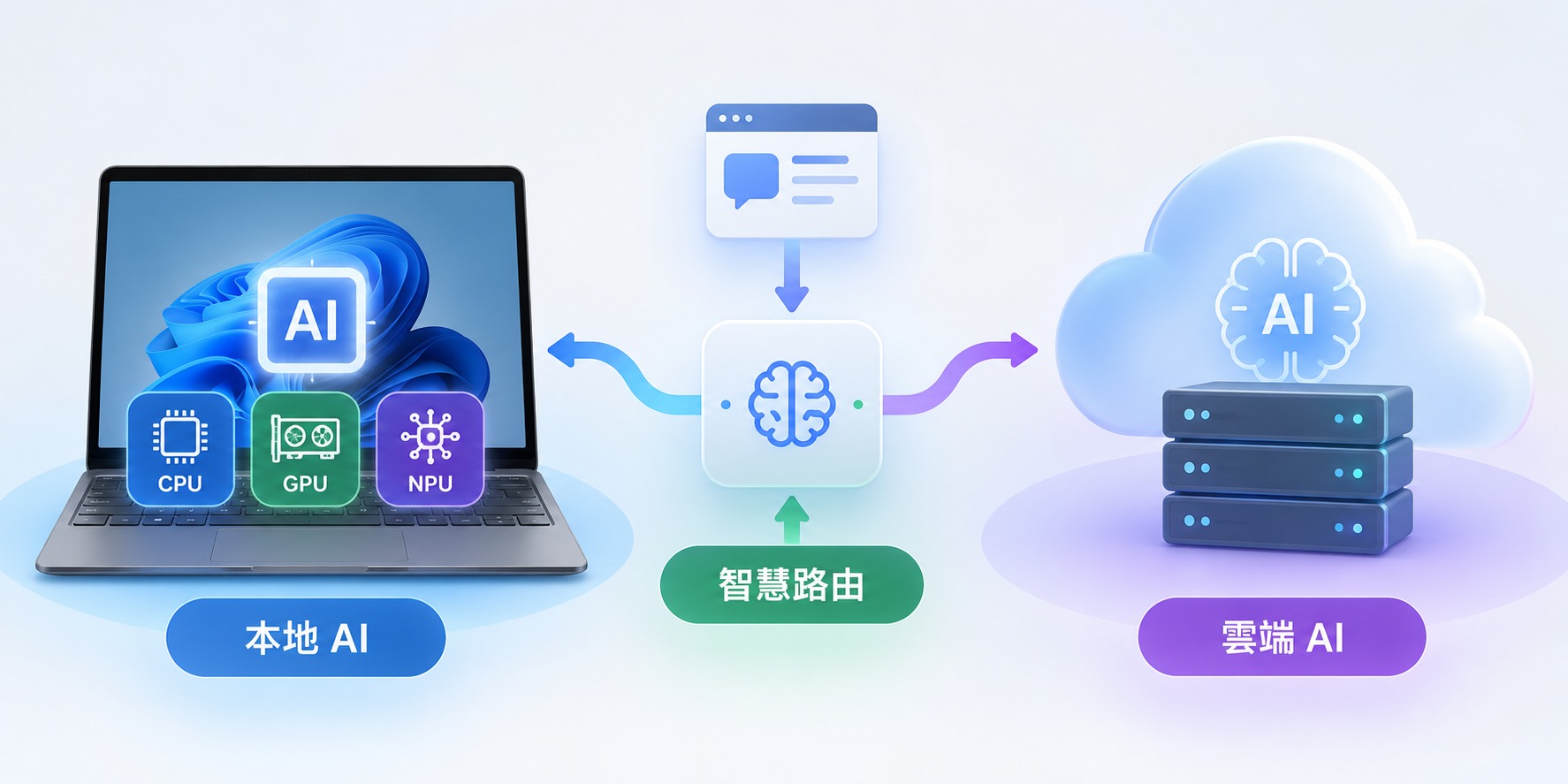
In the past, if you wanted to use local AI models, you had to use tools like Ollama and LM Studio to download models, manage versions, and adjust settings yourself. If you wanted to use cloud AI, you had to separately open services like ChatGPT and Claude. The two sides were separate, and users had to decide for themselves when to use which one.
In the future, once Hybrid Intelligence is introduced, applications that support this architecture will be able to automatically determine and switch. See the table below for the differences:
| Comparison Item | Common ways AI was used in the past | After introducing Hybrid Intelligence |
|---|---|---|
| AI model | Use cloud AI, or install a local model yourself. | Can integrate local and cloud models. |
| Model selection | Usually, you need to select it yourself. | Applications that support smart routing can automatically select |
| GPU、NPU | When using cloud AI, local AI compute is usually idle. | You can leverage the computer’s own AI computing power. |
| Token consumption | Using cloud models may consume Token quota. | Some tasks are handled locally instead, potentially reducing consumption. |
| Network requirements | Cloud AI requires internet. | Some local tasks can work without an internet connection. |
| Privacy | Cloud processing may require sending data. | Some data can be processed locally. |
As for which software will support Hybrid Intelligence, the first batch is the GitHub Copilot family:
- GitHub Copilot App
- GitHub Copilot CLI
- Visual Studio Code
However, Microsoft also announced that the built-in Copilot in Windows will also gain local and cloud AI collaboration capabilities. In the future, Copilot on Copilot+ PCs will have three key capabilities:
- Local Context (local context): After obtaining user authorization, understand relevant files and recent activities on the computer.
- Local Actions: Help organize files, run diagnostics, troubleshoot device issues, and complete specified Windows tasks.
- Local Models: Use AI models on your computer to handle suitable tasks, and combine them with cloud AI capabilities when needed.
This also means that in the future, you can simply ask Copilot to help you find a document that was modified last month, organize the messy files in your Downloads folder, or help with system settings-related issues, and more.
Microsoft also mentioned that these capabilities will be brought into Copilot’s three experiences: Home, Code, and Autopilot. Home pulls in the files you’re working on for collaboration, Code means you can create a native Windows App with a single prompt, and Autopilot will gain local context and the ability to operate the computer.
As AI gains the ability to operate computers hands-on, Microsoft also announced on the security front that Microsoft Execution Containers (MXC) is officially available on Windows 11, restricting which files and networks AI agents can access and enforcing those limits at runtime.
On the hardware side, there are a few limitations you should know about first:
- Not all Windows 11 PCs are confirmed to support the full Hybrid Intelligence capabilities.
- The new local capabilities added to Windows Copilot were initially announced for Copilot+ PCs, and actual availability will vary by device, market, and chip.
- Local models require sufficient CPU, GPU, NPU, and memory resources.
- Different models may have very different hardware requirements.
- Microsoft has not yet announced the full hardware requirements and official release date for all related features.
Below is a summary table of the currently announced schedule:
| Software or features | Estimated launch time |
|---|---|
| GitHub Copilot App (HydraFusion supports local models) | Late October 2026 experimental preview |
| GitHub Copilot CLI | Experimental preview in late October 2026 |
| Visual Studio Code | Experimental preview in late October 2026 |
| Windows Copilot’s local AI-related capabilities | Will roll out on Copilot+ PCs over the coming months. |
Source: KOCPC Chinese