


For Claude users, many routine computer tasks should now be handled automatically by AI. While this is very convenient, for those with only one Mac, there’s a chance that if the AI is performing tasks while you’re also using the computer, you might end up fighting over the mouse or keyboard. This is quite troublesome—it could not only disrupt the AI’s work but also cause you to accidentally click on the wrong thing or make typing errors. The good news is that Anthropic recently announced an upgrade to Claude’s Computer Use feature, which can now operate your computer in the background. This means you can work on other things simultaneously without worrying about competing for the mouse and keyboard.
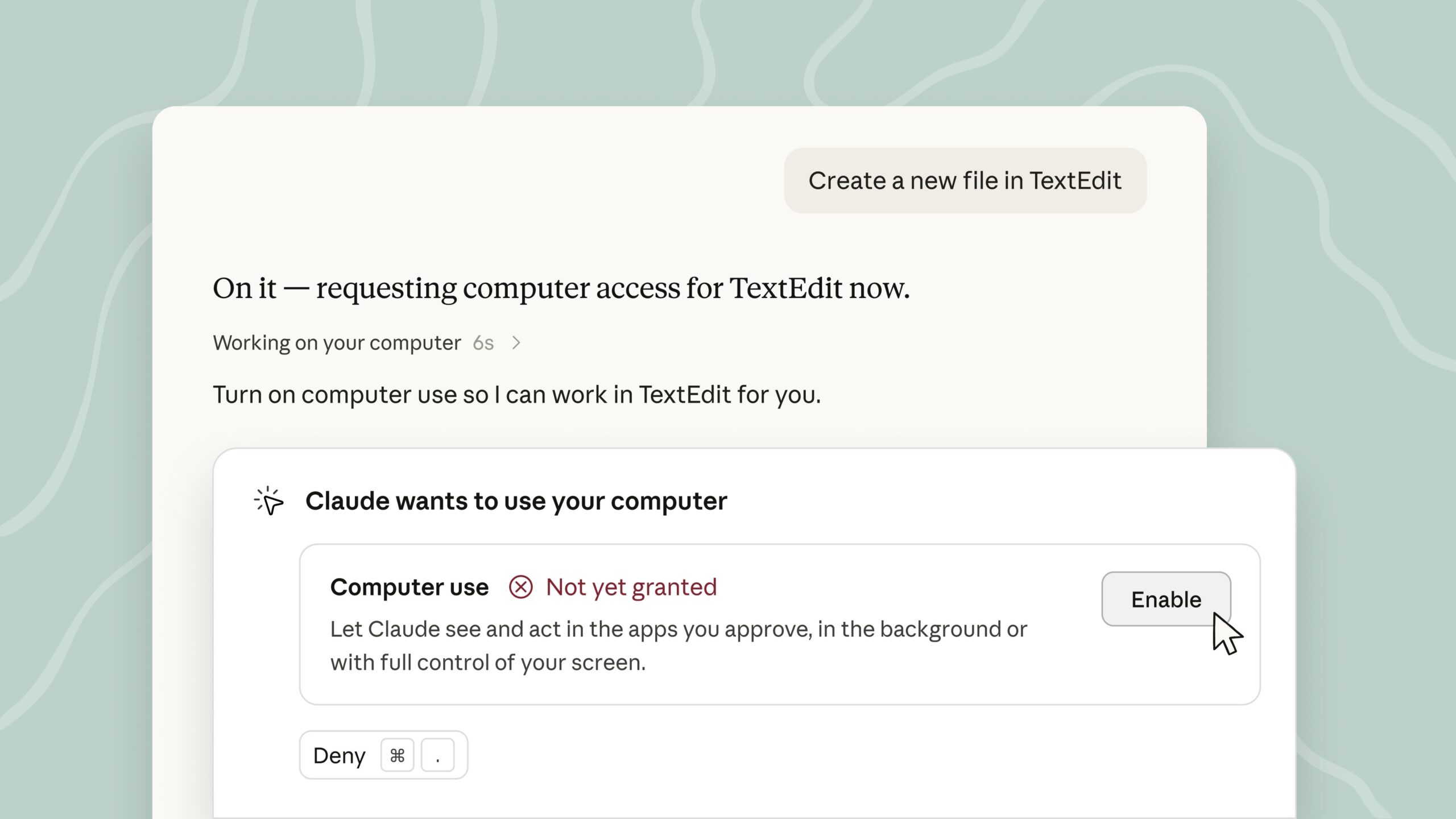
Claude can now operate your computer in the background: it won’t hijack your mouse or keyboard, and it works with both Cowork and Claude Code.
Earlier, Anthropic announced on X that Claude’s Computer Use feature can now run in background mode in Claude Cowork and Claude Code, and is currently available to Pro and Max subscription plans. It also wrote: “Give it something to do on your desktop and Claude clicks, types, and opens apps just like you would, while you work on something else.”
However, this feature is still in the Beta testing phase, so errors may occur — just be careful when using it.
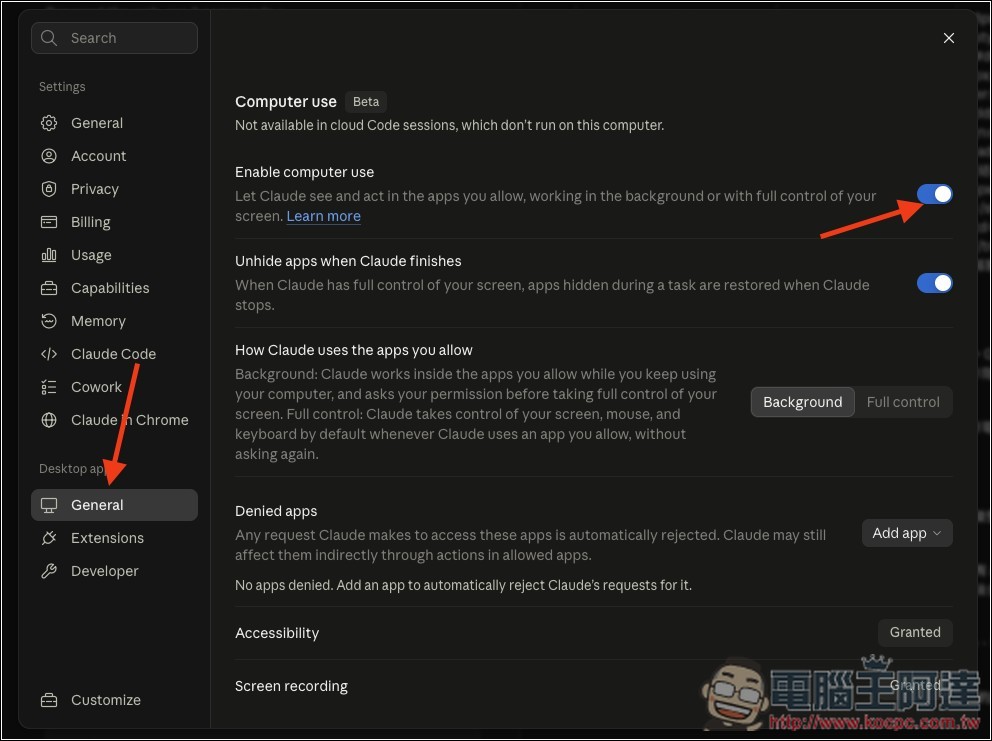
If you’ve already enabled computer use before, you don’t need to do anything—Claude will run it in the background when performing computer use. If you haven’t yet, first make sure Claude is updated to the latest version, open the settings menu, then go to the General menu under the Desktop app section below, and just toggle on “Enable computer use”:
As for what Computer Use can actually be used for, if you don’t have any ideas yet, Anthropic’s official team has provided a few examples. For instance, Claude can integrate data from local Mac files with other connected services to produce a comprehensive competitive analysis report, or directly launch a mobile emulator to operate an app you’ve developed and help identify UX issues.
Additionally, it can enable Claude to fetch data from various sources, then automatically fill in spreadsheets, tidy up the formatting, and save them to a shared folder. It can even directly operate internal dashboards or specialized tools that lack Connectors via Computer Use. Now that background mode has been added, these tasks, which previously required Claude to continuously operate the desktop, are even more suitable for just handing over to it while you handle other things at the same time.

Source: KOCPC Chinese