


AI startup Manus, acquired by Meta, continues to expand its AI Agent capabilities. Following the cloud Manus Angets Later, Manus recently officially launched the “My Computer” desktop application that is integrated with the local side, extending the capabilities of the original Manus AI Agent from the cloud to the local computer, creating new possibilities for human-machine collaboration.
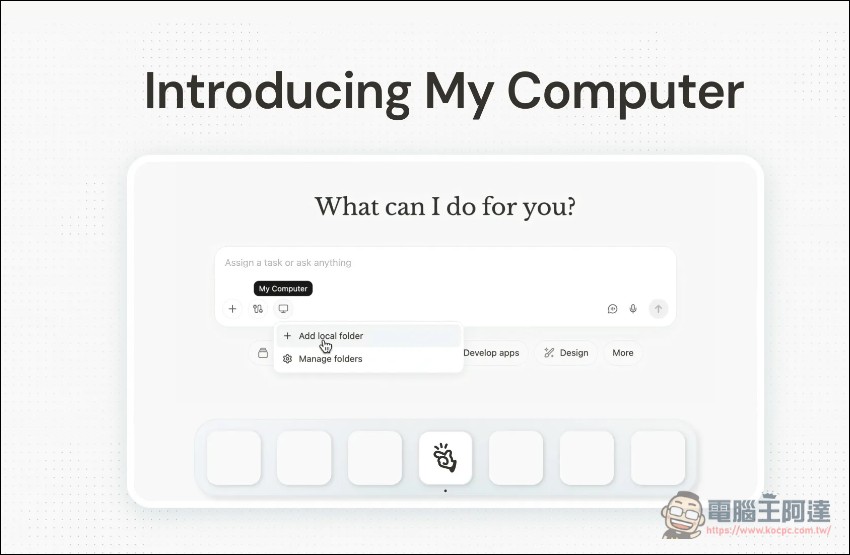
From cloud to on-premises: Manus’s big transformation
according to Manus official blog description, before the launch of My Computer, Manus had been running entirely in the cloud. Although the cloud sandbox provides an isolated and secure environment with complete capabilities such as network, command line, file system and browser, there is always a fundamental limitation: the user’s most important work occurs on their own computer.
“Today, we are bridging that gap,” Manus said in an official announcement. Through the My Computer desktop application, Manus works directly with users’ local files, tools and applications.
The app supports Windows 11 PCs and Macs powered by Apple Silicon chips, turning ordinary computers into powerful personal AI agents.
Today, we’re taking Manus out of the cloud and putting it on your desktop.
Introducing My Computer, the core feature of the new Manus Desktop app. It’s your AI agent, now on your local machine. pic.twitter.com/OaWU4imk3Q
— Manus (@ManusAI) March 16, 2026
Terminal commands: a powerful engine for automation
The core operating mechanism of MANUS “My Computer” is to execute command line instructions (CLI) through the computer terminal. This enables Manus to read, analyze, and edit local files, as well as launch and control local applications.
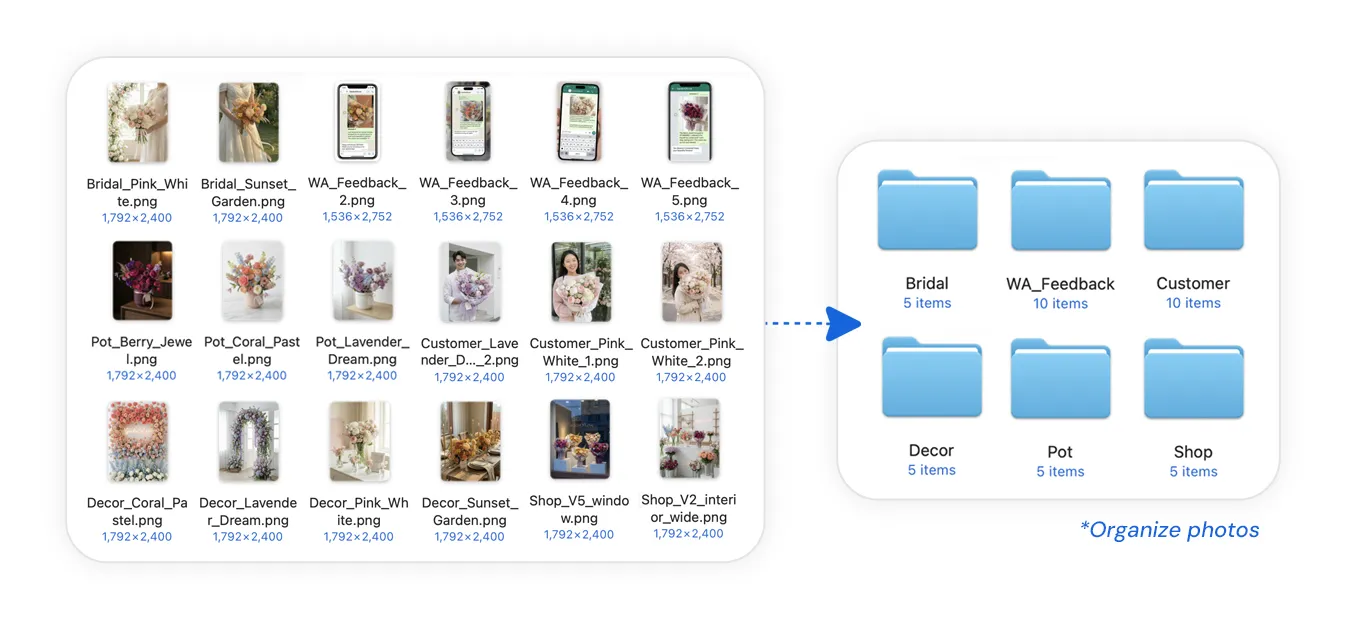
It sounds simple, but the power of the command line allows for a wide range of automation. An official example from Manus: Imagine a florist has thousands of uncategorized photos on his computer: bouquets, potted plants, customer photos, etc. all mixed up in one disorganized folder. She simply tells Manus, “Organize my flower shop photos,” and Manus scans the file, identifies the content of each image, creates categorized subfolders, and organizes each photo accordingly. Within minutes, a clean, structured resource library was born from the chaos.
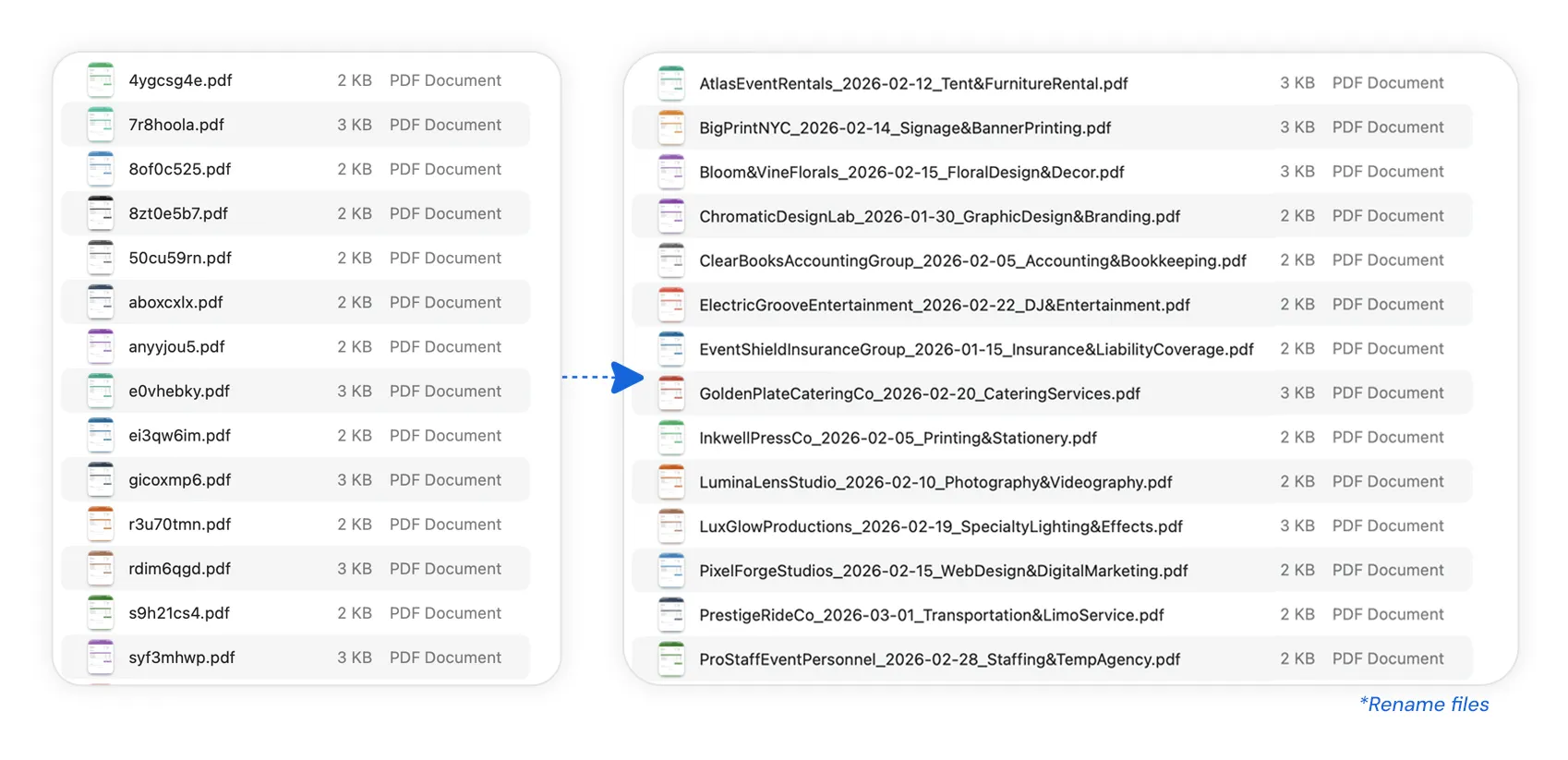
Or imagine an accountant who needs to rename hundreds of invoices into a standard format. A task that would take an entire afternoon to complete manually, Manus can complete in minutes with just a few terminal commands.
Develop a complete Mac app in 20 minutes
When Manus can take advantage of every command-line tool on your computer—from Python and Node.js to Swift and Xcode—the potential for complex automation and development becomes endless.
The Manus team conducted an internal test: challenging Manus to build an instant meeting translation and subtitles app on Mac using Swift. The entire process from project creation, coding to debugging and packaging is completed through terminal commands.
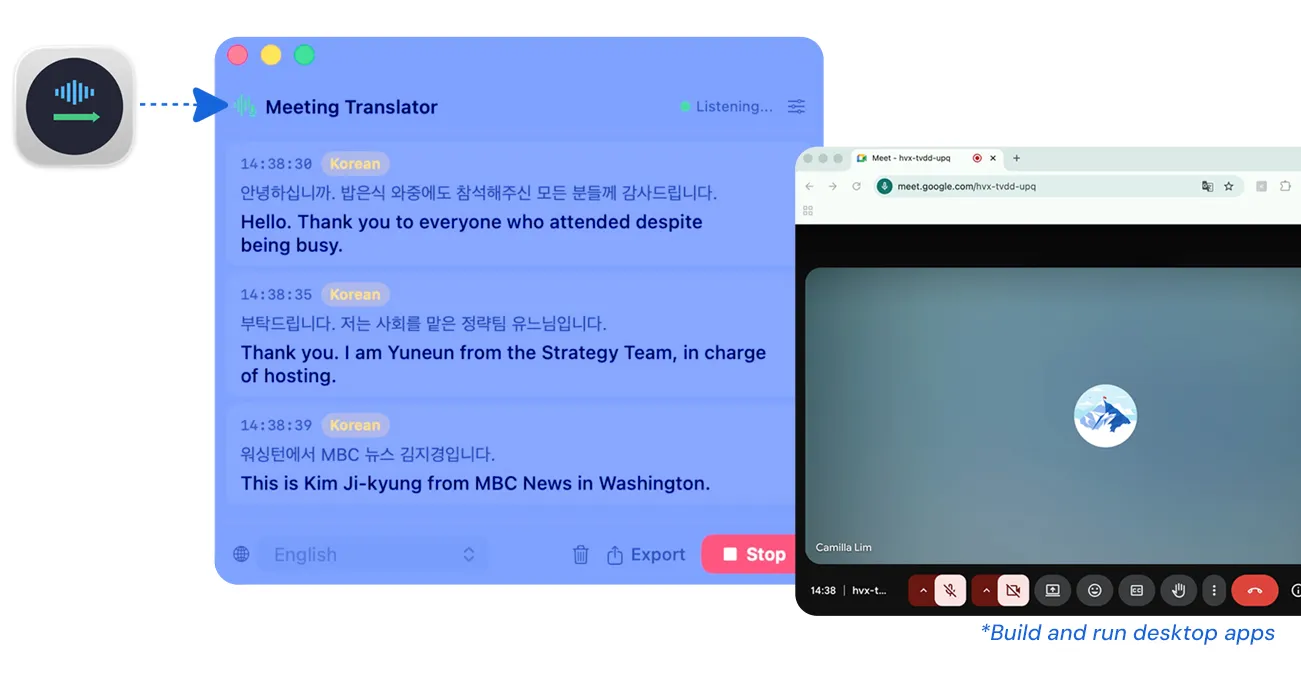
MANUS official testing shows that after placing the command, you only need to wait 20 minutes for a fully usable Mac application to be born. No Xcode opened, no coding by hand.
Rebirth of idle resources
My Computer also gives new uses to idle computing resources. The GPU on your machine sits idle most of the time, and you may even have a Mac mini sitting in a corner, powered on 24/7 but rarely used.
Now, users can let Manus use local GPUs to train machine learning models or run large language models for inference. That idle Mac mini can be transformed into a 24/7 AI assistant that works from anywhere.
As long as the machine is on and running the Manus desktop application, users can assign complex tasks to it from any device anywhere in the world.
Seamless collaboration between cloud and local
“My Computer” not only operates independently, it is also deeply integrated with Manus’ existing cloud capabilities. Manus already integrates with Google Calendar, Gmail, and a wide range of third-party services.
An official example: The user did not bring his laptop with him when he went out, but he urgently needed a contract document on his computer at home. Just tell Manus to find the file, and it will remotely access a machine at home, locate the file, and send it to the client through their Gmail account. Files are stored on your local machine, emails are sent via the cloud, and Manus seamlessly connects the two. This is AI coordinating the cloud, the app, and the local computer, all at the same time.
Safety first: users are always in control
Letting AI work on a local computer inevitably raises security concerns. In this regard, Manus has designed a strict safety control system.
According to the official Manus description, every terminal command requires the user’s explicit approval before execution. Users can select “Always Allow” to streamline the workflow for trusted tasks, or “Allow Only Once” to review each action individually.
“You are the commander and Manus is the executor. This relationship will never change.” Officials emphasized.
How to use
Users can start using “My Computer” through the following three steps. First, go to the MANUS official website and click to download:
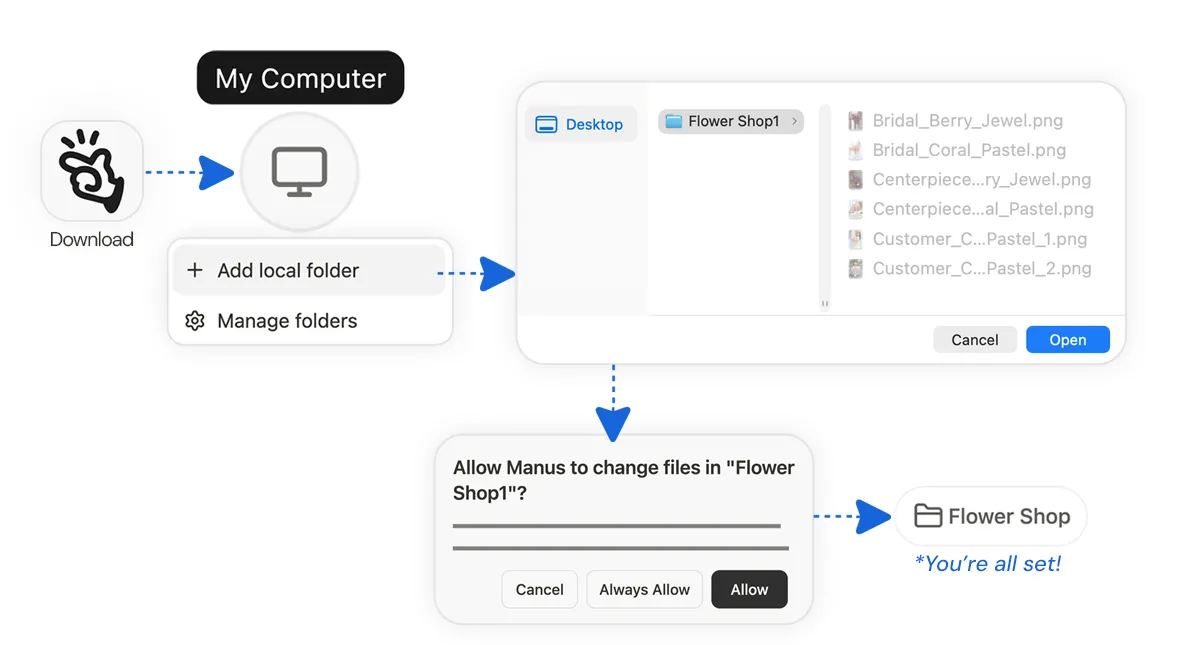
- Download the Manus desktop app and log in to your Manus account
- Click “My Computer” and add the local folder you want Manus to use
- Select and authorize the folder
My Computer is now available to all macOS and Windows users. Manus said: “We have always believed that the AI Agent should be an action engine, not just a chat assistant. The cloud sandbox provides Manus with its own workspace. My Computer brings Manus into your workspace.”
Source: KOCPC Chinese