


Google announced on July 30 that it is integrating the AI image generation model Nano Banana 2 into the web version of Google Earth. Users can generate customized images with text prompts based on satellite imagery, aerial photos, and 3D terrain data. Google Earth product manager Bryan Horowitz said on the official blog that this is the first time images can be generated on Google Earth’s real geographic data, making concept ideation “grounded in the real world.”
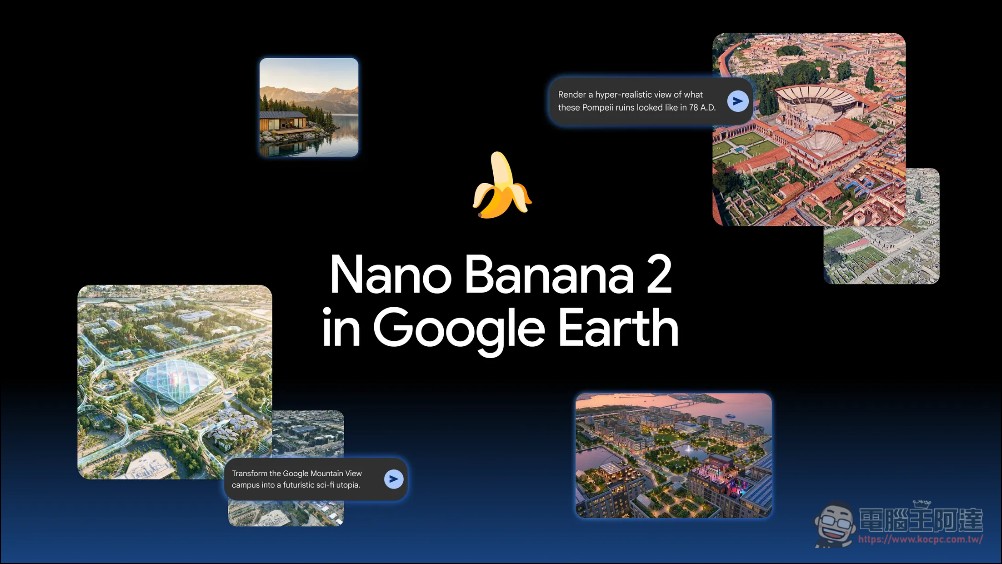
Google Earth integrates with Nano banana 2 to launch new AI features.
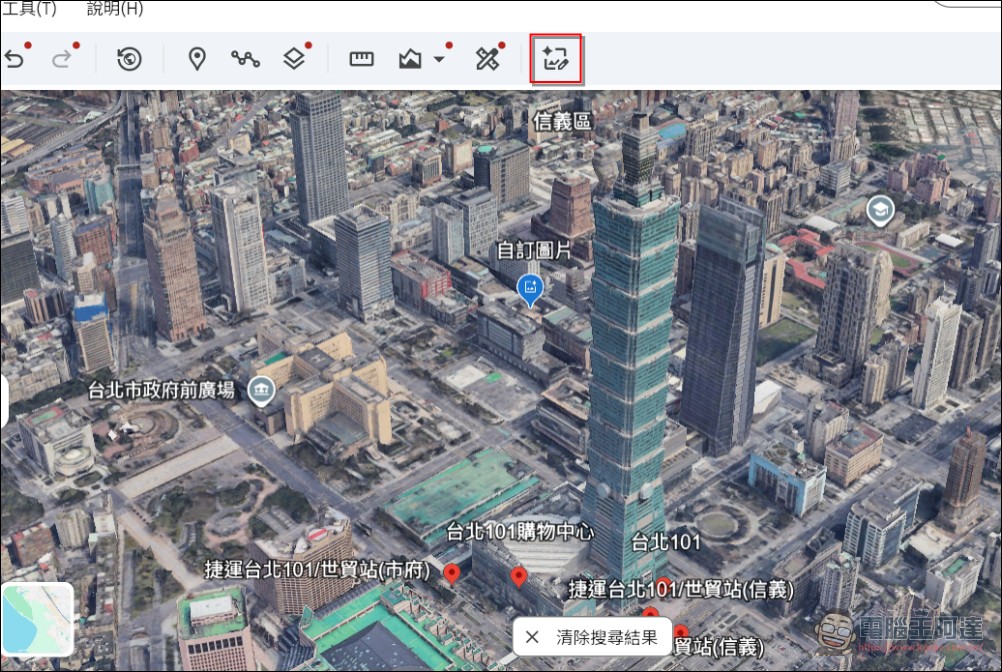
Nano Banana 2 is Google’s AI image generation model that has already been rolled out across products like Chrome, Google Photos, Search, Gemini Notebook (formerly NotebookLM), and Google Messages. This arrival in Google Earth marks another step in Google’s continued expansion of its AI image generation capabilities. Unlike typical AI image generation tools, Nano Banana 2 in Google Earth starts from real geospatial data rather than a blank canvas. Users first search and zoom in on a target location in the web version of Google Earth, switch to 3D view mode, and then click the Image Creation feature in the Tools menu.
Enter what you want to see in the prompt field below. Gemini extracts relevant historical information behind the scenes, while Nano Banana generates the image based on the prompt.
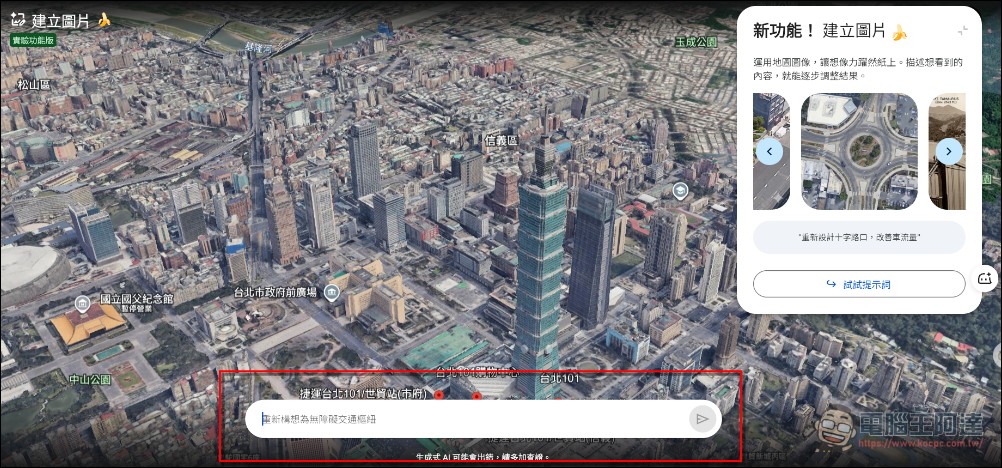
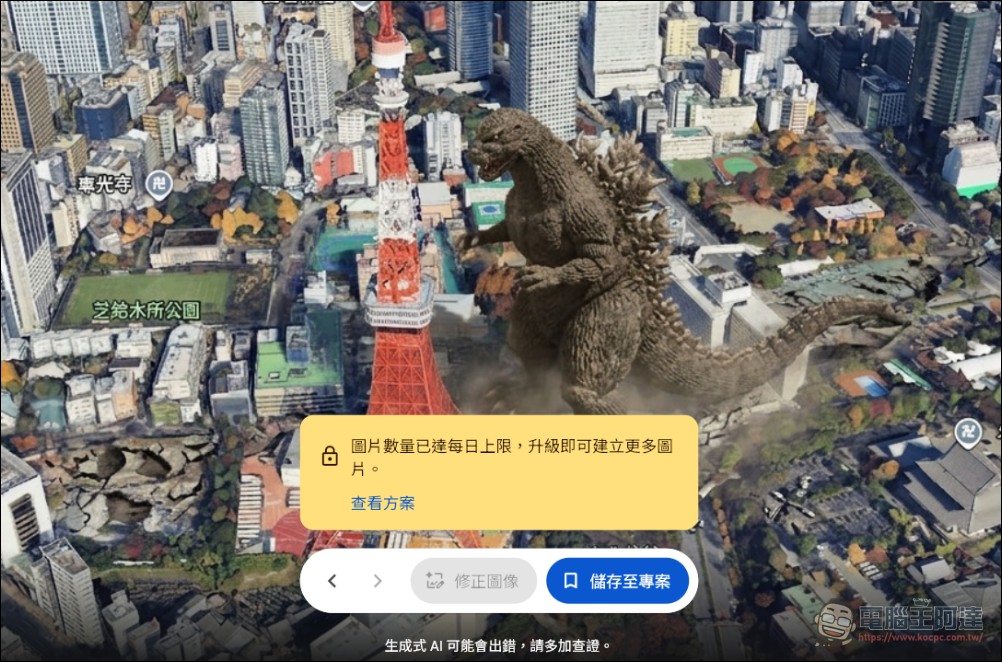
Free plan users can generate three images. The feature is currently experimental and has been rolled out to users worldwide on Google Earth web version, with free users able to create three images per day.
Update: The feature was shut down in less than 24 hours because people were using it to make terrorist attack images…
‼️ BREAKING: Google is pulling Nano Banana image generation from Google Earth a day after launch.
Users created prompts to generate images showing a plane hitting a Manhattan skyscraper, a bombing in Moscow, a nuclear plant in Iran, refugees at the US–Mexico border and a bomb… https://t.co/q9lNNaazD3 pic.twitter.com/nyuiKiQ2Qi
— International Cyber Digest (@IntCyberDigest) July 31, 2026
Five officially recommended ways to use Google
Google is inOfficial blogLists five application scenarios, each with demonstration images:
- Recreate historical scenesUsing Pompeii as an example, entering “render a hyper-realistic view of Pompeii’s ruins in 78 AD” instantly transforms the modern ruins into a bustling, colorful street scene from the Roman Empire era. Google says this feature can help teachers give students a more concrete, visual understanding of history in the classroom.
- Learning through explorationType “Create an easy-to-understand infographic with key historical facts about the Statue of Liberty” at the Statue of Liberty location, Gemini will retrieve the relevant historical information, and Nano Banana will generate the infographic within seconds.
- Professional Real Estate PlanningTaking a vacant lot in Tokyo as an example, input “Reimagine this vacant lot as a vibrant shopping and retail area with open spaces” to obtain a high-quality 3D render. Google believes architects and urban planners can use this feature to present proposals to clients.
- Pre-construction visualizationZoom in on an empty lot, enter “add a modern lakeside cabin built with local sustainable materials,” and you’ll see a photorealistic rendering of the future home set in the real landscape.
- Transform into a beloved placeInput: “Transform Google’s Mountain View campus into a sci-fi utopia with glowing walkways, glass biodomes, flying transport pods, and trees wrapped around buildings” — the location will become a cyberpunk-style futuristic city.
However, it’s worth noting that Nano Banana 2 can pull real information and images from the internet, marking a significant improvement over the previous model in terms of consistency and accuracy — but it still has the inherent flaws of AI-generated images. For example, a lakeside cabin it generates may not be structurally sound, and its recreation of Pompeii may not be entirely realistic. Nano Banana 2 has a real-world knowledge base containing all the text and graphics available on the internet, along with the vast number of images it was fed during training. In Google Earth, it also traces the existing structural outlines of ruins such as Pompeii when rendering them.
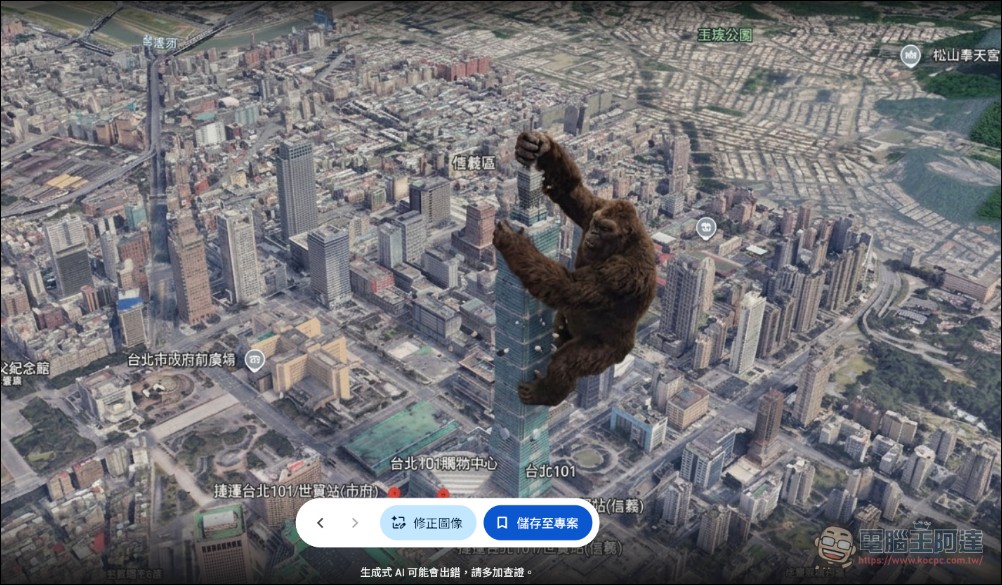
Although Google positions this feature as a tool for visualizing history, in practice users can ask Nano Banana to generate any outlandish scene imaginable, from alien invasions to King Kong climbing up Taipei 101. Google’s official demos include both serious historical reconstructions and sci-fi visions of the future (though the key is that the location must have Google 3D building models).
Source: KOCPC Chinese