


As computers are used over time, a variety of programs, documents, and files will be stored in them. Most users ignore the importance of organization. Is your computer also a disaster zone for digital hoarding? This time we’ll tell you everything you need to know about deprecated apps and how to delete them. After organizing, you will not only have a faster and smoother system experience, but also better security.

Why remove old, deprecated programs to reduce security risks? How to do it?
Why is software deprecated?
We often overlook the digital clutter that accumulates in our systems, including outdated apps and forgotten tools. One type of clutter that deserves special attention is deprecated programs—those that have reached the end of their life and are no longer supported by developers. While these deprecated programs may still work, their use is discouraged and you should upgrade to a newer version or adopt an alternative solution.
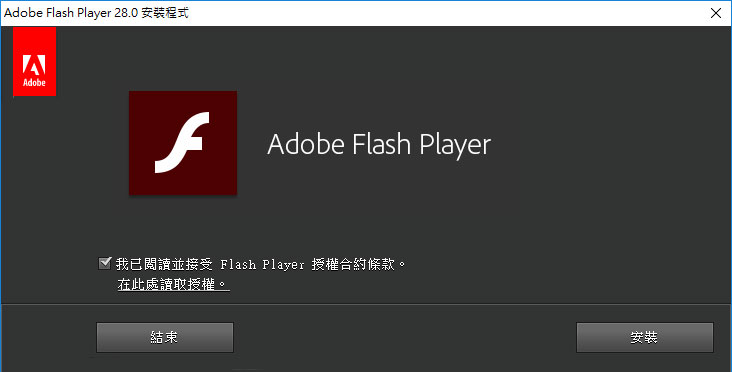
You may remember Adobe Flash Player or the old Java applications that were a daily necessity for web users in their heyday. However, as technology develops and software continues to make new advances, some programs simply cannot keep up with current standards and eventually lose support and stop receiving updates, becoming the so-called “deprecated” status.
There are many reasons why software is deprecated. Another main reason is cost. Software has ongoing labor costs, and every feature needs to be maintained, updated, and monitored by humans. As code bases become more complex, the risks of bugs, compatibility, and performance are affected. Each change to growing functionality becomes more difficult and requires more people from the developer to complete it.
Why do deprecated programs pose a security risk?
Even for nostalgia, sentimental reasons, etc., it is actually not recommended to keep old software because it may become a security risk. Software that no longer receives updates or security fixes can leave your front door wide open, like an invitation to hackers. Because deprecated programs are often not updated, they lack security fixes to address vulnerabilities exploited by security threats. Because any known vulnerability is not resolved, your computer will be exposed to danger and may become a gold mine for hackers.
In addition to security issues, the software may be incompatible with modern programs, leading to countless errors and even extended problems such as slow computer speeds and poor performance.
How to identify and remove deprecated applications?
To identify and remove deprecated software, you can manually search all installed applications and conduct an online search for each program to see if it is outdated or unsupported. If this is too much work, or you prefer an automated approach, you can use Patch My PC Such as third-party tools, which can scan your computer and provide a list of outdated or unsupported programs.
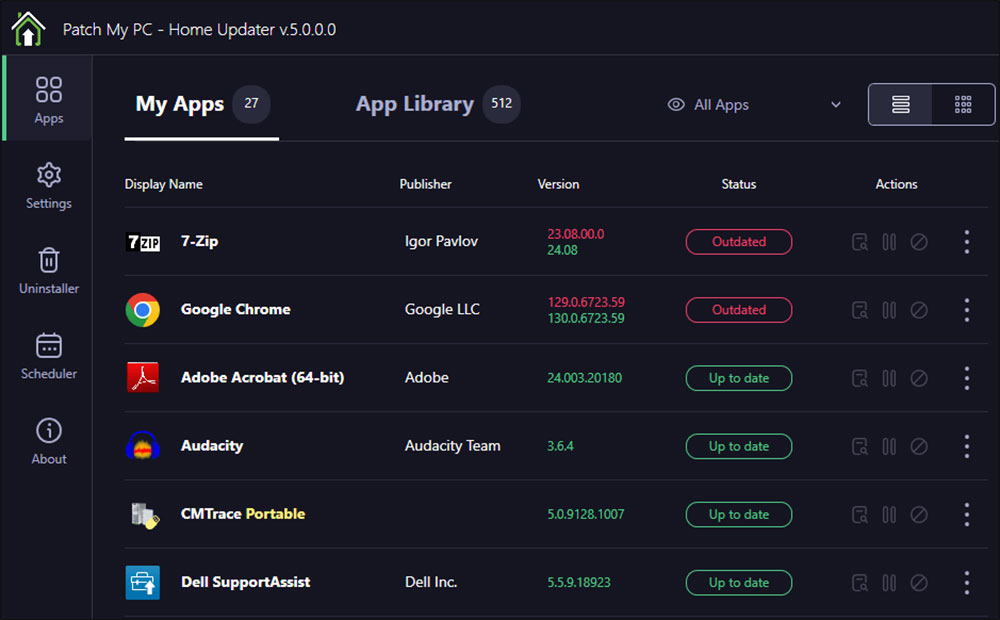
Outdated programs often have telltale signs like not being able to be updated, not being able to install on newer systems, or otherwise causing problems. Some may also include warning signs to inform you that the software is deprecated or no longer supported. A quick online search for the latest version of the program will confirm whether the developer still supports the program, and once you’ve identified outdated programs you can safely delete them.
★ Before removing any software, make sure to back up all data related to the deprecated software. Whether it’s project files, settings, or old work data, it’s better to be safe than sorry.
To perform the operation manually, follow the steps below:
- Open the Settings app.
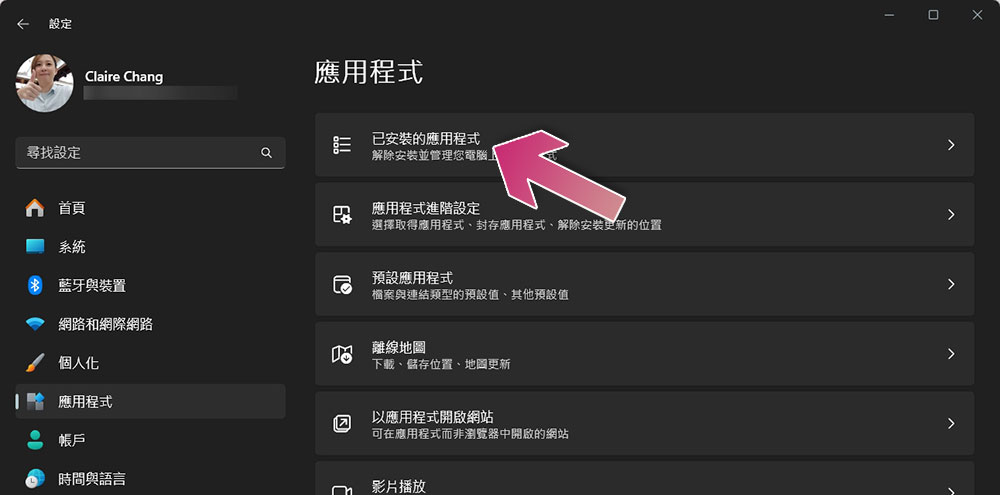
- Click “Applications” in the left sidebar, then select “Installed Applications.”
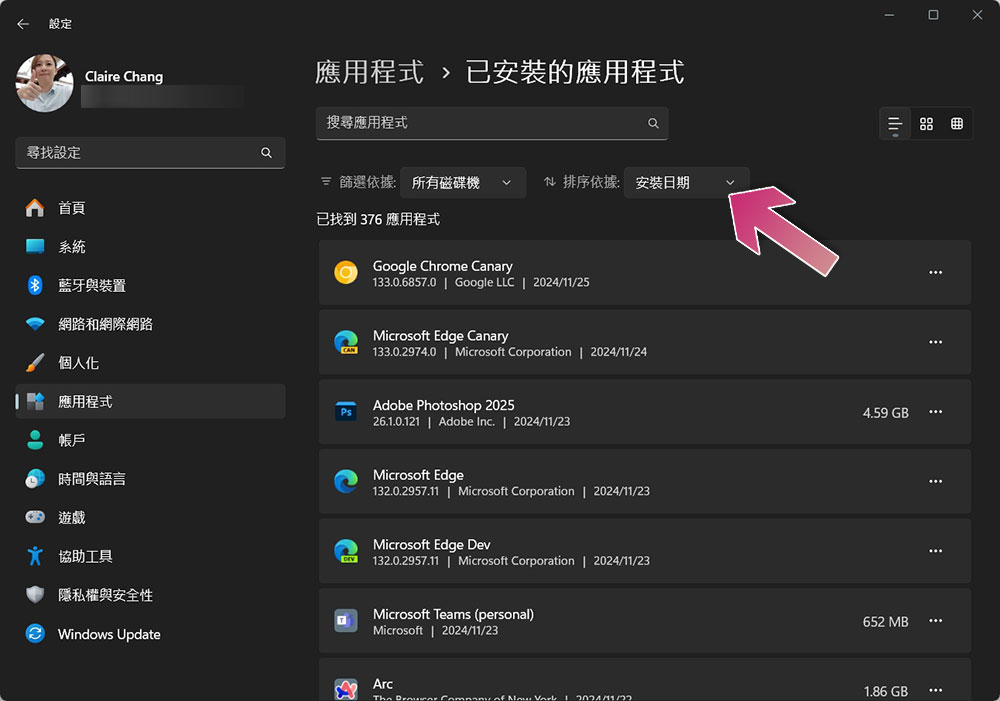
- Here you can see a list of software installed on your computer. You can also sort all apps by “installation date”, which can be used to view older software.
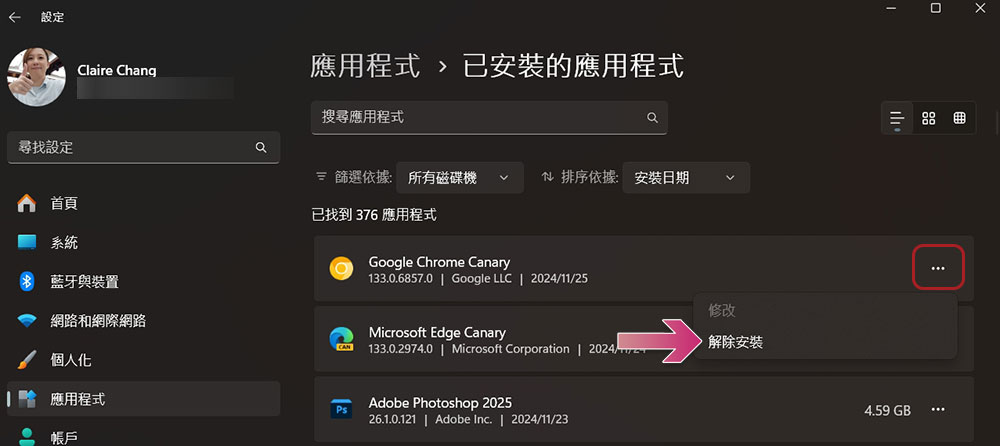
- You can click the three-dot menu next to the software you want to uninstall, and then select “Uninstall”.
Keeping your computer clean and clear of deprecated and outdated software can make a noticeable difference, not only to your computer’s speed but also to its overall security. So it’s worth taking the time to evaluate which software is out of date.
Source: KOCPC Chinese