


Although most mobile browsers now have built-in translation functions, they can only translate the entire page. Sometimes you may be afraid of translation errors, or you may not understand exactly what to say after translation. You must switch to read the original text again, which is very troublesome. This article recommends a super easy-to-use mobile translator “Trancy ET”. It not only can translate full pages, but also supports immersive translation (comparative translation). More importantly, it has YouTube AI bilingual translation function, and can also set the translation engine to be used. Google, Microsoft, OpenAI, DeepL, etc. all support it.
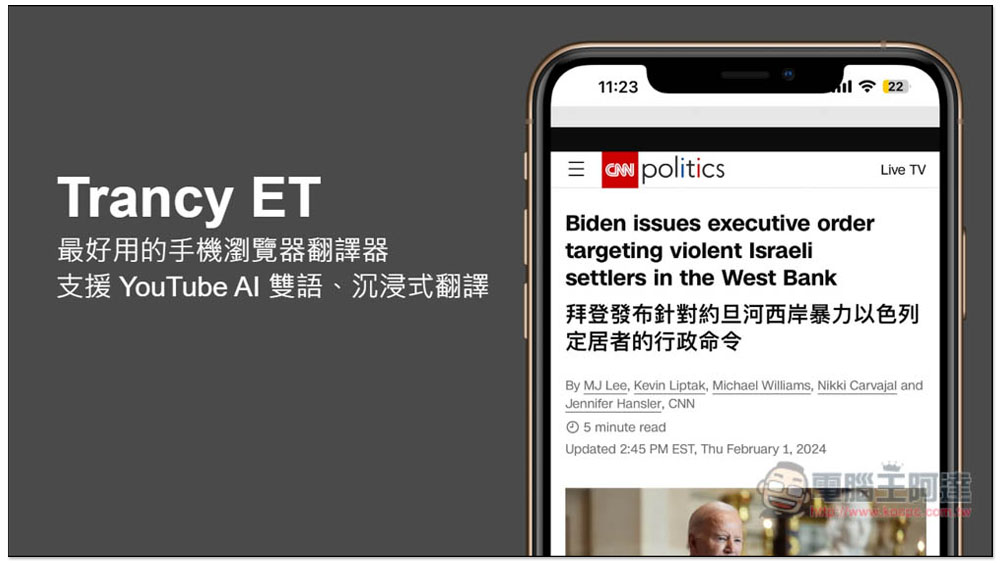
Trancy ET is the best mobile browser translator, supporting YouTube AI bilingual, immersive translation
- Click me to go to App Store to install
- Click here to read Android installation tutorial (via Firefox)
Here I take the iOS version as an example, and the operations are similar. The iOS version supports the Safari browser, which means that after installing Trancy ET, you can use it directly in the Safari browser.
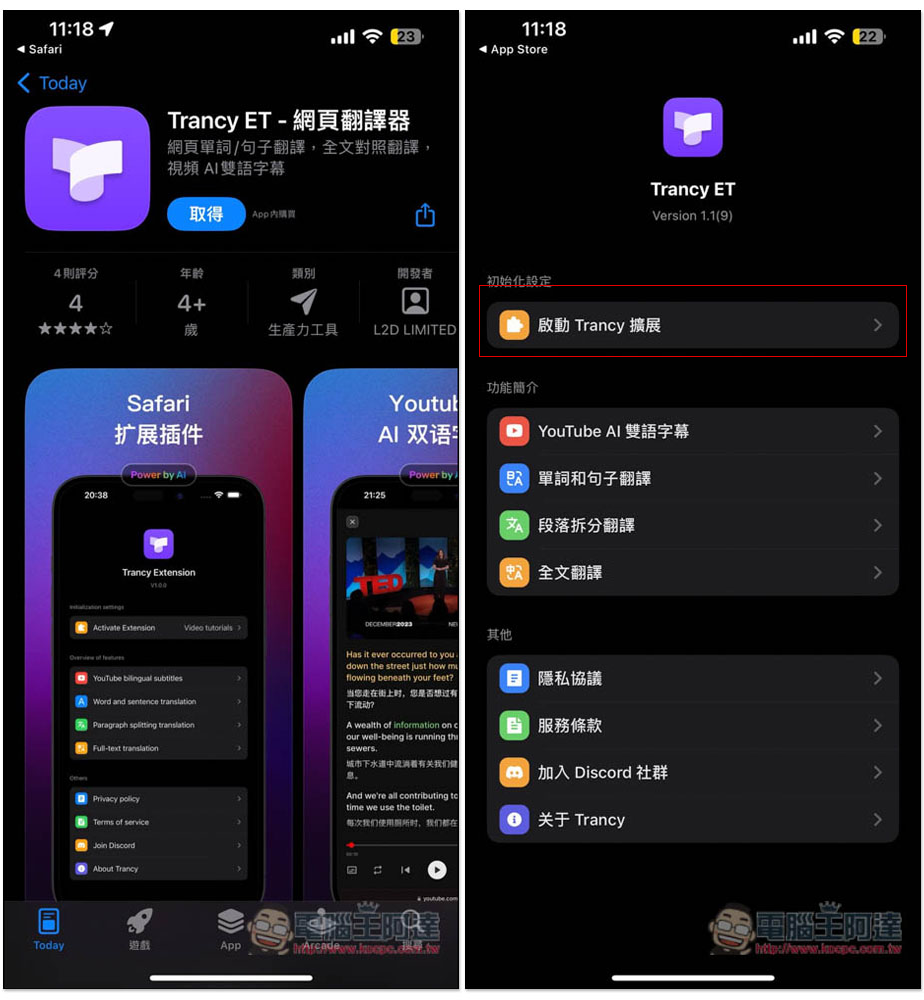
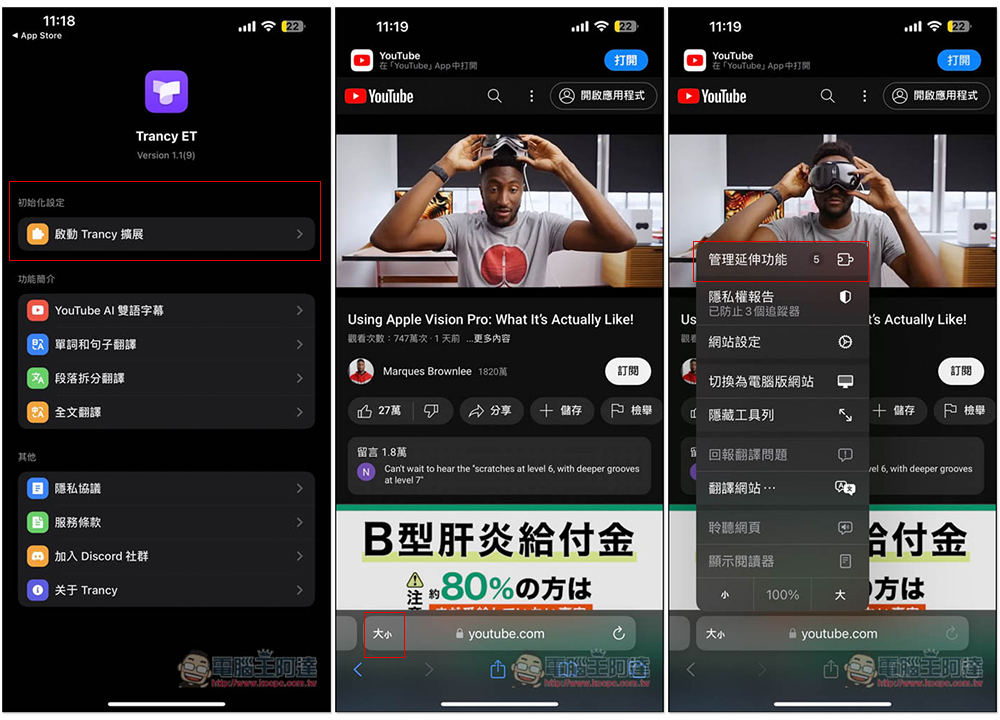
After downloading and installing, open the Trancy ET App and click “Start Trancy Extension” at the top. Below are some function introductions, such as: YouTube AI dual subtitles, word and sentence translation, paragraph split translation, etc. Those who are interested can take a look:
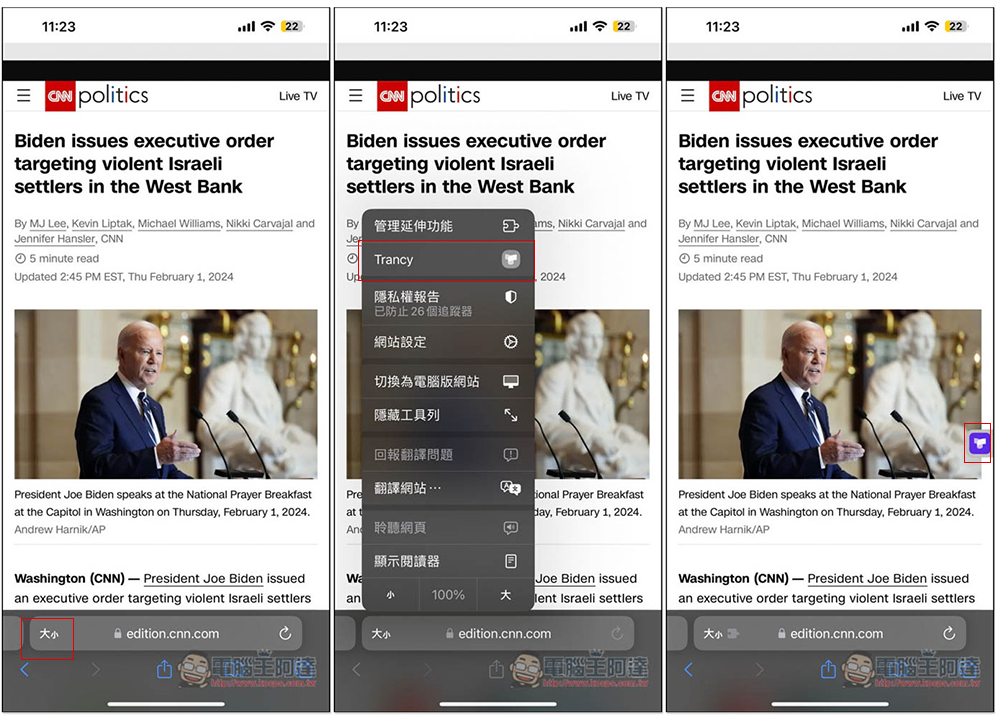
Open the Safari browser and go to any website. I open YouTube, then click the size icon next to the address bar, and click the first “Manage Extensions”:
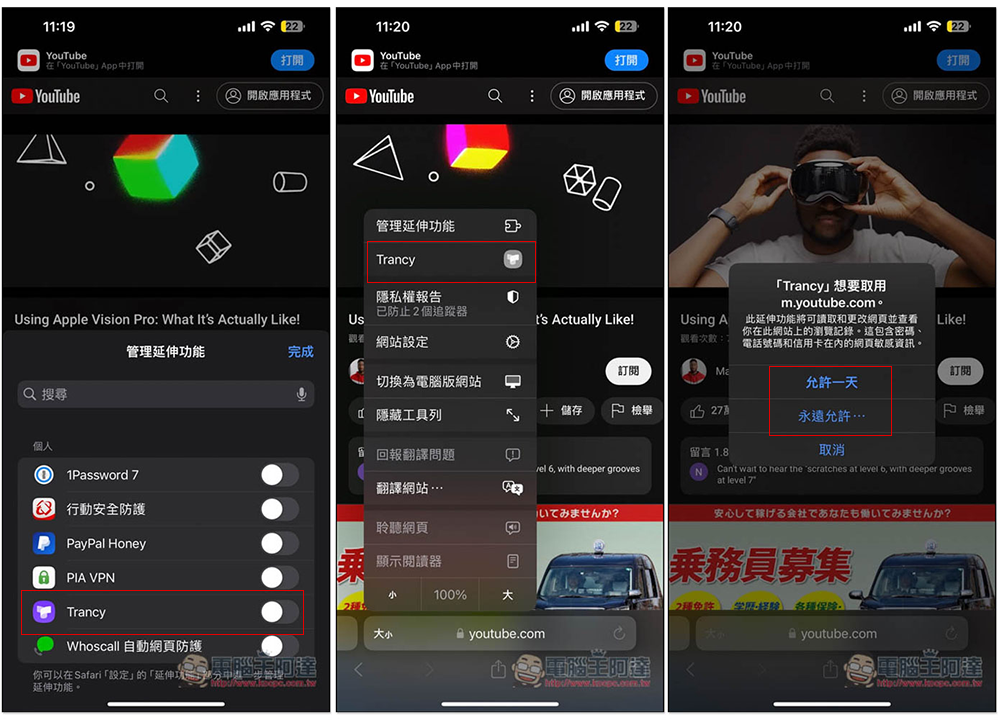
After turning on Trancy, you will see Trancy in the menu bar. Click it again and then allow it. It is up to you whether you want to allow it for a day or forever. If you are worried about your data being leaked, it is also recommended not to use this one, just use the built-in translation function of the browser:
Then you will see a small Trancy icon on the right side of the web page. For first-time use, you need to set the language, mother tongue and language to be learned. I set Traditional Chinese and English:
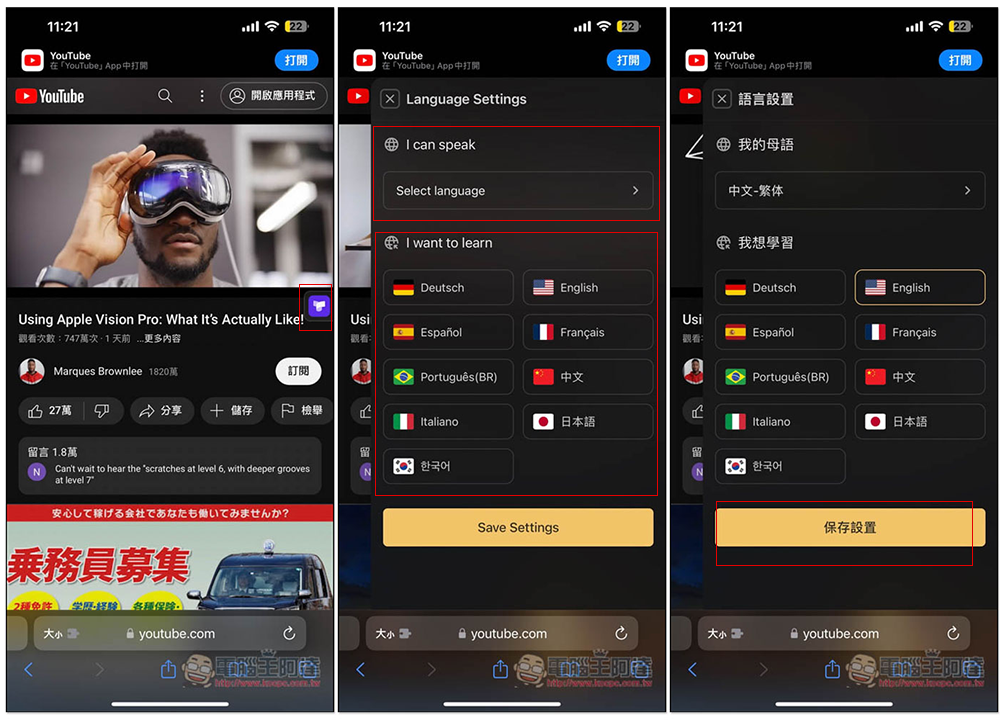
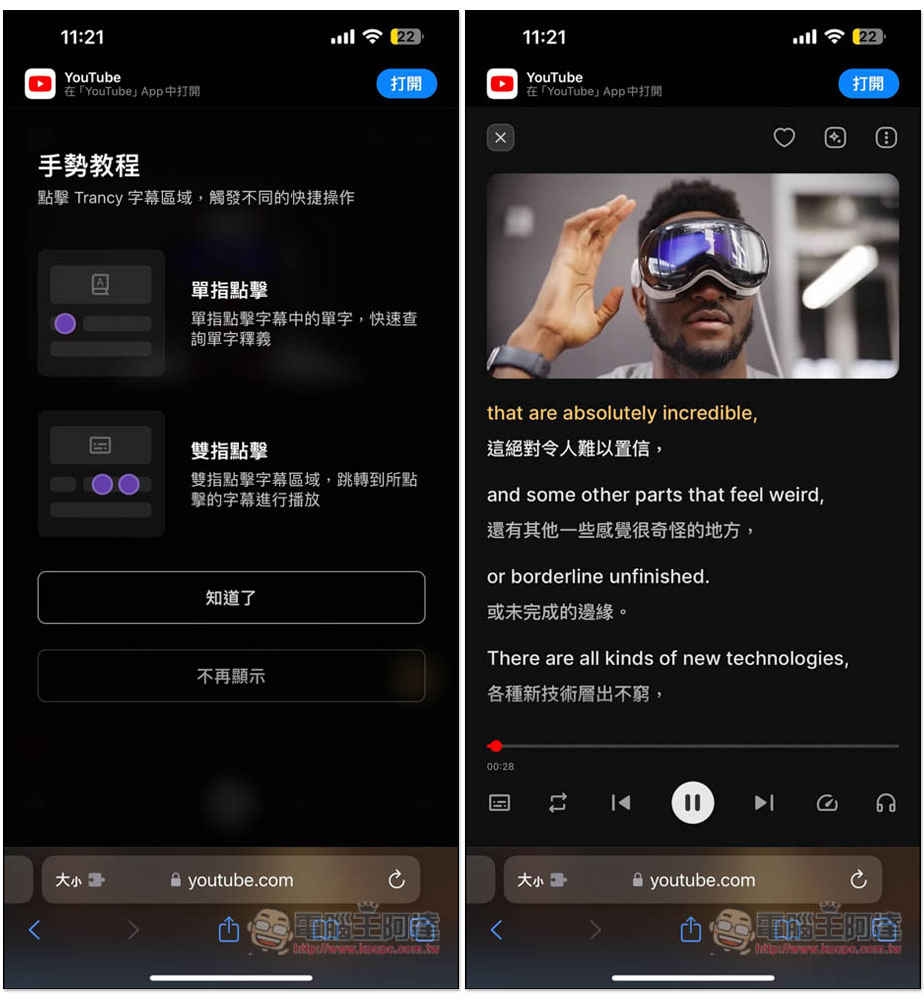
After the setting is completed, the YouTube video playback page will enter bilingual playback. In addition, Trancy only supports using Safari to watch YouTube, and the YouTube App cannot be used:
The same method is used for web translation settings. First open the Trancy icon:
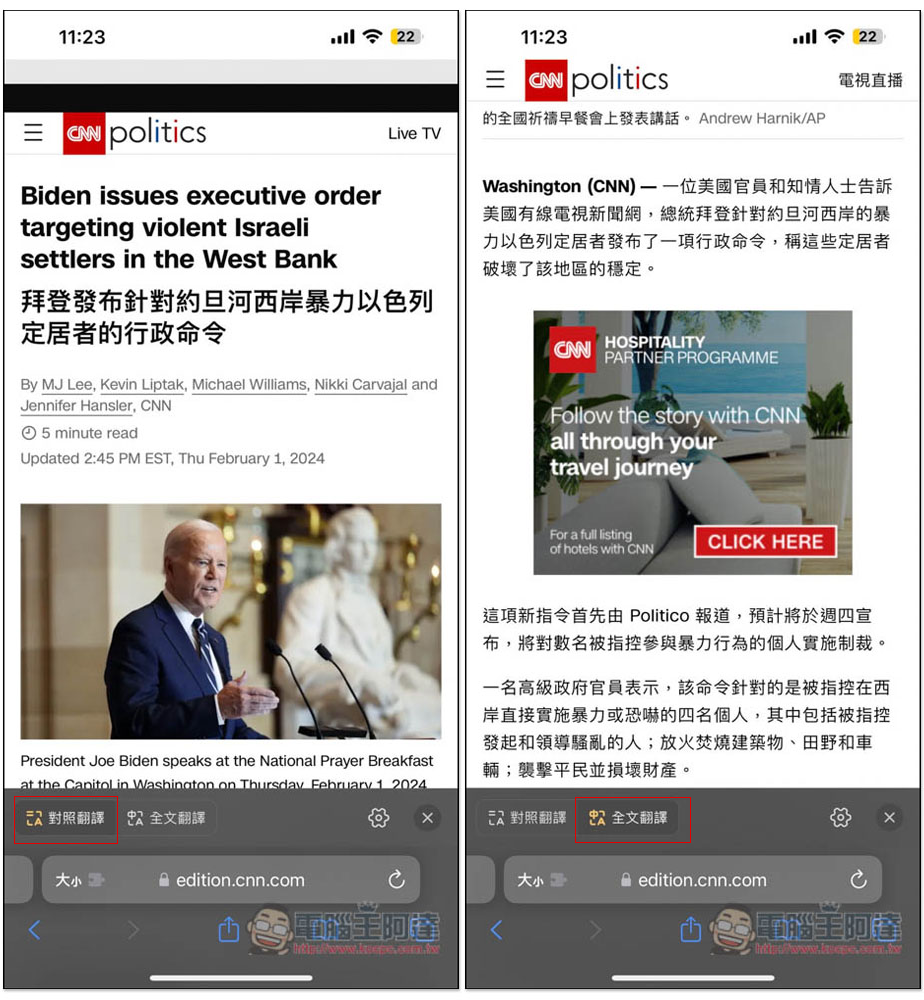
Click the Trancy icon, and the webpage will be translated. You can set the translation mode at the bottom, including comparative translation and full-text translation:
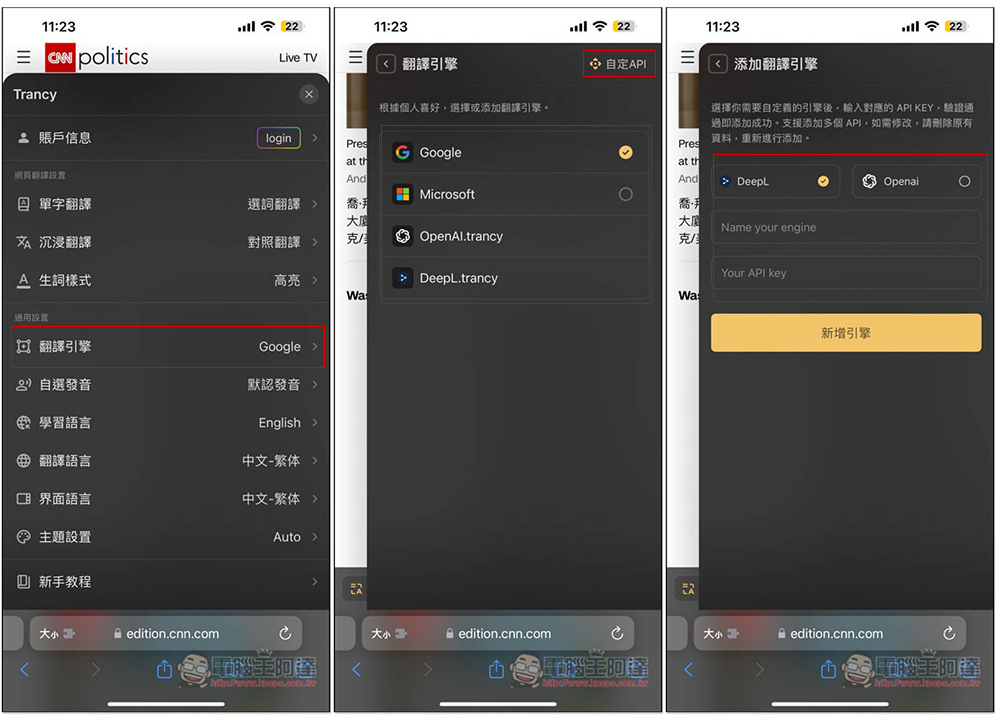
The translation language can be changed at any time, and it can also be changed to other translation engines you want to use. The default is Google. Microsoft, OpenAI.trancy, and DeepL.trancy are also provided. For those who want to use their own API, click Customize API in the upper right corner to find the API settings of DeepL and Openai:
Trancy is a very famous language learning aid. We have introduced it before. You can learn through YouTube and Netflix videos. It also integrates ChatGPT. Readers who are interested in learning more can read this article:Trancy uses YouTube and Netflix videos to learn foreign languages, provides multiple practice modes, and integrates ChatGPT
Source: KOCPC Chinese