


Google has launched a series of “Experimental AI” generative AI experimental functions for version 121 of the Chrome browser. Continue reading Chrome 121 launches the “Experimental AI” generative AI experimental function: it provides smart paging management/scene themes and also predicts the arrival of automated writing! Report text.
▲Photo source of this article: Google
Chrome 121 launches the “Experimental AI” generative AI experimental function: it provides smart paging management/themes and also predicts the arrival of automated writing!
It seems that many browsers developed using Chromium have added many generative AI related features (see more:Arc browser experience that integrates generative AI and friendly interface, you can ask ChatGPT instantly without installing Extension (Usage Tutorial)), corresponding to the development of generative AI, Google, which has already launched Bard’s next-generation Gemini AI, naturally has no intention of giving up competition in this area.
It has been announced that a series of features of the “Experimental AI” generative AI experimental function will be launched for version 121 of the Chrome browser.
Yes, this will be a whole “series” of features (it suddenly occurred to me that YouTube Labs has a similar approach?).
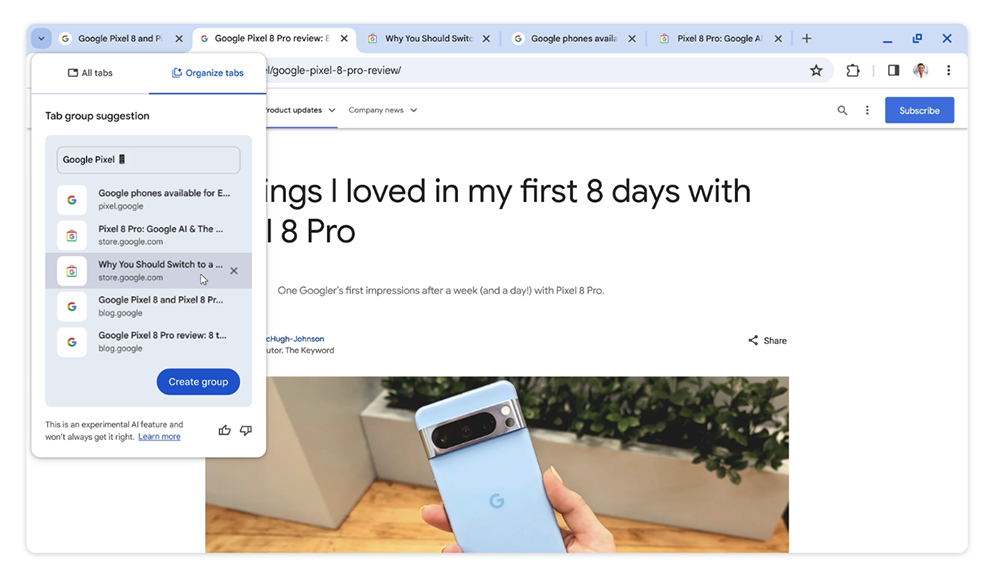
The first batch to be launched is the “Tab groups” function that can use the power of AI to help friends who have opened a bunch of tabs for nothing to organize intelligently. If you want to use it, just go to the arrow menu at the front of the tab, select the second tab function “Organize Tabs”, and all currently open tabs will be automatically grouped and named – it will even help to add emoticons (like this).
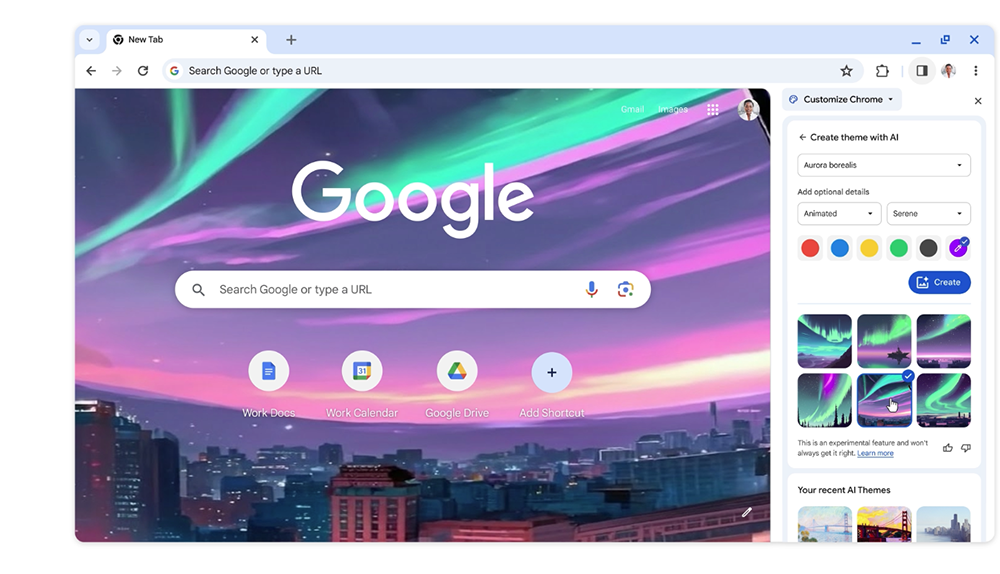
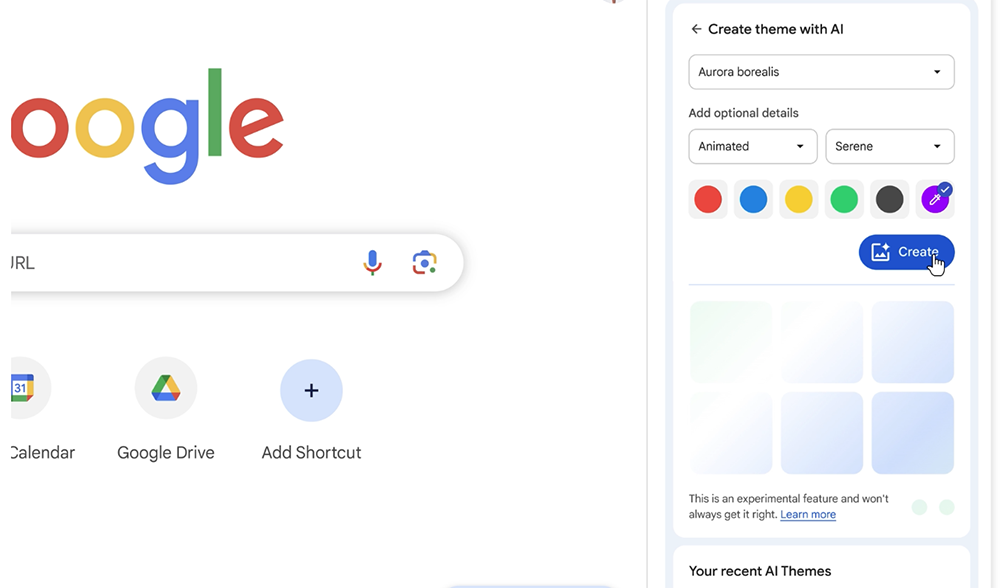
Another feature that uses AI, I believe anyone who is an Android user should feel quite familiar. Because Google will launch it with Android 14 and the Pixel 8 series, the function of using generative AI to help generate wallpaper themes has now been officially brought into the homepage customization experience of “Customize Chrome”. By choosing “theme,” “mood,” visual style, and even color, you will be able to find the best choice for you among several background themes generated by generative AI.
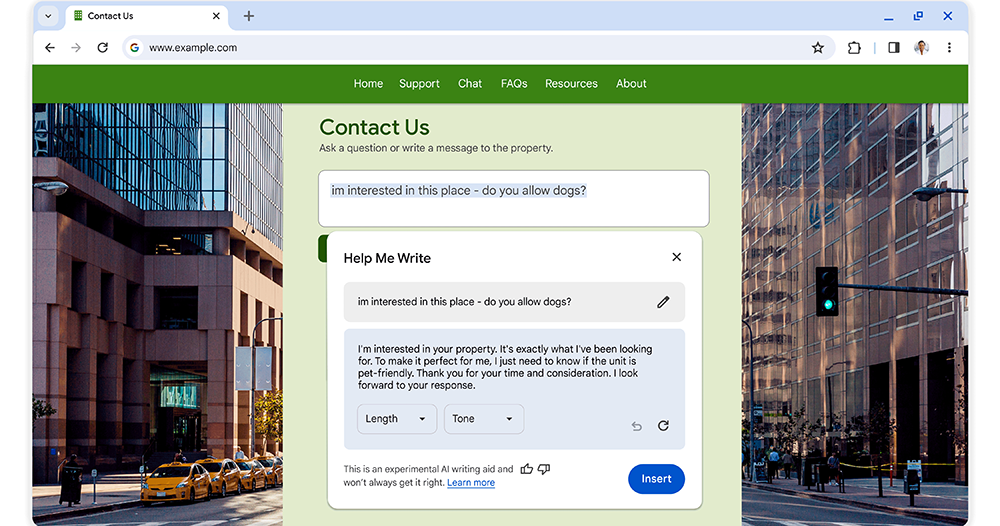
Google also announced that the new version of Chrome next month will introduce the convenience function of using AI to help write text.
Although in services such as Bard, you can already ask generative AI to help rewrite text that is more formal or meets the needs. However, Chrome has chosen to integrate this feature more into the browser experience. In the future, users only need to enter the text box, select the text, and right-click to select “Help me write”, that is, to assist in writing, and ask AI to help rewrite – related options including length and tone are also provided.
I’m not sure whether Chrome will help generate this part of the text content based on the information on the web page (it would be great if it did). However, since Google has also announced that various functions such as AI and ML, including Gemini AI, will gradually appear in Chrome this year, I believe that better smart functions should be fully expected.
This time, the Experimental AI feature will be enabled through the “Experimental AI” option in the Chrome browser settings. At this stage, according to Google, it only supports the United States. And because it is an early test, it does not support the use of enterprise and education accounts. These are all things that need attention now.
Further reading:
Top-spec M3 Max MacBook Pro unboxing experience: space black, take you flying

Source: KOCPC Chinese