


A while ago, the LINE avatar function that LINE users loved has officially passed into history. For the majority of users who like to use avatars as LINE personal pictures, there is no need to be too sad, because now the new AlphaCrewz service provided by LINE NEXT is also here! How to use LINE AlphaCrewz to create a personal picture of a new avatar, continue reading this article to see the tutorial!
LINE AlphaCrewz’s new virtual portrait function is launched (tutorial)
LINE has launched a virtual portrait service function in Taiwan since September 28, 2020. As long as users create a virtual portrait in the “Personal Profile” on the LINE homepage, they can freely combine and design face shape, hairstyle, hair color, facial features, body shape, clothing, etc. to create their own Q-version avatar. At the beginning of this year, LINE officially announced that the LINE avatar service would be terminated simultaneously with the LINE 13.4.0 version update.
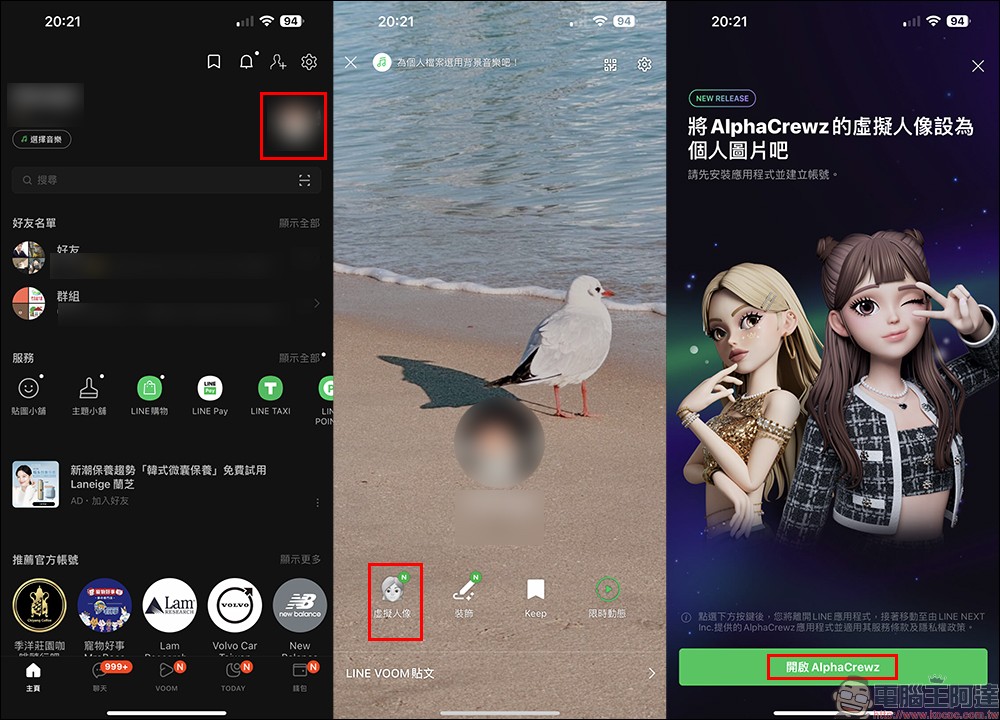
However, recently, LINE NEXT Inc., a subsidiary of LINE, is committed to building a global NFT ecosystem. The beta version of AlphaCrewz (ACRZ), a new virtual portrait service, was launched earlier today (6th). On the AlphaCrewz platform, users can customize more detailed and higher-resolution virtual portrait customization services. For users who want to set up this new avatar service on LINE, they only need to go to the “Profile” page in the LINE App and then click the “Avatar” button to be automatically directed to the AlphaCrewz App:
Then users can go to the app store to download the ACRZ App according to their smartphone system (Click here for iOS version|Android version please click me):
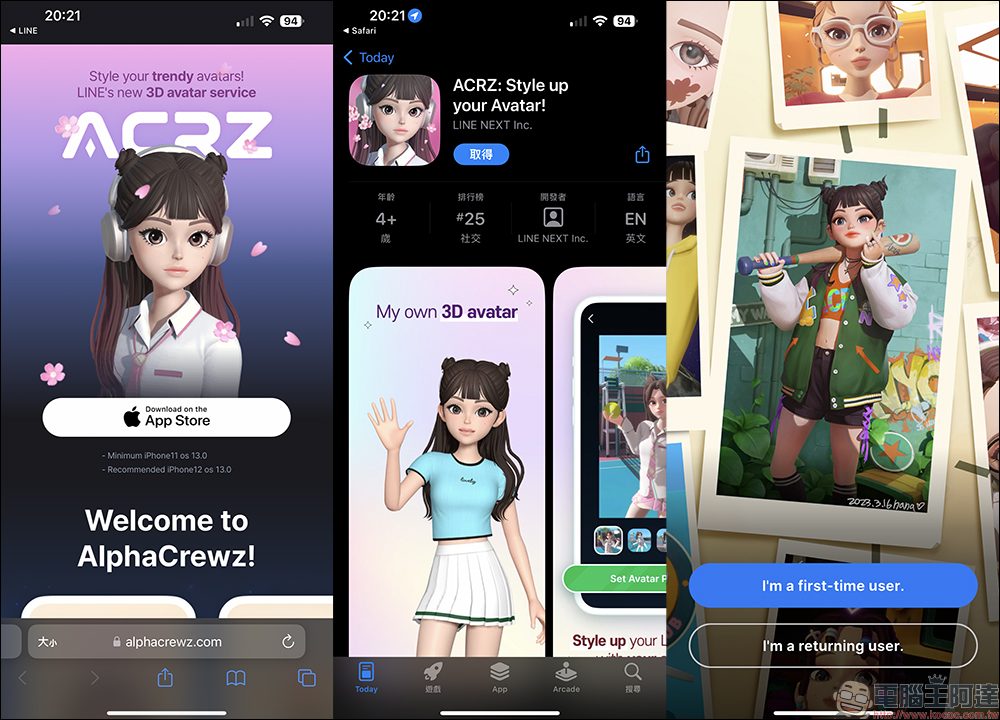
Then open the ACRZ App and complete the registration process, and you can start customizing your avatar! Users can choose different styles, clothing, hairstyles, makeup, etc. according to their own preferences, styles and characteristics, and can freely adjust facial expressions, body postures, backgrounds, etc., to make the virtual portrait closer to their own personality and style. From hairstyle, face shape, eyes, nose, chin, eyebrows, ears and other facial features and body shape, all details can be further adjusted in the app. Users can also choose a variety of clothing and backgrounds, making the experience more interactive and interesting. To celebrate the launch of the AlphaCrewz Beta version, LINE NEXT is also offering good gifts for a limited time. Users can get virtual clothing accessories for free by binding DOSI Wallet on the AlphaCrewz platform.
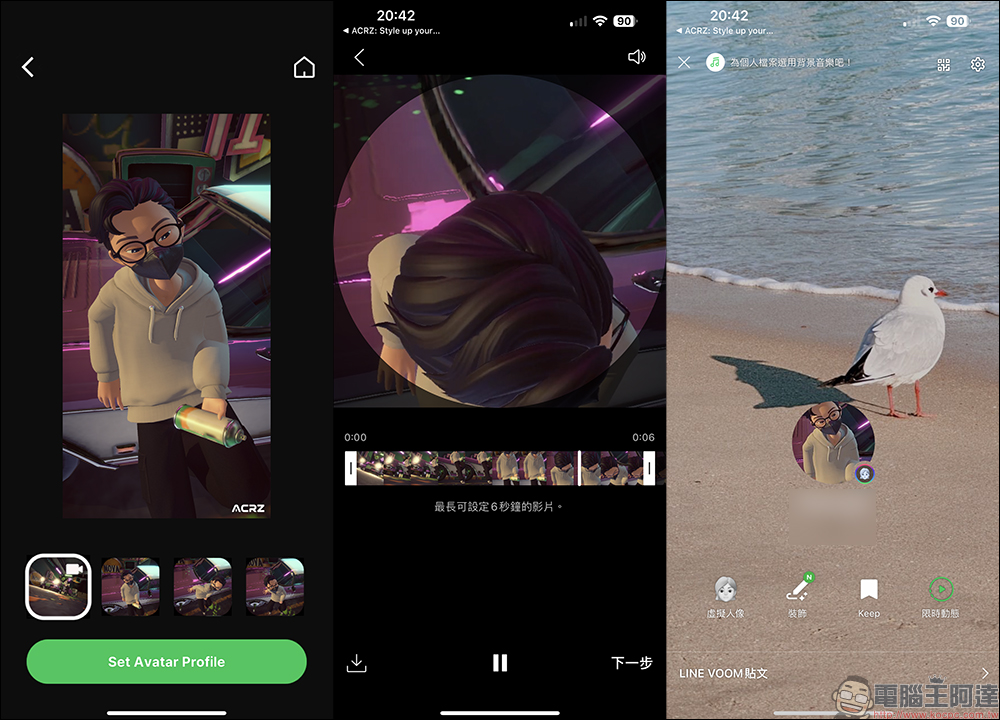
In AlphaCrewz, users can select the scene they like to shoot with your AlphaCrewz avatar. After completion, select the scene you want to set as a LINE personal picture:
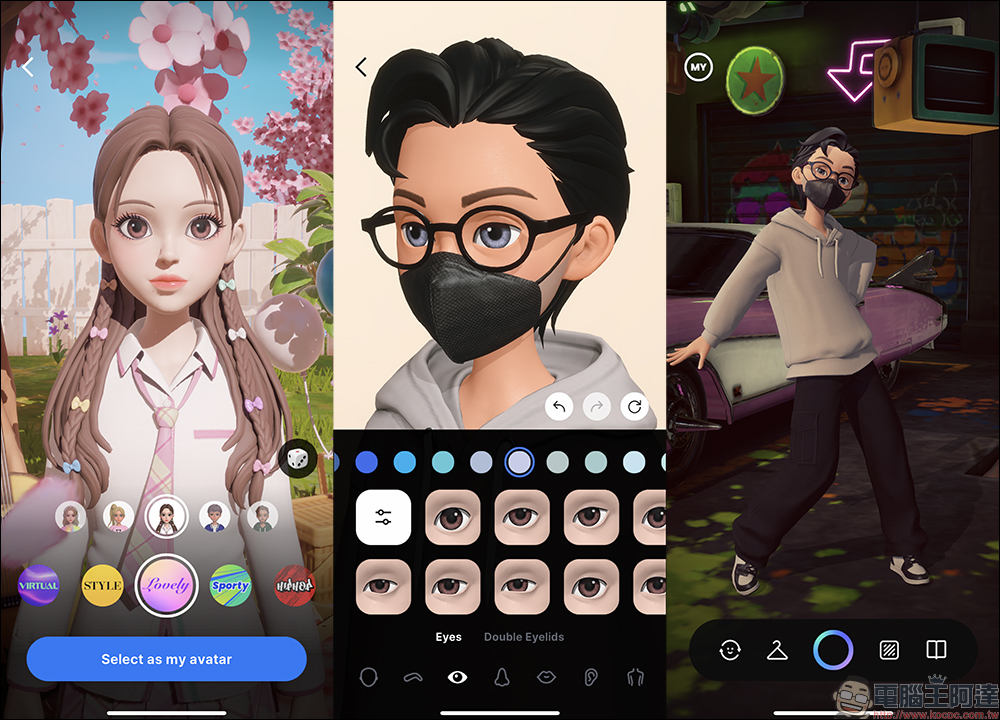
After the setting is completed, click the green button “Set Avatar Profile” below to jump back to the LINE App to complete the personal picture setting. After completing the settings, a unique badge will appear next to the personal picture in the LINE App.
Further reading:
Suspected Xiaomi Xiaomi Pad 6 tablet passes NCC certification
Source: KOCPC Chinese