


To promote Copilot, Microsoft integrated it into the Microsoft Edge browser very early on, but Google has yet to show any signs of integrating Gemini into Chrome. Maybe Google previously thought it wasn’t mature enough and so held off. With recent updates making Gemini increasingly powerful, someone has finally noticed that Chrome has started integrating it. Although it’s not usable yet, at least we can look forward to the near future when the Chrome browser will let you open Gemini directly, without needing to go to the Gemini website.
Foreign media discovered traces of Gemini AI in Chrome Canary.
According to a report from foreign media outlet Windows Latest, they discovered in the latest version of Chrome Canary that Google’s Gemini AI is preparing to be integrated into Chrome. Although it is not yet fully functional, this is common in Canary versions; Chrome Canary is mainly used for testing experimental features.
Chrome Canary settings has a new Glic settings menu. Glic stands for Gemini Live in Chrome. In this menu, users can not only enable Gemini, but also set which shortcut key to use to activate Gemini.
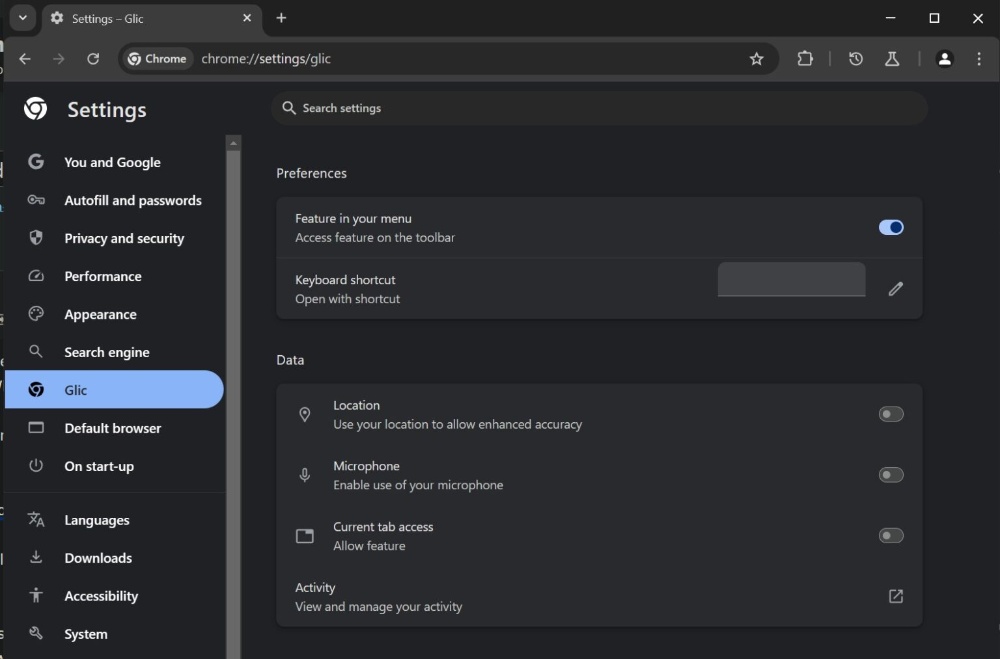
Image source:Windows Latest
When the first Feature in your menu is opened, you’ll see an extra Gemini icon in the top right corner. Clicking it currently shows an error; once it’s officially integrated later, it should become the Gemini chat interface:
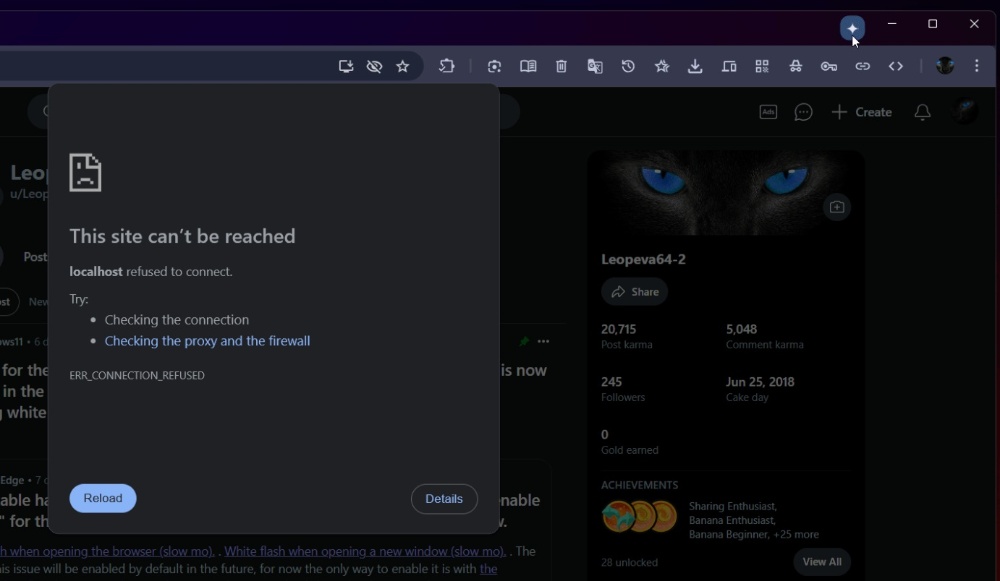
Image source:Windows Latest
What’s different from Copilot is that Gemini is placed in the window title bar at the very top, not in the toolbar, so there’s no worry about it crowding out the existing tool icons—especially for users who have a lot of extension icons enabled.
Additionally, Gemini’s chat interface appears as a floating window rather than stacking to the side of the browser like Copilot. Windows Latest thinks this design isn’t great and could hurt the user experience, so they also speculate that Google might change the design in a later version.
Windows Latest also mentioned that Google seems not only to want to integrate Gemini AI into the Chrome browser, but even plans to add it directly to the Windows taskbar.
In the Chrome settings page, there is a Gemini icon shown as a system taskbar option. Once enabled, Gemini will appear on the far right of the taskbar, to the left of the clock, making it convenient for users to access the Gemini AI assistant anytime:
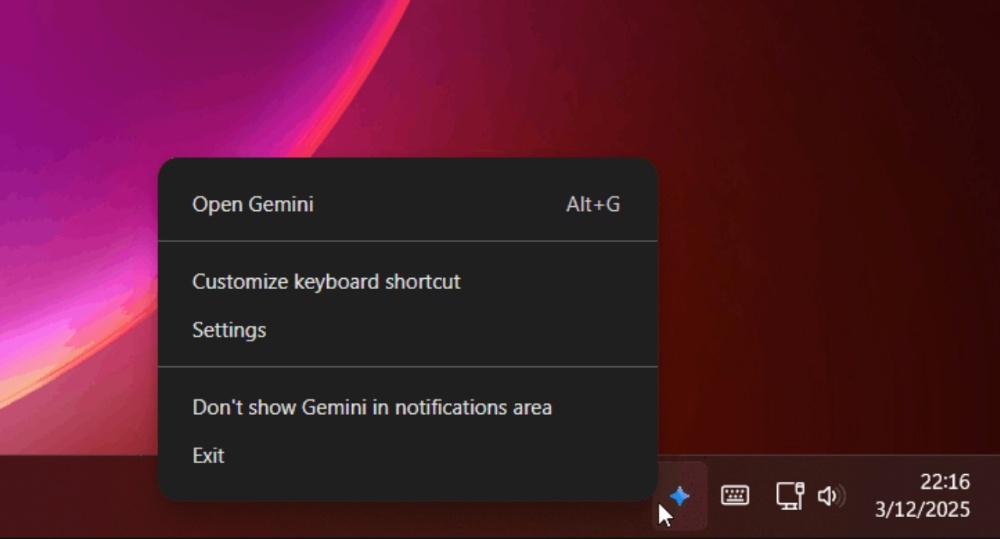
Image source:Windows Latest
Once enabled, in addition to being an overlay window, Gemini will also have other control options, such as voice search support.
Either way, as people are now increasingly accustomed to using AI, and many have even switched to AI search services like ChatGPT or Perplexity when looking for information, Chrome integrating Gemini is definitely a critical move right now. Once integrated, it can leverage Chrome’s market share to attract more users to Gemini.
Source:Windows Latest
Source: KOCPC Chinese