


Google PhotosThe photo editing functions have become more and more powerful, in addition to“Convert photo to video” and “Change photo style” at the end of last monthOutside, earlier Google It is once again announced that a new “sticker” function has been added to Google Photos for iOS, which can quickly create stickers from specified objects on photos. Although Google calls it “Sticker”, my test is actually just a function of quickly memorizing and directly copying or sharing pictures. This new feature is currently not available on Android.
Google Photos for iOS adds a new “sticker” creation function, here’s how to use it
Recently, Google announced on its official community that it has launched a new feature for Google Photos, which allows users to create custom stickers with their own photos. Just long-press on a person, pet, or object in a photo, and Google Photos will automatically highlight the subject and turn it into a sticker without using additional tools or apps.
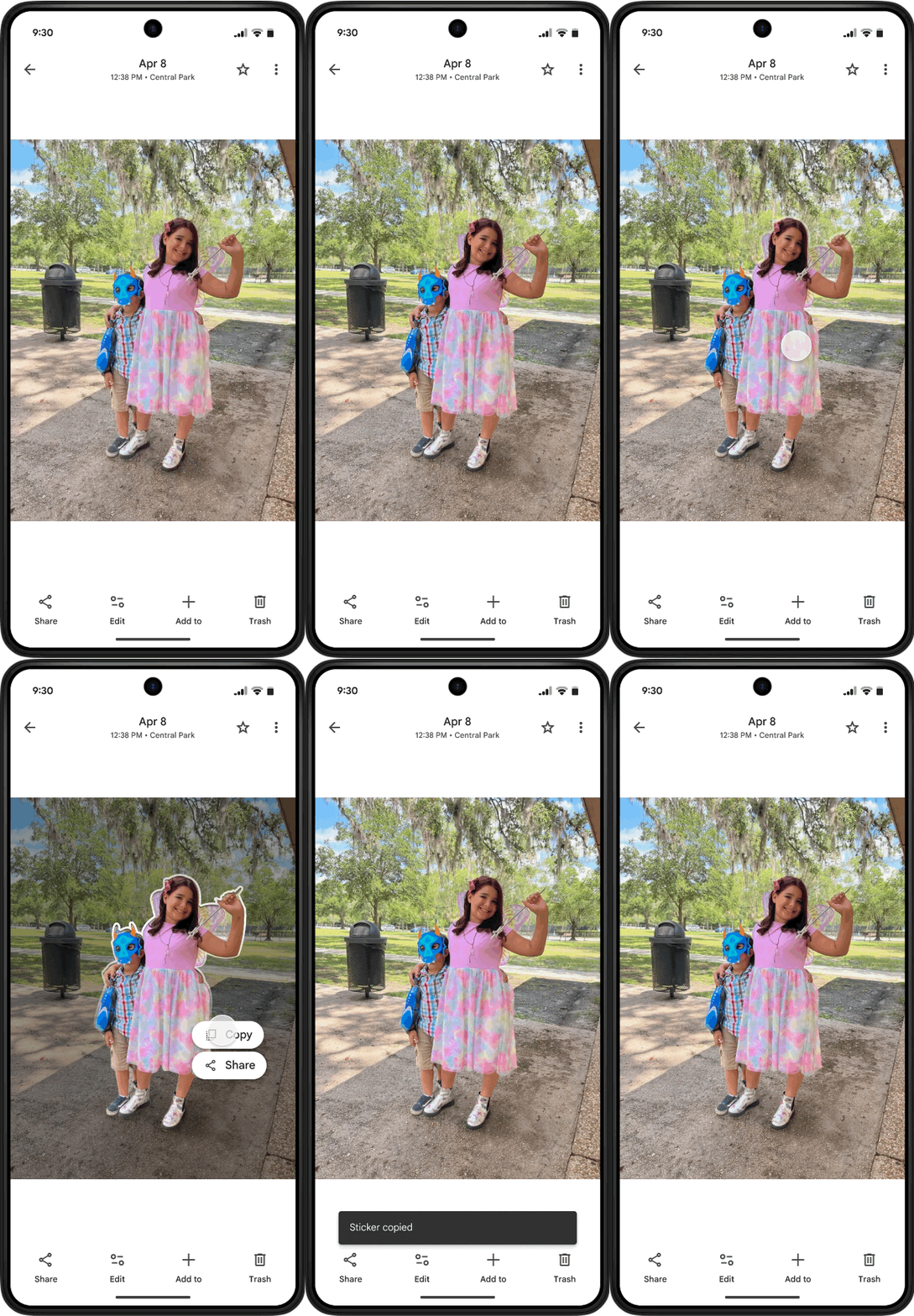
However, Google Photos does not provide a “sticker” editing tool. The representative said that if you send this sticker directly, you will only memorize the image and need to use other applications to edit it. For example, LINE itself has an editing function (it will automatically appear when you paste it), WhatsApp and Instagram also have it.
Detailed steps are as follows.
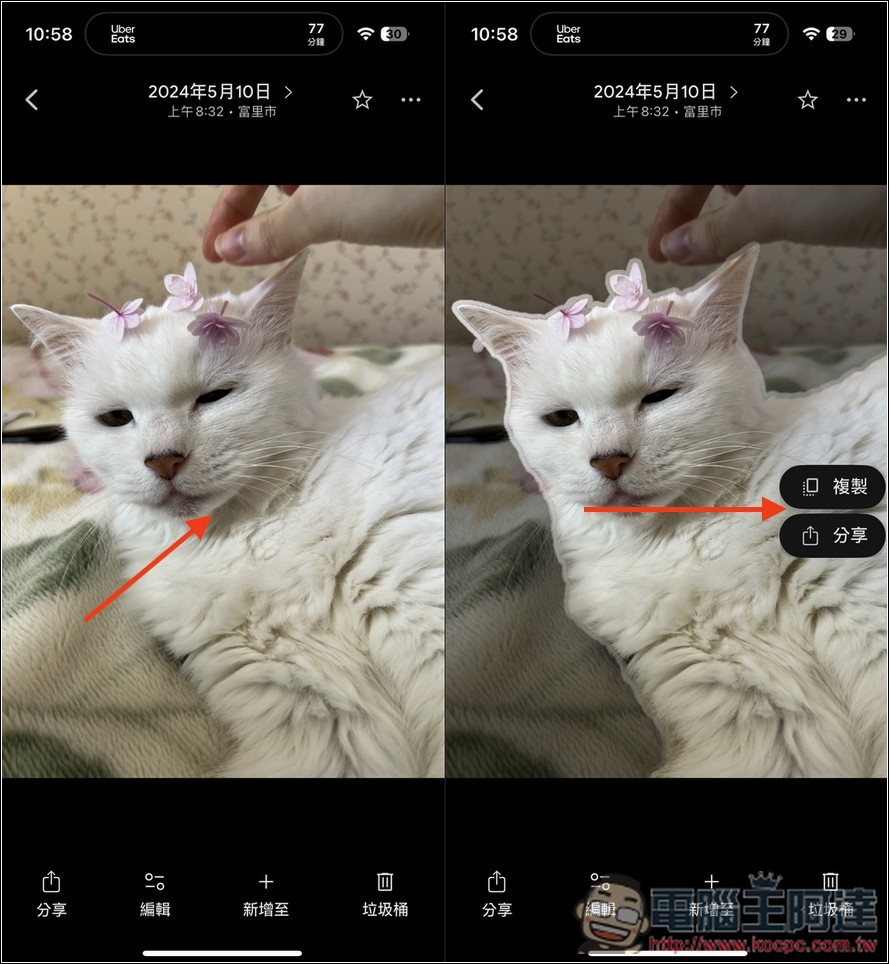
After opening Google Photos, select the photo you want to make into a sticker, I used cats as an example. After opening, long press the cat, and then you will see that the outside of the cat range will dim, and then a “Copy” or “Share” menu will appear, which one you want to use:
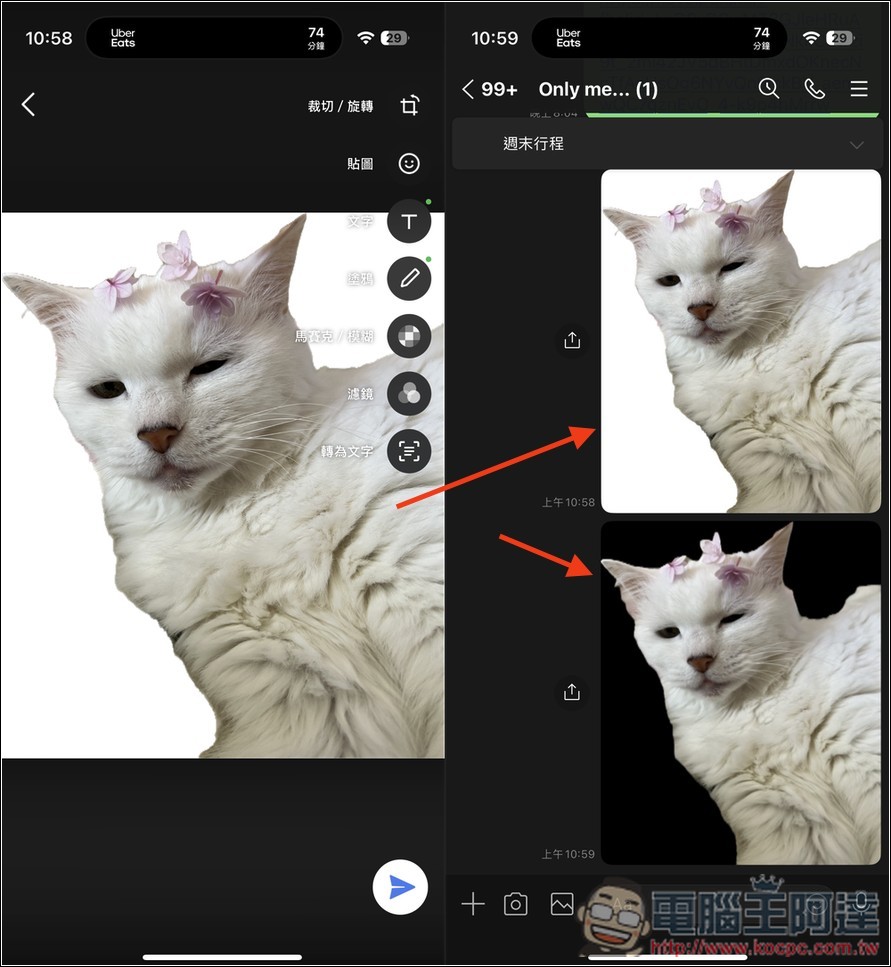
If you paste it directly in the LINE chat room, the editing screen will appear, as shown on the left side of the picture below, and you can then draw on it and add text or other stickers. If you don’t make any edits, it will just be sent with a white background. The black background in the lower right corner of the picture below is where I directly used the sharing function of Google Photos:
Therefore, the function of making stickers is actually quite cool. It feels like it is just for memorizing and sharing pictures quickly. It cannot be called stickers strictly. This may also be one of the reasons why Google currently only has an iOS version open and Android has not yet been launched. As for when Android will be open? Google officials did not make a special statement, only writing that “the Android version has not yet been launched, and we will update the latest news at any time.”
In addition, I think the back removal effect needs to be improved. Many online AI back removal tools today are able to remove the photos I demonstrated perfectly. However, Google Photos is a bit bad at removing cat hair. It feels like it is not driven by AI.
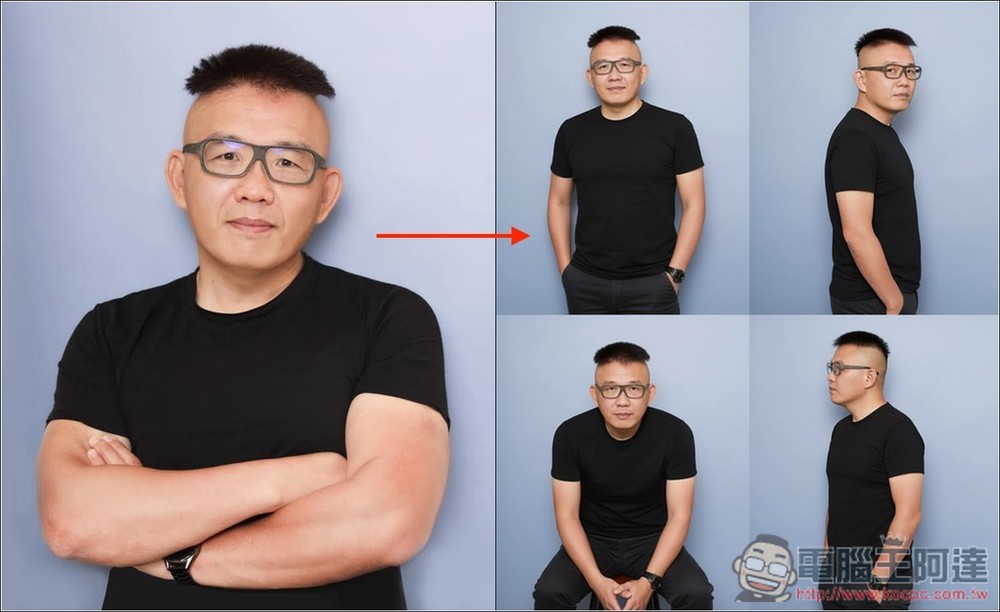
Recently, Google’s AI image generation and editing model capabilities have been greatly improved, and it is almost said to be the most powerful AI image model now. Like the recently launched Nano Banana, it can not only better understand semantics, but also ensure character consistency when editing. It is really powerful. Now in Google AI Studio and Gemini All can be experienced.
The picture below was produced using Nano Banana. The original picture is on the left, and the picture on the right is required to create different camera actions:
Source: KOCPC Chinese