


Many different tools are often used in life, such as iPhone, when the iPad is a little slow, you will feel RAM Is it not enough? Insufficient storage space and want to know which files are taking up a lot of space? When traveling abroad, you want to know the current exchange rate of the country, etc. MagicKit Pro All-in-One Toolbox is an app that can solve most of your needs. It has more than 30 built-in functions. It was originally priced at NT$320. It has recently launched a limited free event, and you can get it for free. Those who need it, hurry up and get it.
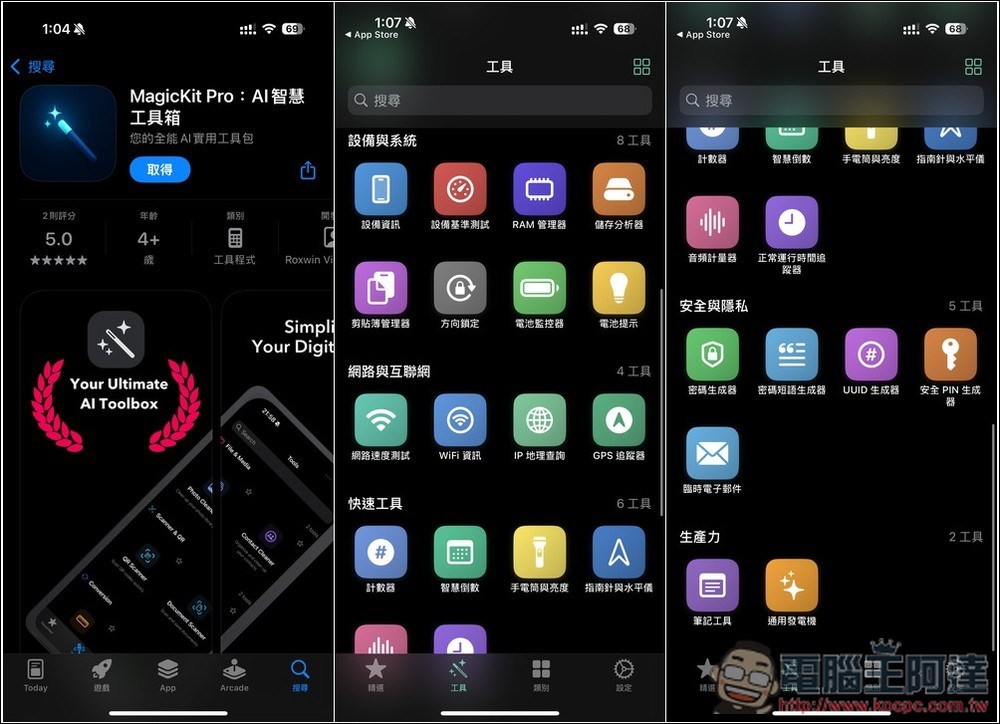
MagicKit Pro all-in-one toolbox for free! RAM monitoring, photo cleaning, currency conversion and more with over 30 built-in functions
The full name of this product is now called “MagicKit Pro: AI Smart Toolbox” in the App Store. However, when I tested it, it didn’t seem to have any AI functions, so I removed the AI first. It may be that future developers plan to add it and just change the name first.
In any case, this is still a very powerful tool, whether it is device monitoring and performance optimization, scanning documents and QR codes, photo cleaning and space management, performing simple network test diagnosis, or countdown reminders and plan management, etc. It has related functions. The operation interface is also very simple and very easy to use.
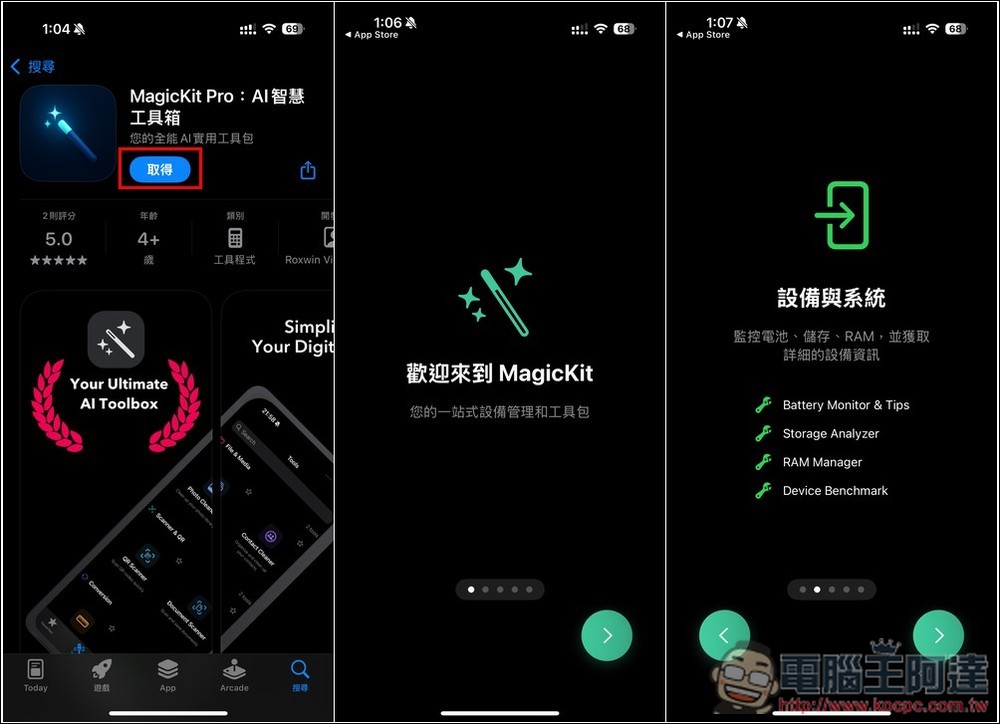
After clicking the link above to enter the App Store page of MagicKit Pro: AI Smart Toolbox, you will see the button showing “Get”. This is a limited fee. After downloading, you can use the full functionality without any in-app purchases. If you see an amount, don’t download it, it means the original price will be restored. When you open it for the first time, there will be an introduction to the functions of the App. Those who are interested can browse it:
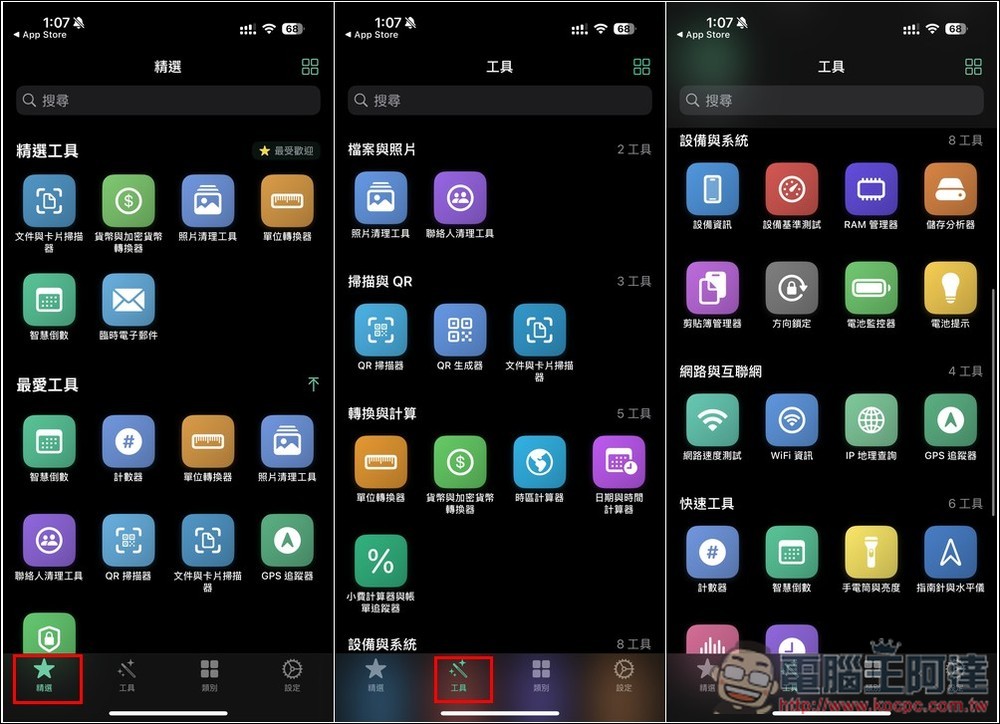
There are three menus, “Selects”, “Tools” and “Categories”, and they are basically the same, especially the last two. The tool menu displays all tools on one page, and categories represent categories. And your commonly used tools can be added to the selection, so you don’t have to look for them one by one in the future:
The tools provided are super rich, such as:
- “Files and Photos”: photo cleaning tool, contact cleaning tool.
- “Scan & QR”: QR scanner, QR generator, document and card scanner.
- “Conversions and Calculations”: Unit converter, currency and cryptocurrency converter, time zone calculator, date and time calculator, tip calculator and bill tracker.
- “Device and System Tools”: Device Information, Device Benchmarks, RAM Manager, Storage Analyzer, Clipboard Manager, Orientation Lock, Battery Monitor, Battery Tips.
- “Network & Internet”: Network speed test, WiFi information, IP geo lookup, GPS tracker.
- “Quick Tools”: counter, smart countdown, flashlight and brightness, compass and level, audio calculator, normal time tracker.
- “Security & Privacy”: Password Generator, Passphrase Generator, UUID Generator, Security PIN Generator, Temporary Email.
- “Productivity”: Note-taking tools, universal generators
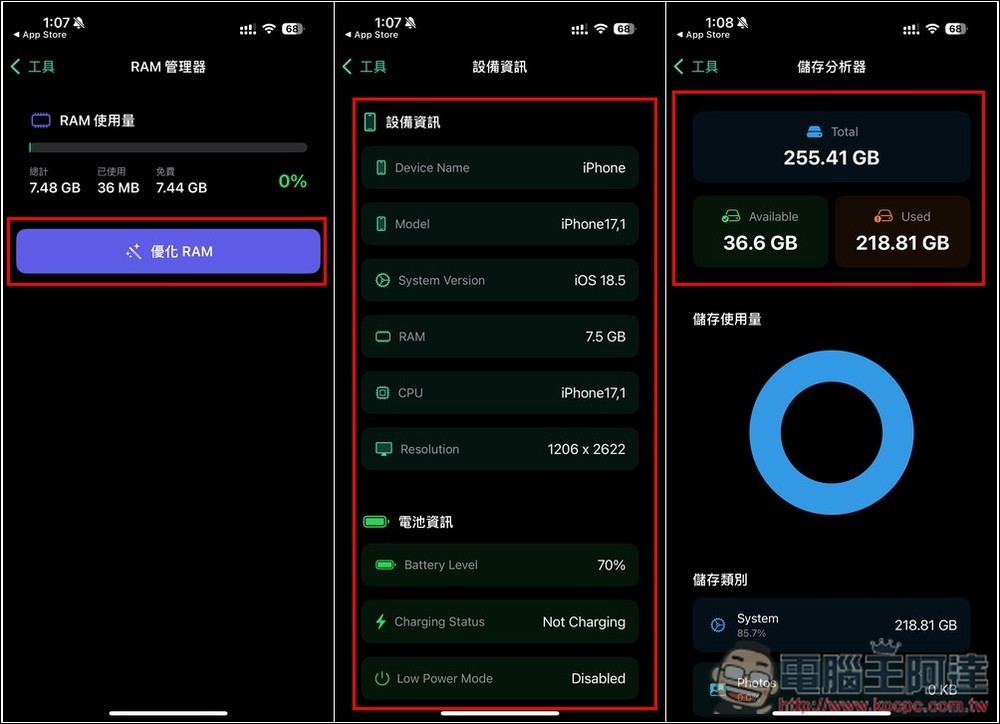
When you feel that your iPhone is slowing down, you can check the RAM to see how the current usage is. If it is too high, click Optimize RAM to free it up. Device information can quickly check some hardware information, such as system version, installed RAM, resolution, etc. The storage analyzer can understand the available and used space, as well as the size occupied by various types of files:
The photo cleaning tool is quite easy to use. After the analysis is completed, it will display how many pictures, videos, screenshots, duplicate files and large files there are:
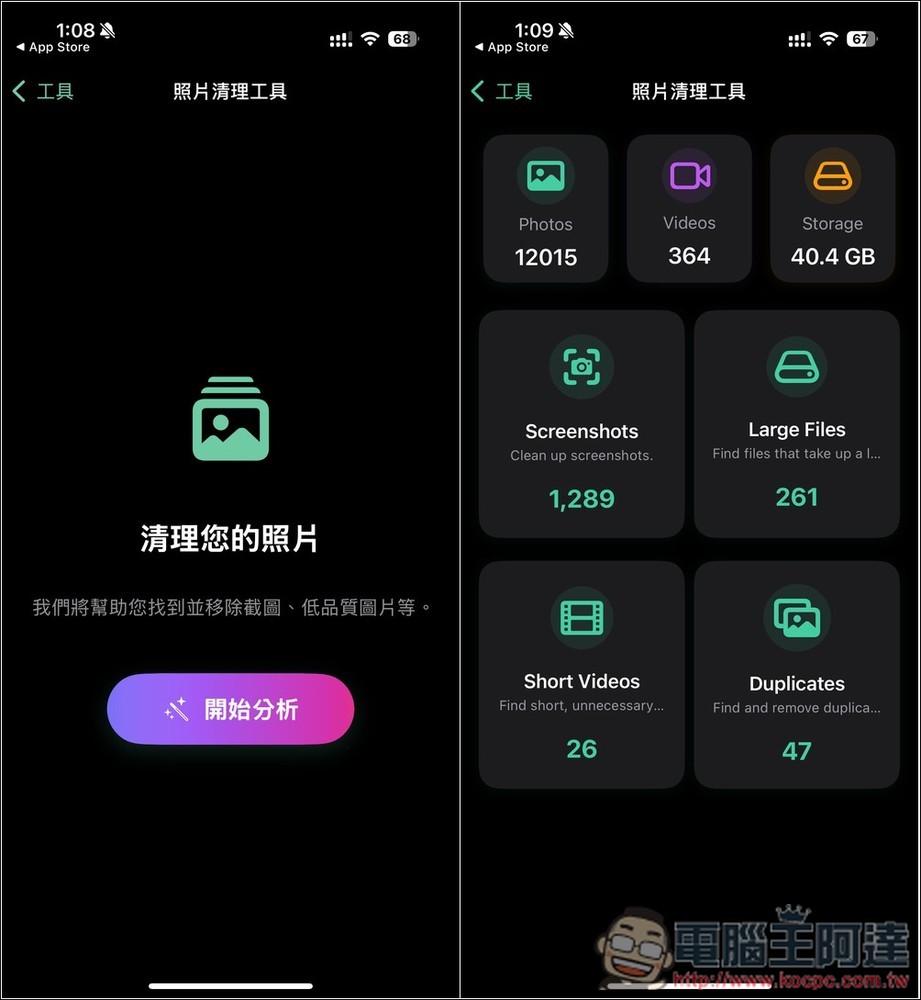
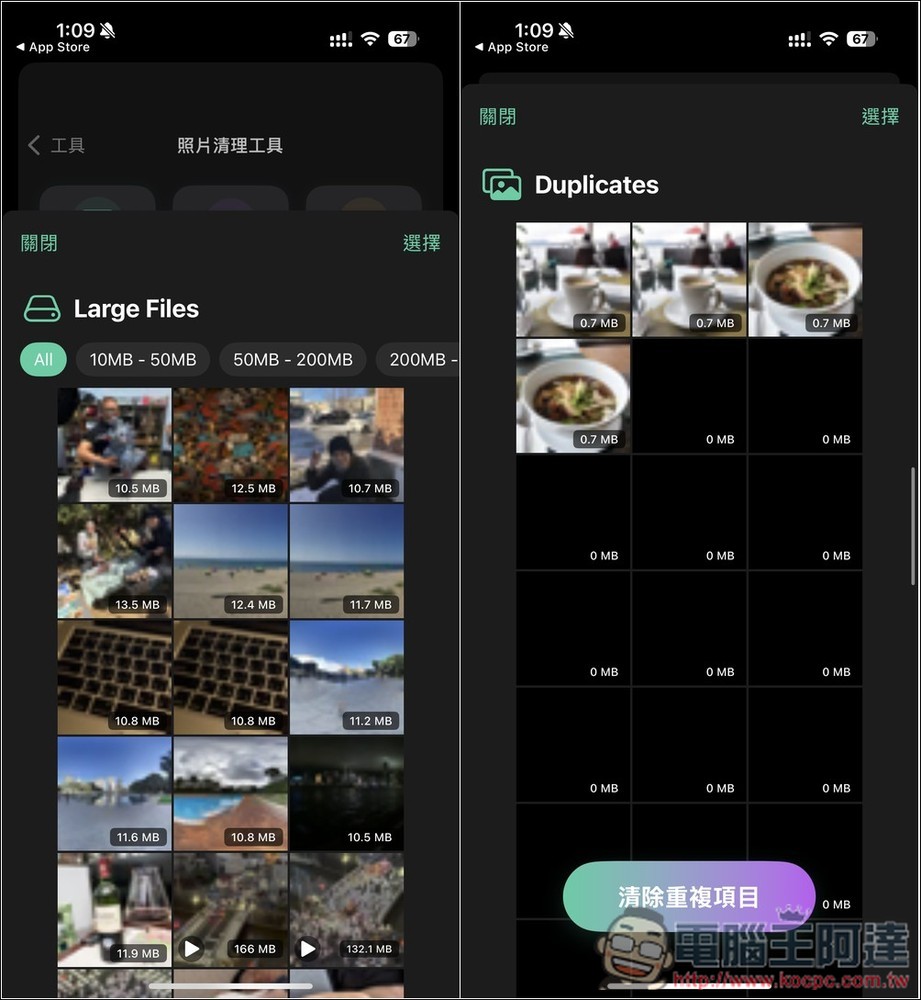
Then you can enter and clear the files you don’t need one by one to get more storage space:
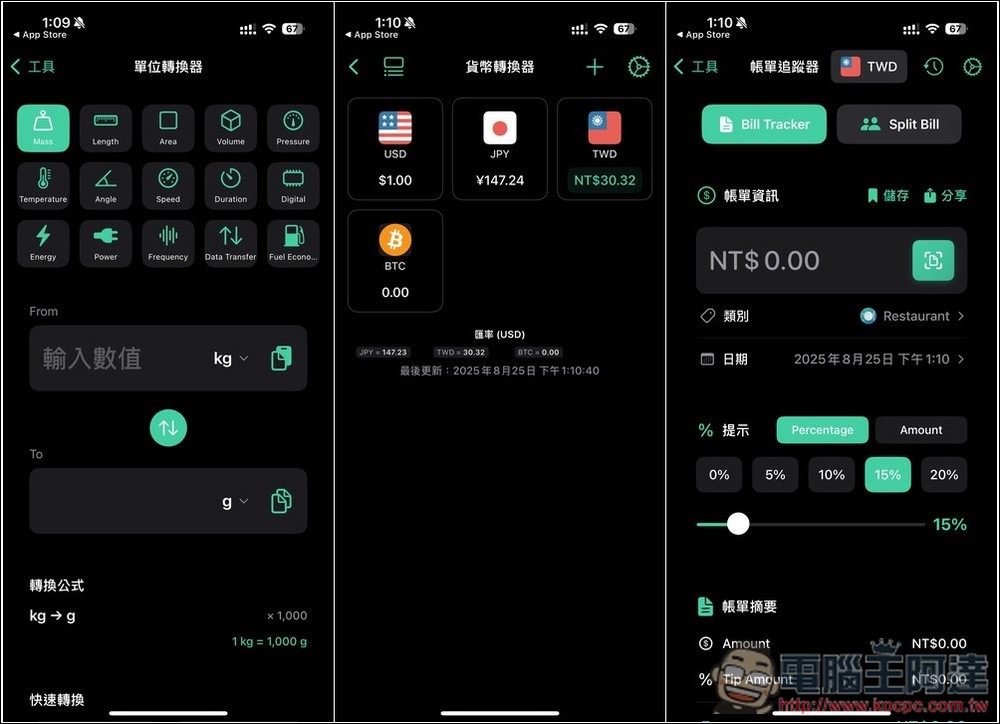
Almost all the units we need to use in our daily life can be found in the unit converter. The currency converter allows you to manually add commonly used currencies, including cryptocurrencies. The bill tracker is also quite useful:
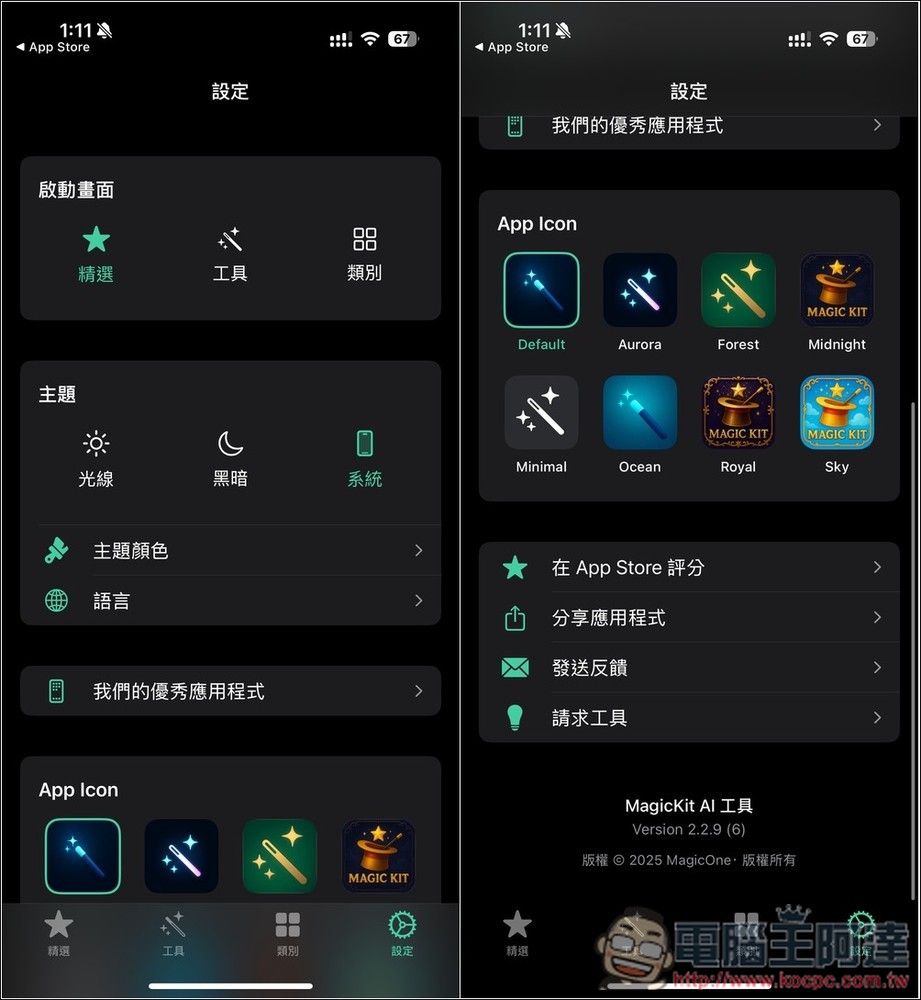
There are also some user experience optimization settings in the settings, such as: do you want the startup screen to be selected, tools or categories; interface theme; App Icon, etc.
Finally, I would like to remind you that the limited free promotion will end at any time, so be sure to check whether there is any amount before getting it.
Source: KOCPC Chinese