


If your most commonly used communication software is LINE, and the phone or tablet is an old model and the system has not been updated, then you really need to pay attention now! LINE’s latest official announcement states that starting from early November this year, it will completely stop supporting the old version of LINE App and will only support devices installed on iOS 15, iPadOS 15, watchOS 8 or above. In other words, older models of the iPhone 6, iPad mini 3, and Apple Watch series are about to say goodbye to LINE. Now let’s see if the device in your hand can still use LINE!

LINE Announcement: Starting from November, it will only support iOS 15, watchOS 8 and above. These old iPhones and iPads will not be able to support LINE.
LINE will officially stop supporting LINE App “versions below 13.20.0” in early November 2025. At that time, you must update to LINE App version 13.21.0 or later to continue to use chat, call and other functions normally.
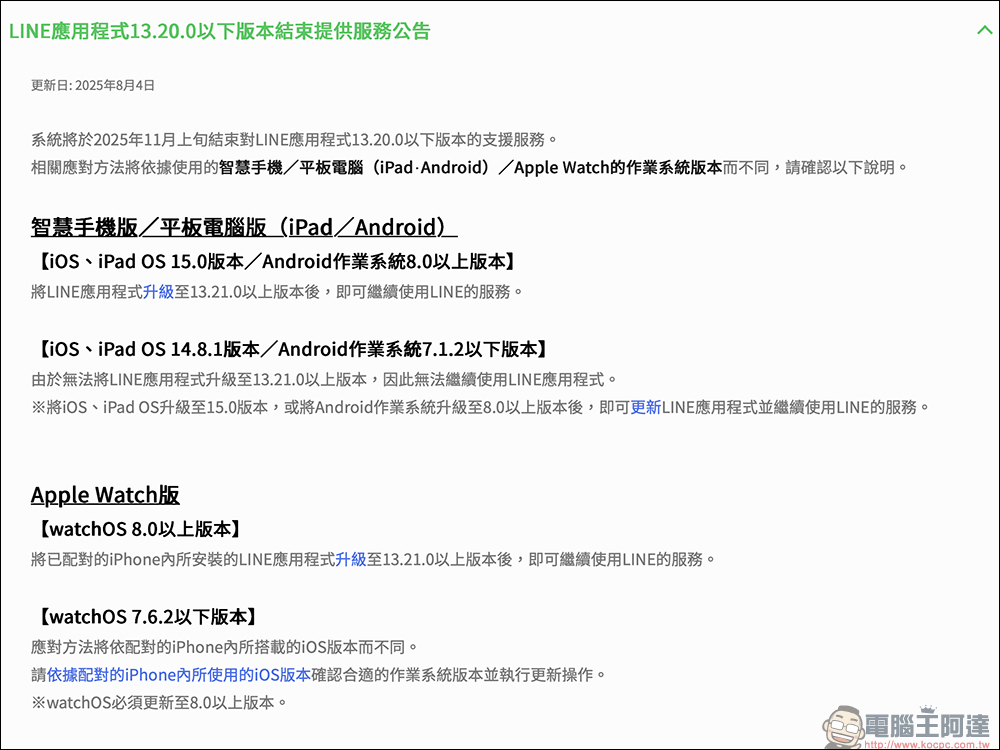
But this also means one thing. Only devices that support iOS 15, iPadOS 15, watchOS 8 or above are eligible to use the new version of LINE. Therefore, if your mobile phone, tablet or watch cannot be upgraded to these system versions, you will not be able to update the LINE App accordingly, which means you will be directly disqualified from using it.

LINE will no longer support these iPhone models!
Let’s just focus on sorting it out. According to Apple’s official information, iPhones that cannot be upgraded to iOS 15 include the following models:
- iPhone 6
- iPhone 6 Plus
- iPhone 5s
- iPhone 5c
- iPhone 5
- iPhone 4s
- iPhone 4
These models can currently only be upgraded to iOS 12 or iOS 14 at most, but they are stuck and cannot upgrade to iOS 15, which means that starting from November, the new version of LINE cannot be installed, and normal messaging and chatting will not be possible. Therefore, friends who are still using iPhone 6 or earlier may really want to consider upgrading their phones. Otherwise, not only will they not be able to use new features, but even basic messaging functions will have problems!
Say goodbye to these old iPads too!
In addition to the iPhone, many older models in the iPad series will also be excluded from the support list of the new version of LINE because they cannot be upgraded to iPadOS 15.
iPad models that can no longer use LINE include:
- iPad first generation
- iPad 2、iPad 3、iPad 4
- iPad mini original, mini 2, mini 3
- iPad Air 1
Although iPad Air 2 and iPad mini 4 can still be upgraded to iPadOS 15 and barely survive, older devices will have to say goodbye to LINE forever. So if you are a user who uses iPad as a senior device, or who only occasionally replies to messages or looks at stickers, remember to check the system version as soon as possible. Otherwise, once LINE is updated, you will not be able to receive messages or reply.
There are also restrictions on LINE usage on Apple Watch!
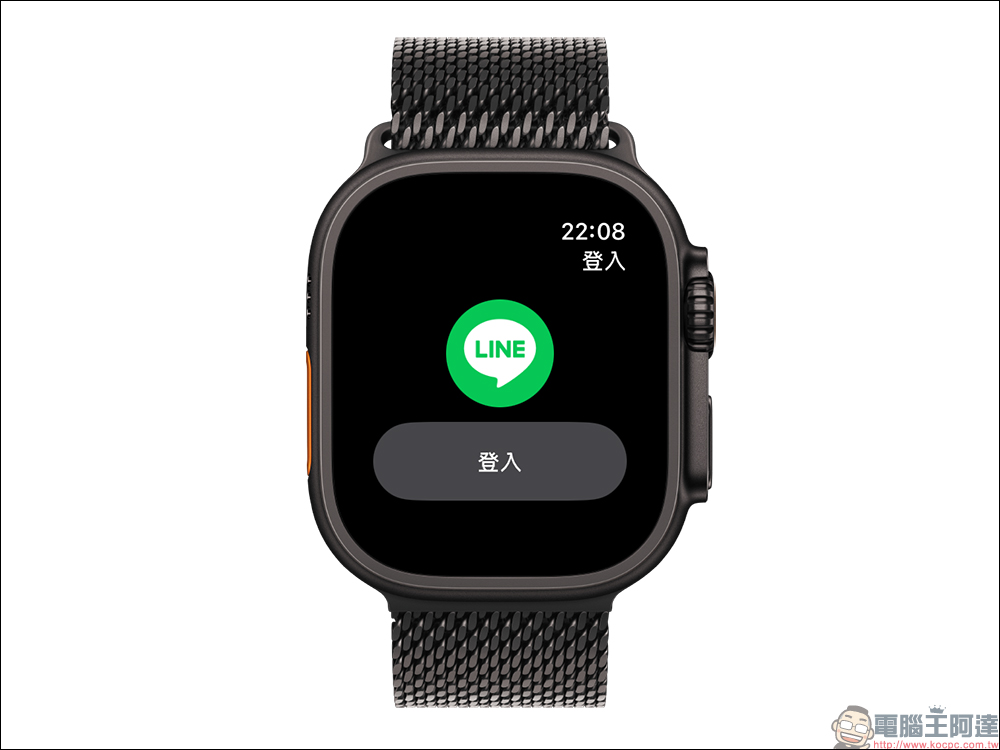
Many people don’t know that LINE can also be used on Apple Watch, which is especially convenient for quickly replying to messages while exercising. However, this time the system limitations also extend to the watch. Starting in November, only Apple Watch upgraded to watchOS 8 will continue to support the new version of LINE. That is to say:
- Only Apple Watch Series 3 (inclusive) and above can continue to be used.
- The watch must also be paired with an iPhone running iOS 15.
So, even if your Apple Watch natively supports watchOS 8, if your iPhone is too old to upgrade to iOS 15, the entire set will be ineffective. LINE officials also remind you that even if your device can be upgraded, if you have not manually updated the LINE App for a long time and it is still at a version below 13.20.0 in November, you will be unable to use it.
Conclusion
This version update of LINE shows that support for old devices and systems will no longer be compromised in the future, and also means that the overall app functionality and security will move towards higher standards. For friends who are still using old models, it’s time to face a choice: if you want to continue using LINE, you may have to upgrade your device; if you don’t want to upgrade, you can only consider switching to other communication tools. No matter which option you choose, start checking your device and LINE version now. It’s better to be prepared in advance than to rush at the last minute!
Further reading:
Source: KOCPC Chinese