


Whether you’re trying to hail a ride late at night, exploring an unfamiliar city, or killing time while waiting for your flight at the airport, your phone’s battery drains when you need it most, often when you feel like the world is falling apart. You may have tried all the usual fixes, such as lowering the brightness, closing apps, and turning on power saving mode, but to no avail, and you still need a power bank and an electrical outlet. At this time, you should try the “automatically adjust battery usage” function in your mobile phone, the effect is very significant.
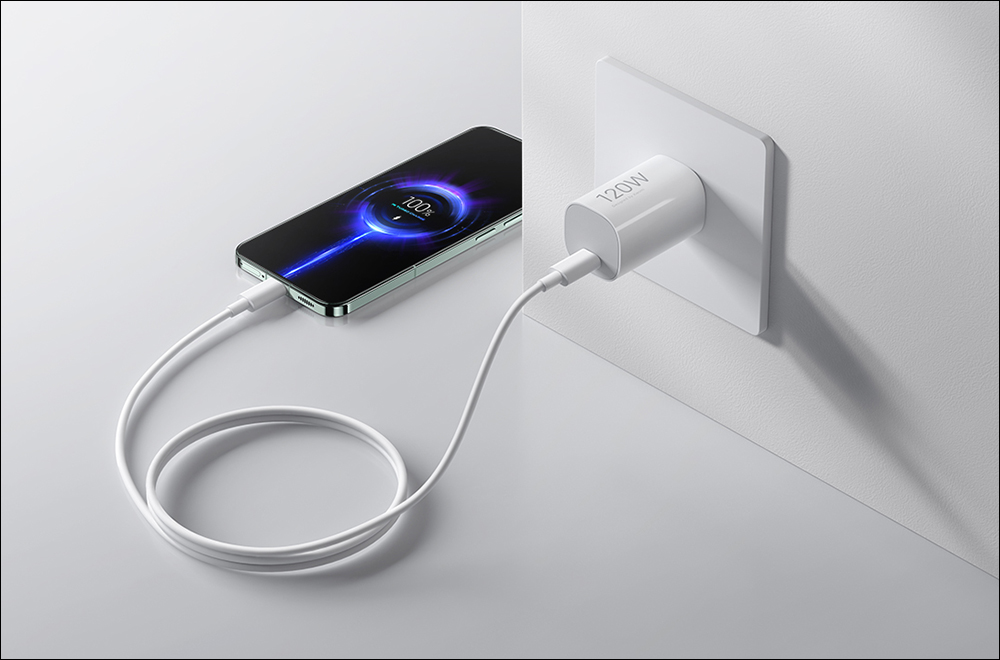
Does your phone battery always run out when you need it most? Turning this feature on makes all the difference
What is “automatically adjust battery usage”?
Most people think battery life depends on capacity and usage. If your phone dies early, the answer must be that you use it too frequently or the battery capacity is too small, which is only partly true. You may not realize how much battery is quietly being consumed in the background by apps and processes you don’t remember running.
If you’re using a phone manufactured within the past five years, your device probably has “automatic battery adjustment” built in, but this feature is hidden in the settings menu and is a bit hard to find. Unlike other features, it doesn’t show real-time performance, but that’s part of its power.
Auto-Adjust Battery Usage uses machine learning to understand how you use your phone, which apps you open frequently, which ones you only use at night, and which apps you ignore for long periods of time. Android’s built-in algorithms take all of these factors and more into account and limit battery usage for apps you rarely open, prevent them from running in the background and schedule system tasks more intelligently. It’s essentially a personal assistant that runs silently in the background, learning your usage habits and optimizing everything so that your phone wastes less power doing things you don’t care about.
While consumer-facing AI is a relatively new feature in Android, Automatic Battery Usage uses AI algorithms and has long been part of Google’s push for smarter battery usage. You may have come across features like auto-brightness and app standby that also run in the background to optimize battery usage. Essentially, the more you use your phone, the smarter it gets at saving battery drain.
Here’s how to enable automatic battery usage adjustment (taking Pixel 9 Pro XL as an example):
- Open the Settings app.
- Click “Battery”.
- Select “Power Saving Mode”.
- Expand “Automatically adjust battery usage”.
- Turn on the function switch.
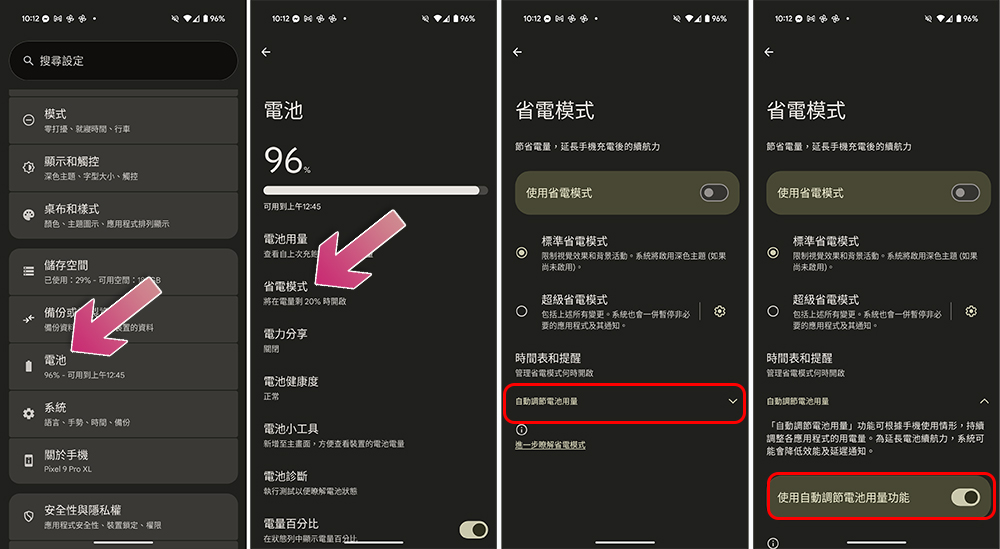
You won’t feel the effect of this function until you turn it on for a day or even a week, but as you use it more often and over time, the algorithm gradually matures and learns your usage habits, and the effect will be more obvious.
Why is it smarter than micromanagement?
Before you enable the automatic battery usage adjustment function, you may try various actions such as manually closing apps, turning down the brightness, etc., hoping to save battery power. Whenever the battery power reaches a certain level, you may turn on the power saving mode and continue to fight for a few more minutes of mobile phone life.
After enabling the automatic adjustment of battery usage, you no longer need to worry about this and your phone will become more efficient. Frequently opened applications still respond quickly, and ignored applications no longer consume battery. This difference is especially noticeable for system-level processes and services that are not directly controllable. They manage these tasks on their own without your direct input and intervention. What’s even more interesting is that they work well with other system functions.
Source: KOCPC Chinese