


From time to time in life, people suddenly need emergency help. Recently, I found this very good [Hearing AED] LINE friend. As long as you join and register basic information, if someone nearby and in the area you set needs CPR + AED first aid,LINE You will be notified immediately so that you can rush to the scene to help as soon as possible. For those who don’t know how to do CPR, free courses are offered from time to time.
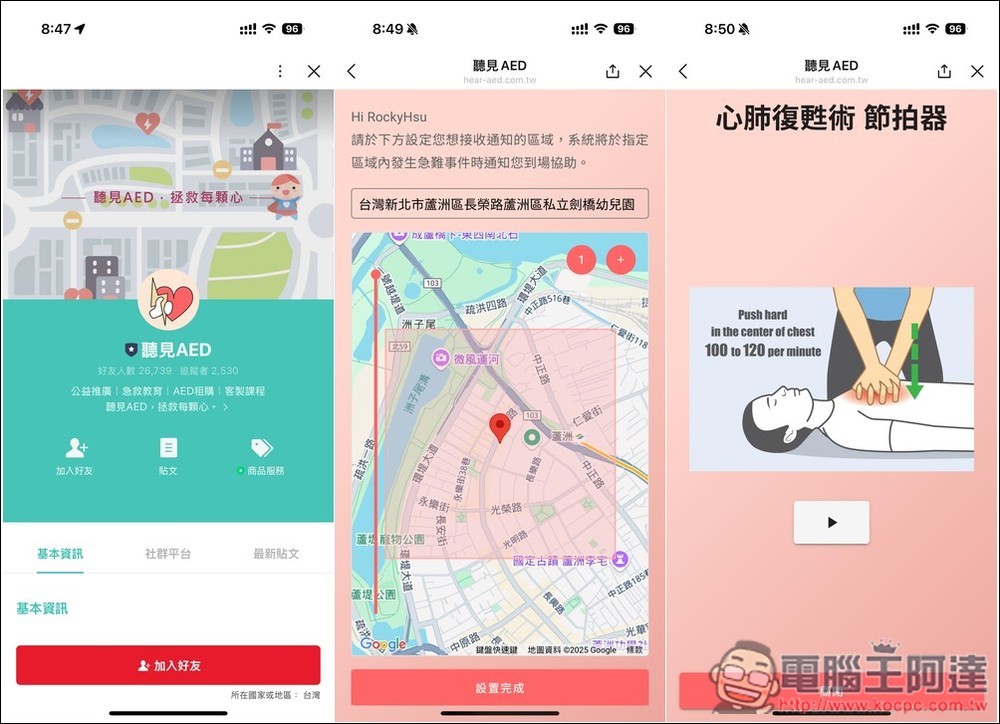
[Hearing AED] You can also become a life-saving hero, join LINE friends and register to receive emergency notifications at any time
[Hear AED] is a LINE emergency notification system developed by the Taiwan Love Stranger Safety Promotion Association. It operates in cooperation with the 119 command center. When an OHCA incident occurs, the system will push a notification to the participating “community guardians” through LINE@, and inform the incident location and nearby AED locations. Users can freely set the range to be protected, such as home and 500 meters near the area you are going to.
After receiving the notification, you can turn on the navigation guidance and go to the scene to perform CPR or carry an AED for rescue.
For those with professional certificates, there is also a professional identity authentication function. After filling in the certificate and supporting information and submitting it, wait for manual verification for about 2 to 3 working days, and you will be able to show your certificate directly in LINE in the future.
Click the link above to enter the [Hearing AED] LINE page, and click below to add friends. Then open the LINE chat room, join as a member first, and remember to allow permission to send messages:
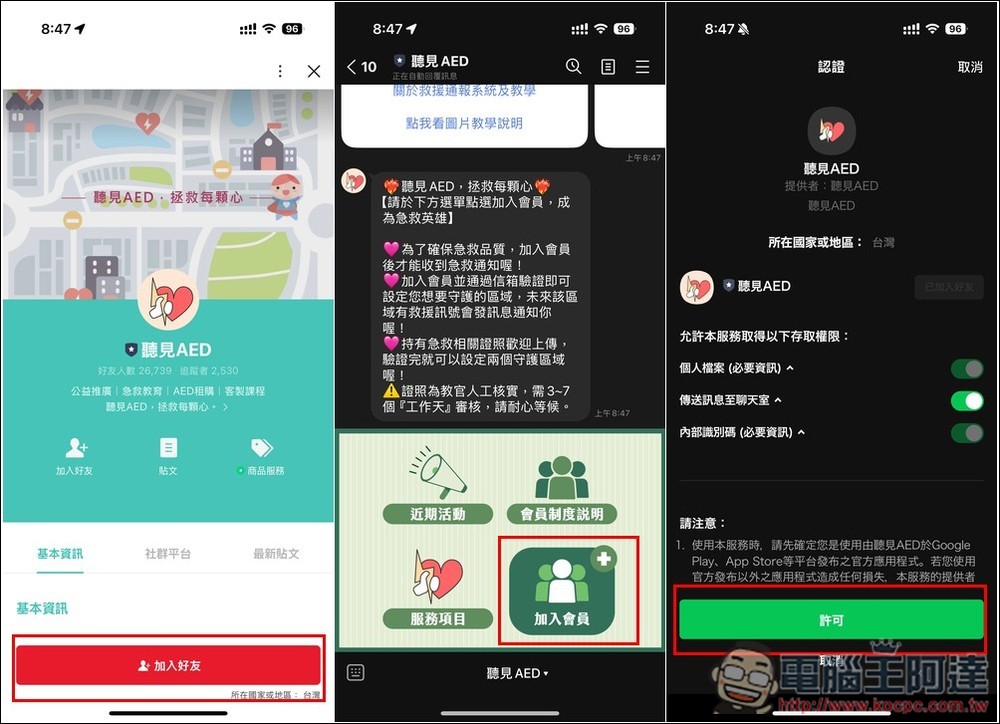
There are many types of professional status, including police, firefighters, other, civil defense personnel, disaster prevention personnel, BLS certified volunteers, EMT, and doctors:
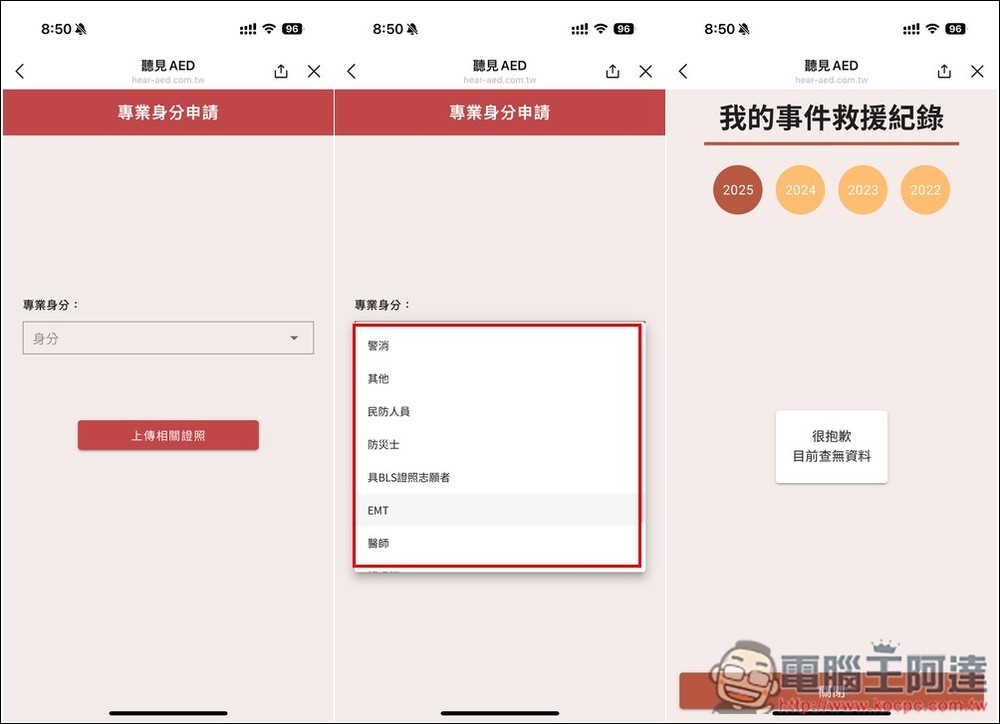
To join as a member, you need to fill in your email, name and mobile phone number, and you will need to email to receive a verification code. After joining the membership, you can start using it. There are two main menus: “First Aid Function” and “Common Settings”. If you have a certificate, you can click “Show My Certificate” in the first aid function to upload relevant information first. This requires manual verification and will take a long time. For those who do not have a license, first set the area you want to receive notifications and click “Set Alert Area” in the common settings:
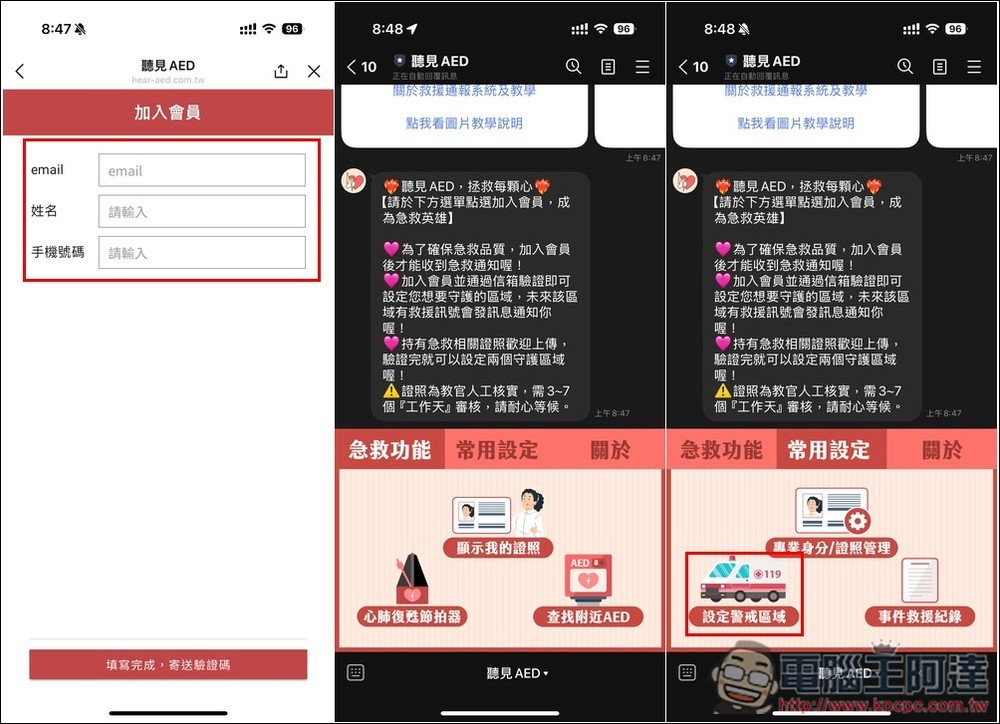
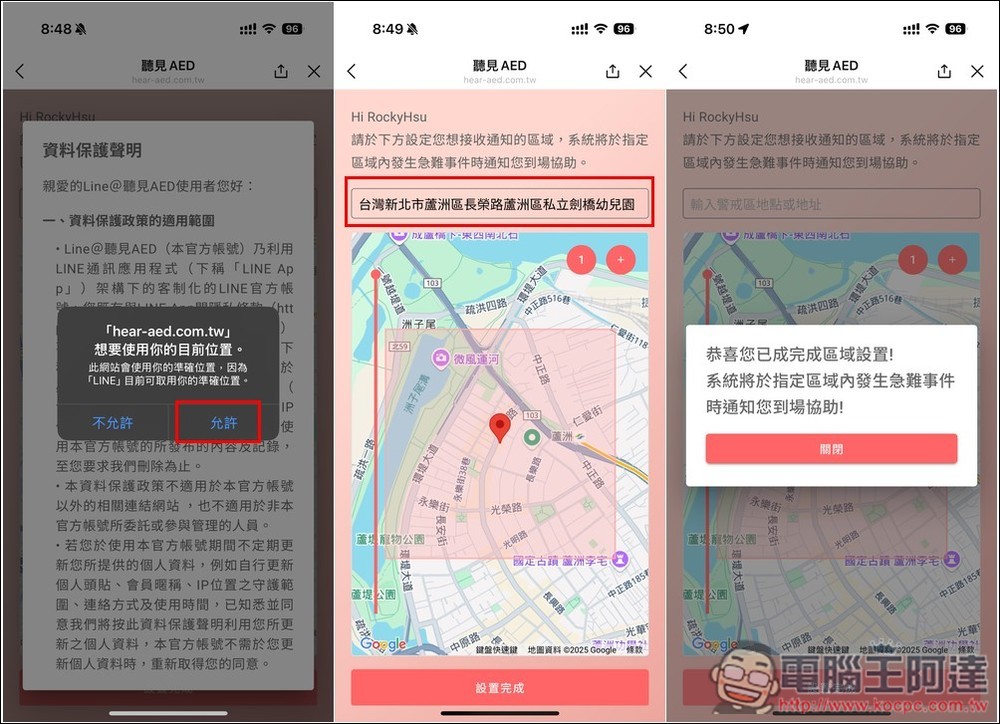
Agree to allow the use of your current location, and then set the trends you want to be alerted to. You can enter the address manually. Once the range is correct, click the settings below to complete and it will be added to your list. If someone here needs CPR + AED first aid in the future, you will receive a notification:
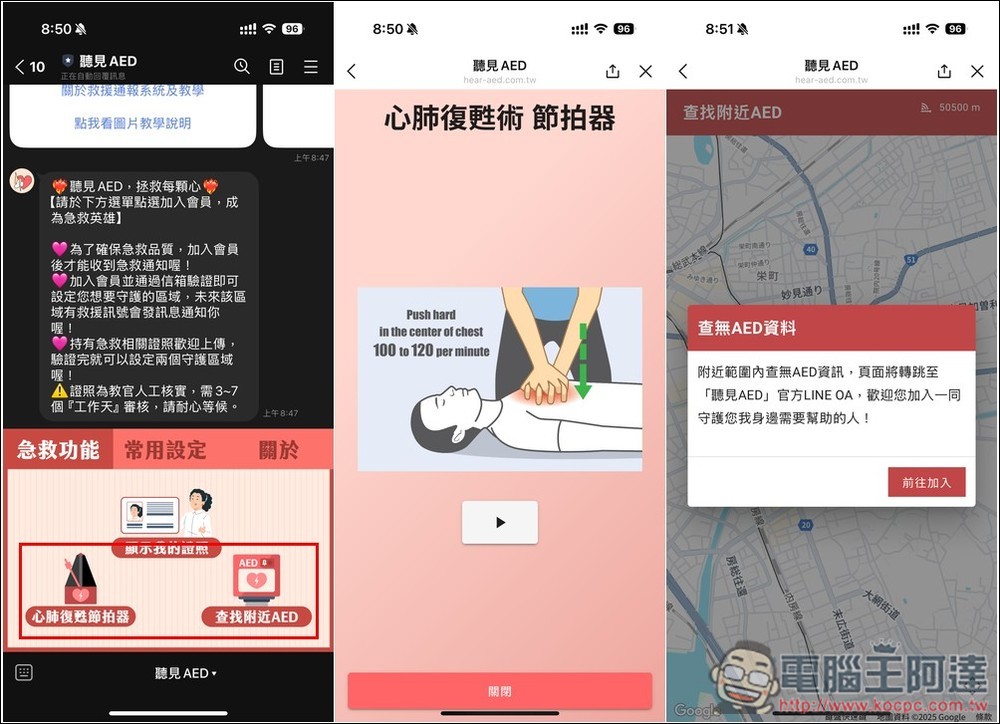
What’s more worth mentioning is that it also has a built-in “cardiopulmonary resuscitation metronome”. When you are doing CPR first aid, you can turn on this metronome to assist you. However, please note that the metronome sound will only be emitted if the silent function of the phone is turned off. There is no sound in silent mode. In addition, you can also find the location of nearby AEDs. You can first get a general idea of where they are nearby. If there is an emergency in the future, you can quickly find the location:
Some people may know that there is another “First Aid Pioneer” App that is very similar. The Taiwan Love Stranger Safety Promotion Association also stated that,
- The First Aid Pioneer App allows you to respond to 119 calls nationwide at any time, which is suitable for you who want to rescue randomly.
- Hear AED Line@ stably guard the area you care about (such as near your home or company), making you a life-saving hero in the community.
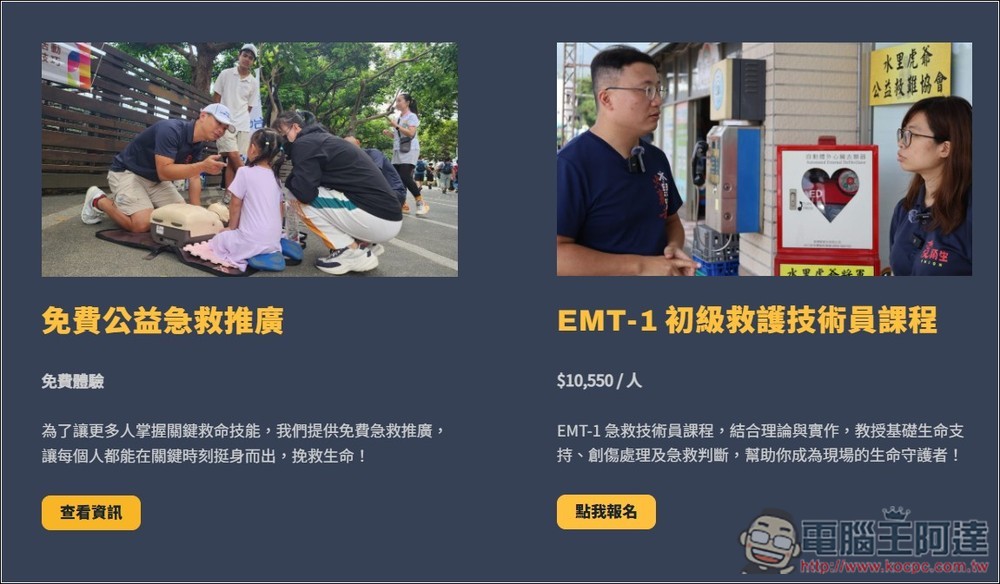
From time to time, there are alsoFree CPR classesFor information, those in need can check out:
Source: KOCPC Chinese