


Windows 11 It has been launched for several years, and the latest version has also come to 24H2, but many people must not know that in Windows 11 22H2MicrosoftA new feature “Intelligent Application Control” has been introduced, which is an enhancement to Microsoft Defender. It uses proactive features to more comprehensively protect users’ computers, and it is better than traditionalAntivirusThe solution has better performance. In order to give everyone a better understanding, Microsoft recently explained the advantages of this feature in detail in its latest blog post.

Image source:Microsoft
Intelligent App Control for Windows 11 is the top PC antivirus solution available
existMicrosoft blog post, Microsoft first explains what the role of traditional anti-virus software is.
As we all know, traditional anti-virus software will scan activated files and programs in the system at any time. When a threat is detected, it will quarantine or remove harmful files. Microsoft believes that this method is very effective in identifying and removing known threats, but it may not be able to immediately block new or more complex threats.

Image source:Microsoft
“Smart App Control” operates differently. It uses a proactive protection mechanism. Before the application is executed, it will first compare a huge database of trusted and malicious applications. If there is no problem, the system will be executed.
To put it more simply, the biggest difference between “intelligent application control” and “traditional anti-virus software” is active and passive:
- Intelligent App Control: Use proactive protection strategies to block suspicious apps before they can cause harm
- Traditional anti-virus software: tends to be passive and only processes threats after they enter the system
Therefore, this function is not intended to replace traditional anti-virus software, but to cooperate with and enhance protection to bring more comprehensive protection to the PC.
In addition, Microsoft added that another major advantage of “Smart Application Control” is that it has less impact on computer performance. Because harmful content can be blocked before the application is executed, there is no need for continuous scanning, which reduces the burden on the system and allows users to play games or work more smoothly.
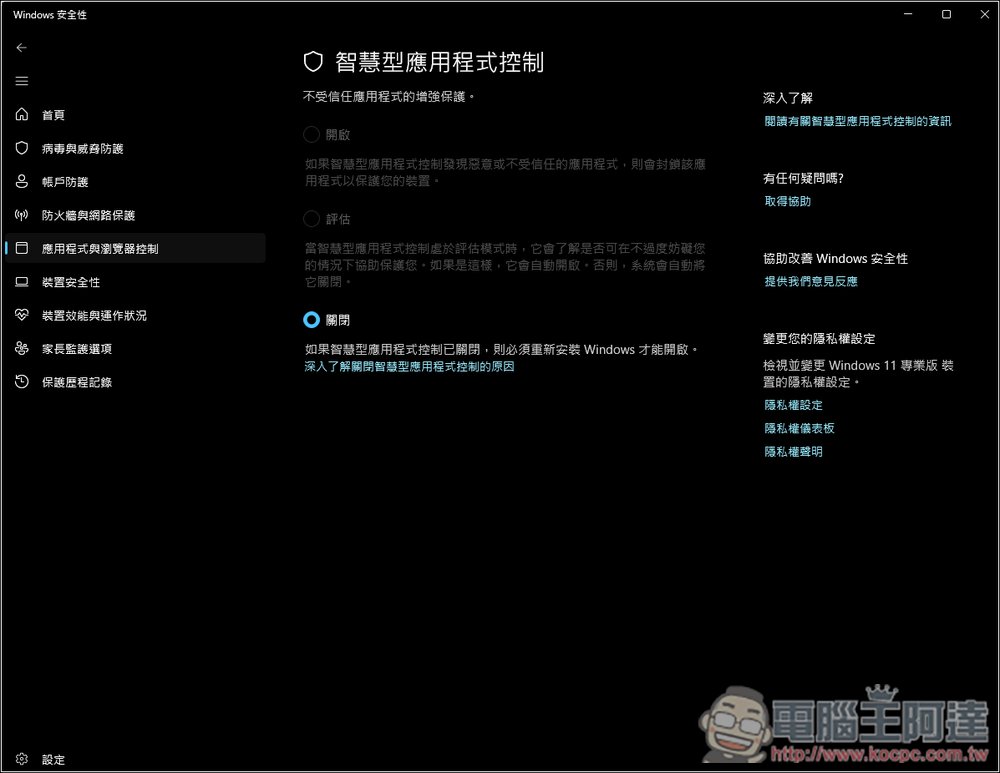
Although it sounds very good, one obvious shortcoming of “Smart Application Control” is that it can only be enabled on a fresh installation of Windows 11. This means that if you upgrade from Windows 10 to Windows 11 without a complete clean installation, you will not be able to use this feature. “If the smart application is closed, you must reinstall Windows to enable it” will be displayed:
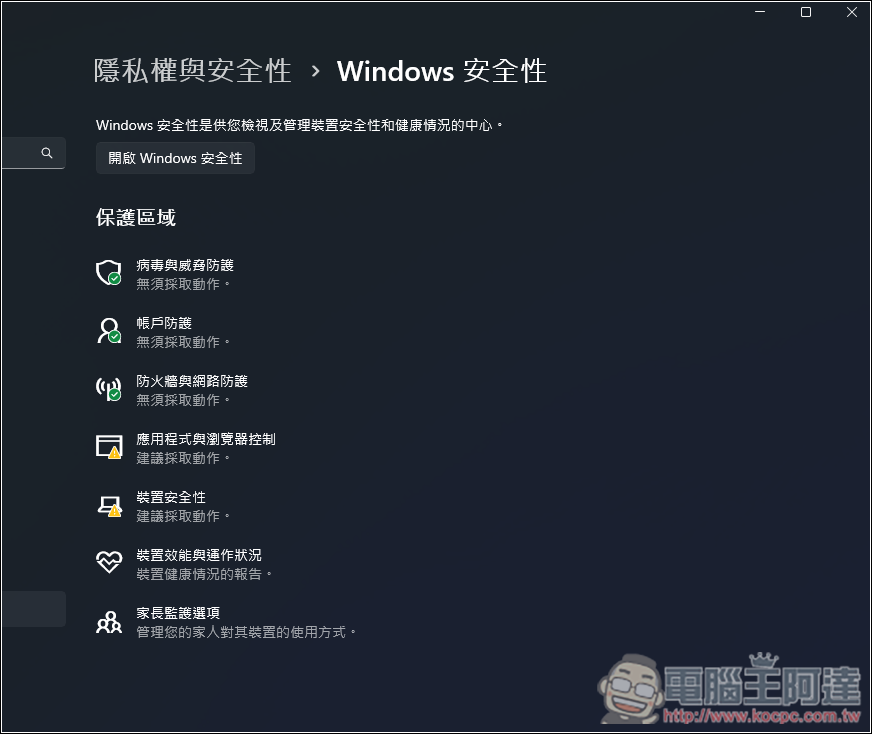
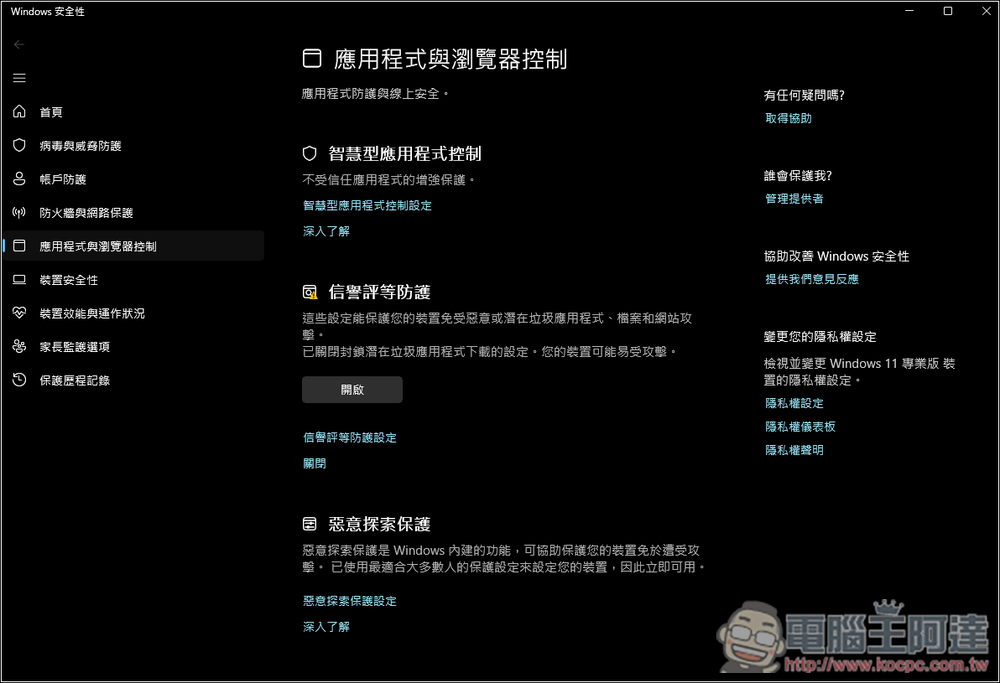
If your Windows 11 PC is newly installed, you can go to “Windows Security” -> “Application and Browser Control” in the settings:
Enter “Smart Application Control Settings” under “Smart Application Control” to check whether it is turned on:
However, it is worth noting that although Microsoft claims that the “intelligent application control” function has little impact on computer performance,BroadcomA support article on the (Broadcom) official website points out that this feature will still affect system performance, and most customers also recommend turning this feature off. Therefore, at this stage, I don’t think it is necessary to reinstall Windows 11 for this feature.
Source: KOCPC Chinese