


Do you store sensitive information in iCloud? If the answer is yes, you may want to consider enabling the “Advanced Data Protection” that Apple has prepared for you. This is an optional security feature that provides end-to-end encryption for most data stored in iCloud, including notes, voice memos, photos, messages, reminders, Safari bookmarks, and more.

How to turn on iCloud “Advanced Data Protection” on iPhone?
Advanced Data Protection ensures that only the user can access iCloud data, and encryption keys are stored locally on your trusted device rather than on Apple servers. This means that neither Apple nor hackers can further access your data. Want to activate this enhanced privacy and security setting?
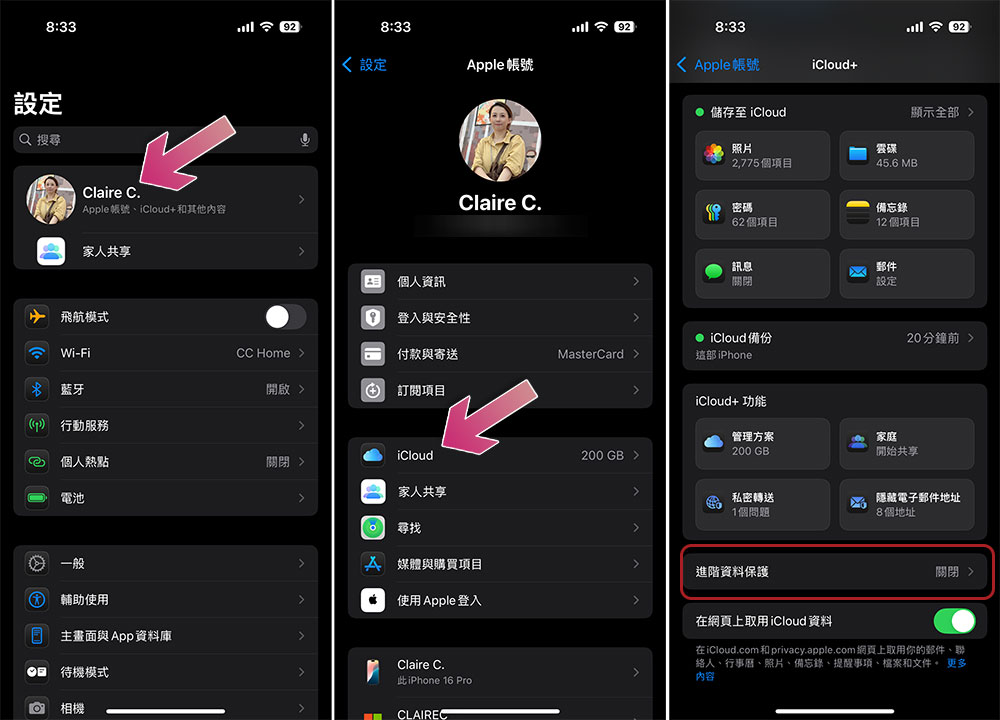
To turn on Advanced Data Protection for your iCloud, you needAccount recovery keyor account recovery contact. If you have neither, the system will guide you through the settings when you turn on Advanced Data Protection. In addition, you also need to ensure that the phone is running at least iOS 16.2 or above.
- Open the Settings app and click on the avatar at the top of the screen.
- Click “iCloud”.
- Scroll down to find “Advanced Data Protection” and click on it.
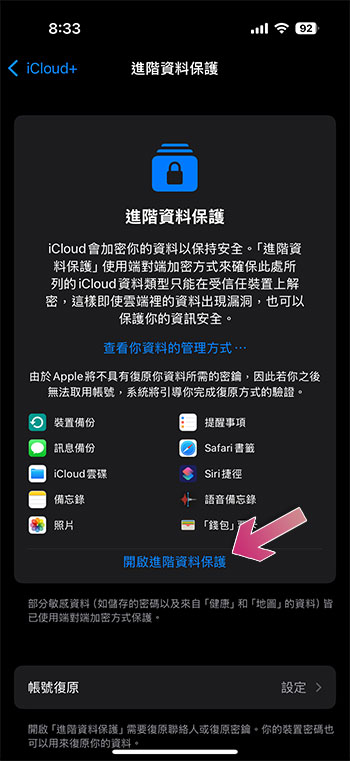
- Click “Turn on advanced data protection”.
- If you have not set up a recovery key or recovery contact, the system will guide you to do so after clicking “Advanced Data Protection”. Apple defaults to setting recovery contacts as the first choice. Choose a trusted friend or family member to be your recovery contact.
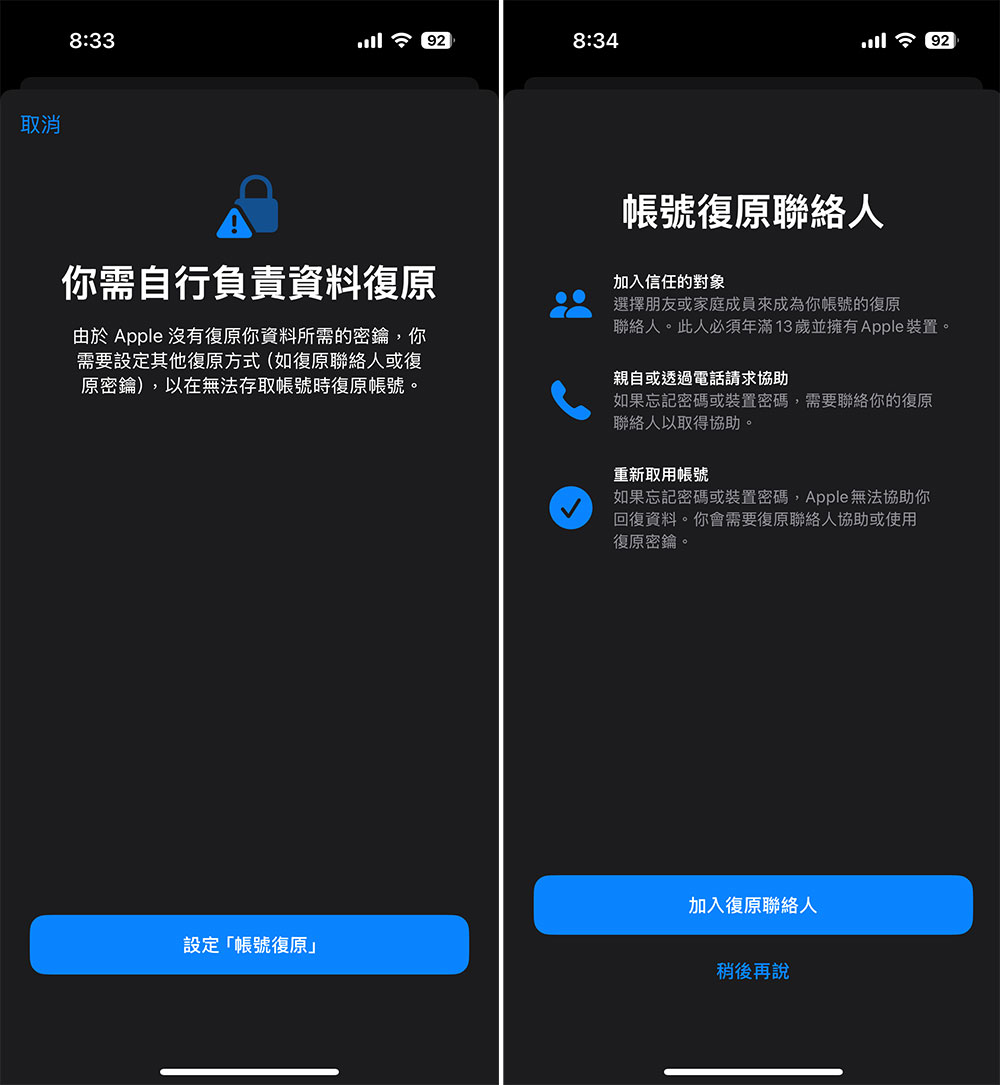
- After restoring contact settings, advanced data protection can be enabled. If you lose access to your Apple account or forget your password in the future, you’ll be able to follow the steps required on your iPhone. Your recovery contact will receive a 6-digit code to help you confirm your identity and access your account.
Everyone probably considers their photos and text messages to be personal and private information, and regardless of the type of information stored in iCloud, it’s worth enabling Advanced Data Protection. Especially if you are a business owner or use your personal device for professional purposes, it is imperative to enable advanced data protection. Advanced Data Protection adds end-to-end encryption for most types of information, excluding only the parts that need to be accessed by third-party apps, such as email and calendars.
The encryption key is stored on your device and no one else, including Apple, can access it without your consent. The only drawback is that if you forget your password or have other problems, you have to manage and regain access to your Apple account yourself, which can be done through recovery contacts or recovery keys.
Source: KOCPC Chinese