


Whether you are driving a gasoline car, a gasoline-electric car, or a pure electric car, sometimes you do not necessarily pursue the fastest or shortest route when driving to your destination, but you must also consider saving fuel and electricity, because this directly affects your wallet! Google Maps navigation has continued to improve over the years, and now also supports the “Eco-Route” navigation route option. This new feature of Google Maps will allow the system to provide recommended routes based on vehicle engine type, taking into account fast routes while also saving fuel or electricity consumption.
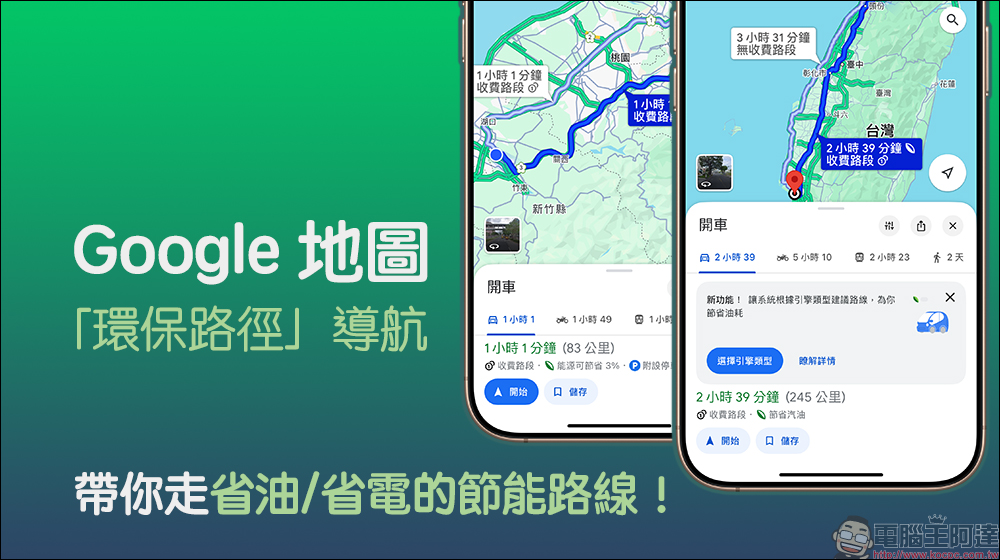
Google Maps “Environmental Path” navigation takes you on energy-saving routes that save fuel/electricity!
In recent years, more and more people have switched from gasoline cars to pure electric cars. As a novice electric car, you will inevitably be very concerned about the power consumption of the vehicle when driving to the destination. You always hope to be able to run farther and charge less times with the same amount of electricity. Recently, Google Maps launched a new “Eco-Route” feature. Users can let the system help find more energy-saving routes based on their vehicle’s engine type.
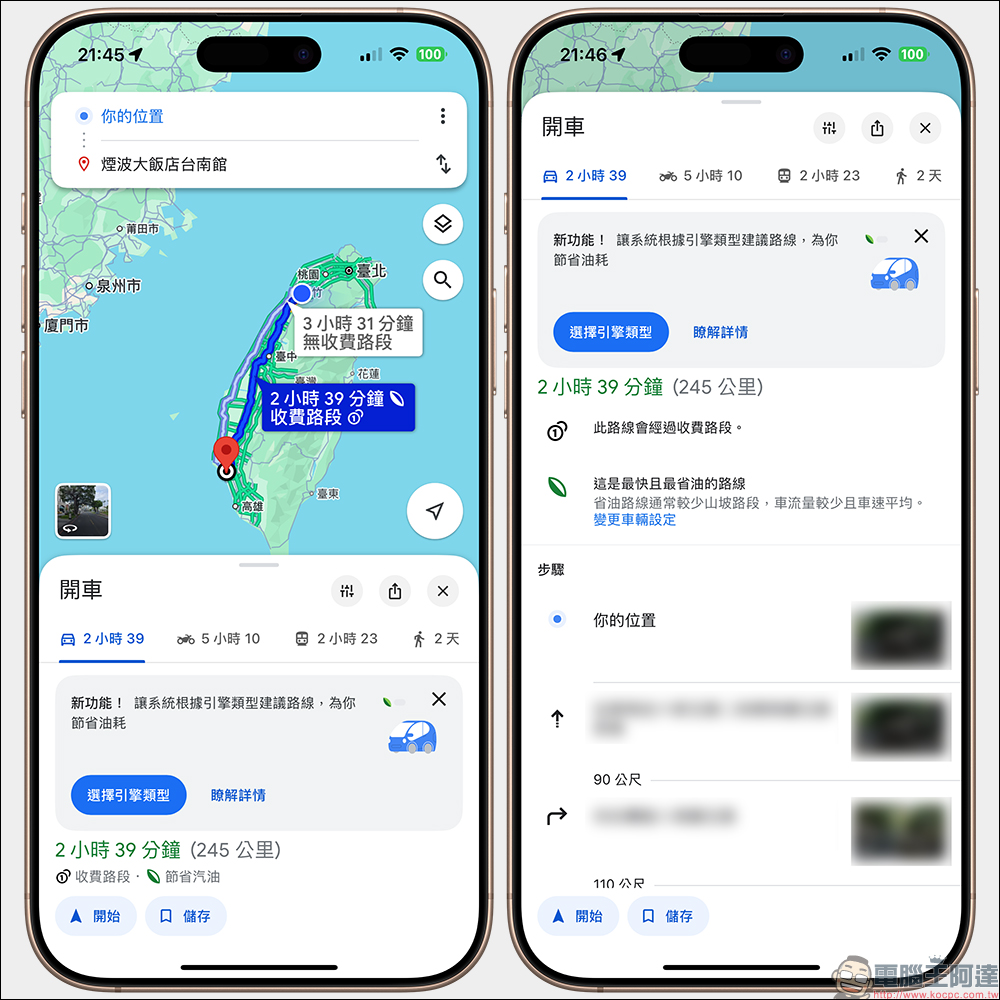
The newly launched “Eco Trails” will use Google Maps to estimate the fuel or energy efficiency of various vehicles, including electric vehicles, gasoline vehicles, diesel vehicles, gasoline-electric vehicles, or gasoline-powered motorcycles. The more fuel or energy efficient a route is, the lower the vehicle’s fuel or energy consumption and CO2 emissions.
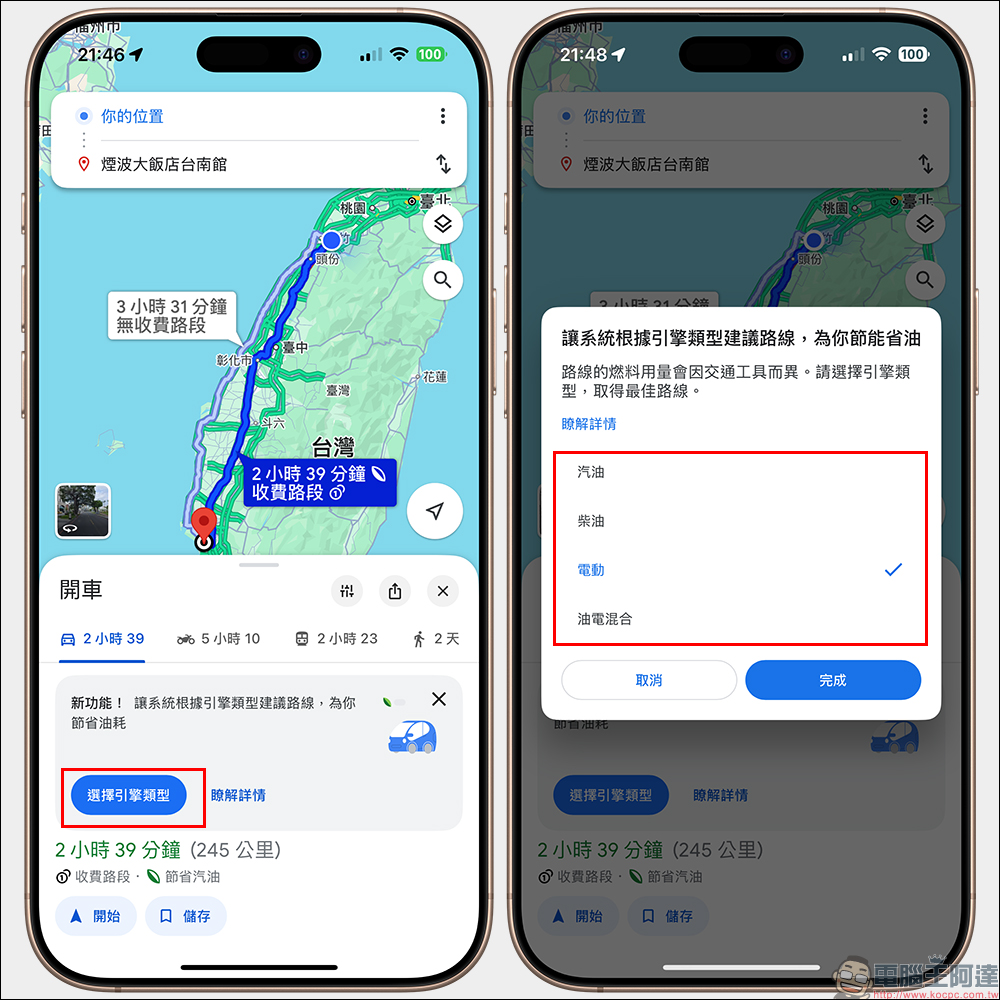
Select engine type in the Google Maps app
This setting is only available for cars. If it’s a motorcycle, Google Maps will assume you’re riding a gasoline-powered motorcycle.
- Open the Google Maps app on your iOS or Android phone.
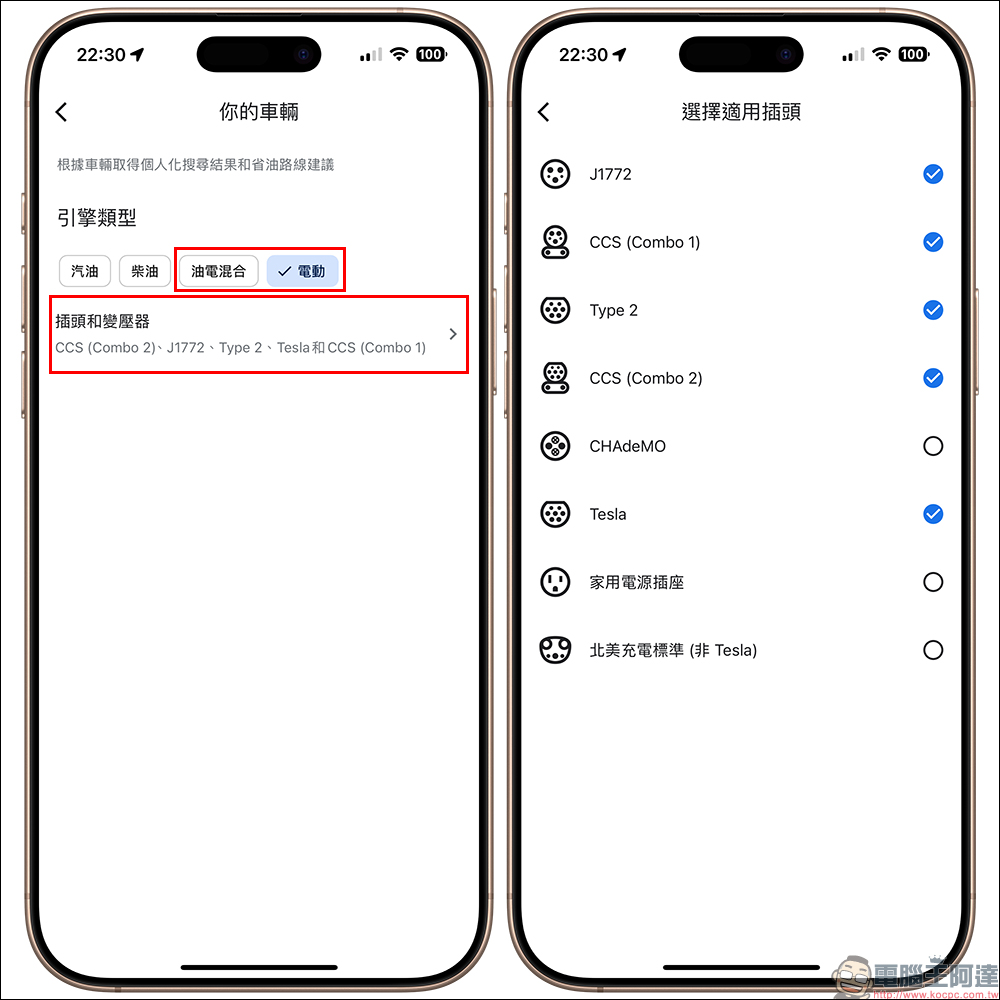
- Tap your profile photo or initials (the circular account icon), then click the “Settings” icon to set up, and then select “Your Vehicle”.
- Depending on the vehicle you drive, select the engine type:
- If it is an internal combustion engine vehicle, select “gasoline” or “diesel”.
- For compressed natural gas (CNG) or liquefied petroleum gas (LPG) vehicles, select “gasoline”.
- If you are a gasoline-electric vehicle or a plug-in gasoline-electric hybrid vehicle, and the main energy source is fuel, choose “gas-electric hybrid”.
- Select compatible plugs and adapters (if applicable).
- If you are an electric vehicle or plug-in hybrid vehicle, and the main energy source is electricity, select “Electric”.
- Choose compatible plugs and adapters.
The most fuel-efficient or fuel-efficient route may vary depending on engine type. For example, diesel vehicles typically provide relatively optimal fuel efficiency on the highway. Hybrid and electric vehicles use regenerative braking to achieve better fuel/energy efficiency when driving in stop-and-go cities and hills. If no engine type is selected, the default option is gasoline, which is the most commonly used engine type in most countries and regions. If it is a motorcycle, currently only gasoline engine types are supported.
If this feature is enabled, Google Maps will also consider fuel efficiency when planning the best route, in addition to the following factors:
- Real-time traffic flow
- Route ease
- road conditions
This way, when there are multiple routes to a destination, Google Maps will always indicate the most energy-efficient route in addition to the fastest route. If the arrival time of the most fuel-efficient or most energy-efficient route is similar to that of the fastest route, when the “fuel-efficient route priority” travel option is turned on, Google Maps will recommend the most fuel-efficient or most energy-efficient route.
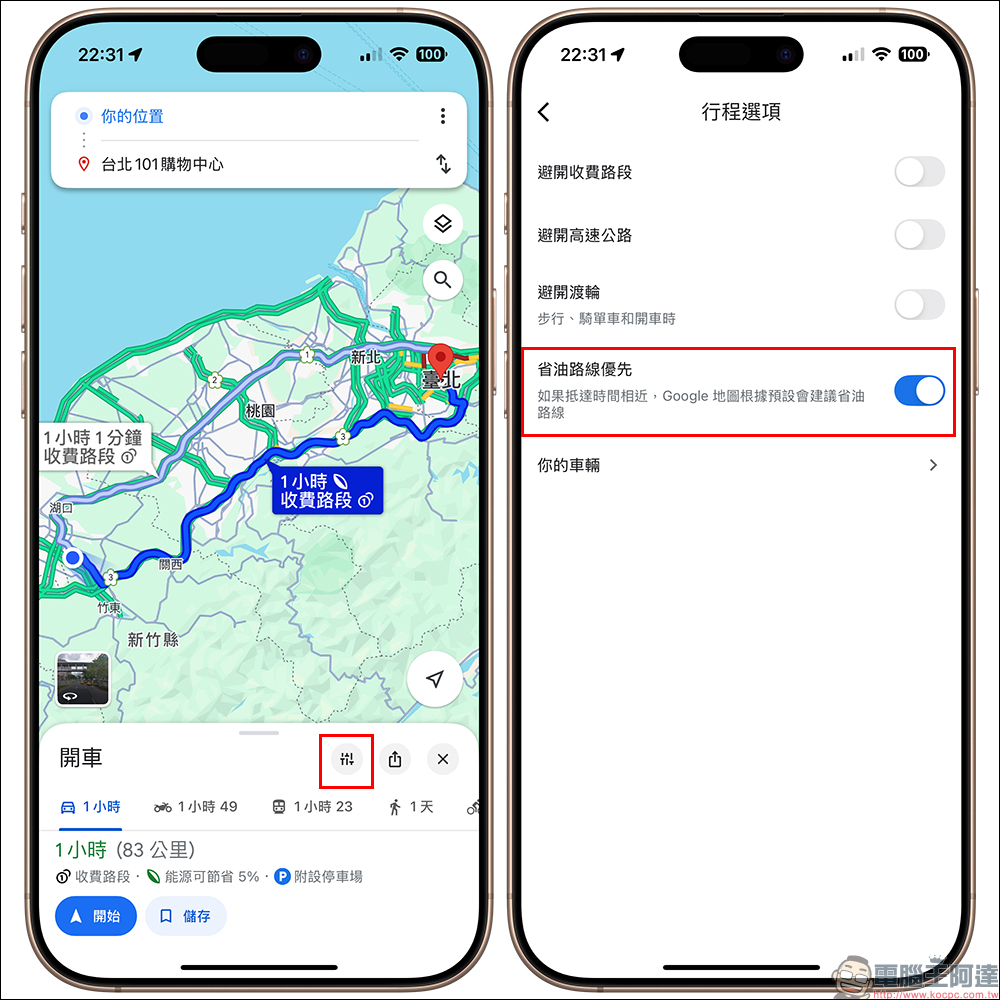
After setting the destination and vehicle, the navigation will display the maximum energy saving ratio. You can also click “Change Vehicle Settings” here to switch to different vehicle types.

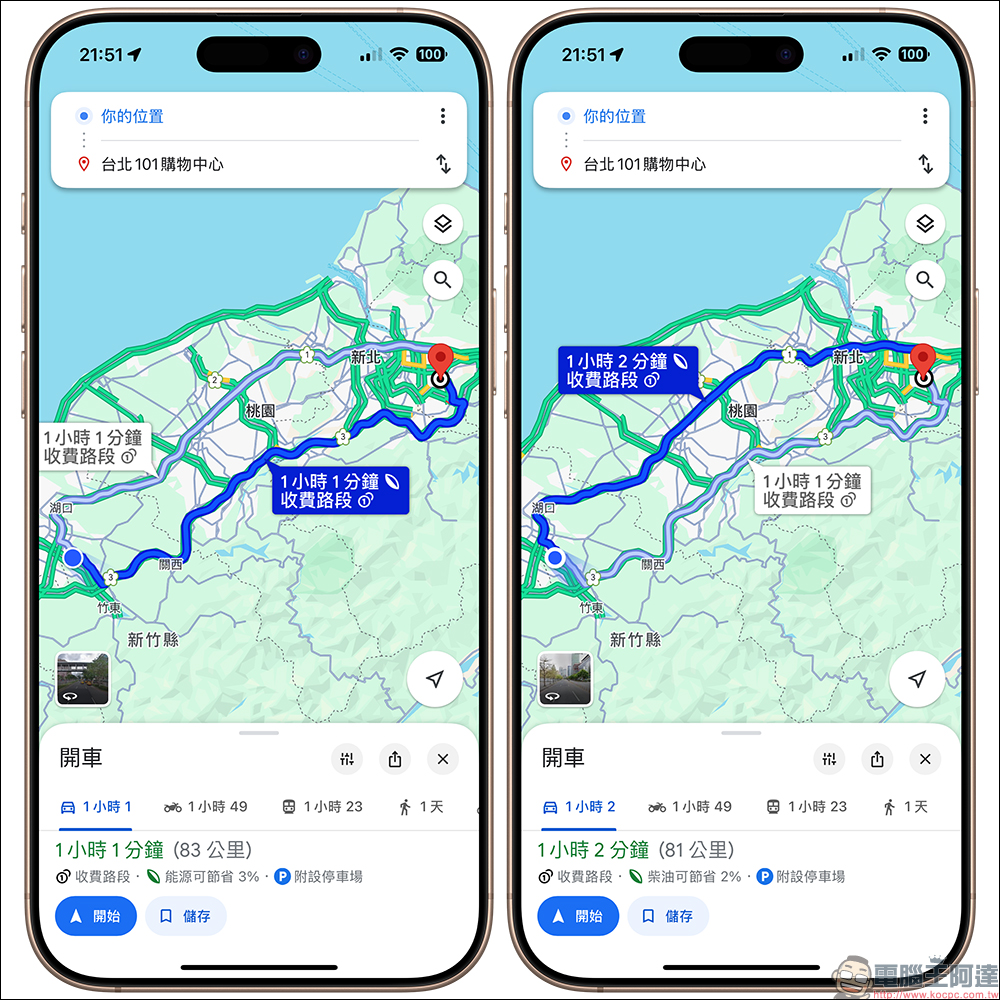
We helped everyone set the same destination in the actual test, and found that choosing different fuel engines or electric vehicles will show different route results. Taking the author’s trip to Taipei 101 Shopping Center as an example, gasoline vehicles will now recommend taking National Highway 1 to get there, which is expected to save up to 1% of gasoline and not take more time. The Google Maps system also mentioned that fuel-efficient routes usually have fewer hilly sections, less traffic and average speeds. These factors combined can usually lead to better fuel consumption performance.
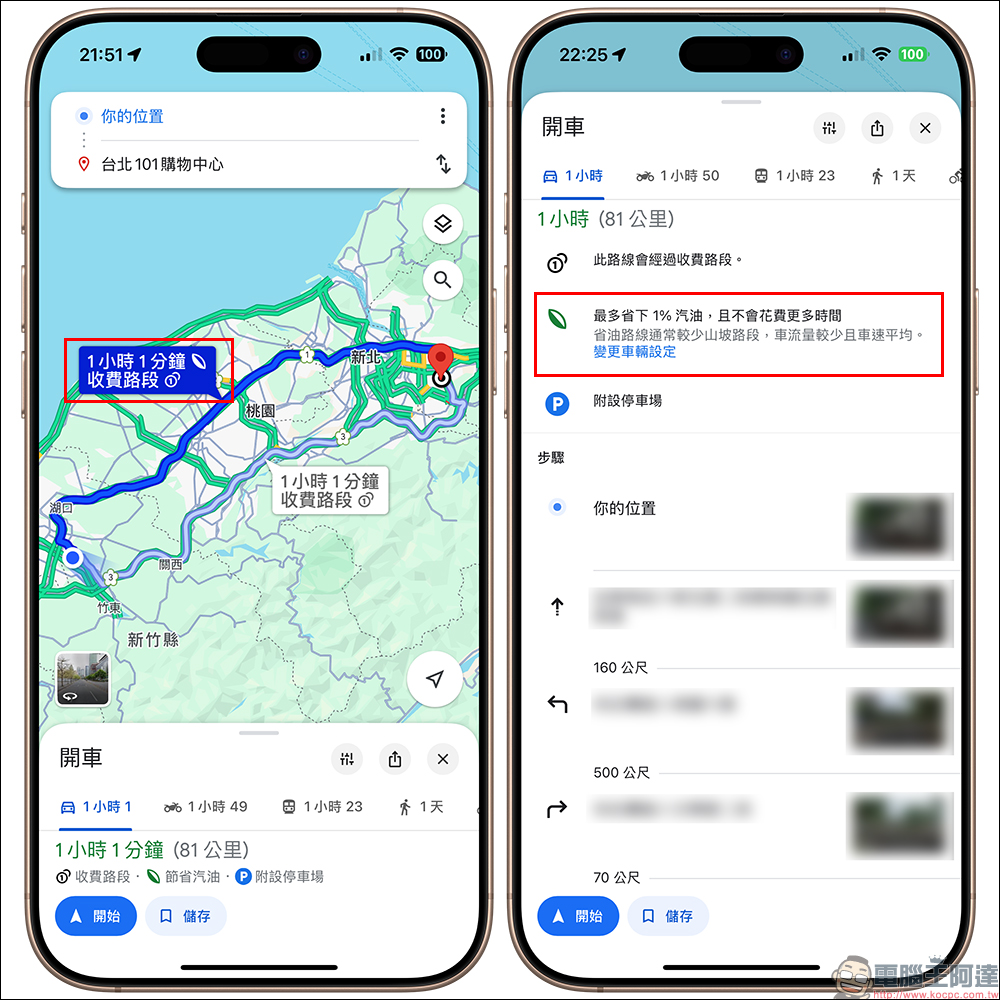
However, if you are driving an electric car today, Google Maps recommends taking National Highway 3 to Taipei 101 Shopping Mall. This route is expected to save 3% of energy, even if the total mileage is 2 kilometers longer. In addition, if you choose a diesel car, it is also recommended to take National Highway 1.
Further reading:
LINE mobile app text effects grammar teaching: learn 9 combination effects of bold, italics, strikethrough, red text, and outline!

Source: KOCPC Chinese