


Some time ago, Apple released the V1.1 update for Final Cut Camera, a professional photography app for iPhone. At first, everyone thought it was simply to fix some minor software bugs, but unexpectedly, it actually brought many unexpected major updated features. At that time, we briefly mentioned some of the update content with you. This time, we will further show you how to set up and use these features.
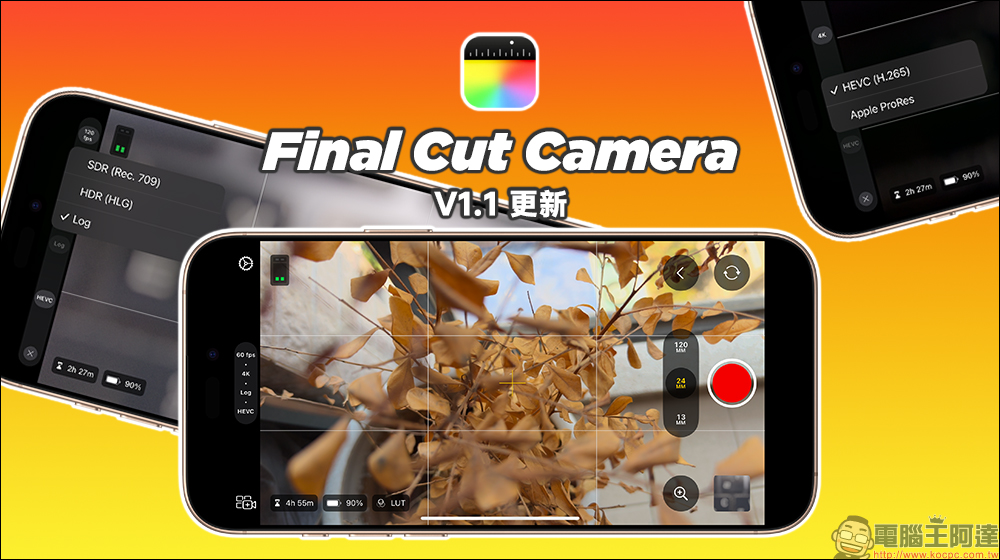
Final Cut Camera App V1.1 major feature update: supports HEVC format, LUT preview, 4K 120fps and other functions
For image creators who plan to use iPhone as a professional shooting camera, it has not been easy to record videos in 4K 20fps and Apple Log format in the past. In addition to recording restrictions and overly large files, the need to use an external hard drive still brings some burden to shooting. However, with the update to version V1.1 of Final Cut Camera, the iPhone has been officially released with more complete shooting performance. Now, users can not only record 4K 120fps Apple Log H.265 videos directly in the Final Cut Camera App, but can also preview the LUT during shooting, which is very convenient for those with professional color correction needs.
Supports HEVC format recording
After the Final Cut Camera App is updated to version V1.1, there will be an option for HEVC (H.265) recording format in the camera settings, which allows users to record Apple Log videos directly on iPhone without the need for an external storage device.
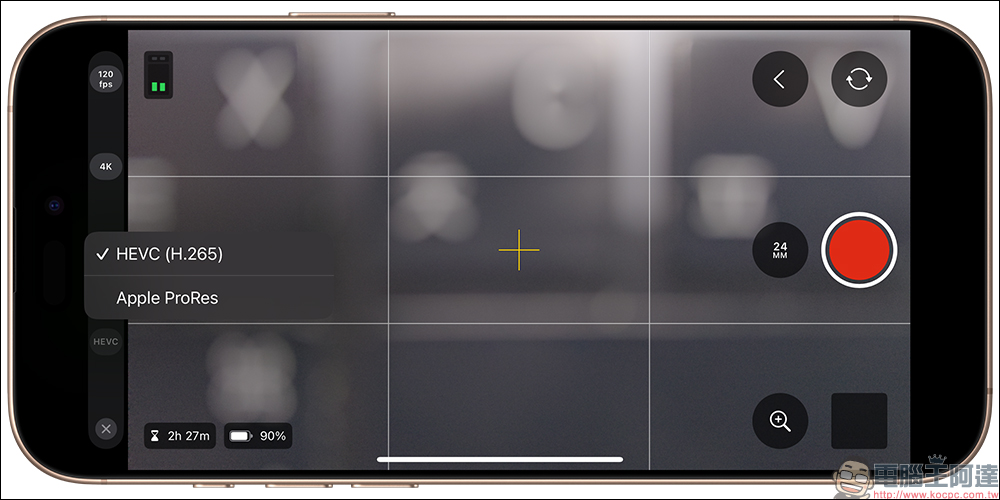
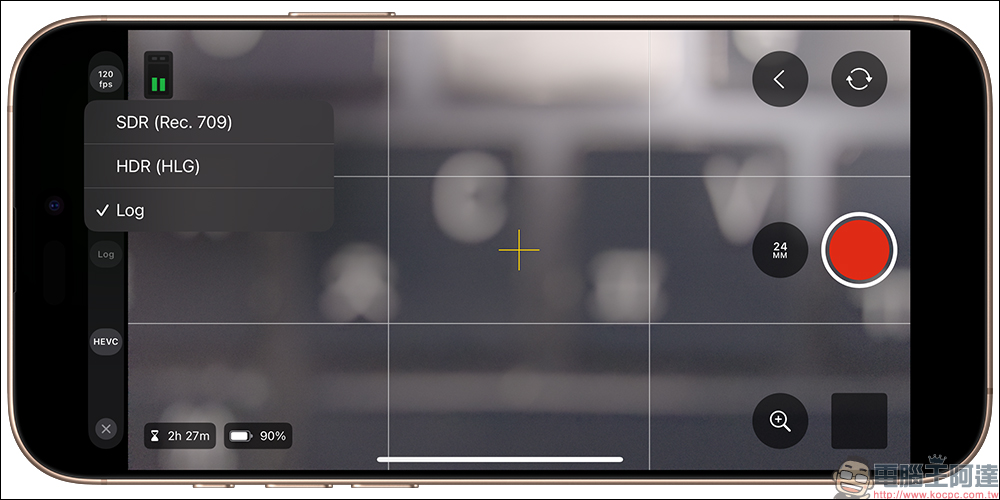
This means that when users choose HEVC format recording, they can use the iPhone 16 Pro series to record Apple Log videos with 4K 120fps recording specifications. They can start recording without an external storage device at all and save them directly to the iPhone’s file app, giving them more flexibility in choosing Apple Log with a larger dynamic range.
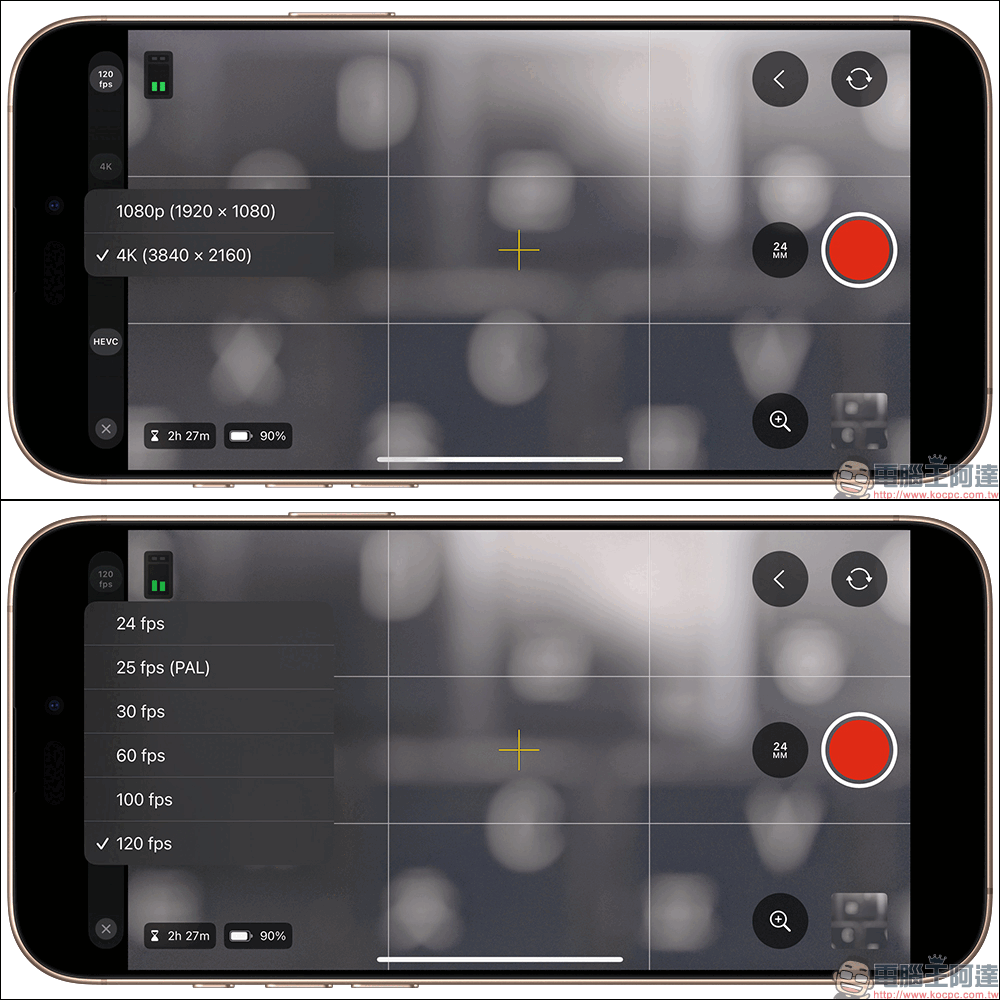
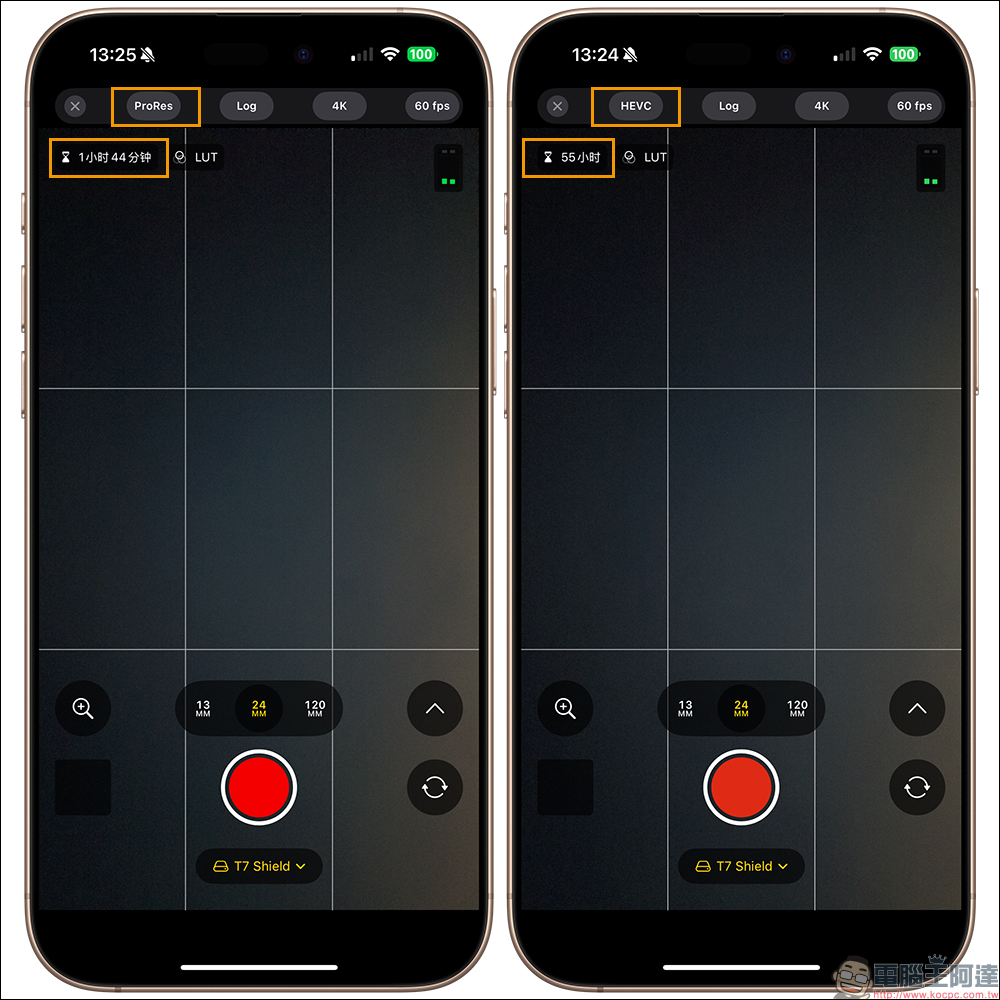
After supporting the HEVC format, in addition to the advantage of not requiring an external storage device, the most impressive thing is that compared to the file size recorded in the Apple ProRes format, the HEVC format really saves a lot of space!
Since Apple ProRes still requires an external hard drive to start recording, we also help you directly compare the recording time difference between Apple ProRes and HEVC formats when external storage is used at the same time. Under the same conditions, if you can record for 1 hour and 44 minutes using Apple ProRes, the recording time directly increases to 55 hours by switching to HEVC format.
LUT preview
For people who have professional shooting needs for LUT, it is a bit troublesome to not be able to directly preview it on the camera while shooting. After all, it is difficult for most people to directly look at the Log screen while shooting and imagine what it will look like after restoration. After this update of Final Cut Camera, Apple directly added this very important LUT preview function! Just click “Color & Dynamic Range” in “Settings” in the Final Cut Camera App, and then turn on “Preview LUT”.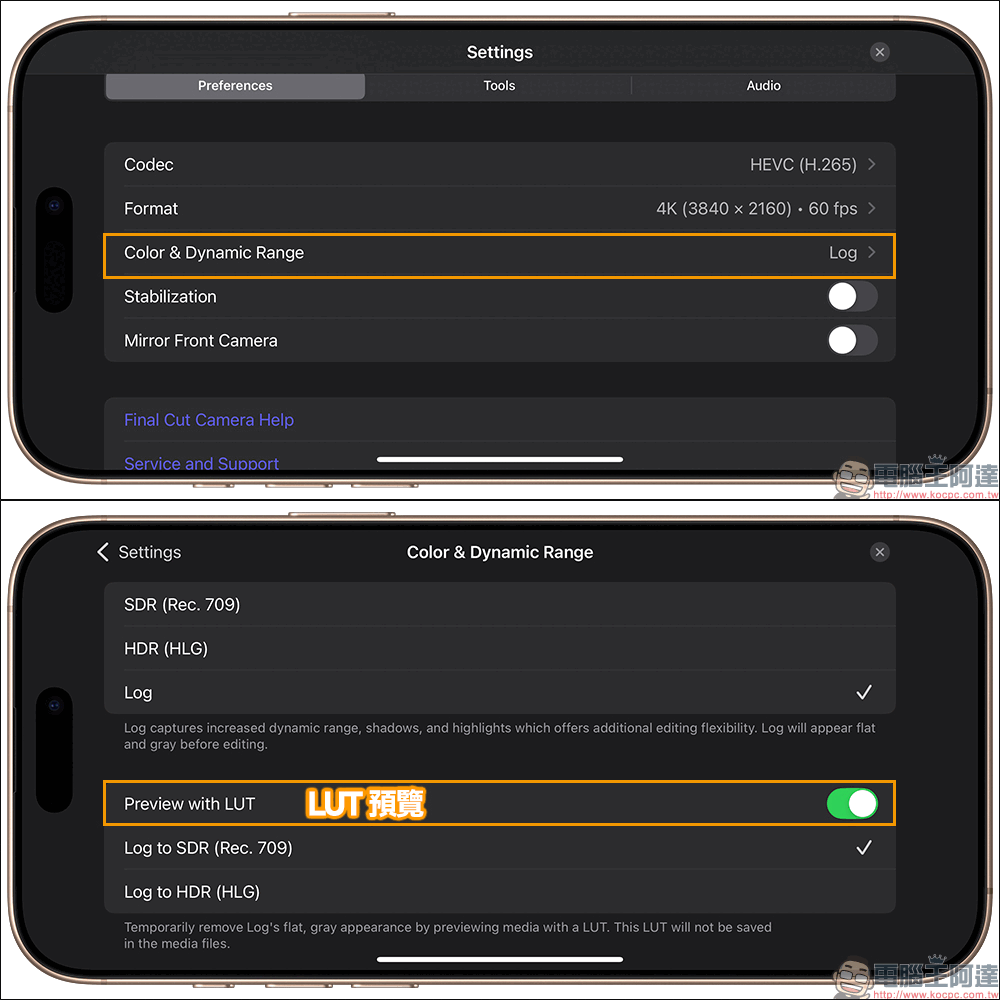
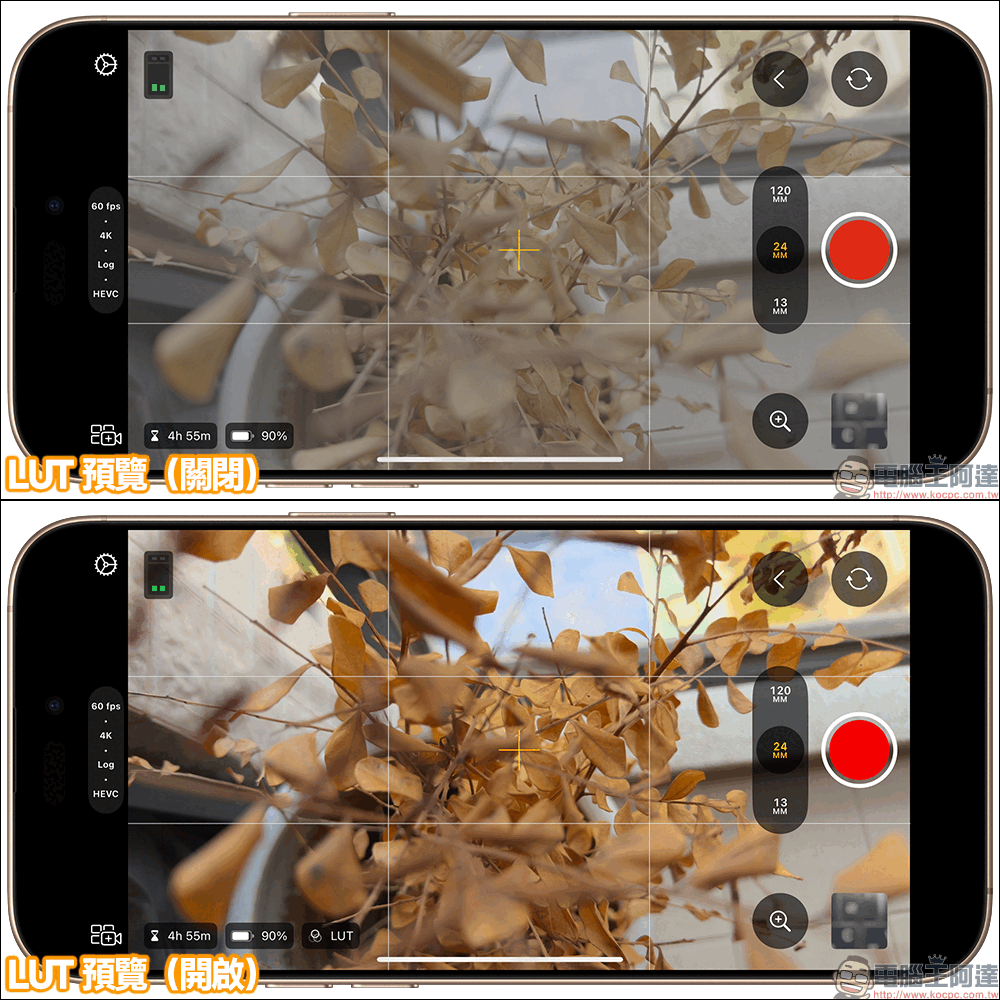
Before LUT preview is turned on, the picture is gray, contrast and saturation are very low, which is really troublesome when recording videos. However, after turning on the LUT preview, users can know whether the exposure of the picture is correct at the moment of shooting, and can adjust it at the moment of shooting, instead of waiting until afterward to spend a lot of energy to adjust the color.
spirit level
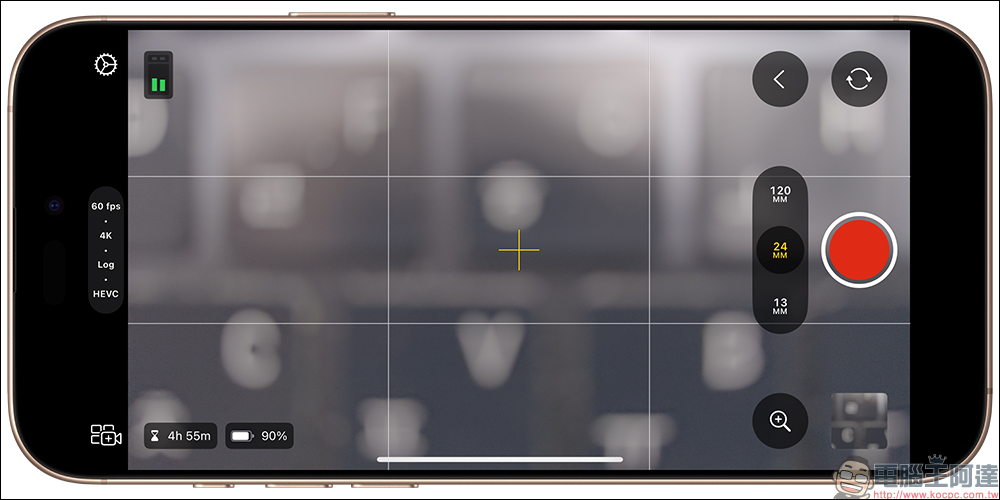
Finally, this update also adds a professional-level level correction tool to make shooting more accurate. In addition to the traditional horizontal line, a new rolling correction function has been added. A new small ball is added in the center of the screen. Just align the small ball with the circle to achieve a perfect composition whether it is at an oblique or horizontal angle, which is a great boon for any meticulous shooting needs.
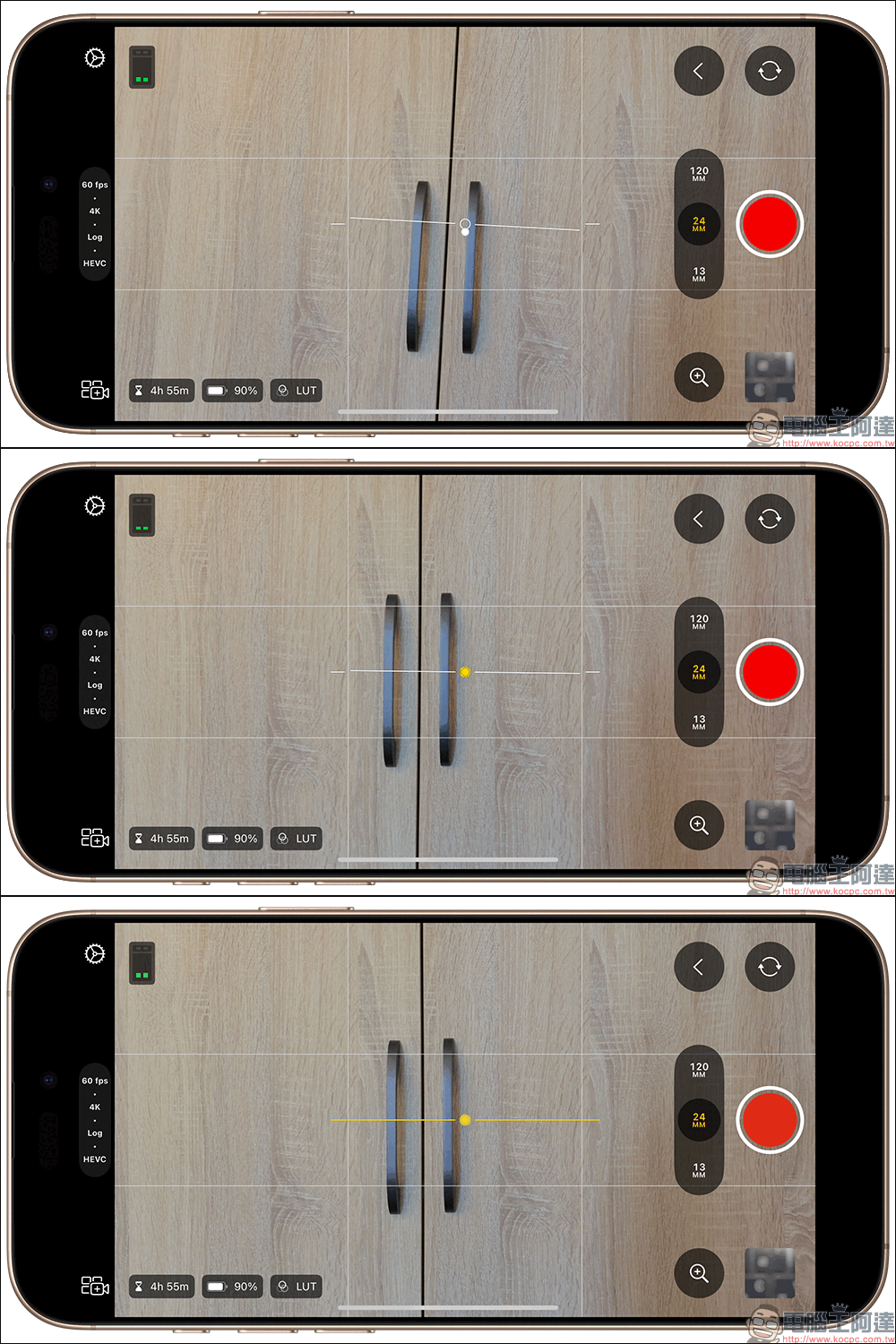
The level function originally supported by the iPhone’s native camera is now finally supported after the Final Cut Camera 1.1 update. Simply go to “Settings” > “Tools” in the Final Cut Camera App and turn on the “Level” function. If you haven’t turned on the “Grid Overlay” function, it is also recommended to turn it on to facilitate future shooting and composition.
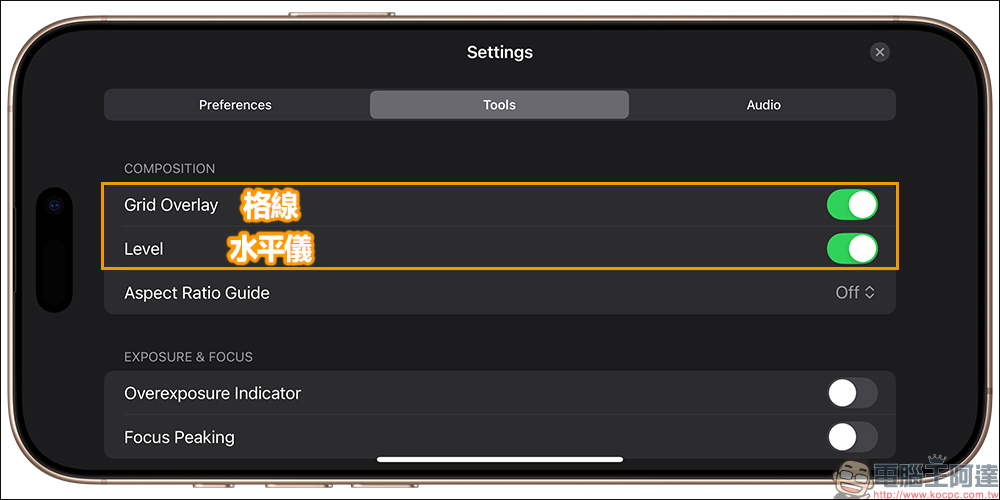
In addition, when shooting from above, the crosshair in the center of the screen can also be displayed.
Free Download Final Cut Camera (App Store)
Source: KOCPC Chinese