


With the rapid development of technology, it is now possible to turn the objects in front of you into 3D models by taking pictures through the lens of your mobile phone, and the model files are downloadable. I recently discovered this very interesting Oneshot online tool. You don’t need to install any App. Just open the tool’s website and you can use your mobile phone camera to take a picture of the object in front of you. In just a few seconds, the 3D model will be created. It is now free.
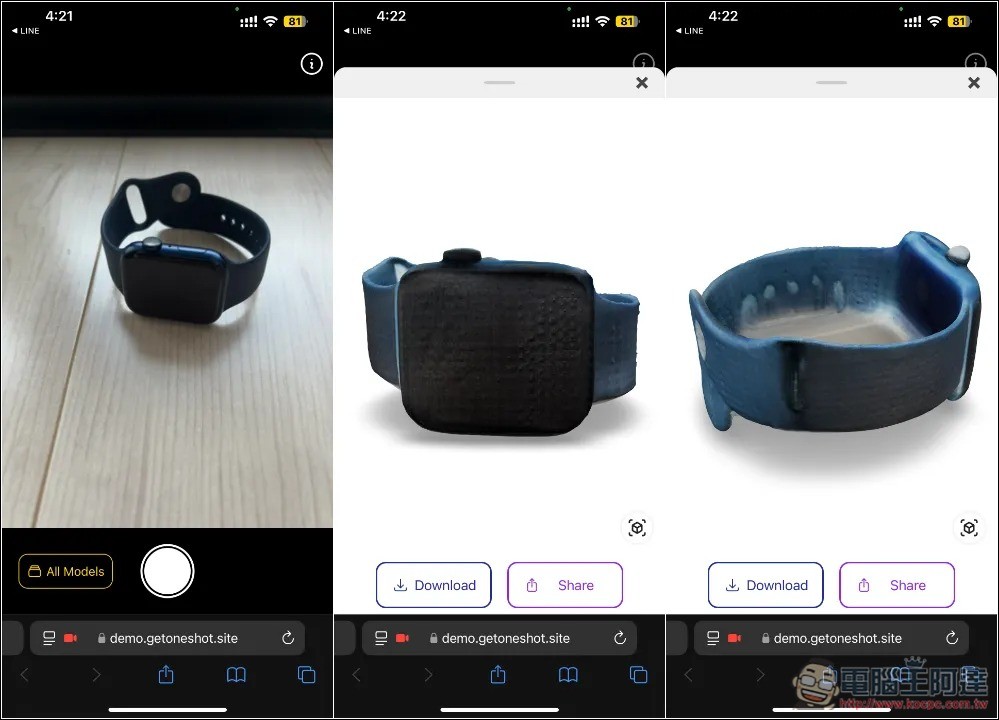
Oneshot is the easiest online tool to turn objects in front of you into 3D models.
Oneshot is currently in beta testing,Official websiteSome of them need to be added to the waiting list before they can be used, but the developers have shared the Demo test URL on Product Hunt, which can be used after opening it.
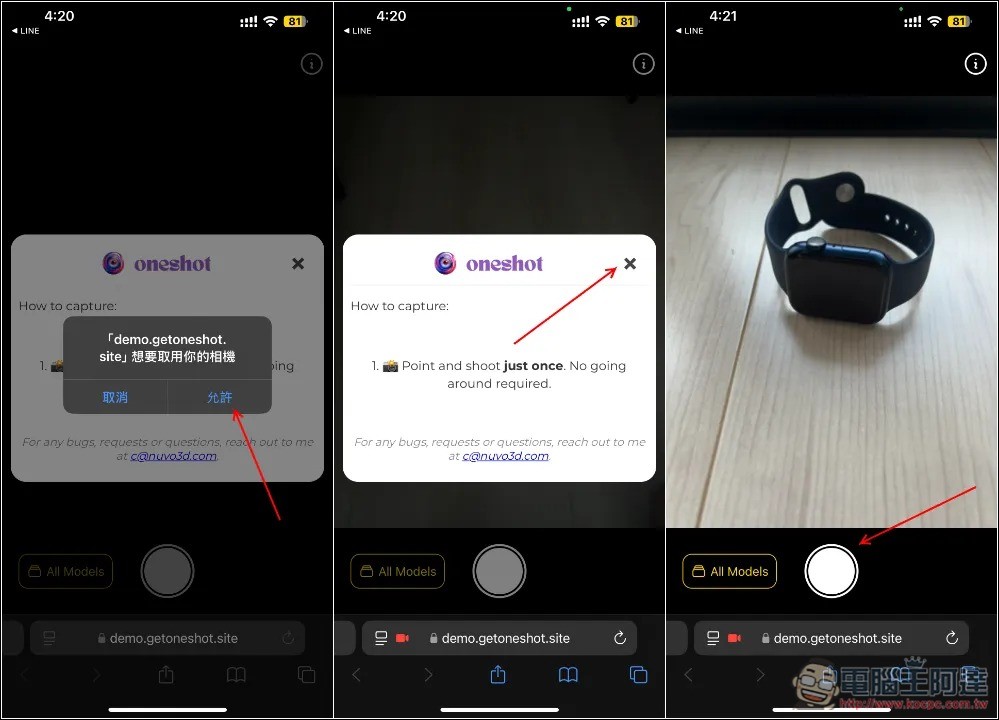
The method of use is very simple. After clicking on the URL above, the photo taking screen will open. You will need to access the camera of your mobile phone. After permission, there will also be a simple operation tutorial. In fact, it is just one step. Take a picture of the object you want to convert into a 3D model, like I took an Apple Watch:
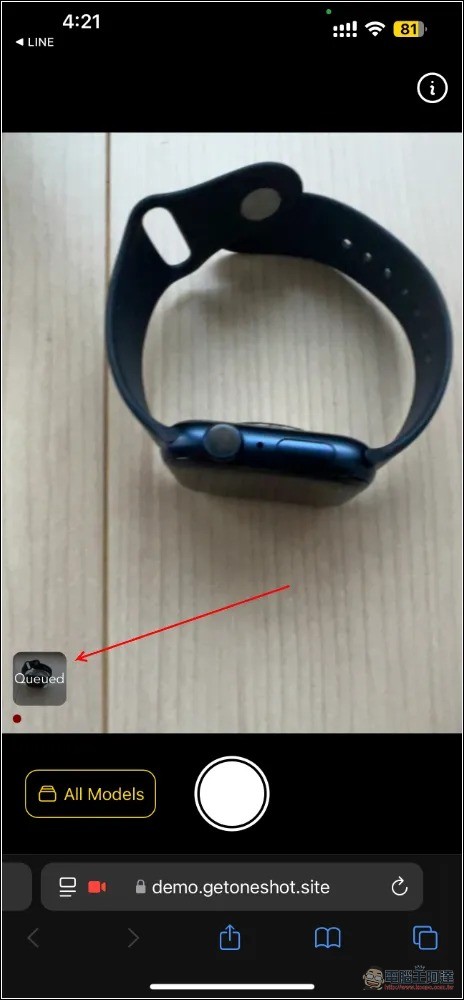
After taking the photo, the photo will be added to the waiting sequence. It will basically start in a few seconds. The lower left corner of the screen will also instantly display the current completed percentage. The production speed is very fast. Basically, the whole process should not take a minute:
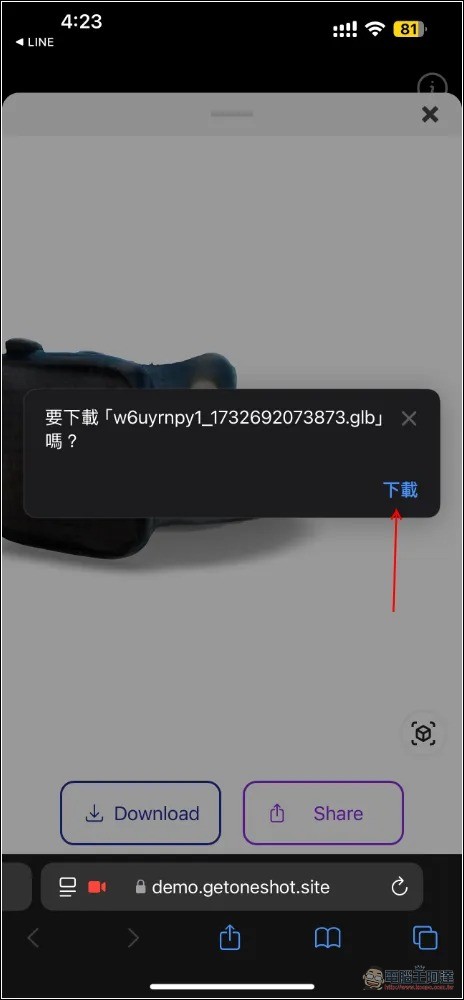
After opening it, you will see that the photo you just took has become a 3D model. You may feel that the quality is not bad. For this reason, the developer also has an explanation. Currently, in order to provide users with a unique experience, some quality is slightly sacrificed. However, the model performance is currently being improved at an alarming rate, and it is expected to soon reach the level of optical mapping. If you are satisfied, press Download to download the model file and throw it into the software for modification:
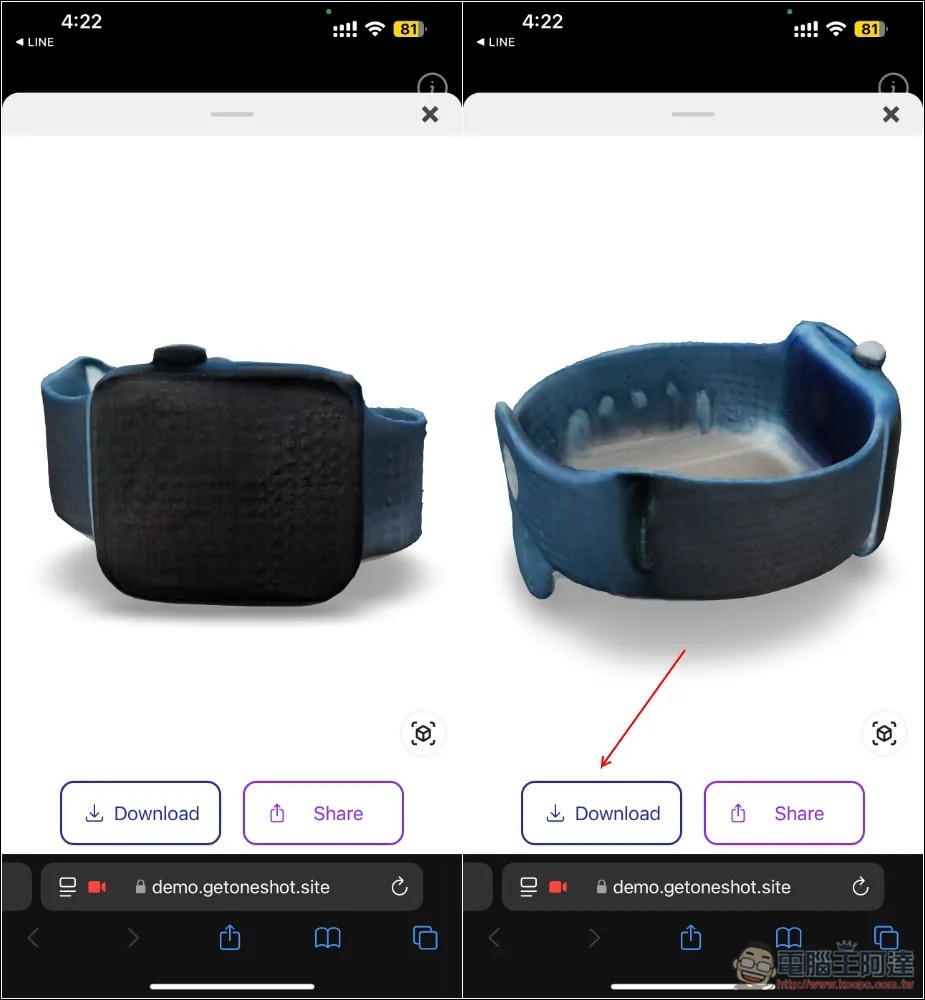
The model file extension is .glb:
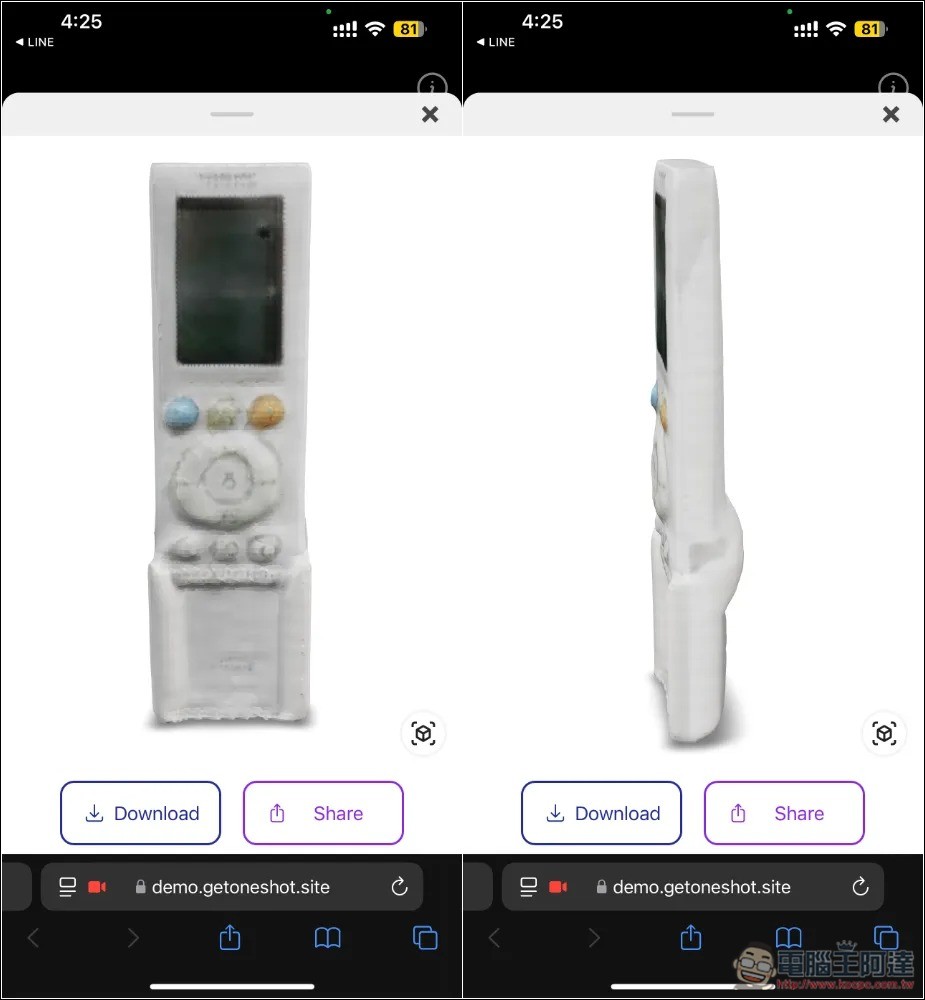
Then I also tested the air-conditioning controller. Even if I only took the front angle, the shape of the side is considered to be very good:
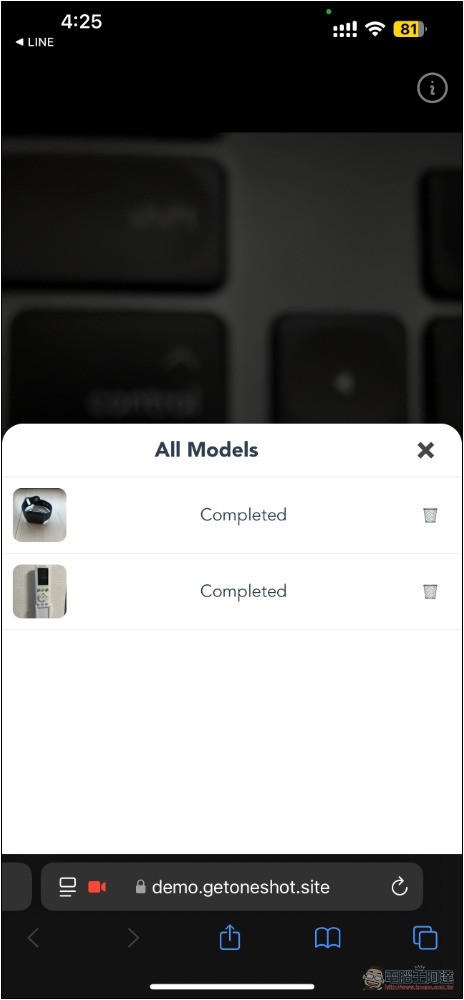
The models you have created will be collected in the lower left corner and can be opened individually to view after expansion. In addition, when you close the browser and enter this website again, the model you originally created will still be there. You can also click the trash can on the right to delete it at any time:
Oneshot is currently free to use. The Q&A on the official website says: “Executing our data capture process requires relying on high-cost AI models, and we also need financial investment to continue training and improve service quality.” Therefore, fees will definitely be charged in the future.
There is also an official notice that PBR materials will be supported in the future.
目前我們提供的是基礎網格匯出功能,但 PBR 材質支援很快就會推出!我們正在開發完整的 AI 服務套件,涵蓋材質檢測、生成以及編輯功能。立即加入候補名單,掌握最新資訊,並搶先體驗即將推出的功能。
Oneshot Introduction
Oneshot focuses on providing the easiest 3D capture experience and ensuring a seamless workflow for users. In contrast, most 3D generation platforms are not only cumbersome to operate, slow to calculate, and even unable to export models. Oneshot is designed to allow you to start the application and complete the generation of 3D models in 30 seconds.
Source: KOCPC Chinese