


Nano Banana Pro Generation quality has greatly improved, so many people will definitely want to use it for generation. AI Presentation, and as Kimi Launching the “Kimi Agentic Slides” feature, and also opening up limited-time free access to “Nano Banana Pro Generative AI” for all users. PPT the ‘Presentation’ feature, and you can also directly edit it online afterwards without having to go through other tools.
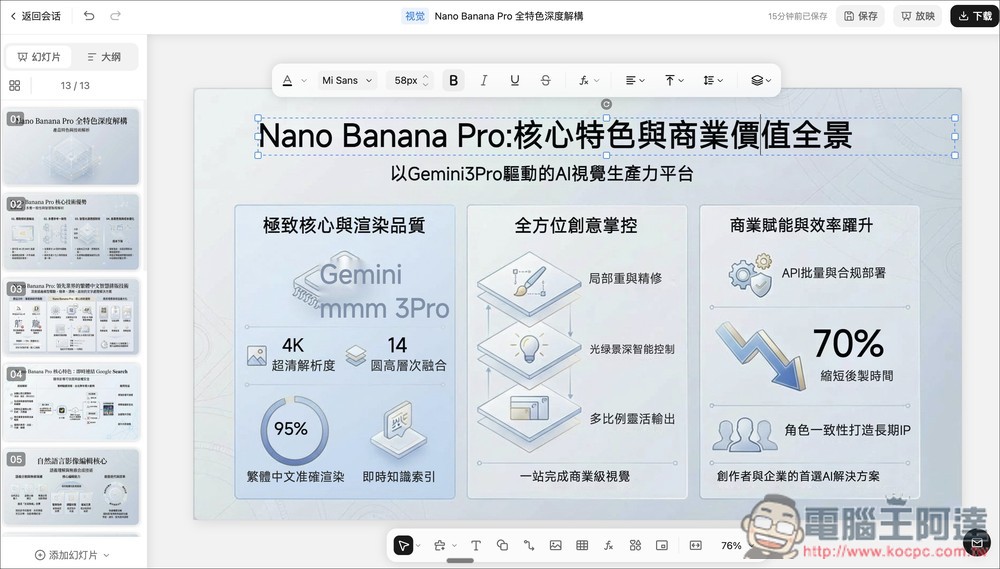
PPT + Nano Banana Pro, with direct online editing after generation—Kimi offers limited-time free usage.
Kimi Agentic Slides is Kimi’s newest AI agent tool, developed specifically for presentation creation. Built on the advanced Kimi K2 model and Google Nano Banana Pro technology, it enables autonomous intelligent generation. Its key feature lies in its “agentic” approach, which breaks down complex tasks into sub-steps, allowing users to automatically generate professional PPT presentations through simple text prompts or file uploads.
For example, after entering a prompt like “Create a Nano Banana Pro introduction presentation,” the AI will search and research, then generate a detailed outline so users can review and modify the content as needed. After selecting their preferred generation method, a multi-page presentation can be completed in under 5 minutes.
For documents, it supports PDF, Word files, images, or spreadsheets, etc. The AI intelligently analyzes the content, extracts key information, and restructures it into logically clear slides.
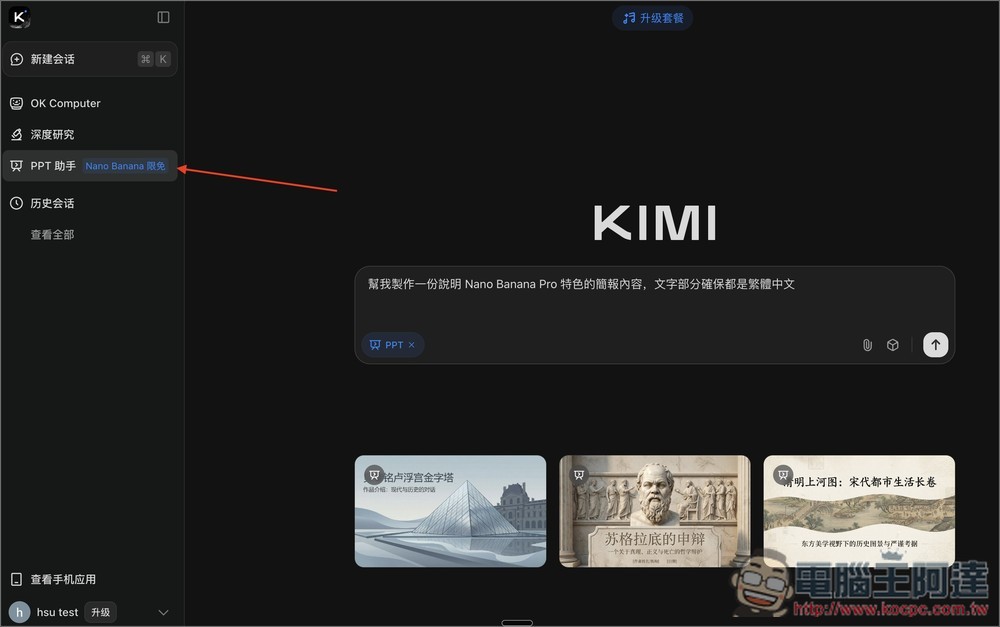
After entering Kimi via the link above, you will see the Nano Banana free access info in the PPT assistant on the left. The free access is expected to end at 9 PM on December 7, leaving about 5 days. After selecting the PPT assistant, you can enter your prompt on the right side, and if needed, you can also upload files. The prompt I gave was: “Help me create a presentation describing the features of Nano Banana Pro, and make sure the text is all in Traditional Chinese.”
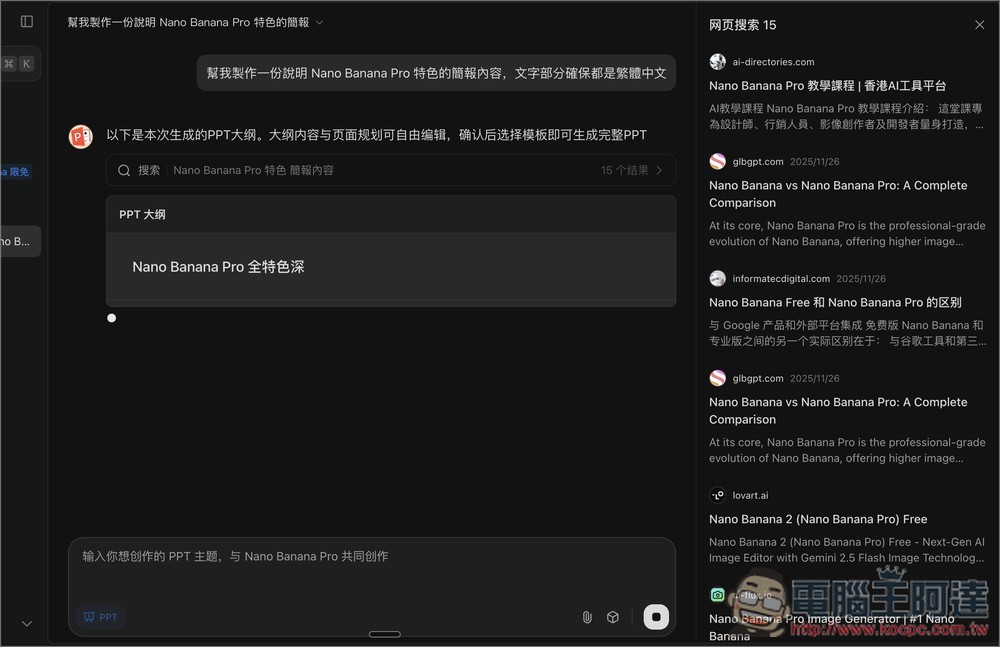
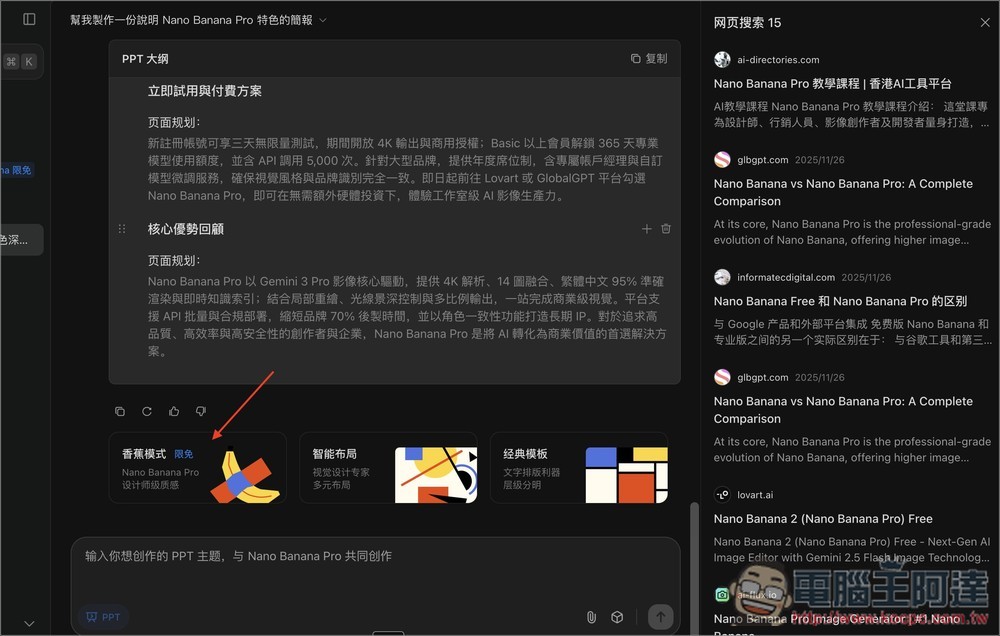
Next, the AI agent will begin searching and researching online, then generate a PPT outline in the chat window:
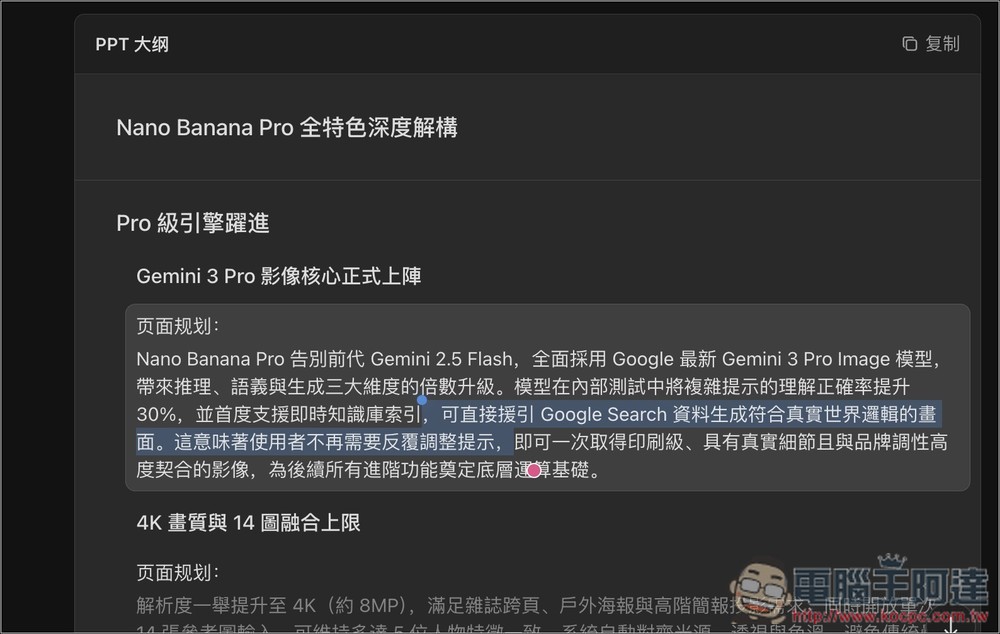
If there’s anything in the generated outline you think is wrong or want to modify, just double-click to change the content.
After checking that the outline is all good, you’ll see “Banana Mode” at the bottom — that’s how you use Nano Banana Pro to generate a presentation:
Then just wait for the PPT to finish generating.
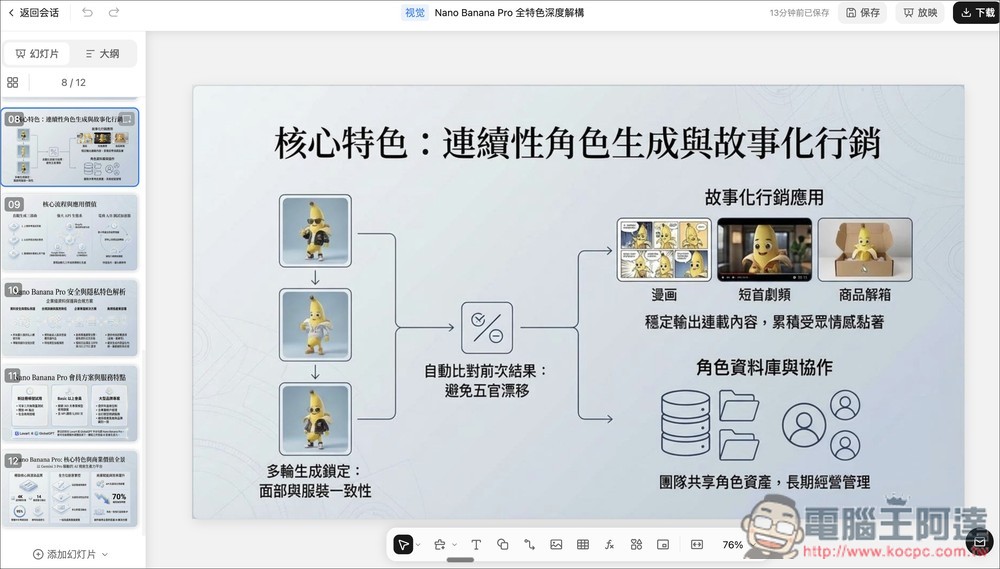
With just a simple one-line prompt, I can generate a rich 12-page presentation—that’s really impressive, and the content layout and copy are all just right. Also, not for nothing is it called Nano Banana Pro—the visuals it generates are truly stunning.
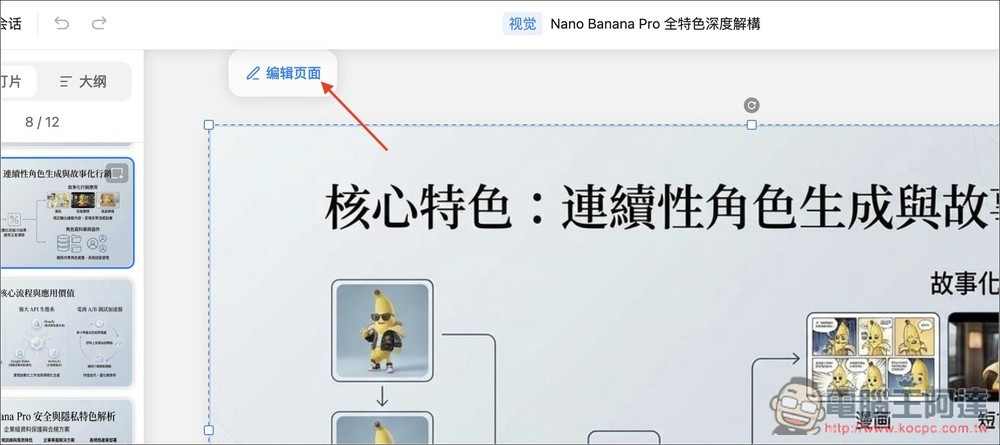
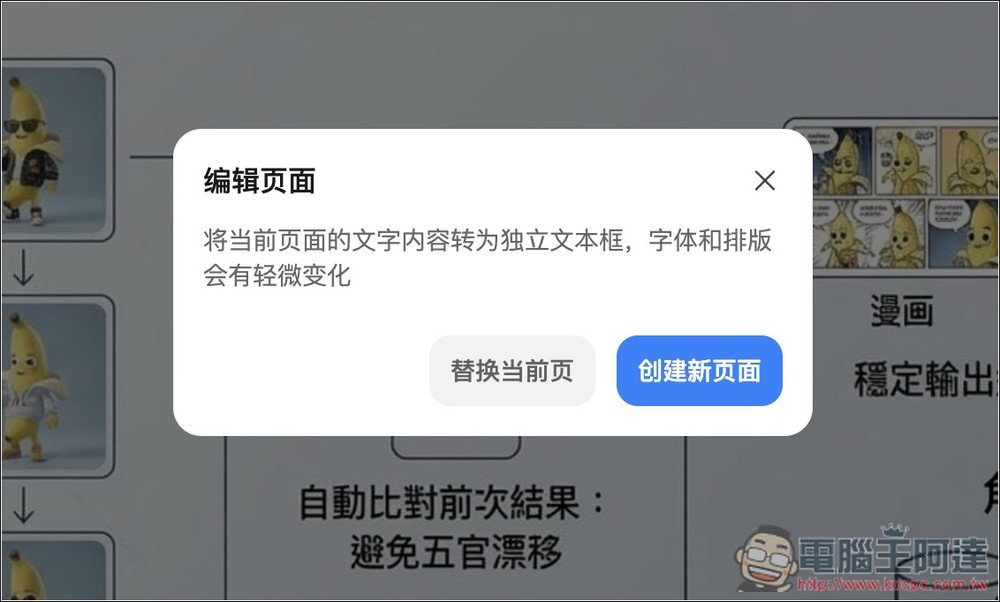
If you want to modify the content, click on the presentation image and the “Edit Page” function will appear in the upper left corner:
Just note that there will be slight changes to the fonts and layout — from my testing, it’s really only a minor shift. You can decide whether to directly replace the current page or create a new one. If you’re worried about the effect deviating too much, I’d suggest creating a new page.
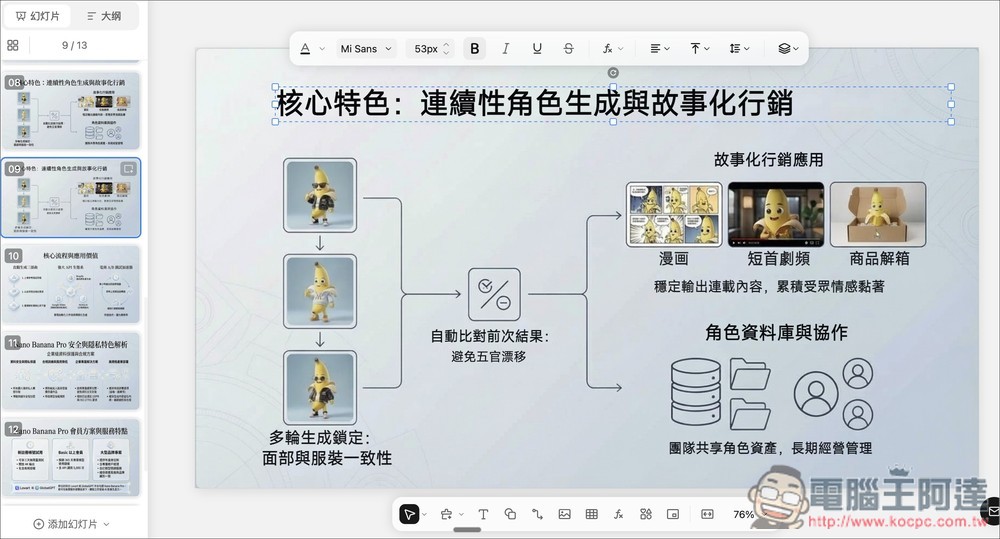
Then you can edit the text in the presentation! But the images still cannot be changed, nor can they be replaced with others:
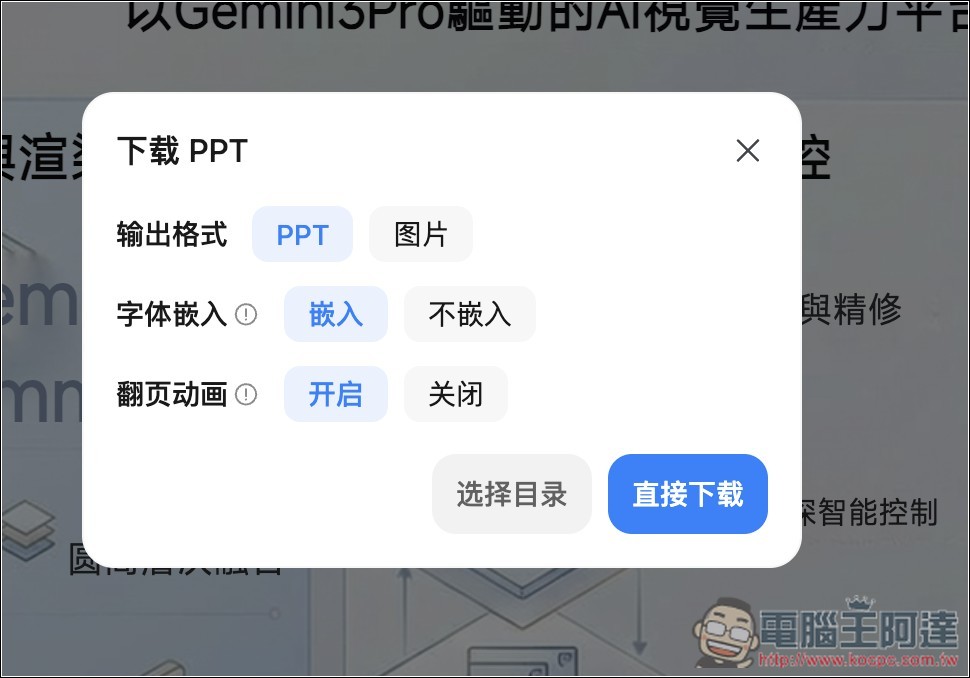
If you’re satisfied with the presentation, you can download it, supporting export to PPT and image formats:
Source: KOCPC Chinese