


It seems NotebookLM The underlying layer has already switched to using Gemini 3 and Nano Banana Pro Supported earlier. Google Announcing two super practical new features: generate your notebook content with one click「Briefingand “generate infographic” — I actually tested it and the results were superb. Without giving any prompts, the generated output was ready to use directly, with no modifications needed, and all the key points were covered. The free version works too.
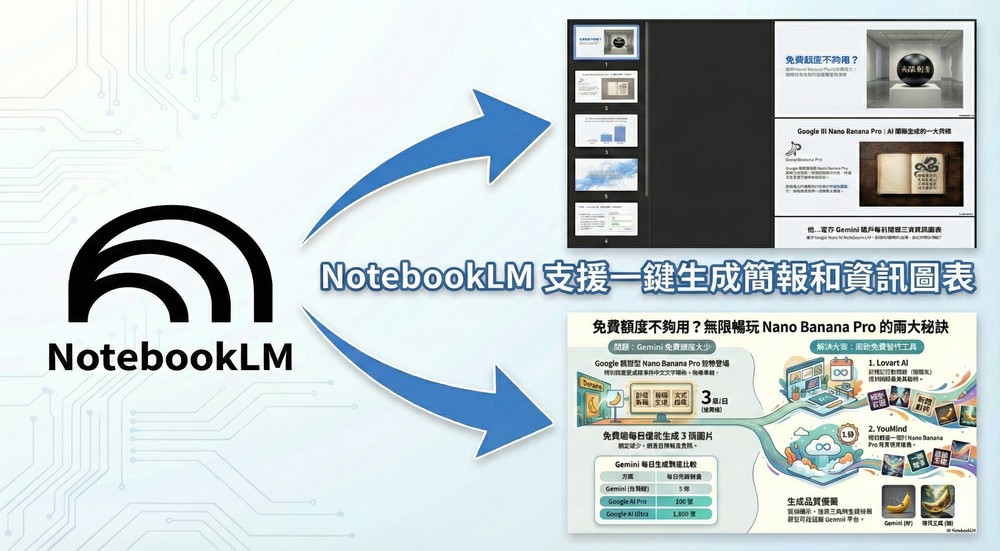
NotebookLM adds one-click presentation and infographic generation features—here’s a tutorial.
Earlier, Google uploaded a video on its official YouTube channel about NotebookLM adding a presentation generation feature, and wrote: “Isn’t it tiring to make slides one by one? Try using NotebookLM to directly generate an entire presentation file, and get rid of the anxiety of facing a blank presentation. It can automatically generate presentations from multiple sources, whether from your notes or immediately after in-depth research. These presentations are no longer just monotonous displays, allowing you to focus on the story you want to tell rather than spending time on presentation design details.”
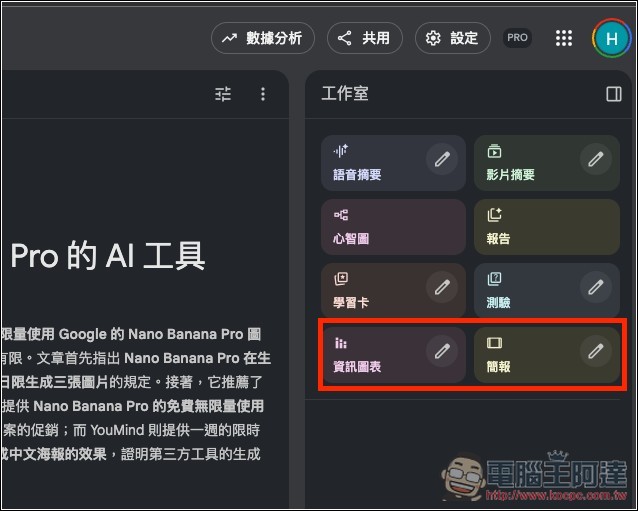
The usage is the same as other generation tools. Now when you open a NotebookLM notebook, you’ll see the newly added “Infographic” and “Presentation” features in the studio on the right side.
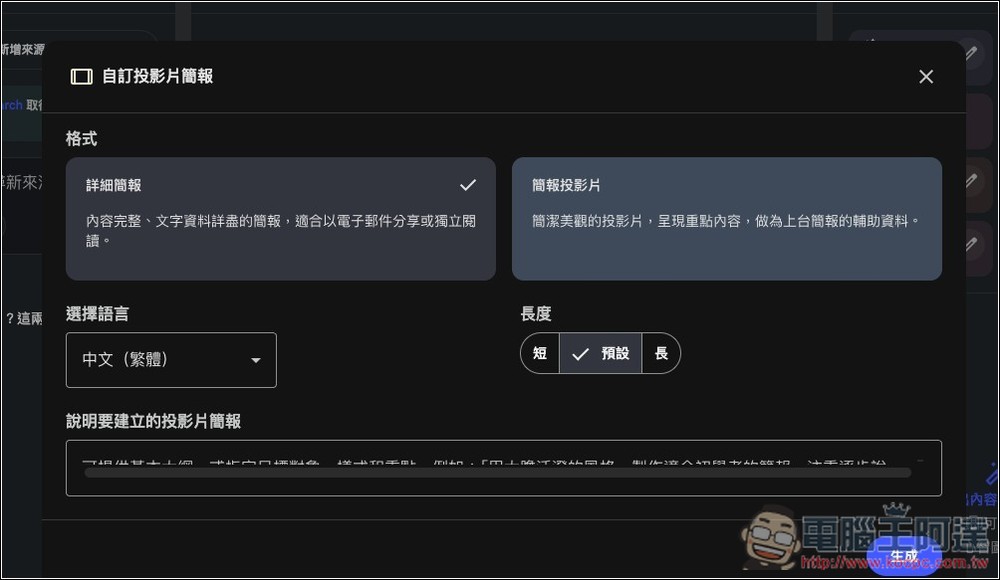
For the presentation section, you can set it to “Detailed Briefing” or “Presentation Slides.” The former has the most complete content; if you want something more concise, choose the latter. There are three length options: short, default, and long. You can also provide key prompt words below:
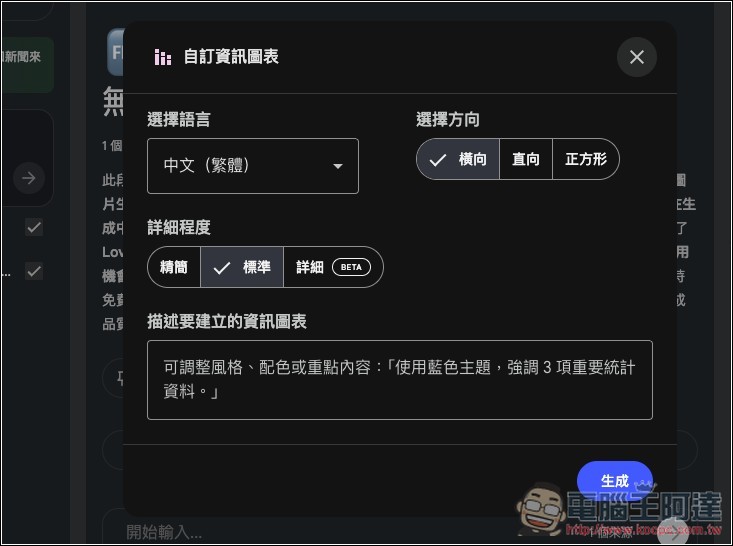
Infographics also have adjustable settings, such as chart orientation, which defaults to horizontal and can be changed to vertical or rectangular. There are three levels of detail: concise, standard, and detailed. The detailed level is currently in the testing phase, so errors may occur; please note this.
I’ll also test it, using my other article「Not enough free credits? These two free AI tools now have unlimited access to Nano Banana Pro」, directly dropping the URL link into a new notebook to import it, with no other sources, and no prompts given during generation—everything used the defaults.
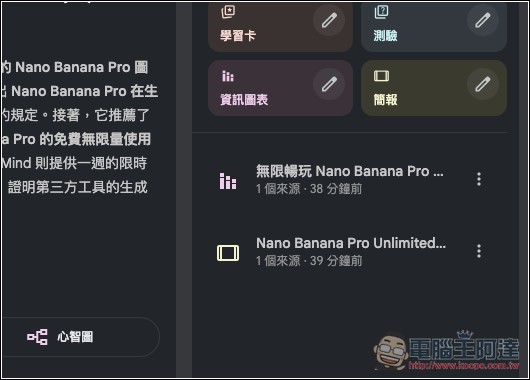
Once generated, you can see it under the Studio on the right:
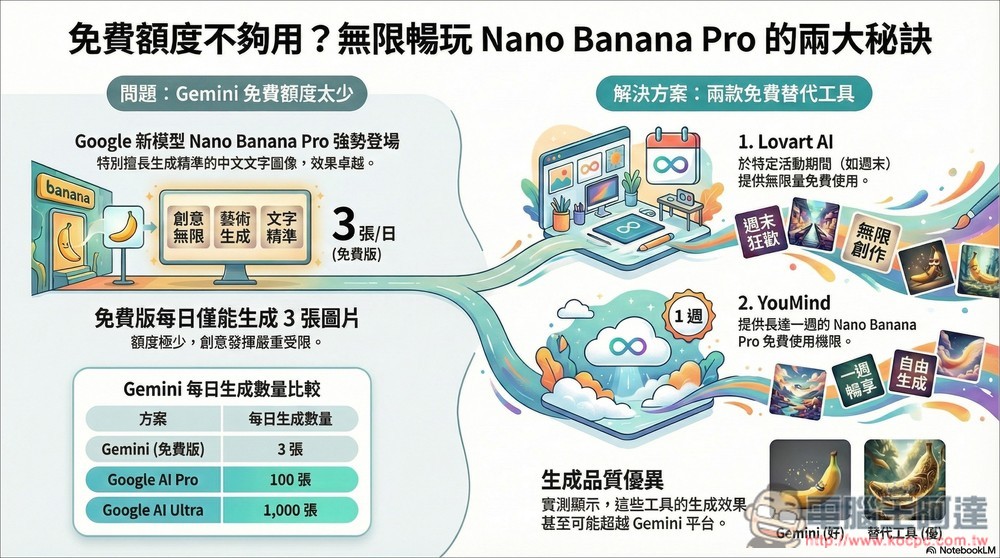
This is the result of NotebookLM turning my article into an infographic. It’s really impressive—the content covers all the key points, like the daily Nano Banana Pro generation quota difference between the free and paid versions, the two solutions, the free usage features of the two AI tools, and even the generation quality difference I briefly mentioned in the article, all included in the infographic.
And below is the presentation file, which also covers every key point with no errors. After downloading, the presentation file will be in PDF format:
So, when you need to create presentation files from now on, just use NotebookLM directly. No need to worry about how to write prompts—the defaults basically give you great results.
The only slightly inconvenient thing is that once the content is generated, there’s no way to edit it—you have to regenerate everything from scratch.
Limitations of the free version of NotebookLM
- Audio generation: 3 times per day
- Q&A: 50 times per day
- Source: 50 per notebook
- Notebook: 100 per user
Source: KOCPC Chinese