


Some of today’s best laptops are equipped with discrete graphics cards, which can provide higher performance than built-in graphics (a graphics chip integrated with the CPU). You’ll find GPUs in most high-end gaming laptops and creator laptops, but this also leaves consumers with the question of whether the laptop’s GPU can be upgraded. Although desktop computers are relatively easy to upgrade, the portability of laptops is something that desktop computers cannot match. You can usually upgrade the RAM and storage in a laptop, but upgrading the CPU and GPU is not a simple process and in most cases is impossible. This time we will take you through information about upgrading laptop graphics cards, as well as some solutions to the problems you encounter.

Can the laptop’s GPU be upgraded?
Can a laptop’s GPU be upgraded?
Upgrading your laptop’s built-in graphics card, such as the Intel Arc or AMD Radeon that come bundled with modern chips, isn’t an option. The built-in graphics card is integrated into the motherboard along with the CPU. Since you cannot upgrade the laptop’s CPU without completely replacing the motherboard, the problem with the built-in graphics card is the same as that of the CPU, which cannot be replaced.
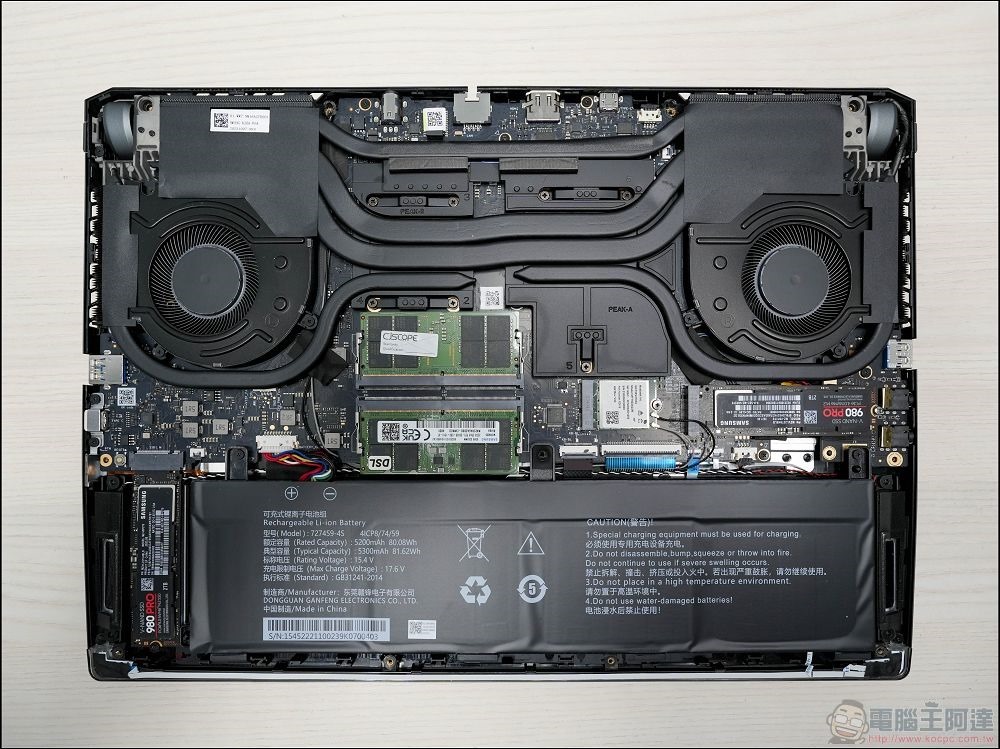
Unfortunately, even discrete graphics cards are soldered to the laptop’s motherboard and are designed with a dedicated cooling system designed to work with a specific motherboard layout. Have you ever seen the chassis of a gaming laptop disassembled? It may look like a tangled mess of wires, straps, and thermal conductors, but it’s actually carefully designed to install all the hardware correctly. These laptops are not designed with upgrades in mind, and in most cases, the easiest way to upgrade your laptop’s graphics card is to buy a brand new laptop.
Are there any laptops with upgradeable GPUs?
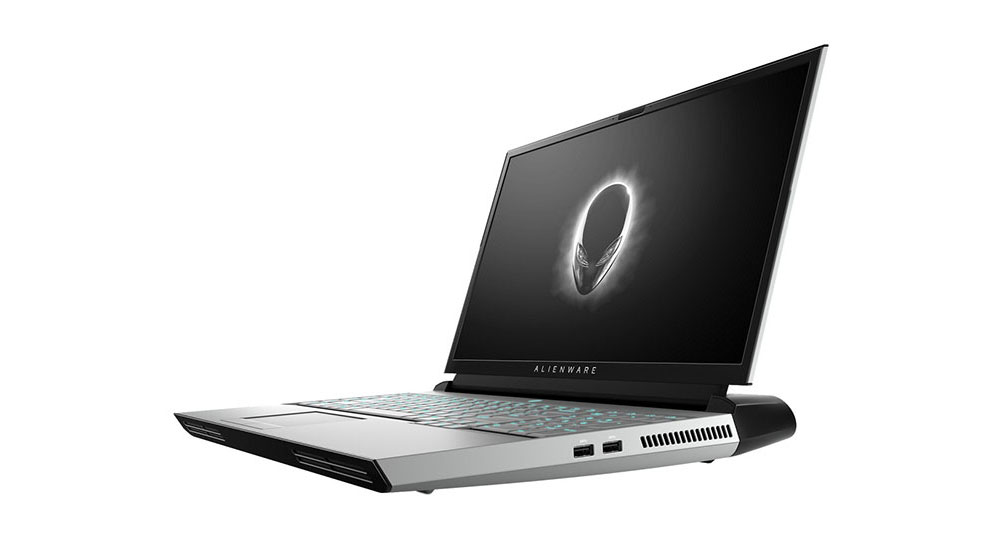
A few years ago, Dell tried to launch an upgradeable laptop, the Alienware Area-51m, a large gaming laptop with upgradeable graphics, but its lifespan on the market was short-lived. The experiment only lasted 1 year before Dell launched the Alienware Area-51m R2, an updated model without any upgradeable parts. This failure led to legal action against Dell and the dream of an upgradeable gaming laptop seemed to be over.
However, there is hope alive in the form of the Framework laptop, which is known for offering modular 13-inch laptops and Chromebooks with many upgradeable components. When it comes to the best upgradeable laptops, the Framework Laptop 13 is by far the best option on the market, but recently the company launched the Framework Laptop 16, which does even better in this regard. It’s powered by an AMD Ryzen processor, but also comes with an expansion bay to optionally add an AMD Radeon RX 7700S GPU. Currently, this is a first-generation laptop, so there’s only one GPU to choose from, but we’ll likely see those options expand over time.
Even as things stand, this is technically an upgrade option. You can buy Framework Laptop 16 without a graphics card and later purchase a graphics card expansion, and thanks to its modular design, you can change the components in Framework Laptop 16 at any time. Aside from Framework laptops, the only really effective option for adding more graphics power to a laptop is through an external GPU.
Is an external GPU (eGPU) the solution?
External graphics cards are a modern solution to laptop graphics problems, but they are expensive. Suppose you buy a laptop with a killer CPU, but a weak discrete graphics card, or even no discrete graphics card. There is no flexibility inside the laptop for GPU upgrades, and you don’t want the rest of the laptop to go to waste. This is where an external graphics card comes into play.
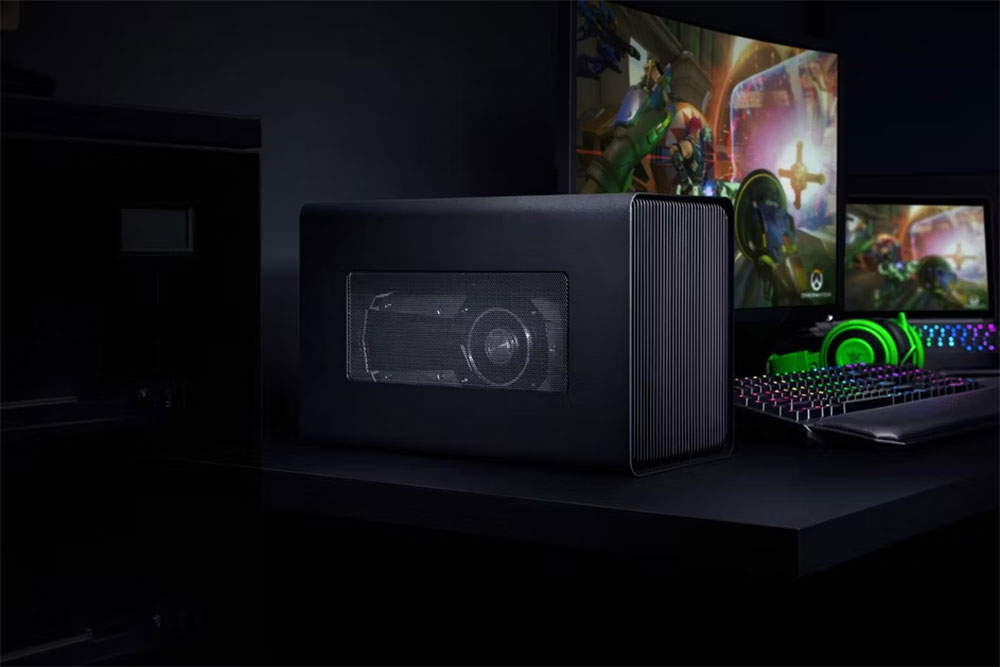
You can break down external GPUs into two main types, you might buy a box for the external graphics card that fits into your desktop graphics card, or you can opt for an all-in-one solution where the box is fused with the GPU. In both cases, the external graphics card is connected to the power supply using a wire, usually Thunderbolt 4 (or USB4), or alternative solutions like OCuLink or proprietary connectors like the Asus ROG Xg Mobile connector, which are high-end connectors that act as PCIe extensions, so it’s a bit like plugging the GPU into your computer.
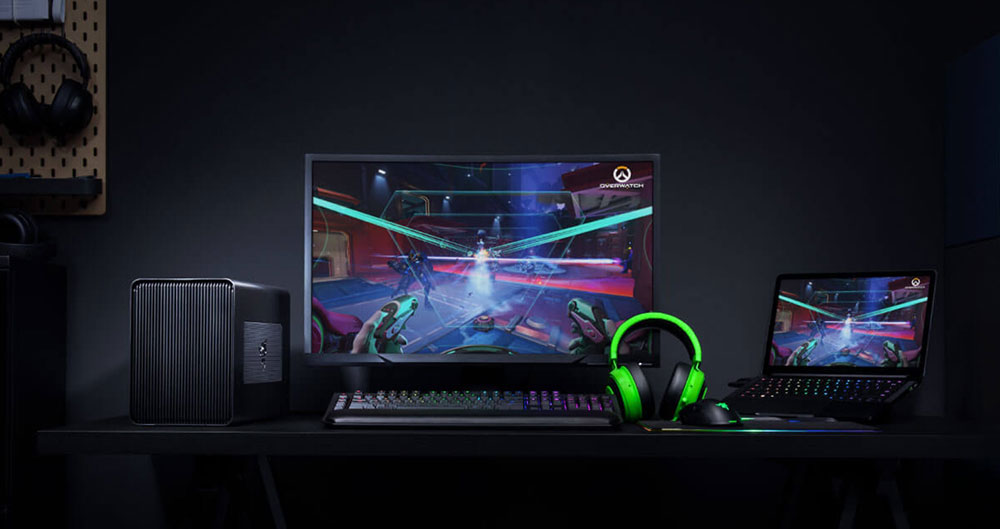
Because they use cables that are often standard on many different laptop models, external graphics cards are easy to upgrade and are often cheaper than buying a new laptop outright. It also allows you to do the opposite, upgrading the rest of the laptop while keeping the graphics card (if your existing card already works well for you).
Disadvantages of external graphics cards
One of the major disadvantages of external graphics cards is that they limit the mobility of the laptop. It’s difficult to carry around a laptop and an external graphics card, so you usually leave the graphics card at home. Still, it’s a convenient way to access high-performance hardware while on the go, keeping lighter games or tasks running on the laptop’s internal hardware. Maybe you only need to work during the trip, but you want to use your laptop to play games when you get home, so you can have an external graphics card ready.
But there’s another issue worth noting, you won’t get the same performance from an external graphics card as you would from using the card directly in your computer. The biggest issue here is bandwidth. Thunderbolt 4 has 40Gbps of bandwidth, 32Gbps of which is reserved for PCIe lanes, which equates to about 4GB/s of bandwidth available to an external graphics card. However, modern desktop graphics cards use a PCIe 4.0 x16 connection, which offers speeds of around 32GB/s, which is 8 times the speed offered by Thunderbolt 4. This means you never put stress on the graphics card itself, as it’s usually waiting for the connection to transfer data. This is part of the reason why external graphics cards have become less attractive, because on top of the budget spent on the box itself, you’re paying for desktop-class performance, but you’re not getting the full benefits of it. This is part of the reason why we’re seeing more integrated solutions using laptop-class GPUs, making them more portable but still allowing for a significant increase in power, but at a reduced performance.
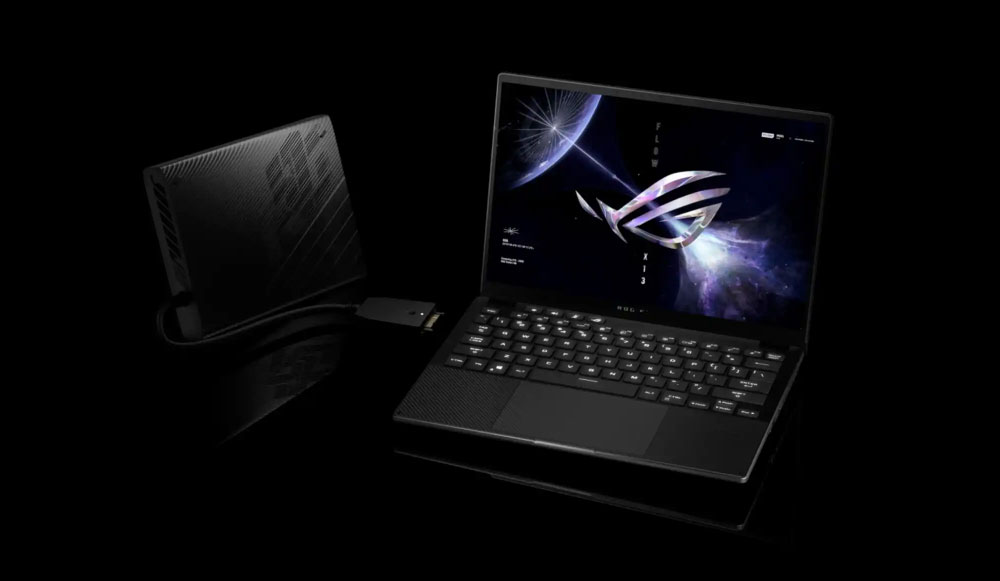
Despite these shortcomings, external graphics cards still hold some promise. PC gaming handhelds like the Asus ROG Ally sparked interest in eGPUs, mainly because you couldn’t use a discrete graphics card in a handheld. Unlike laptops, the only way to get more GPU power is to buy an external GPU. As a result, we’re seeing the emergence of new external graphics card products, including high-end models like the Asus ROG Xg Mobile, as well as mid-range models like the One Xplayer OneXGPU and GPD G1. Additionally, these solutions feature a new connector (in the case of eGPUs) called OCuLink, which offers 2x the PCIe bandwidth of Thunderbolt 4, so while it’s still not on the same level as a laptop’s built-in GPU, there’s much less performance penalty due to bandwidth limitations.
What’s more, Thunderbolt 5 is just starting to show up in laptops like the Razer Blade 18 . While we’re hopeful, let’s not forget OCuLink-2, a version of the connector that promises 4x the bandwidth of Thunderbolt 4, or 2x the bandwidth offered by Thunderbolt 5 and current OCuLink connections. If external graphics cards gain enough traction, we will definitely see some external graphics cards taking advantage of this in the future.
If you desperately want to avoid the problems that come with upgrading your laptop’s graphics card, a desktop computer is the way to go because you can always DIY it and replace parts as needed to keep it in tip-top shape.
Source:XDA Developers
Source: KOCPC Chinese