


OpenAI This year could be described as one of continuous strengthening. ChatGPT Its features now extend beyond individuals, with team-oriented designs beginning to emerge. Earlier, OpenAI announced a new “group chat” feature that works exactly as you’d imagine—you can create a chat room in ChatGPT, invite others to join the conversation, and throughout the process, anyone can summon ChatGPT for assistance at any time. Whether it’s planning, meetings, or discussing important matters, it’s incredibly useful.
More importantly, the group chat feature is still only a trial version, so only a few countries can experience it in the first wave.TaiwanIt is one of them, available to both paying and free users.
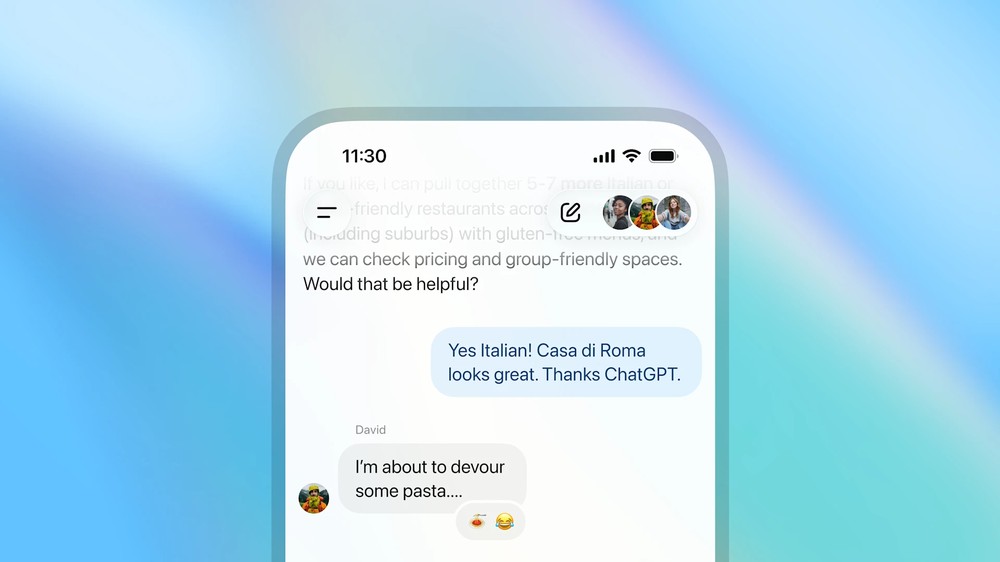
ChatGPT adds “group conversation” feature, with Taiwan among the first launch countries.
OpenAI announced on its official website that it is adding a new feature to ChatGPT in certain regions: “group conversations,” which allow users to bring friends, family, or colleagues into a ChatGPT chatroom so that ChatGPT can collaborate with them on planning, decision-making, or brainstorming ideas.
For example, if you’re planning a weekend trip with friends, you can start a ChatGPT group chat to help compare destinations and create an itinerary. During the process, everyone can make changes at any time or ask ChatGPT to look up more information. Finally, create a list so everyone can get the results simultaneously.
OpenAI says that ChatGPT group conversations are also well-suited for decision-making, such as when you want to find a restaurant that suits everyone’s tastes, you can ask ChatGPT to act as an impartial judge and help make the final call.
In the workplace or at school, with ChatGPT’s help, many things become easier. You can write outlines together, research new topics, share articles and notes, and ChatGPT can also help organize summaries.
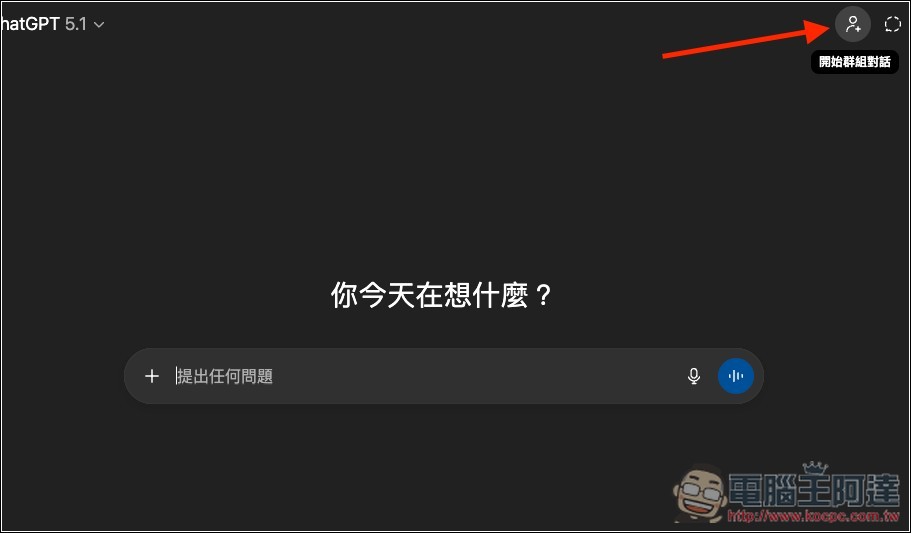
It’s simple to use: after opening ChatGPT, you’ll see the “Start group conversation” function in the top right corner:
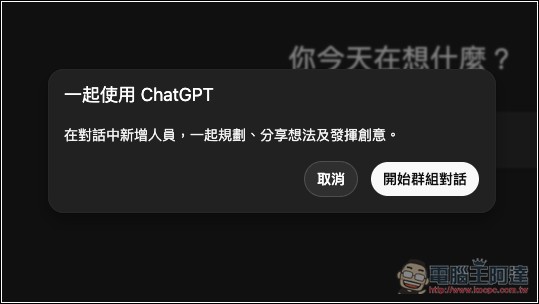
A prompt window will pop up, click “Start group conversation”:
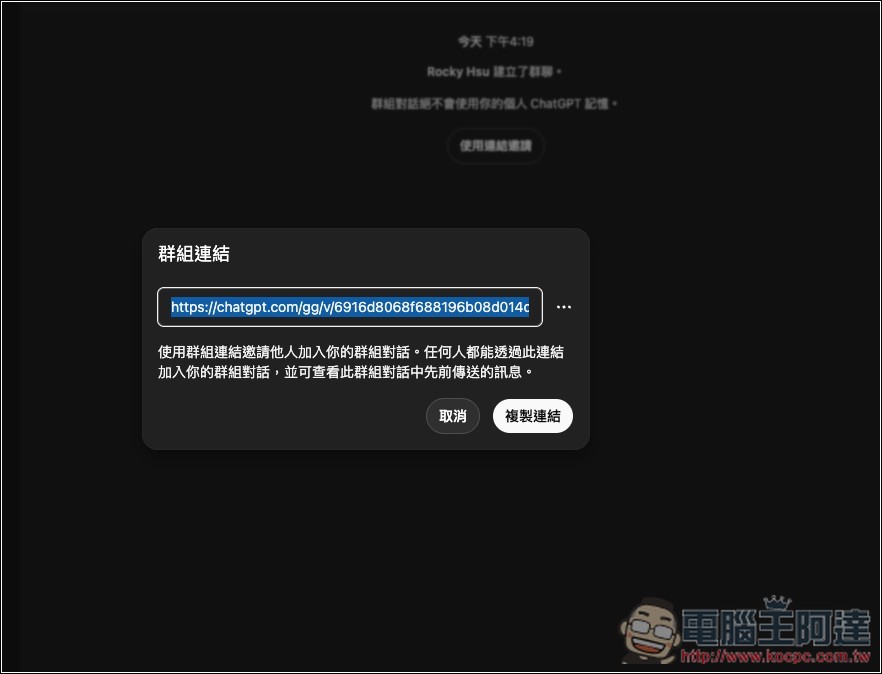
Then you’ll get an exclusive group link. Share this link with the people you want to invite, up to 20 users:
When the other person opens it, they’ll see this screen. They can click “Join group chat” to join the chat group. Note that the other person also needs to have a ChatGPT account to join; there’s currently no way to join without logging in.

When someone joins, a notification appears in the chat window:
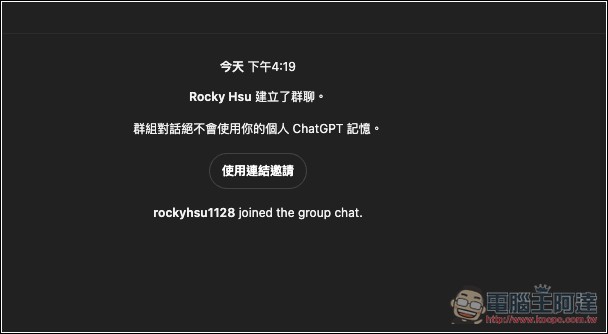
It’s also the same when typing:

OpenAI says they have also added new group interaction behavior to ChatGPT, which decides when to reply and when to stay quiet based on the flow of the group conversation. I don’t think this design is very good, because in my testing, even if I just say “hello” or “what are we discussing today,” ChatGPT will jump in and there’s no way to make it stop replying, which is a bit annoying. OpenAI should add a manual toggle to avoid the constant interjecting.
Additionally, if you want ChatGPT to be sure to come out and answer, you can mention “ChatGPT” in your message, and it will definitely reply.
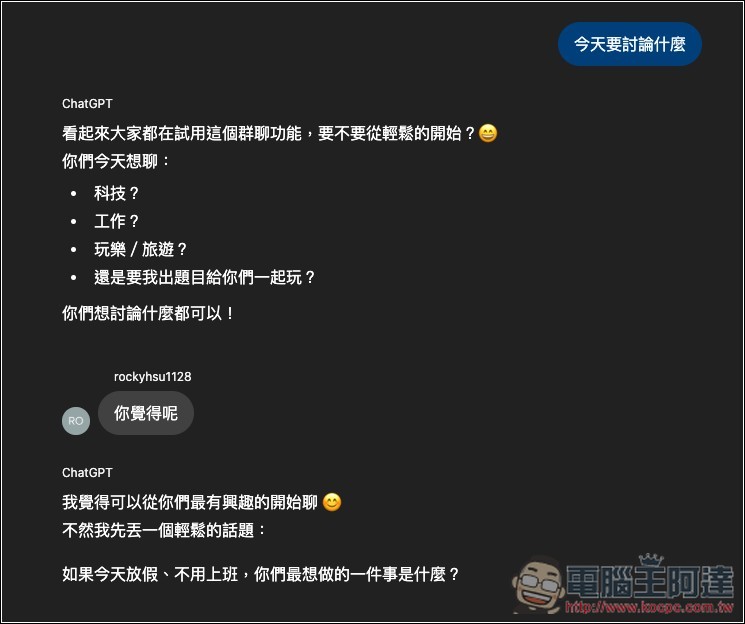
Group chat records are completely separate from private conversations, so there’s no need to worry about them getting mixed together. Additionally, your personal ChatGPT memory won’t be used in group chats, and ChatGPT won’t create new memories from group chats — you can rest assured about that.
Group chat is rolling out starting today on mobile and web for logged-in ChatGPT users in Japan, New Zealand, South Korea, and Taiwan, available to Free, Go, Plus, and Pro plans.
Source: KOCPC Chinese