


Many browsers now have a read aloud function. That is, when you see an article you are interested in, you can learn about it by listening instead of reading, so that you can do other things at the same time. However, the Android version of Chrome did not have this function in the past. You can only use a third-party browser app, such as Microsoft Edge. The good news is that recently, foreign media discovered that in the latest version, the Android version of Chrome has finally quietly added the “read page aloud” function, and it supports multiple languages, including the Chinese part.
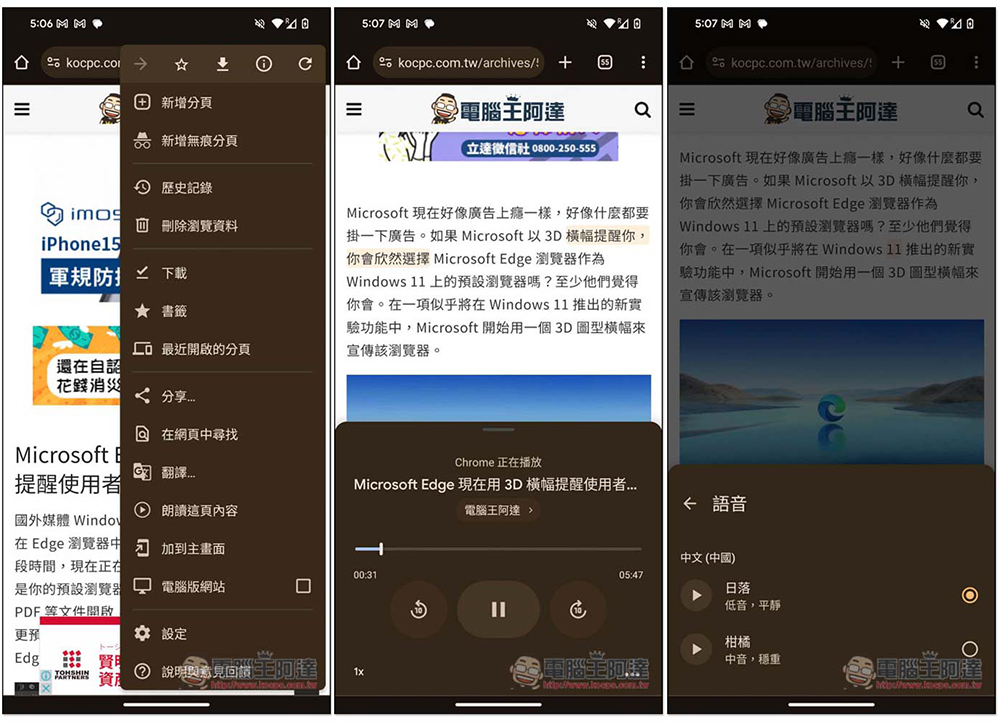
The Android version of Chrome can now read pages aloud. Instead of reading, use listening instead.
According to foreign media 9to5Mac I found that in Chrome’s Android version 126.0.6478.71, the menu page has a “Read this page” function, which can speak out the content of the current page by voice, and I tested my Pixel 6 Pro and it does have this function.
But first, remember to update Chrome to the latest version. If you are not sure whether there is an update, you can go directly to the Play Store to search for Chrome to see if there is a new update.
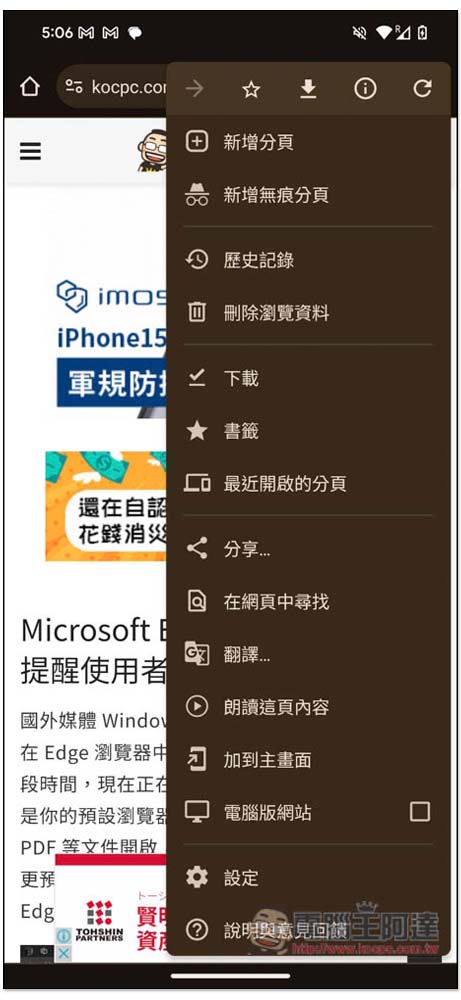
Then open the page you want to read aloud. Remember that the page must be read completely before the read aloud function will appear. Then open the menu page in the upper right corner and you will see the new function of “Read the content of this page”:
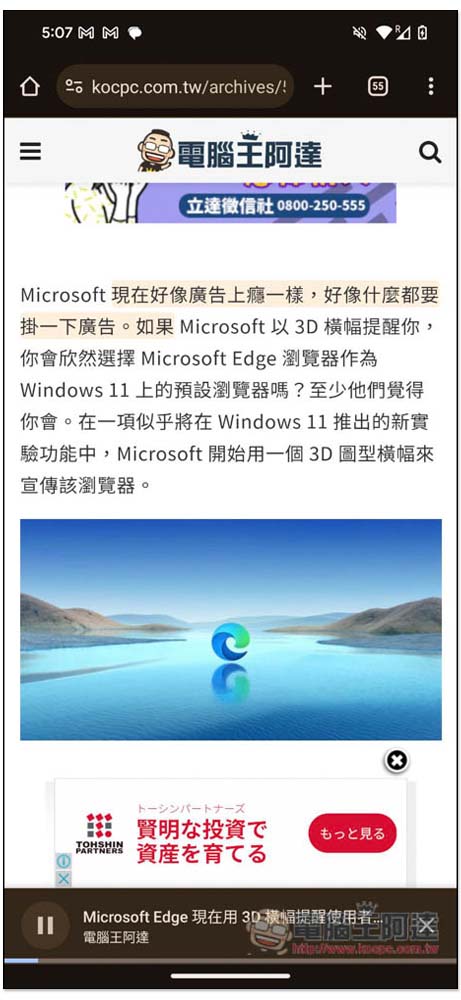
After starting to read aloud, the webpage will indicate which sentence has been read (if you need to know), and a control interface will also appear at the bottom. You can stop playback at any time, or change other settings:
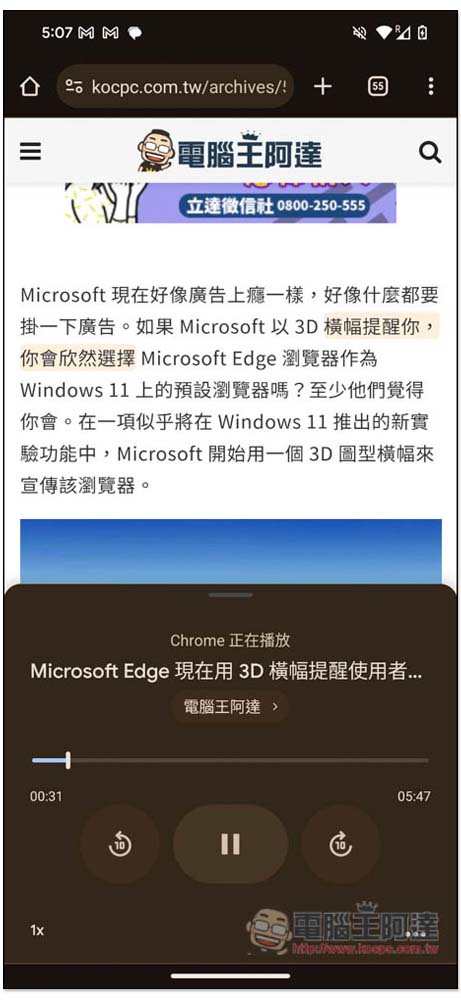
There are four functions when you open the control interface, including forwarding 10 seconds and going back 10 seconds, adjusting playback speed, and more function menus:
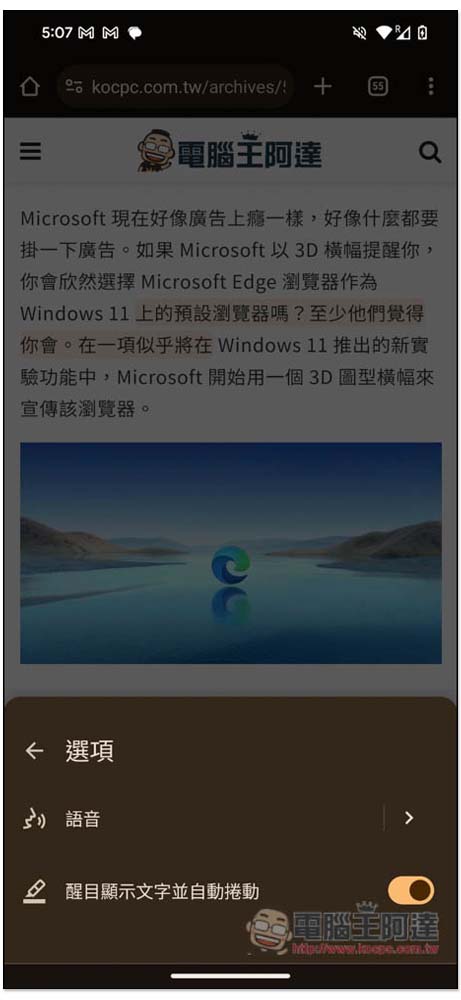
In the more function menu, you can change the voice and whether you want to turn on display text and automatic scrolling:
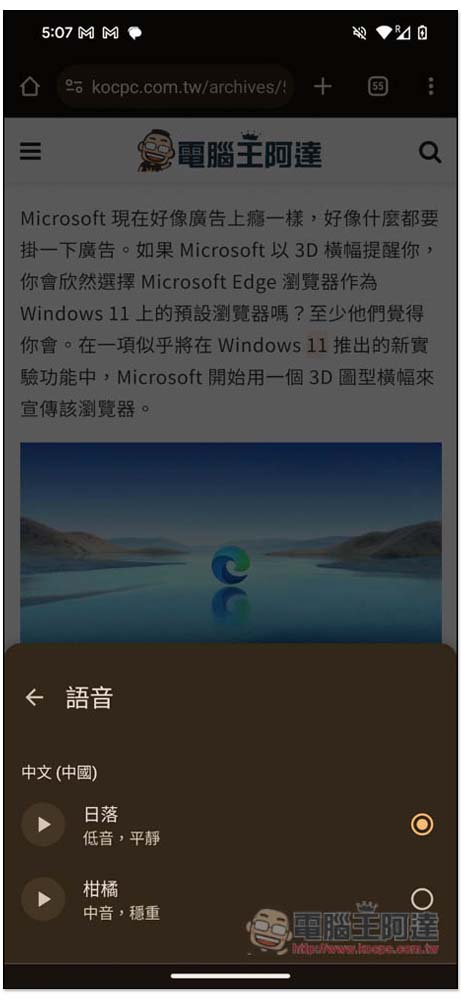
There are currently only two Chinese voices:
- sunset (bass, calm)
- Citrus (alto, solid)
This name may be a bit difficult to understand. To put it simply, the difference between the two is that one has a male voice and the other has a female voice. Although it is written in Chinese (Chinese), traditional characters are also supported:
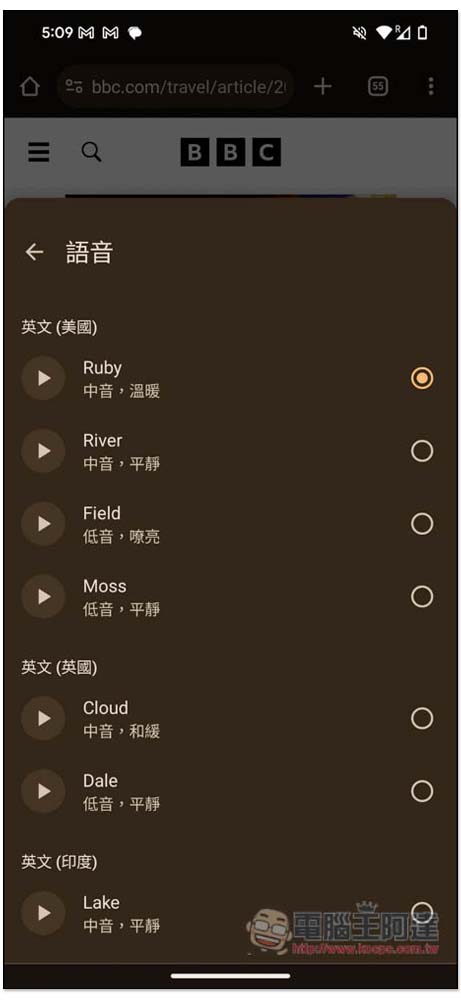
English currently provides the most voices, and is also divided into American, British and Indian English:
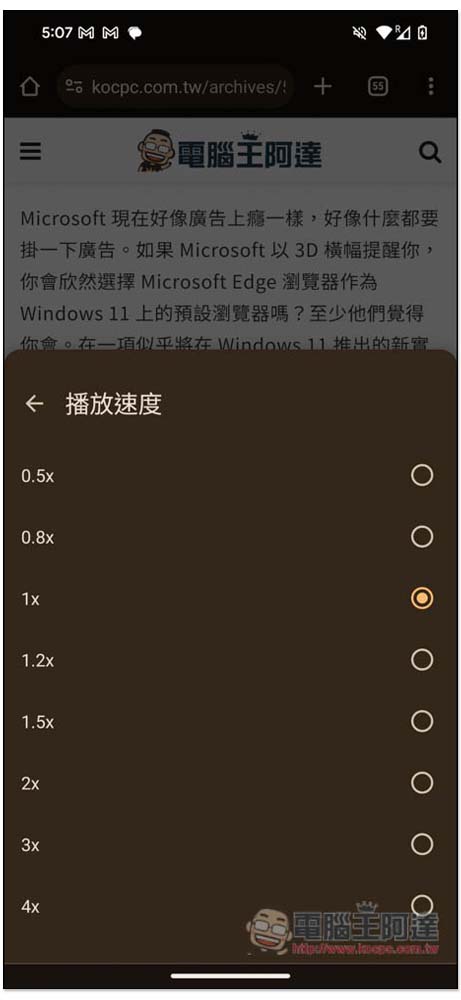
There are also many adjustment options for playback speed, from 0.5x all the way to 4x:
According to Google’s official description page, currently supported languages are Arabic, Bengali, Chinese, English, French, German, Hindi, Indonesian, Japanese, Portuguese, Russian and Spanish.
It is worth noting that when the page reading function is enabled, if you open other new web page tabs and lock the phone screen, the reading will continue to play without interruption.
But if you return to the main screen, TTS will end immediately and you will not be able to continue playing from the control center. I think this should be changed. After all, many people will jump out of Chrome to use other apps. It is definitely more convenient to continue playing.
Moreover, Android is Google’s own operating system, so there is no reason why Chrome should not allow people to continue playing Chrome’s page reading function in the background.
However, there is support for the memory function, which means that after stopping playback and reopening Chrome, the original playback interface is still there, and you can continue playing with one click.
Source: KOCPC Chinese