


The LINE 14.8.0 update was recently launched, bringing many new features and improvements to iOS and Android users. The most notable updates include adding forgotten password and email reminders, improving the group chat room experience, and optimizing 6 other features.
LINE 14.8.0 version update: 6 new updates including forgotten password and email reminder
In addition to the previous updates to the PC version of LINE, LINE has also recently updated the mobile app, including forgotten passwords and email reminders, new reporting options such as impersonation and fraud in chat room reporting reports, optimization of the warning screen that pops up when opening links in the LINE community, the original path for Keep has been updated to Keep notes, LINE friend exclusive coupon reminders with LINE official account information specifically marked in the chat list, and LINE for Android users only Enable the “Save to Notepad” function in the community.
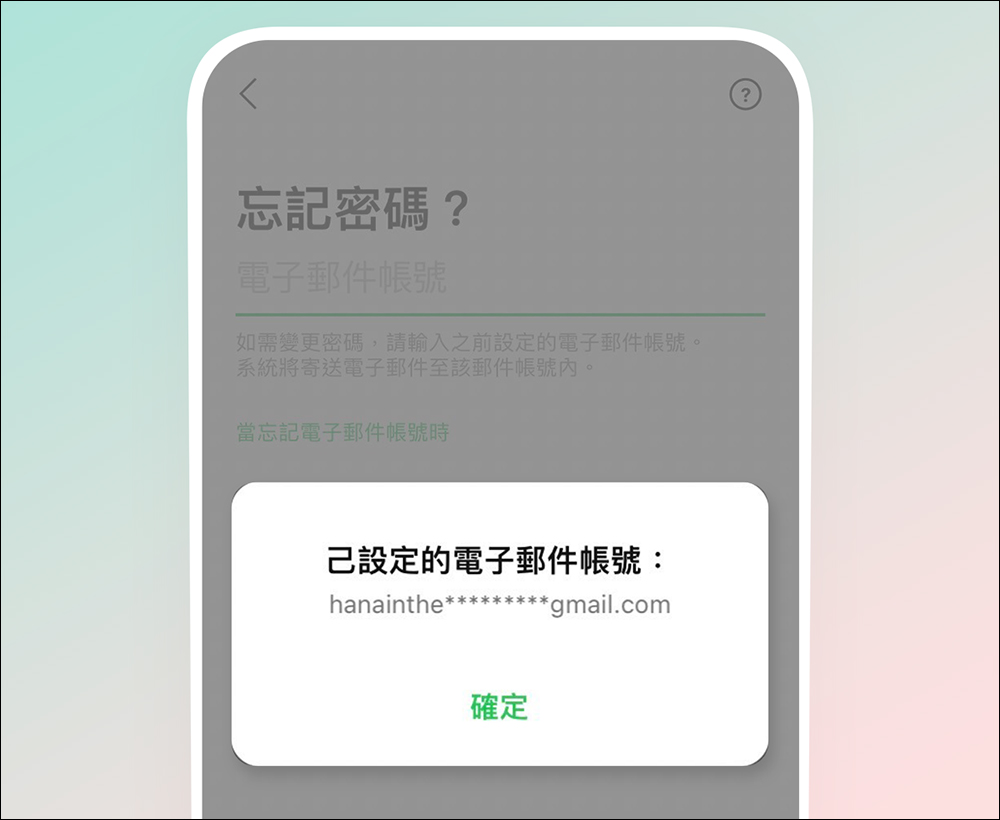
If you forget your password and email, you will receive a registered email reminder when you log in.
In the past, when users accidentally forgot their passwords and needed to enter their email to get a password reminder, but found that they had also forgotten the email they originally bound, they could only seek help from LINE customer service. However, after updating to version 14.8.0, when the user forgets his password and email, the system will pop up and prompt you with a hidden code to remind you of the originally bound email.
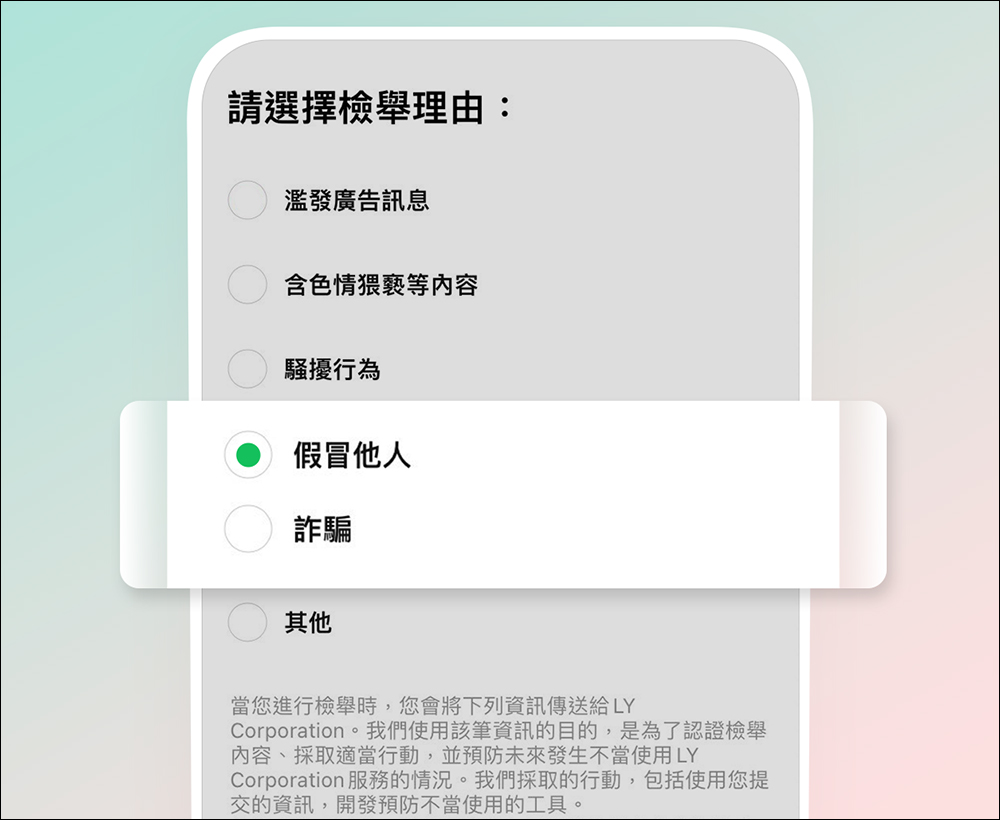
Added “Impersonation” and “Fraud” options to chat room reporting reports
When fraud, advertising messages or harassment occur in a chat room, users of the chat room can use the reporting function to report it. The “Report” function now has new reporting options for “Impersonation” and “Fraud”. If the user chooses to “pretend to be someone else” and submits, the system will pop up asking if they want to fill in the customer service form.
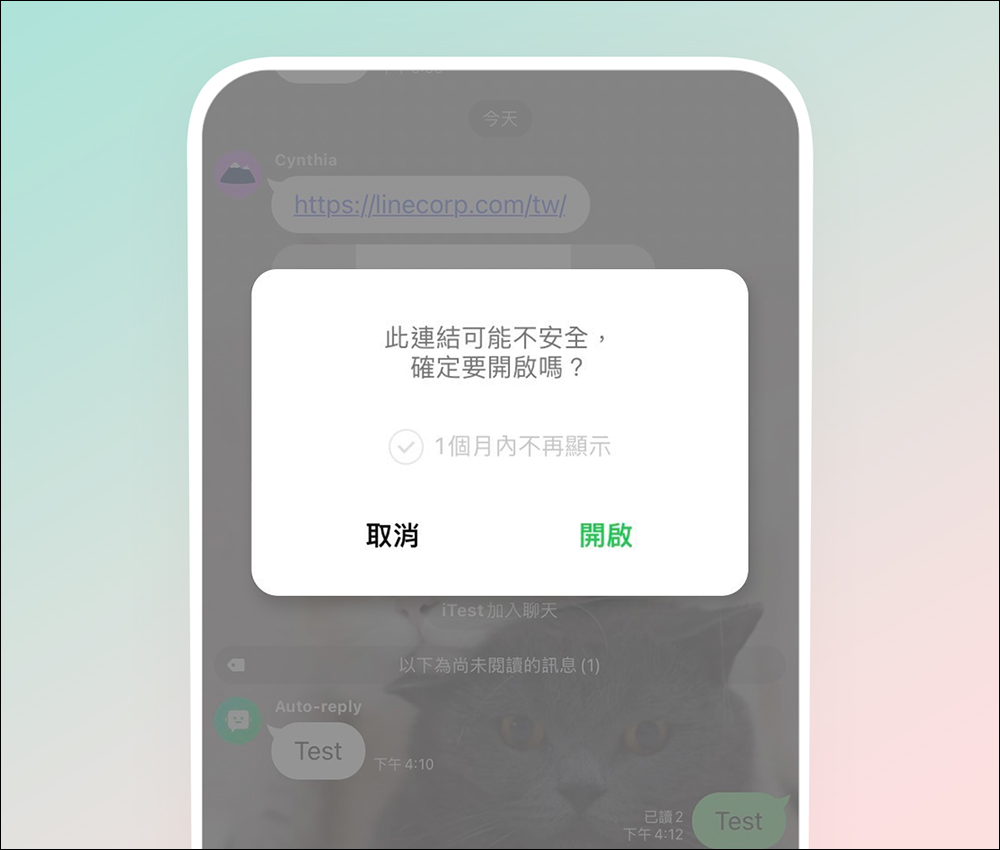
Optimize the warning screen when opening a link in the LINE community
Members of the LINE community often share some links, sometimes with news or useful information, but occasionally some fraudulent links are interspersed to attract other community members to lose weight. In the past, when opening a link in the LINE community, a confirmation prompt would pop up at the bottom of the screen. After updating to version 14.8.0, the warning screen that pops up has been optimized. You can also check “Don’t display again within 1 month” to temporarily stop the warning screen.
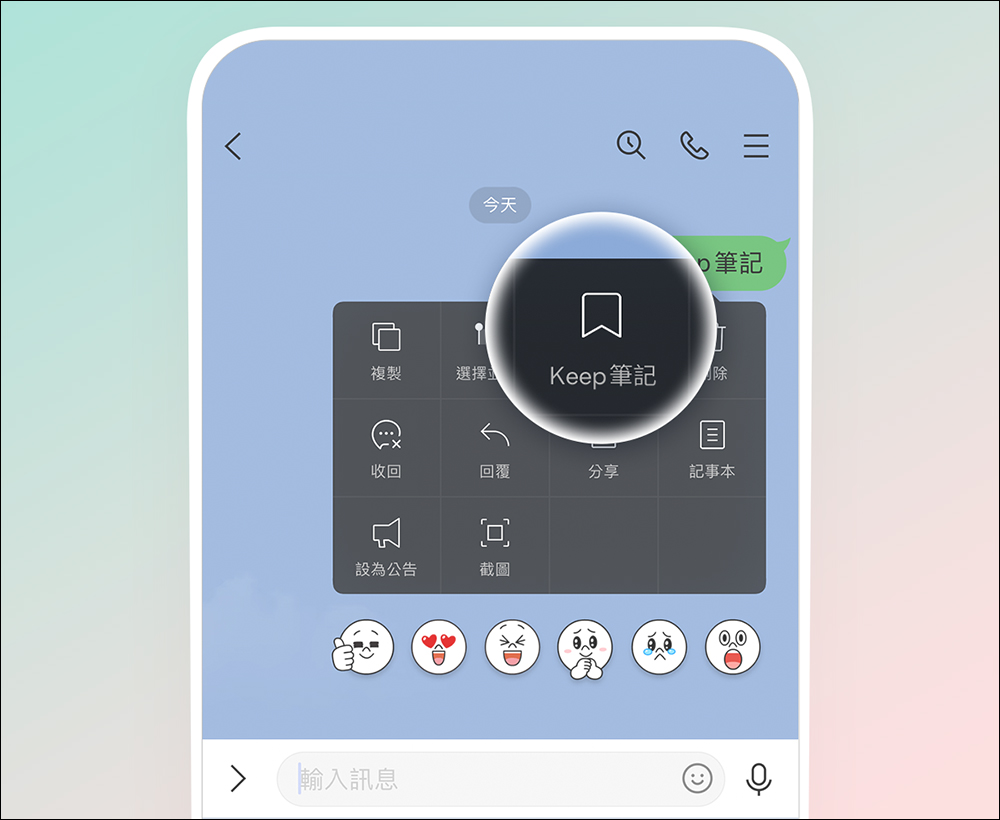
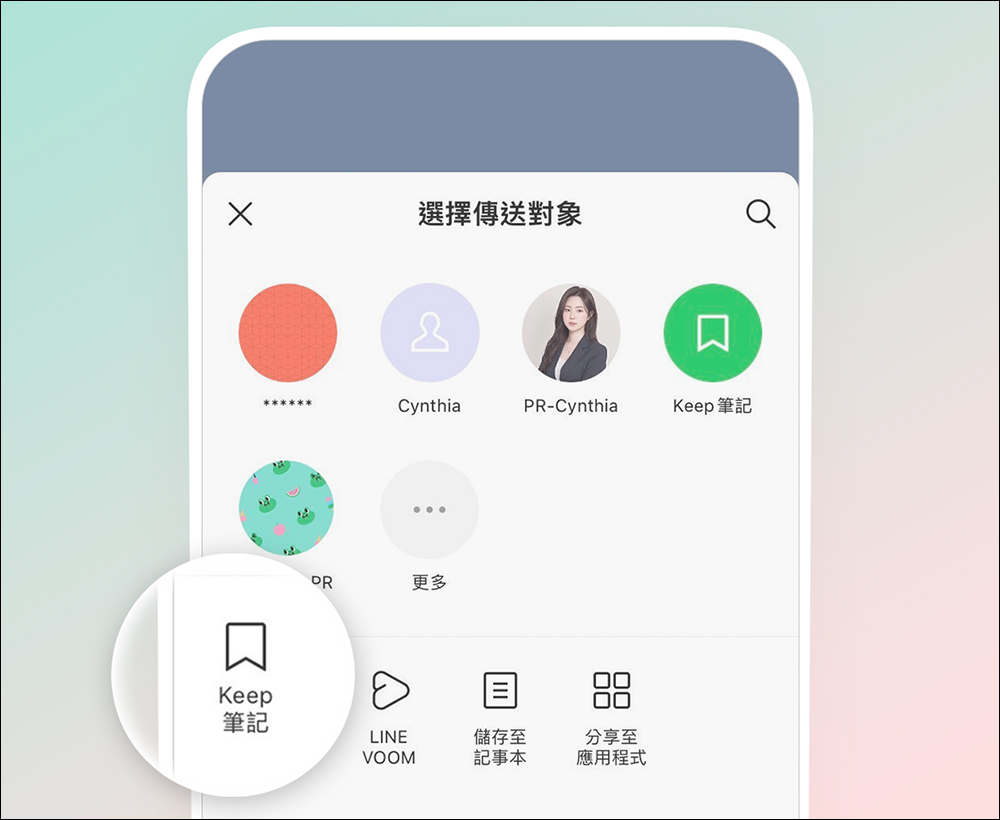
The path that was originally Keep is updated to Keep notes
As the Keep function will end its service at the end of July, the original Keep path will now be fully updated to Keep notes, making it more convenient for everyone to use Keep notes.
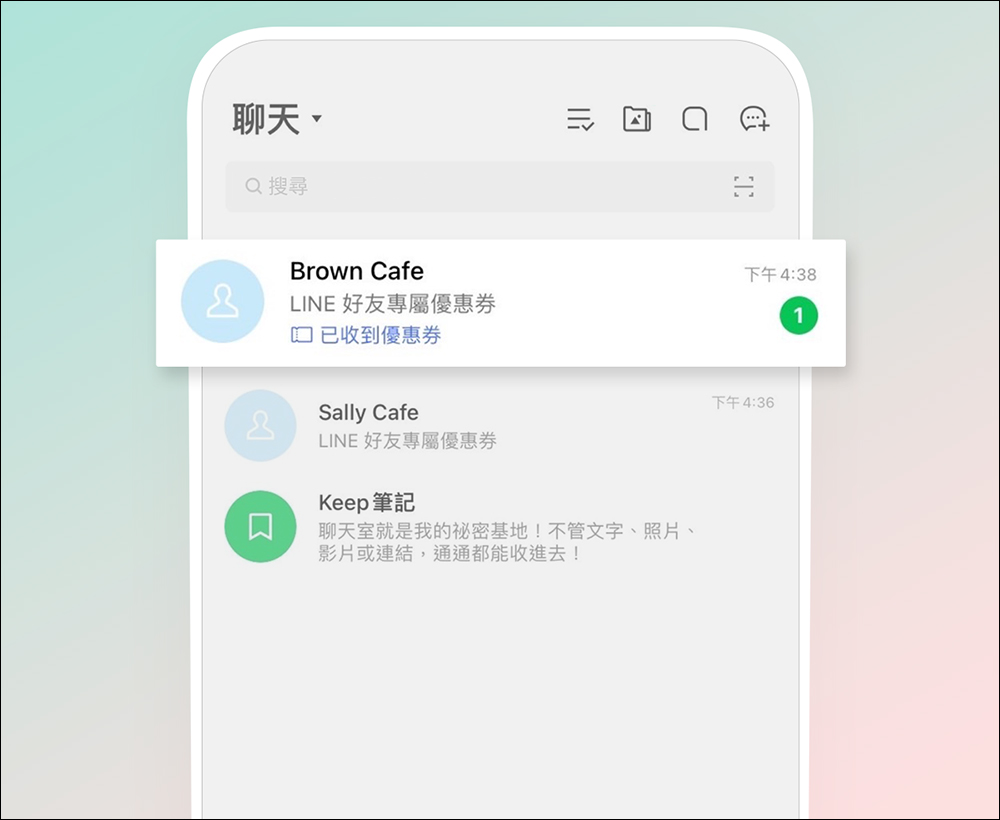
Special mark on the chat list: When receiving a message from an official LINE account, the LINE friend’s exclusive coupon will remind you that the coupon has been received
If you have received a new friend coupon from the LINE official account in the past, you have to click into the LINE official account to confirm the message. However, now that LINE has been updated to version 14.8.0, newly sent friend coupons will be specially marked with a preview reminder on the chat list.
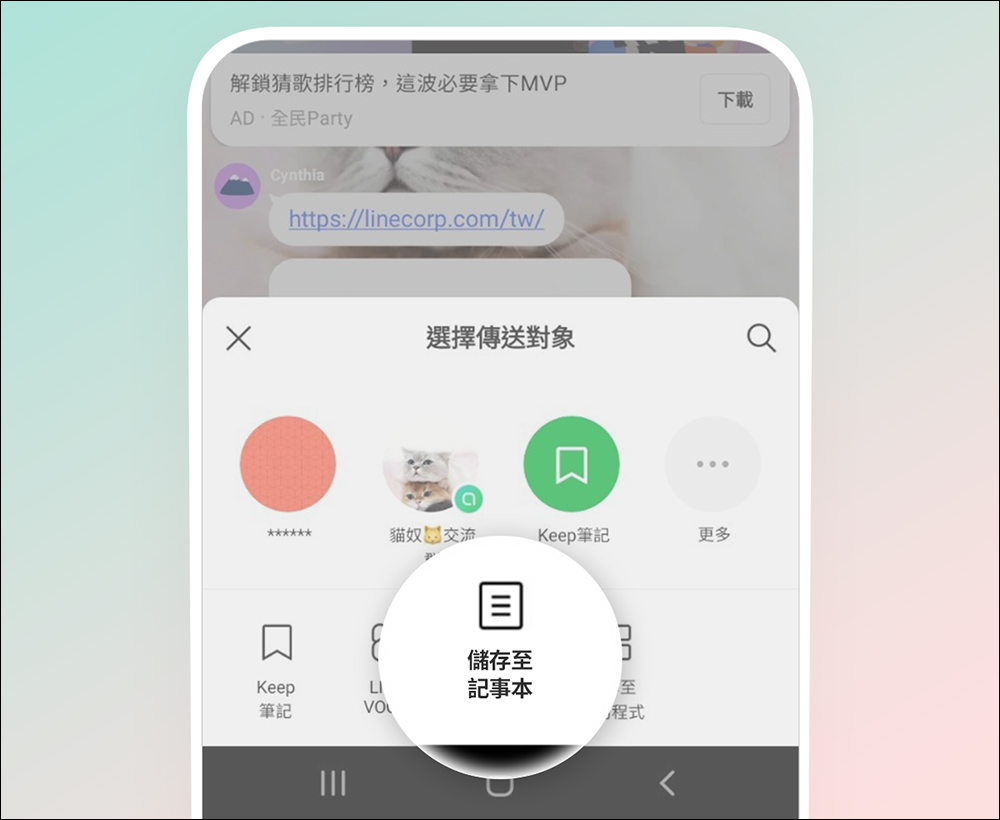
Enable “Save to Notepad” in LINE community (*Android users only)
This feature update is for Android users. After updating to LINE version 14.8.0, it also supports the “Save to Notepad” function in the LINE community.
Further reading:
KNY Earthquake Report App iOS version officially launched: supports dynamic island and real-time dynamic display
Source: KOCPC Chinese