


With the introduction of new Apple M series chips, many people have become interested in the performance of this series of chips again. The introduction of the M1 chip in 2020 was Apple’s first use of unified memory (UMA) on Silicon, allowing Apple to squeeze more performance from less RAM. So how exactly does unified memory on Apple Silicon work?
What is Unified Memory (UMA)? How does it work on Apple Silicon?
What is RAM?
Random access memory (RAM) is the primary component of system memory on any computer, which provides temporary storage for data used by the computer at a specific moment. The data stored in system memory includes the file you are currently viewing and files required by macOS. Traditionally, RAM physically exists in the form of a narrow rectangle that can be plugged directly into a slot on the motherboard. M1 is actually a revolution in this regard.
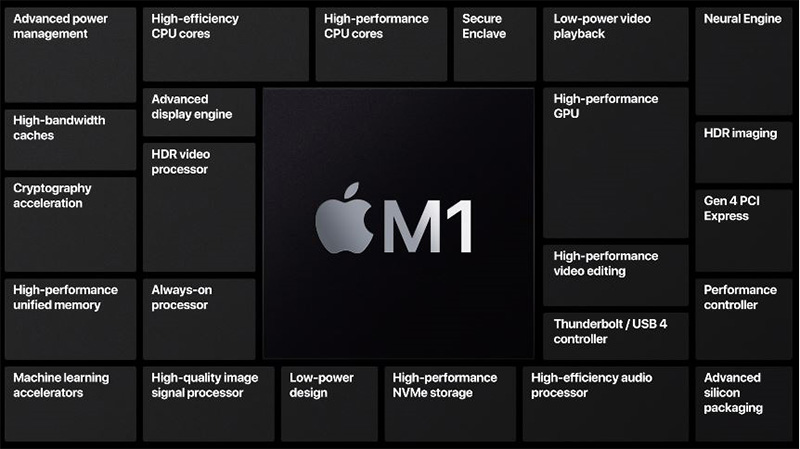
Apple designed the M1 as a system-on-a-chip (SoC), with RAM included in the chip package. This is common in smartphones (such as the iPhone 15 series), but is a relatively new idea for desktop computers and laptops. Adding RAM to the SoC design can be accessed faster, thereby improving efficiency. In addition to physically adding RAM to the SoC, Apple has also changed the fundamental way the system uses RAM, which is where unified memory on Apple Silicon comes into play.
What is unified memory? How does it work?
Unified memory is intended to minimize redundant data being copied between the different memories used by the CPU and GPU. After all, this process is not only slow but also wastes memory capacity. In traditional memory practice, a portion of the RAM is reserved for the GPU, and if your laptop claims to have 16GB, and 2GB is allocated to the GPU, you will actually have only 14GB available for system tasks. Apple solved this problem with UMA, making memory allocation smoother and improving performance.

Gaming is the best way to learn about the benefits of unified memory. When you play a game on your Mac, the CPU receives all the instructions for the game and then pushes the data the GPU needs to the graphics card. Next, the graphics card takes all the data and processes it in its own processor (GPU) and built-in RAM.
If you have a processor with integrated graphics, the GPU will still maintain its own block of memory, as will the processor. The CPU and GPU independently process the same data and then pass the results back and forth between their memory repositories. If you give up the requirement to move data back and forth, it’s easy to see how keeping everything in the same storage area can improve performance. Unified memory allows all components to access the same memory in the same location, truly revolutionizing performance.
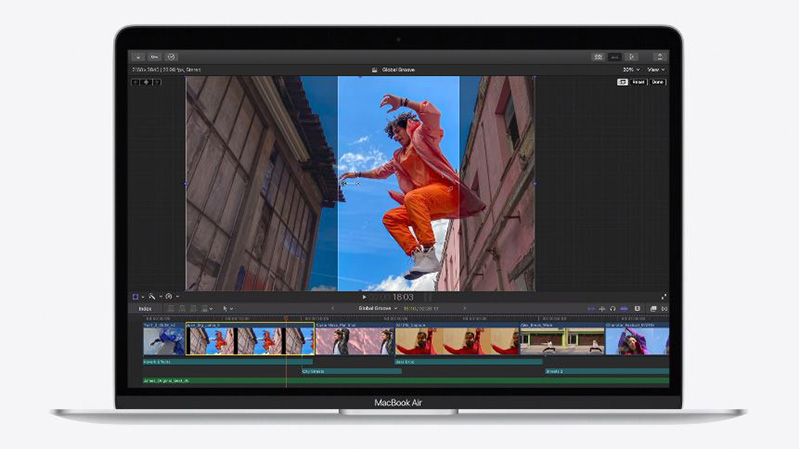
In addition to physically integrating RAM, the new unified memory architecture makes more efficient use of available memory, allowing Mac grills with M-series chips to do almost anything, including running Windows 11 (albeit through a VM). Having all memory in the same pool means that any component is free to increase usage whenever needed, seamlessly allocating resources when necessary.
Source: KOCPC Chinese