


Many people may use the “copy and paste” function on Windows PCs hundreds or even thousands of times a day, and they can already achieve a different experience through the new Advanced Paste suite of Microsoft PowerToys. Continue reading Even “copy and paste” can be helped by generative AI, take a look at the text of Microsoft PowerToys’ new Advanced Paste Shenwei report.
▲Photo source for this article: Craig Loewen
Even “copy and paste” can rely on generative AI to help, take a look at Microsoft PowerToys’ new Advanced Paste Shenwei
We have already roughly known that the power of generative AI, which has recently been very active in cooperation with OpenAI, has not only begun to make Windows-related functions smarter and more convenient, but also began to introduce the integration function of ChatGPT for the PowerToys open tool project reprinted in 2019.
Now, in addition to enjoying the freedom of querying large language models through direct access, now even the “copy and paste” function that many people may use hundreds or even thousands of times a day on Windows PCs can now achieve a more different experience through the new Advanced Paste suite of Microsoft PowerToys.
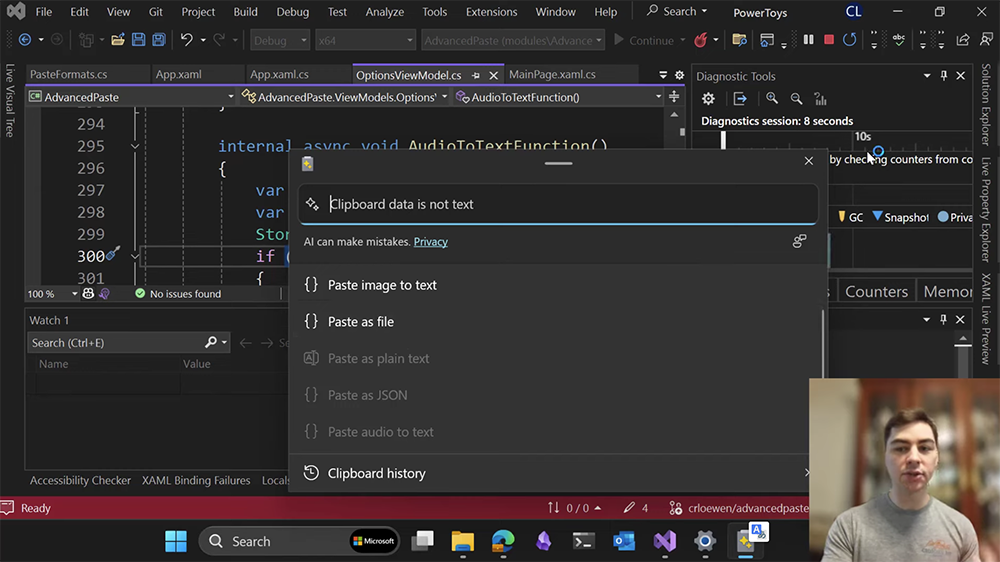
Microsoft product manager Craig Loewen shared the latest Advanced Paste through the YouTube channel, which is the various usage scenarios of the advanced pasting function.
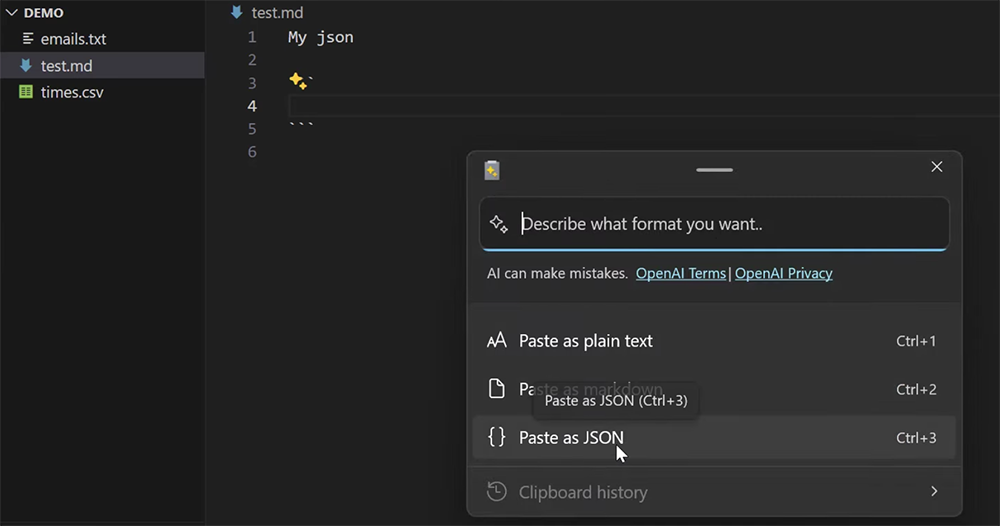
To put it simply, Advanced Paste can convert or organize the data you copy to the Windows system clipboard (clipboard) – the system menu basically provides three options, including: “Paste plain text”, “Paste as Markdown” and “Paste as JSON” each have their own quick buttons (Ctrl + number).
What’s even more cool is that through the dialog box at the top, users can also enter the format or organization method they want to convert (even convert to a table!).
Craig Loewen demonstrated many convenient ways to use it, such as converting Html encoding directly to JSON through Advanced Paste.
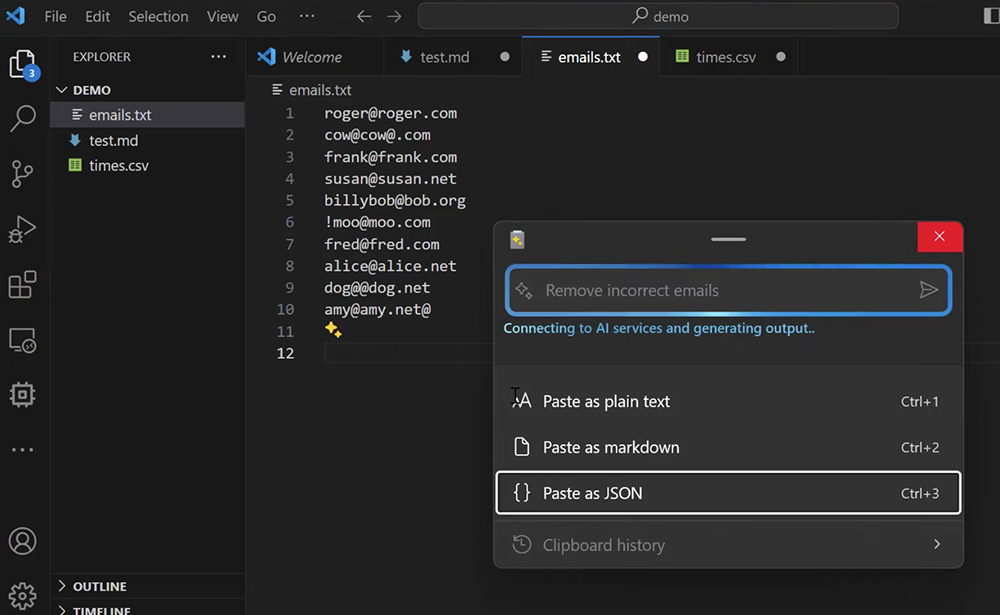
Although when you see this, you may think, “Ah, this feels like something only engineers would use.” But don’t skip this powerful tool (or should I say toy?) just yet. Because Craig Loewen also demonstrated it later, like copying a whole row of email accounts with different information. You can ask AI to help remove accounts with incorrect formats through text commands – I believe that similar functions will be used often in daily life!
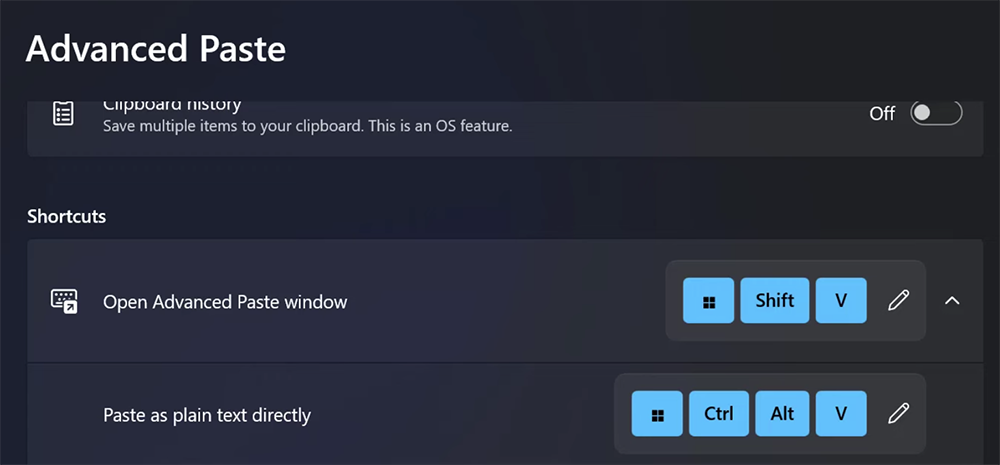
Once you’ve downloaded Advanced Paste, you can simply use “Shift+Win+V” to start processing the data copied to the clipboard – with the help of generative AI, of course. Craig Loewen also revealed that Advanced Paste may even introduce quick functions for converting speech to text and images to text in the future. It’s also very worth looking forward to!
Computer King Ada previously reported that PowerToys “is an open project, and independent developers can cooperate with Microsoft to develop new features for Windows 11 and Windows 10. You can think of it as a toolbox for your home (Windows), with many gadgets available for use. ChatGPT is introduced as one of the tools, which means it brings AI directly to your computer.” This time Advanced Paste is an interesting tool with deeper integration. Friends who want to try it can go to Microsoft websiteStart downloading and using.
Further reading:

Source: KOCPC Chinese