


Microsoft is rolling out a major update to Copilot on Windows, introducing two main features: connectors for linking accounts and the ability to generate and export documents from conversations. The new features are now rolling out to Windows Insiders, and will later expand to more users’ PCs.
Windows’ Copilot can now connect to services like Gmail and Google Drive.
The connector feature lets users link personal services such as OneDrive, Outlook (email, contacts, calendar), Google Drive, Gmail, Calendar, and Contacts, so that Copilot can search across all services using natural language. For example, you can ask “What is XXX’s email address” or “Find my notes from last week,” according to Microsoft.Blog postIt says that Copilot will retrieve the information you need from any connected account that has the answer. Importantly, these service connections are opt-in, so you must first enable them in the settings under the Connectors section of Copilot.
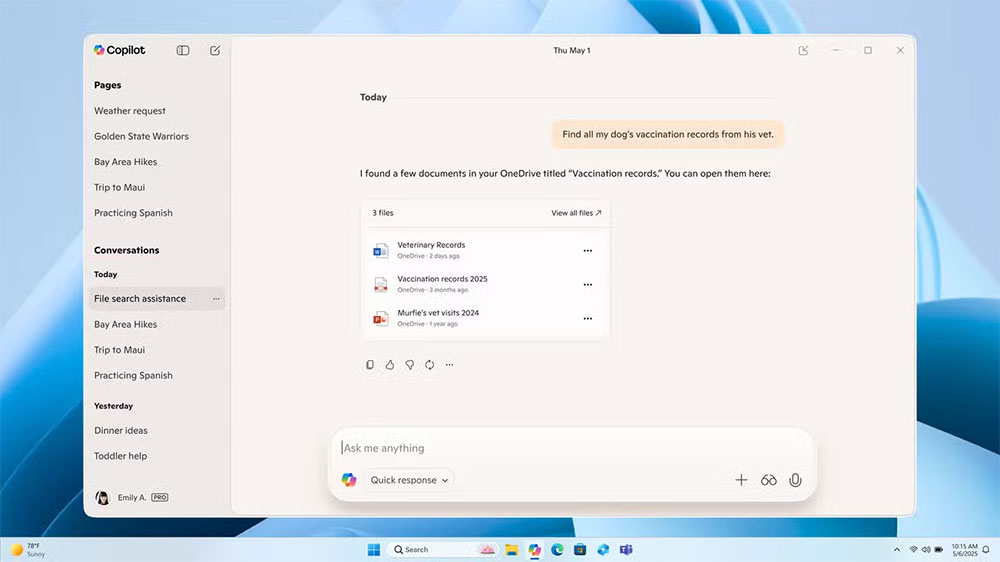
This change enables Copilot to become a more unified productivity hub, bringing information delivery, storage, and content creation together in one place. Connecting Outlook or Gmail allows Copilot to retrieve inbox content from your email account, such as receipts or contact information. The idea is to make Copilot feel like a central assistant for Windows 11, combining document creation and cloud account sync in a more integrated, less fragmented way.
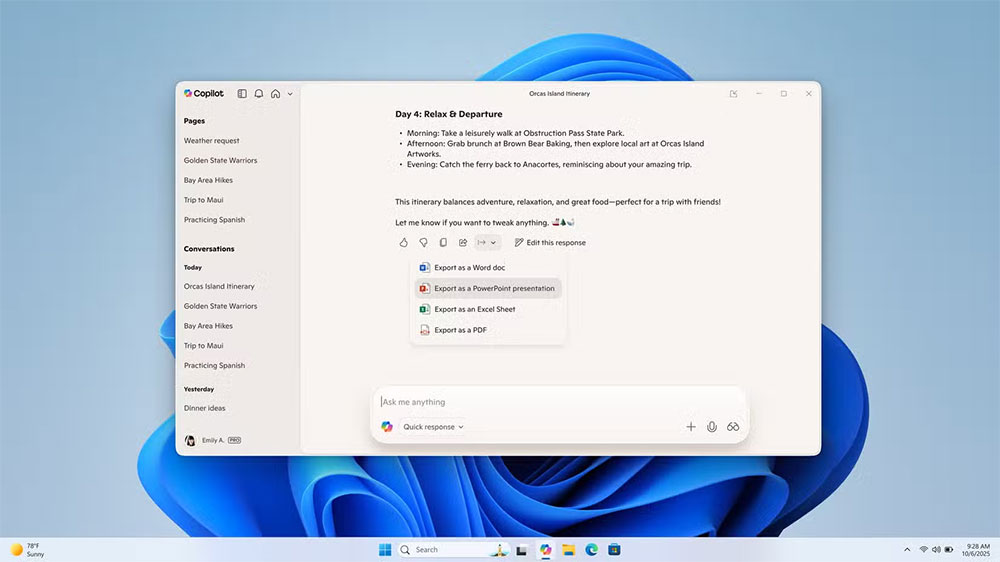
On the file side, Copilot can now directly create and export files from chat conversations. Want a Word document, Excel spreadsheet, PowerPoint slides, or tables or text in a PDF? Just ask. If the response exceeds 600 characters, Coplot will show a default export button so you can send it directly in one of those formats without extra steps.
In short, Microsoft is pushing Copilot beyond chat and turning it into a workspace tool, part of Microsoft’s efforts to make Copilot a centralized productivity hub on Windows. It is closely tied to changes already happening in the Microsoft 365 ecosystem. For example, in Outlook, you can now get summaries of attachments (Word, PowerPoint, PDF) directly in the reading pane without opening them. Copilot Chat is also integrated into Word, Excel, PowerPoint, Outlook, and OneNote, letting you prompt and refine content in these applications. Meanwhile, the sidebar in classic Outlook now places Copilot chat in the context of the content you’re reading or composing.
This updated version 1.25095.161.0 and later is being delivered to users in the Insider channel through the Microsoft Store. Because it’s rolling out gradually, not all Insiders will see these features immediately. As the rollout progresses, its capability to handle complex documents or permissions will be worth watching.
Source: KOCPC Chinese