


Previously Nano Banana When generating images, there has always been one obvious flaw, even whenpromptThe ratio specified within, likewise, will lead to uncontrollable results; many times it won’t be the ratio we want, especially when a reference is given.ImageWhen it does, it always ends up generating the same aspect ratio as the reference image. As a result, for precise control, you still need to provide a correctly proportioned image for Nano Banana to reference, which is very troublesome. The good news is that with the expansion to support 10 aspect ratios,Google Finally, the specified ratio feature has been added. Once you set it, you no longer have to worry about Nano Banana generating stuff randomly.
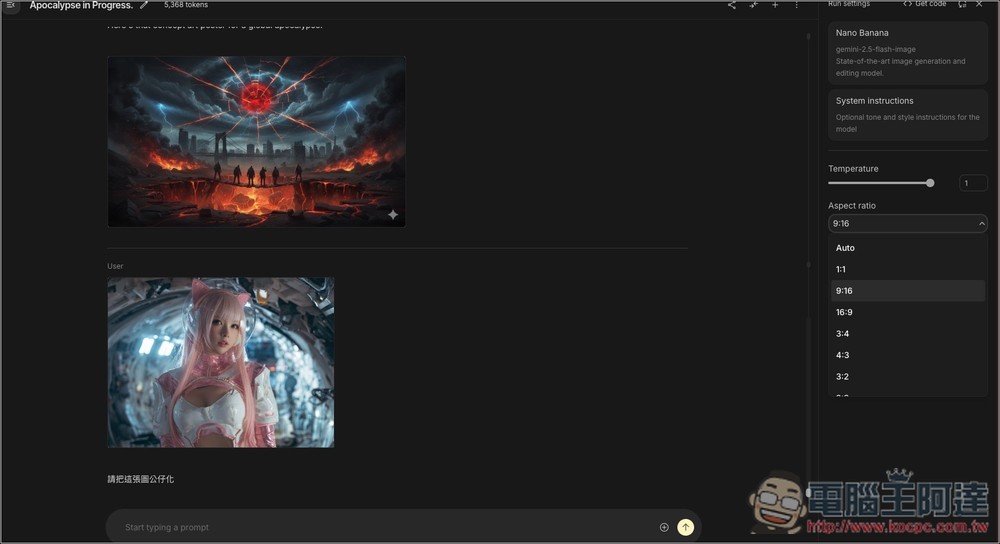
Nano Banana now supports 10 different aspect ratios for images, which you can easily specify with one click in Google AI Studio.
Recently, Google announced on its developer blog that Nano Banana (Gemini 2.5 Flash Image) now supports image generation in 10 aspect ratios, including the following:
- Horizontal: 21:9, 16:9, 4:3, 3:2
- Square: 1:1
- Portrait: 9:16, 3:4, 2:3
- Aspect ratio: 5:4, 4:5
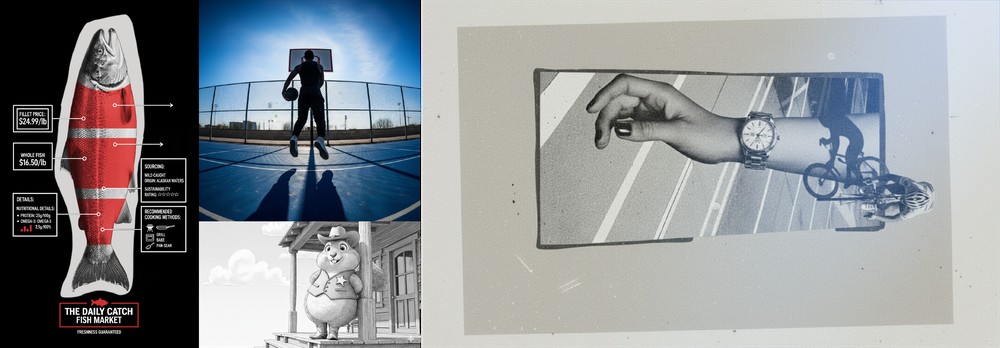
However, the article only mentions Google AI Studio and Vertex. AI, therefore uncertain Gemini Does the Nano Banana inside also support the same number of aspect ratios?
What can be confirmed is that I checked Gemini and there is no setting option for aspect ratio. Also, when I tested adding the ratio to the prompt, it was equally uncontrollable, so it’s highly likely there isn’t one.
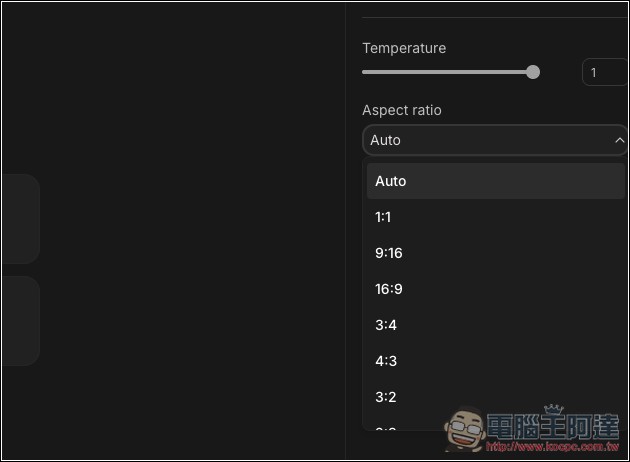
And in the Googel AI Studio Nano Banana interface, there’s an additional Aspect Ratio (screen ratio) option. Before generating, choose the ratio you want, and the final image’s ratio won’t be off:
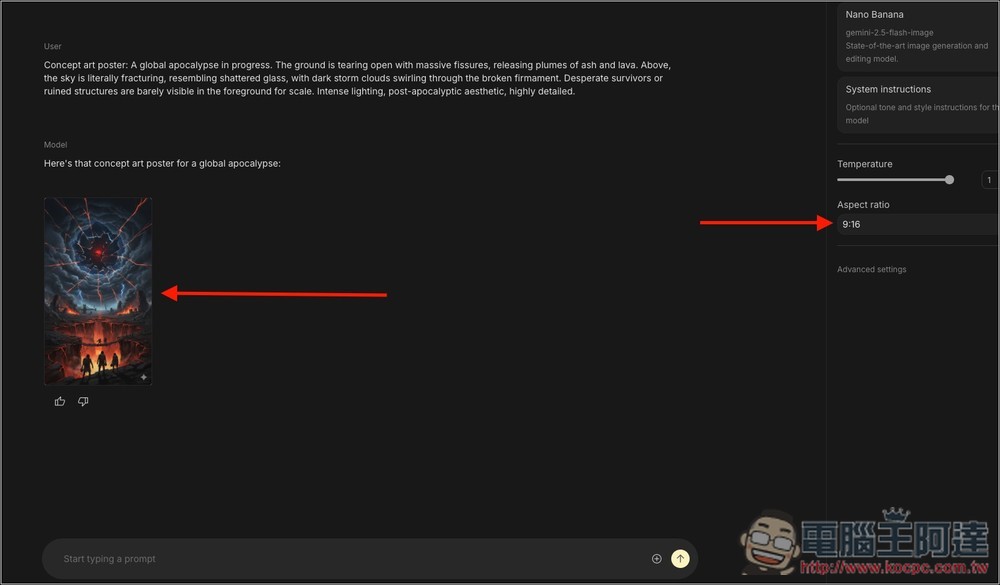
For the image below, I first set the ratio to 9:16, and sure enough, the generated image is 9:16:
Then I changed it to 16:9, and using the same prompt, the generated image came out as 16:9:
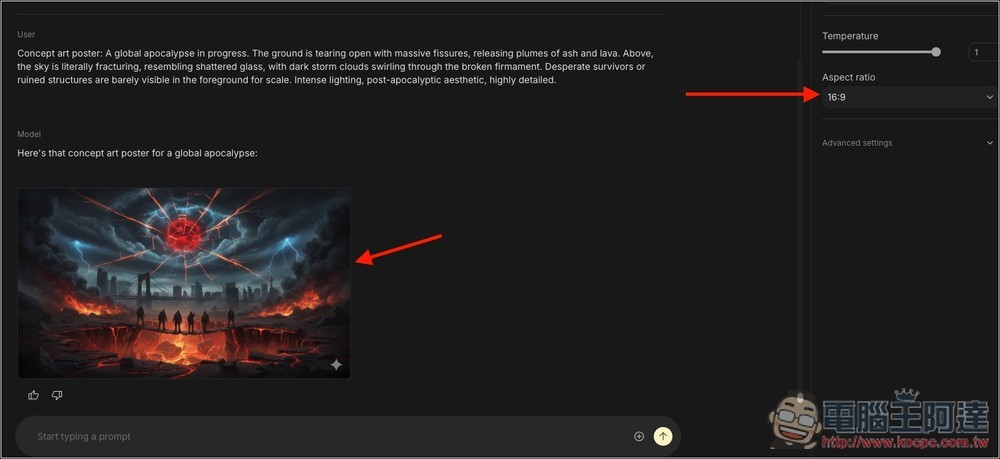
I also tested providing a reference image and then selecting a different aspect ratio, and sure enough, there was no error—it generated the 9:16 I specified without being affected by the original image’s ratio:
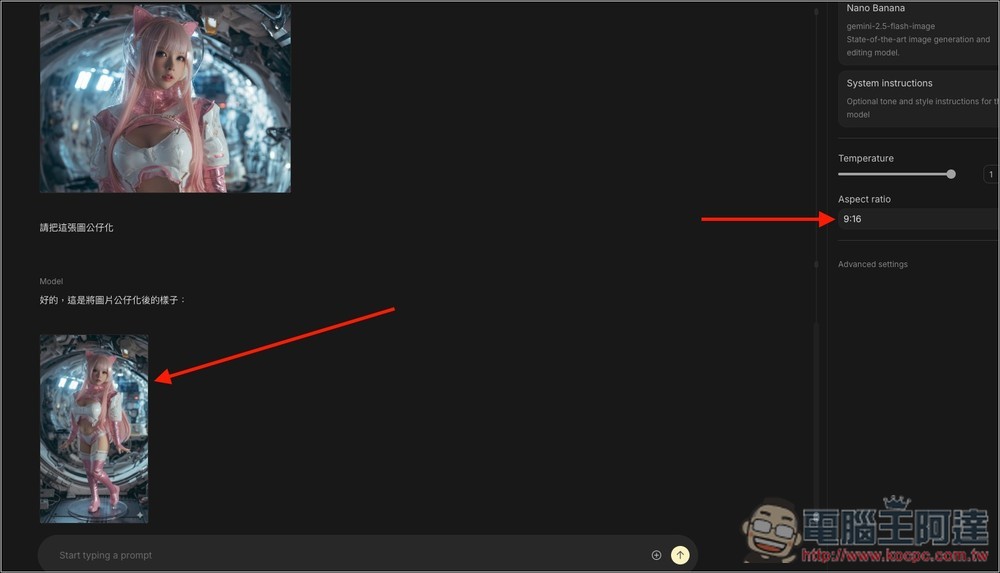
So, if you want precise control over Nano Banana’s image generation aspect ratio, it’s recommended to use Googel AI Studio at this stage. Also, Gemini’s image generation seems to have some issues recently, often refusing requests, while Google AI Studio is relatively stable. Google AI Studio is also available to free users.
If you want to learn more about how to use Google AI Studio, you can read what we have previously compiled.Over 15 free ways to use Gemini and Google AI Studio, helping you quickly go from beginner to advanced user.
As for whether Gemini will include the image aspect ratio settings from Nano Banana? Google didn’t specifically mention it. I think there’s a chance, but we’ll have to wait and see.
Source: KOCPC Chinese