


As account security has become more and more important in recent years, you will definitely want to know whether your Google account, Gmail email address and other information have been leaked. Although there are some query tools on the Internet, you may be worried that your information will be disclosed to others after entering it. Google’s own Google One dark web report is a good alternative. You can check with one click whether your Google information has appeared on the dark web. If so, Google will also provide relevant suggestions for your reference. Let’s teach you how to use it.
How to use Google One Dark Web Report? Find out if your Google account and email have been leaked on the dark web with one click
The Google One dark web report can be used by both free and paid Google users, but paid users can get some additional features, such as checking whether name, date of birth, address, phone number and other information appear on the dark web, receiving notifications of the latest results, and creating and managing personal information monitoring files.
Differences in dark web reporting between Google One paid and free members:
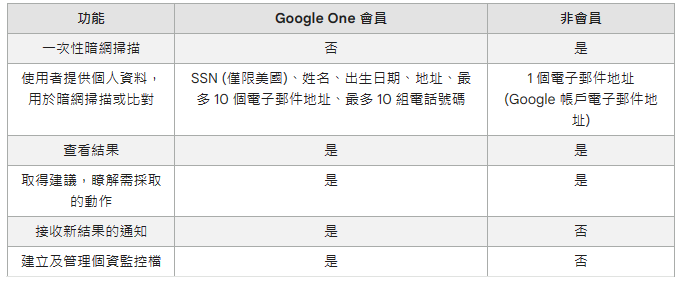
Image source: Google
Another thing to note is that the darknet report is currently only available in some countries, including Taiwan. The complete list of countries is availableClick me to inquire。
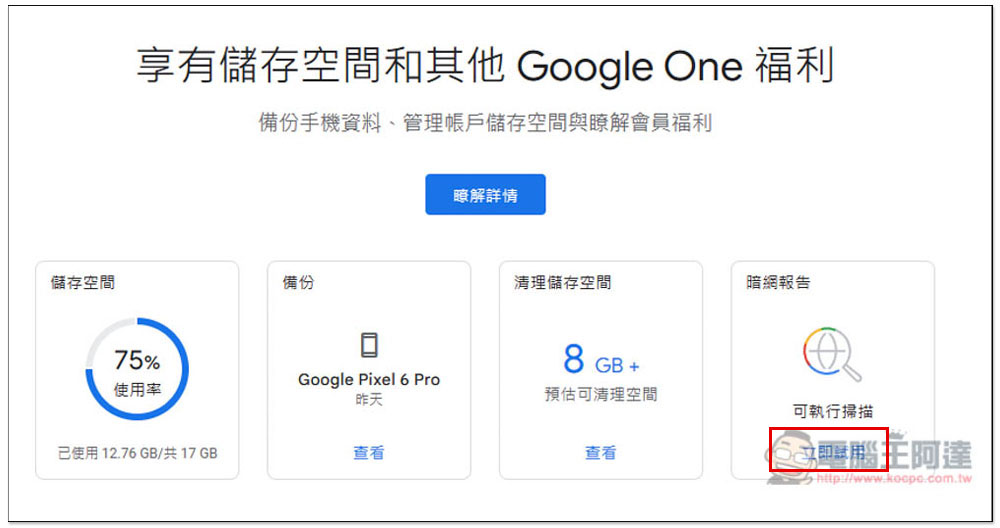
As for how to use it, it is very simple. After clicking the link above to enter the Google Account Center, you will see the dark web report on the far right. Click “Scan Now” below. Mine is the free version. The paid version may be different because the paid version does not have a one-time dark web scan function:
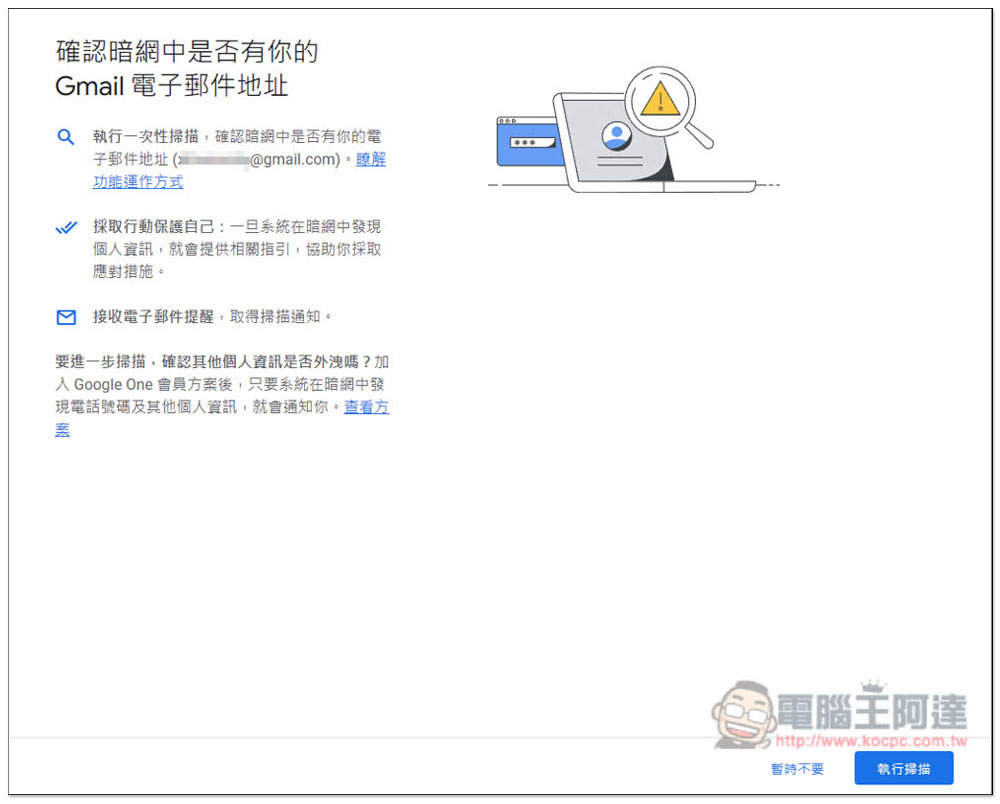
You will then jump to this page. The free version will only scan email addresses. If there is no problem, click “Perform Scan” at the bottom right:
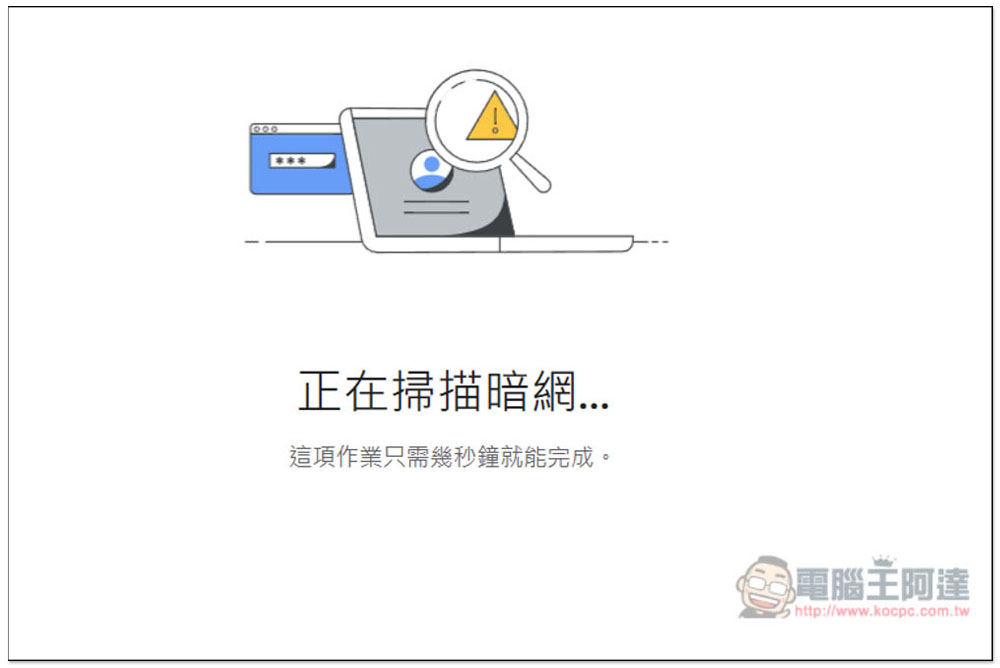
Wait for the scan to complete, it is very fast and basically completes in a few seconds:
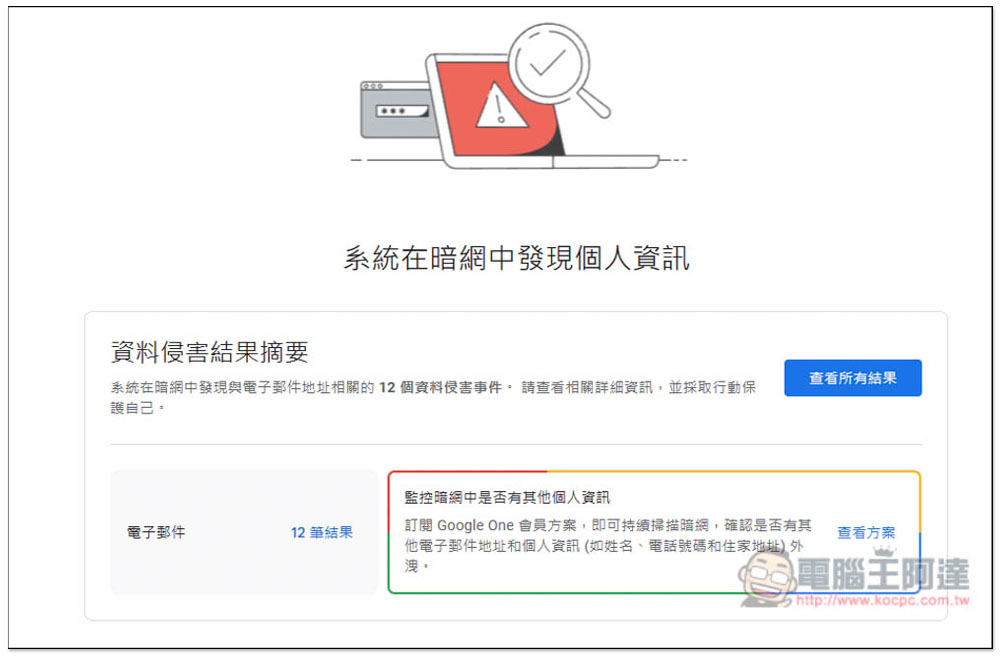
After completion, the screen will display the “Data Infringement Result Summary”, telling you how many data breach incidents there have been. If your Google account has been used for decades like me, then it should basically be the number of times. Like mine, there are as many as 12 results. Click “See all results”:
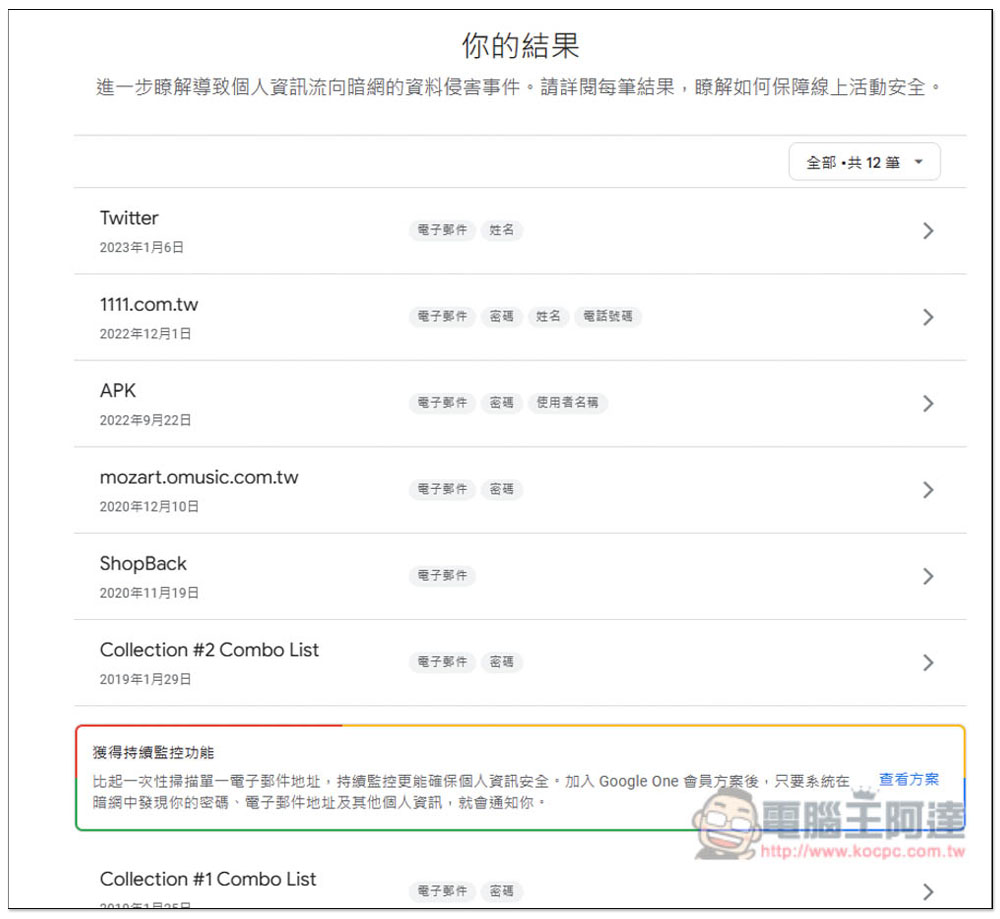
You can check which events are involved and what information is leaked by these events. Mine are Twitter, 1111.com.tw, APK, ShopBack, etc. The leaked information is not necessarily certain. Some only have emails, and some also include passwords, or even names and phone numbers. It is worth noting that the password mentioned here refers to the password of the service, not Google itself, so you can rest assured about this. However, if the password you set for the service is the same as your Google account, remember to change the password as soon as possible:
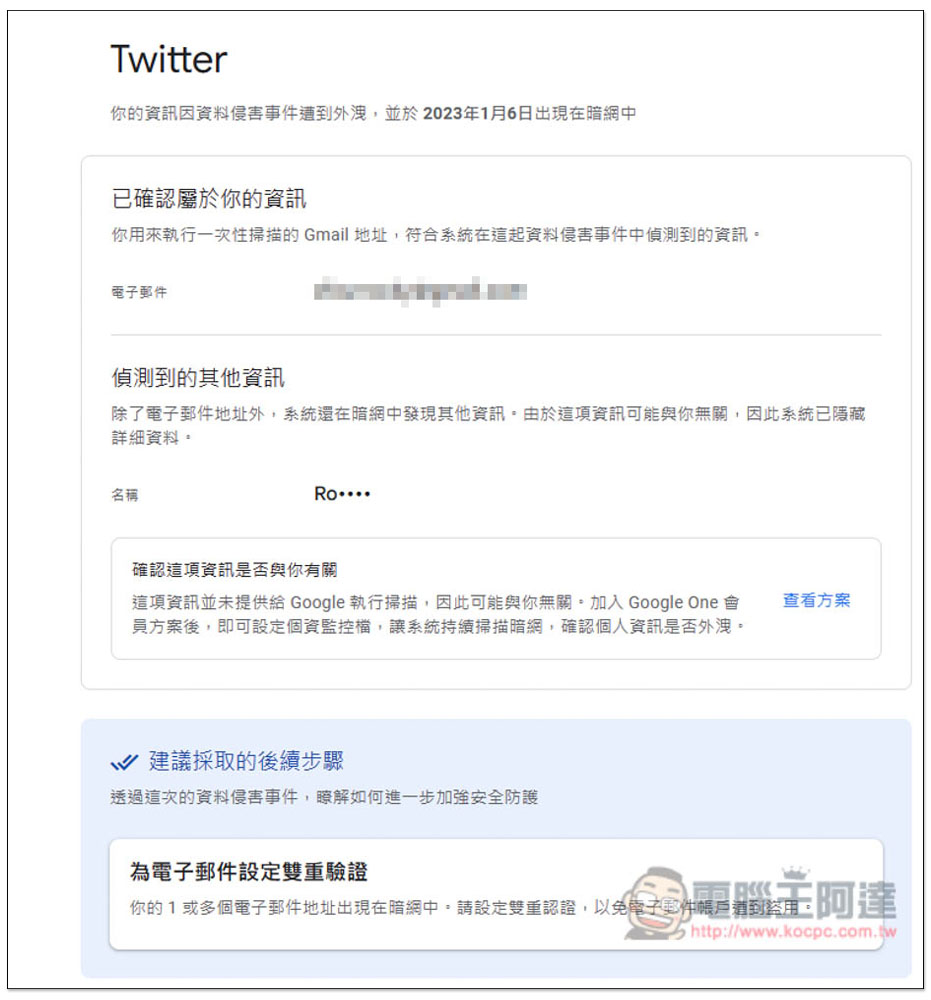
Enter the internal page of any incident to view the content of the leaked data. There will also be Google suggestions at the bottom. For example, in my Twitter leak incident, Google recommended that I “set up two-factor verification for email”:
Google’s description also added: “Google will only use the information that members choose to monitor to find matching results on the dark web. Members can edit their personal information monitoring files at any time to control the information that is to be monitored by the system.”
Source: KOCPC Chinese