


Ask AI When it comes to asking questions, everyone knows that prompts are very important. If the prompt is well-written, the responses you get will be more accurate and complete. However, writing a good prompt is not an easy task—it requires constant trial and testing. If you’ve always felt that your prompts aren’t well-crafted, or you want to see whether asking with a more structured prompt can yield better answers, this article recommends a fairly good free open-source prompt optimization tool called “Prompt Optimizer.” Its interface is simple and very easy to get started with, and it’s available as both a web version and a local installer.
What is Prompt Optimizer? A Simple Introduction and Usage Guide
Prompt Optimizer is software focused on prompt optimization. After configuring the AI model to be used, it can analyze and reconstruct the prompts provided by users while preserving semantics and model output quality. In terms of security, according to the introduction, Prompt Optimizer uses pure client-side processing, and data does not pass through relay servers, thereby ensuring user privacy and data security.
Main Features
- One-click optimization: After entering a prompt, semantic preservation and structural optimization are automatically performed.
- Dual-mode support: Supports optimization of system prompts and user prompts.
- Multi-model integration: works with mainstream models such as OpenAI, Gemini, Zhipu, and others.
- Before and after optimization comparison: clearly shows the difference between the original and optimized prompts.
- Privacy protection: Uses local processing and does not pass through third-party servers.
- Multi-platform deployment: supports web, desktop applications, and environments such as Docker.
After clicking the link above to go to Prompt Optimizer, you will see an interface like this. Input the prompt you want to optimize into the original prompt box on the left, and then make some settings:
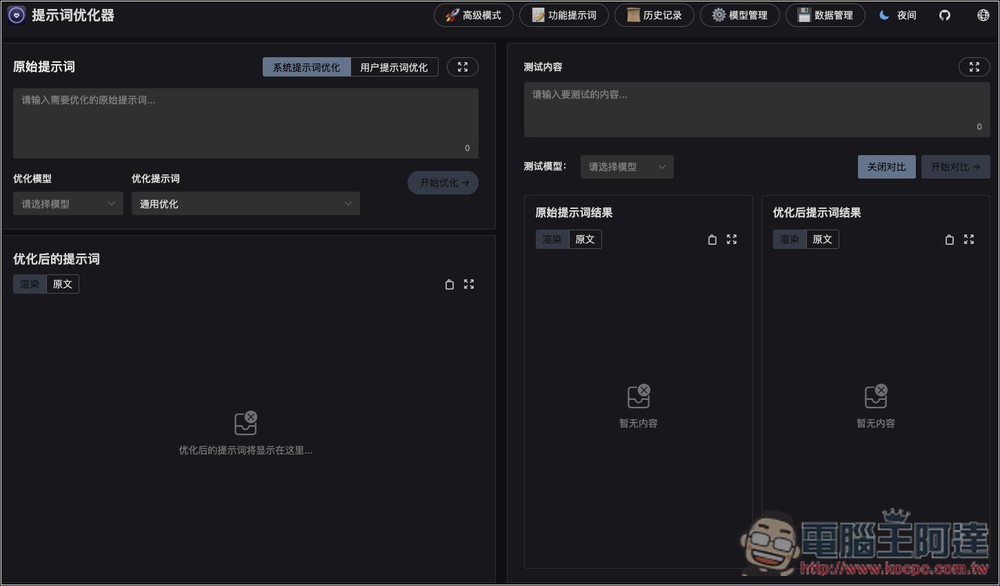
Like, are you optimizing the “system prompt” or the “user prompt”? There’s also choosing the optimization model, optimizing prompt details:
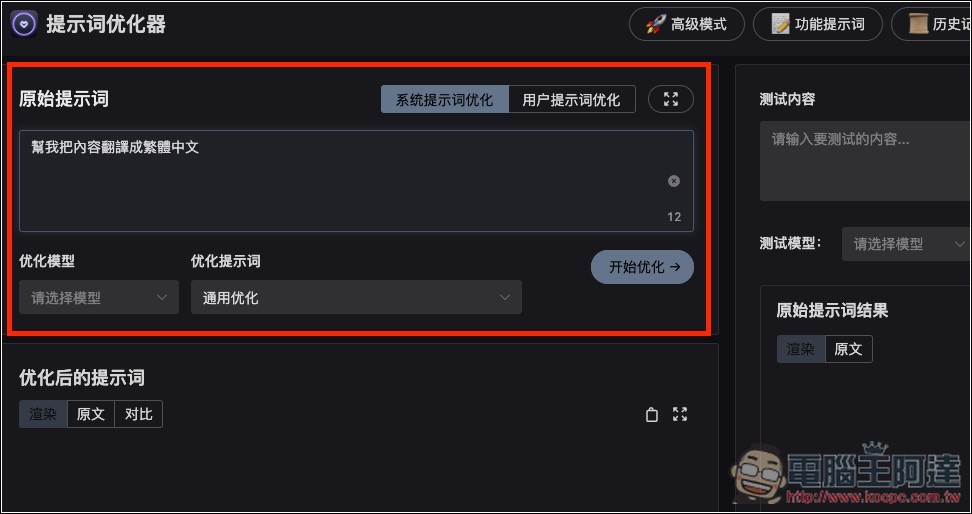
The optimized prompt content basically doesn’t need to be changed—just use the default general one, unless you have other requirements:
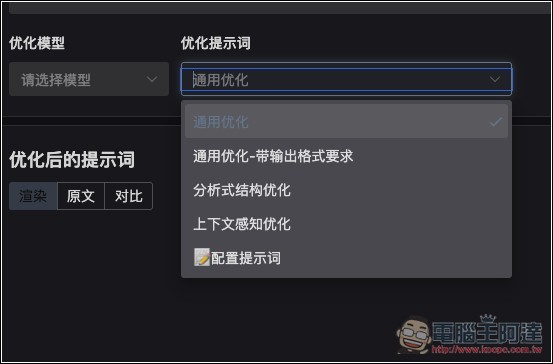
The model section isn’t configured yet. Click “Configure Model” below:
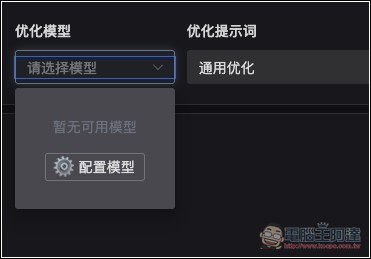
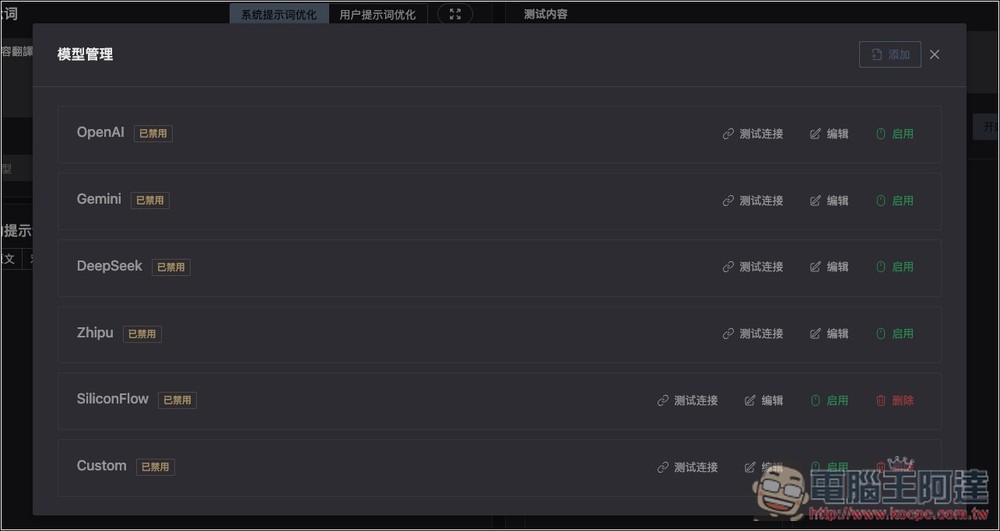
Supports services like OpenAI, Gemini, and DeepSeek. I personally recommend using Gemini, because Gemini offers a free daily quota with no extra cost. Below, I’ll show you how to get your Gemini API Key. You can also integrate local models:
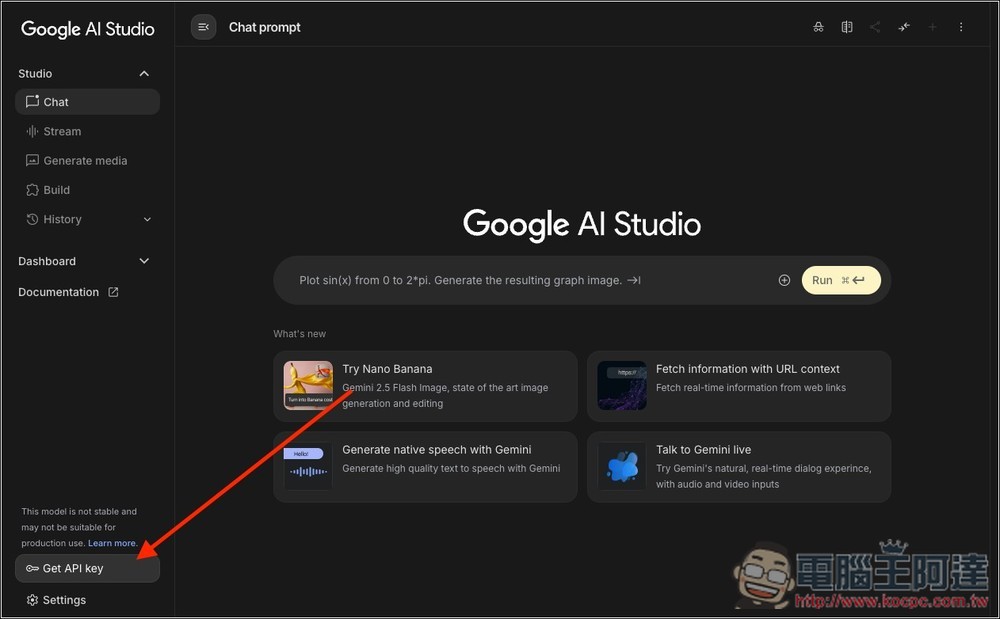
The way to get Gemini is very simple: open Google AI Studio Afterwards, at the bottom left, you will see the “Get API Key” button:
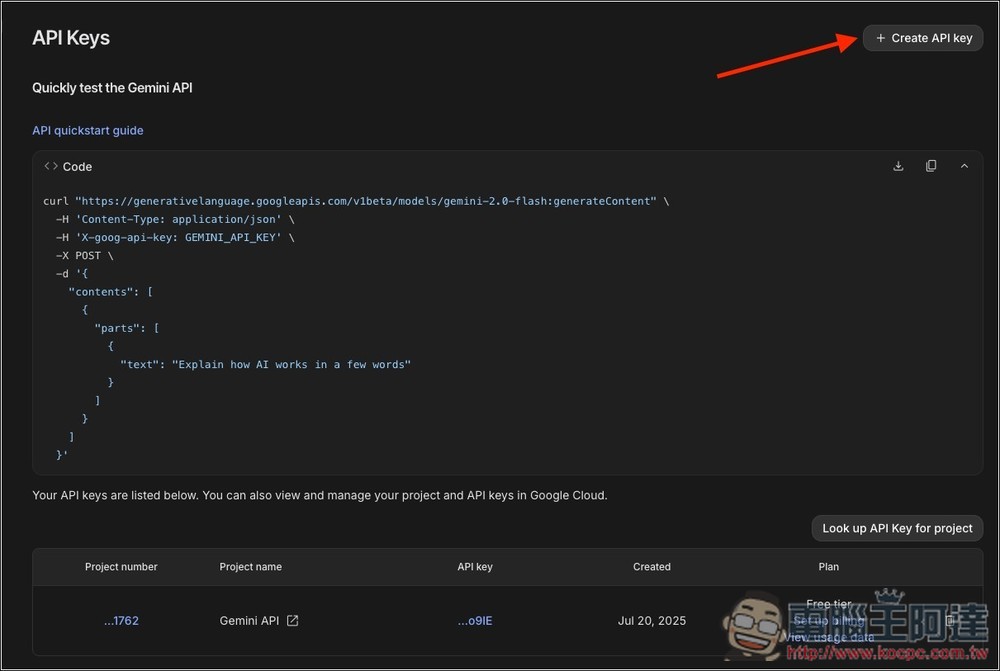
You can create a new API Key in the top right corner, and those who have already created one can also use the old API Key:
Go back to Prompt Optimizer and enter Gemini’s edit page, fill in your API Key, then click Save:
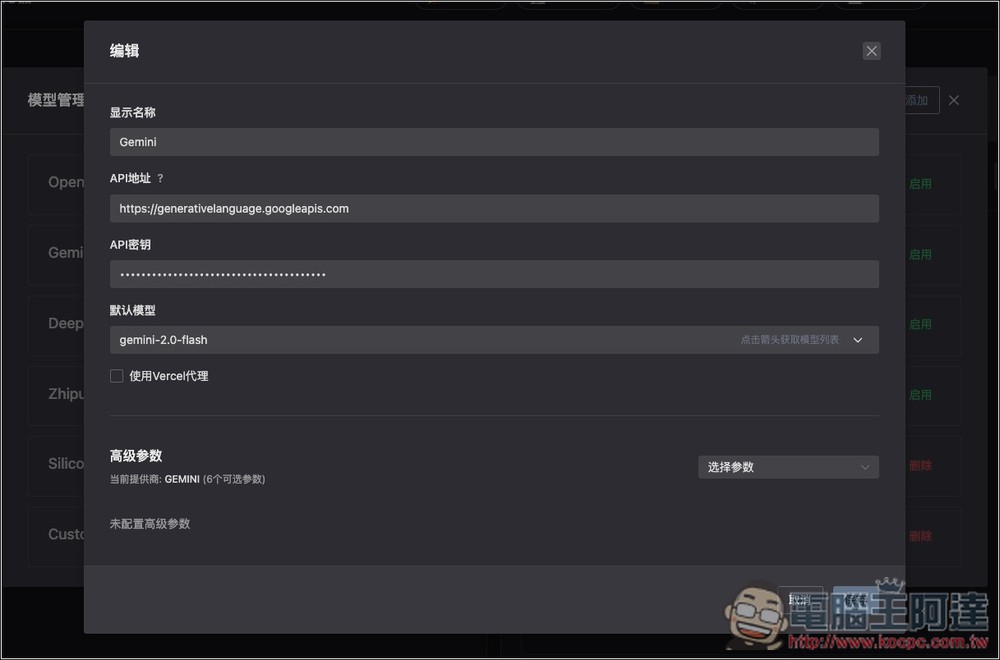
After saving, the model is still disabled; you need to enable it on the right.
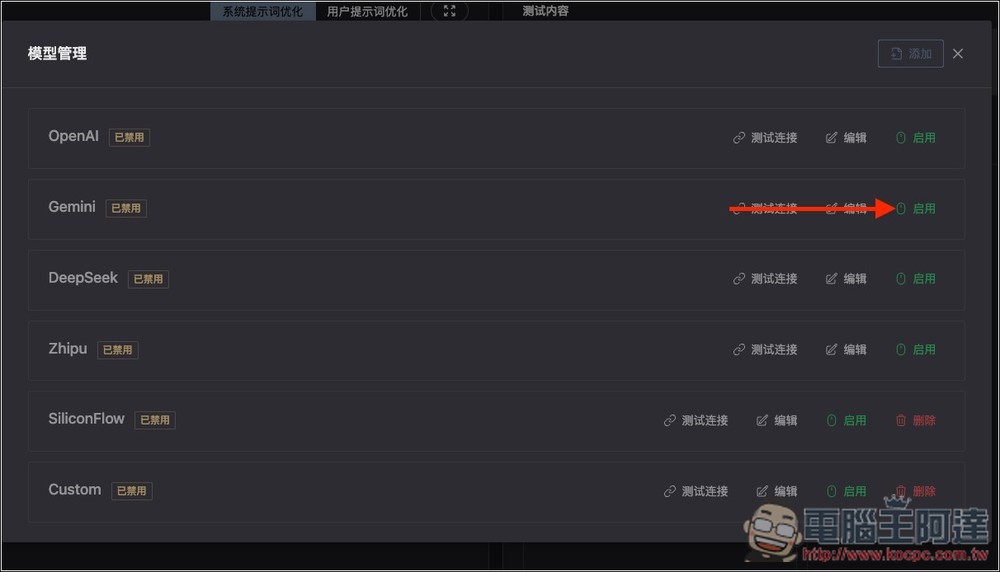
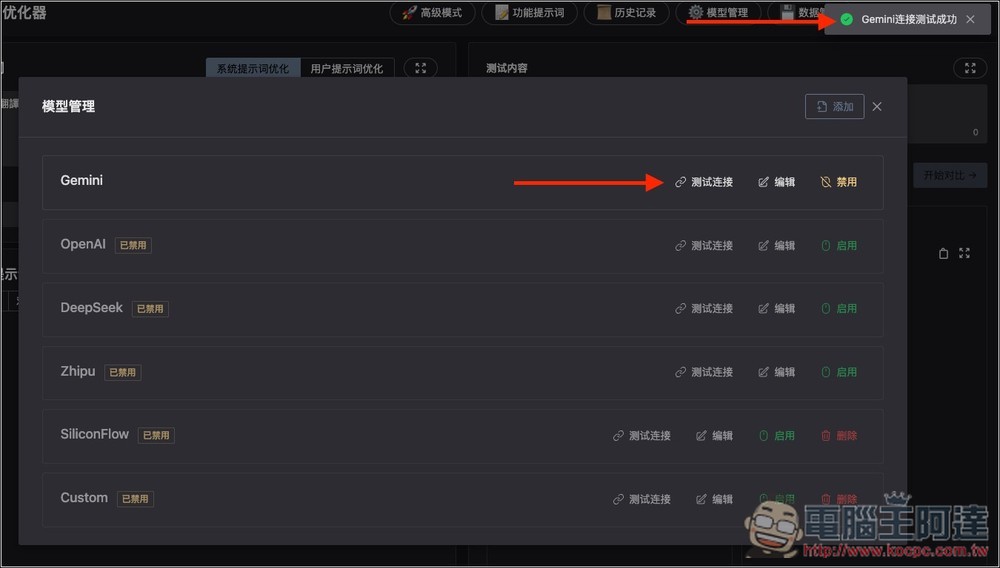
Then press test connection to see if the API Key is correct. If it is, the top right corner will display “Gemini connection test successful”:
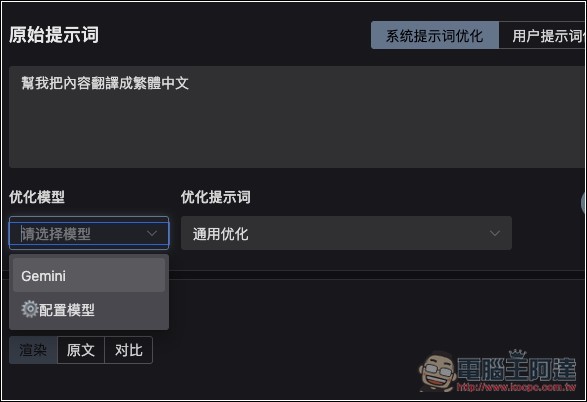
Set the optimization model to Gemini:
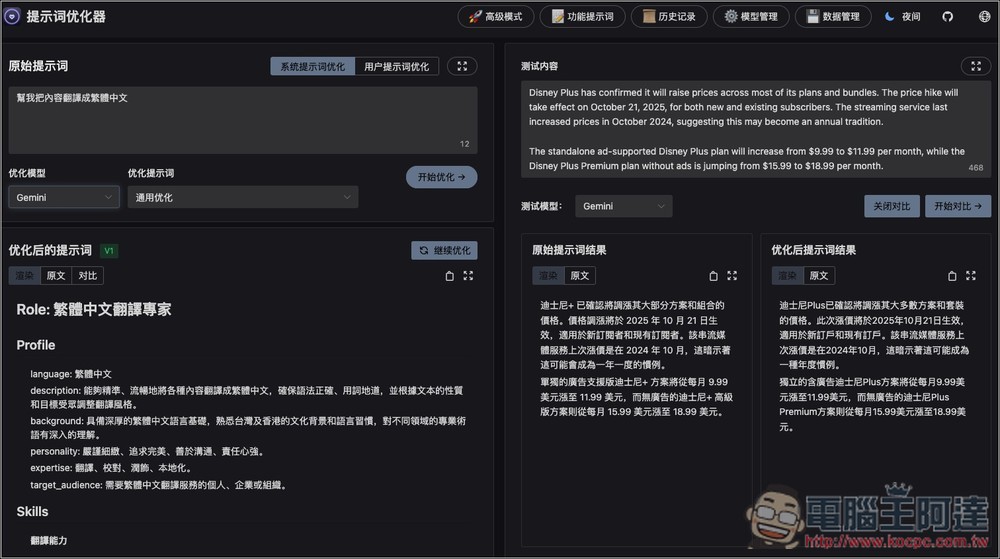
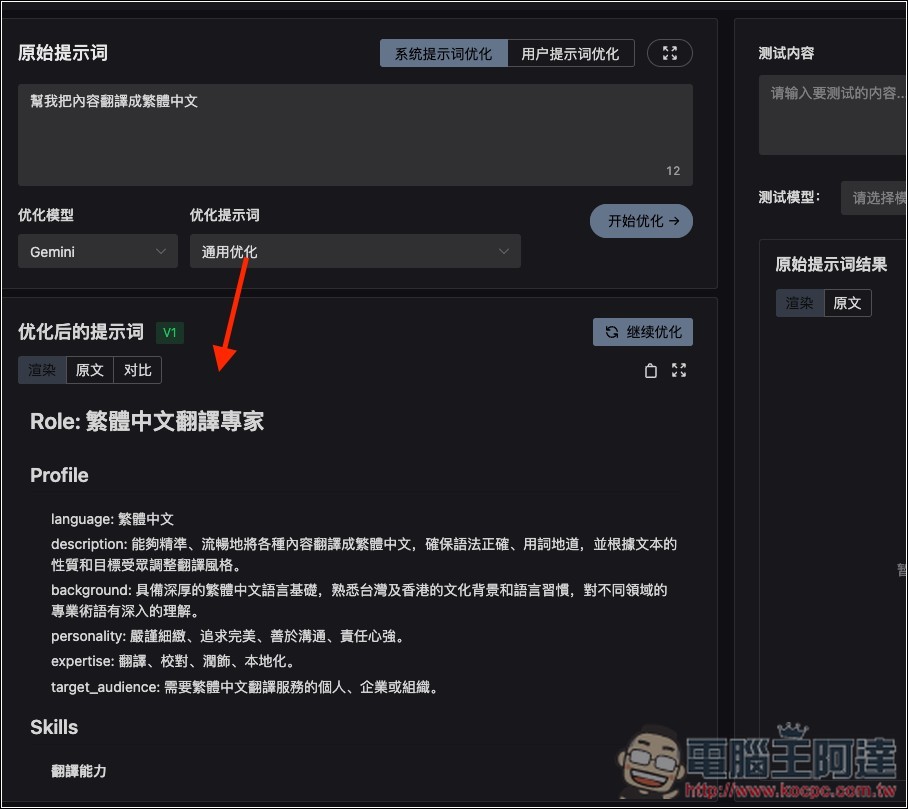
After pressing start optimization, the optimized result will appear below. I just simply wrote “help me translate the content into Traditional Chinese,” and the optimized prompt became super long, with content covering language, description, background, personality, expertise, etc. That’s actually pretty impressive.
If you want to test the effect, there are also testing tools on the right. Fill in the content and set Gemini as the test model:
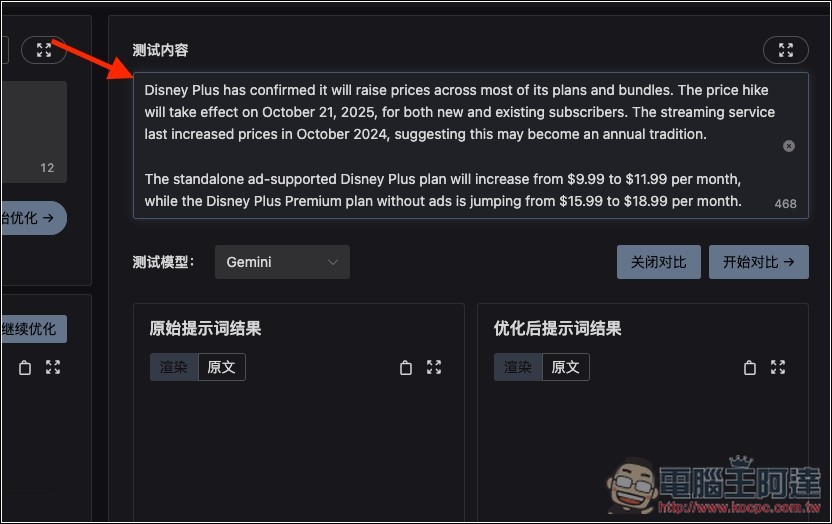
Once the comparison begins, the results of the original and optimized prompts will be displayed below:
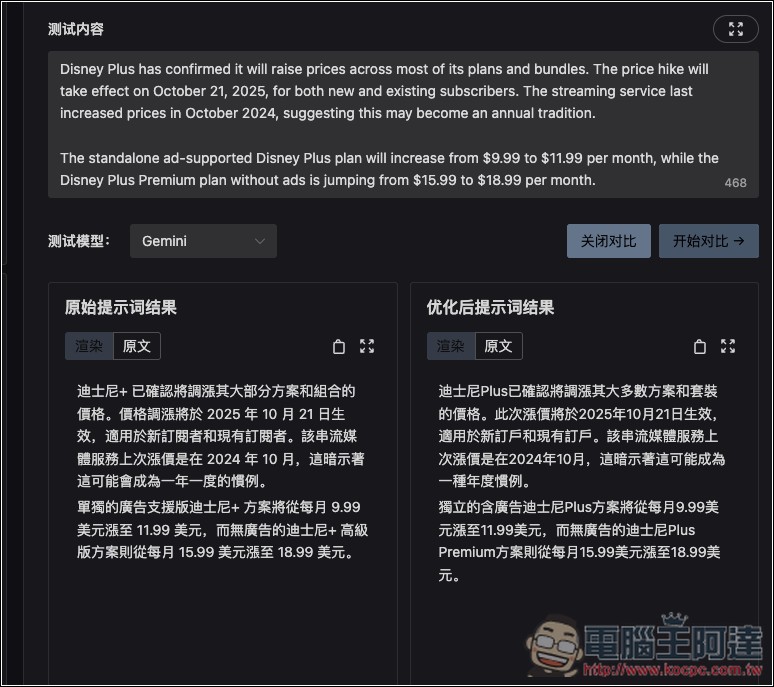
Of course, after comparing, if you feel there’s anything that could still be improved, you can modify and optimize the prompts, or add to the original prompts, and then re-optimize them.
For those worried about API key leakage, it’s recommended to switch to a local version, or delete the API key after optimization and just apply for a new one next time you need it.
Source: KOCPC Chinese