


The latest iOS update released yesterday,Apple Intelligence finally has official support for Traditional Chinese.Unexpectedly, quite a few features have been unlocked—even the AirPods real-time translation feature that Apple demonstrated at its keynote works. That being the case, I also tested incoming calls earlier… Apple Intelligence Real-time translation works surprisingly well. This also means that in the future, even if you don’t speak a foreign language, you’ll be able to easily converse with foreigners on international calls.
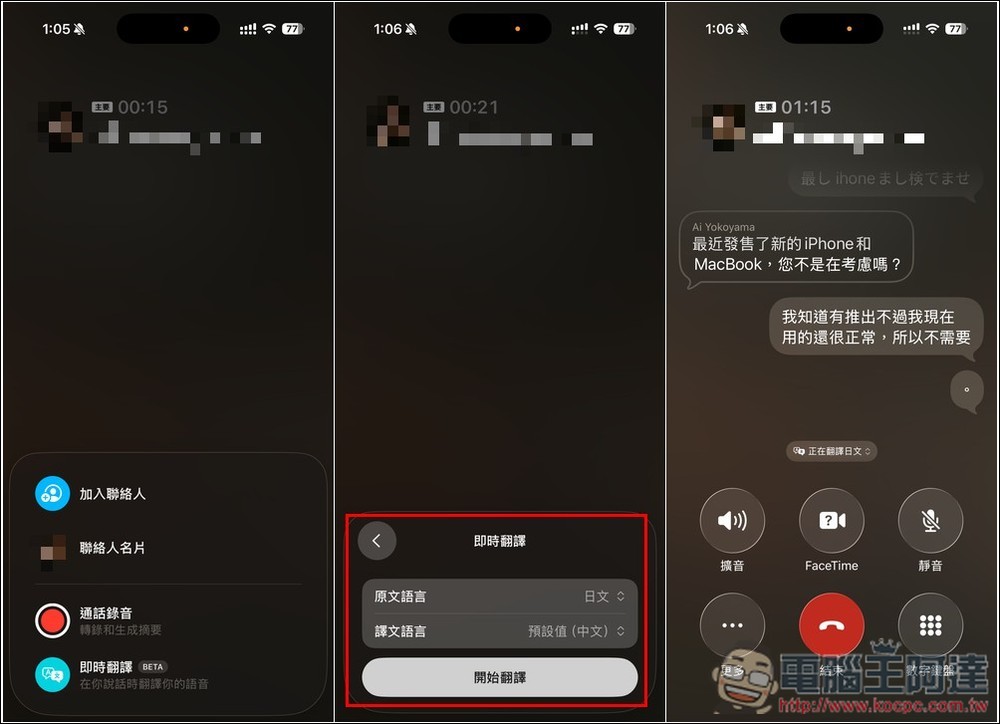
iPhone calls now support real-time AI Chinese translation! You can chat easily even without knowing a foreign language.
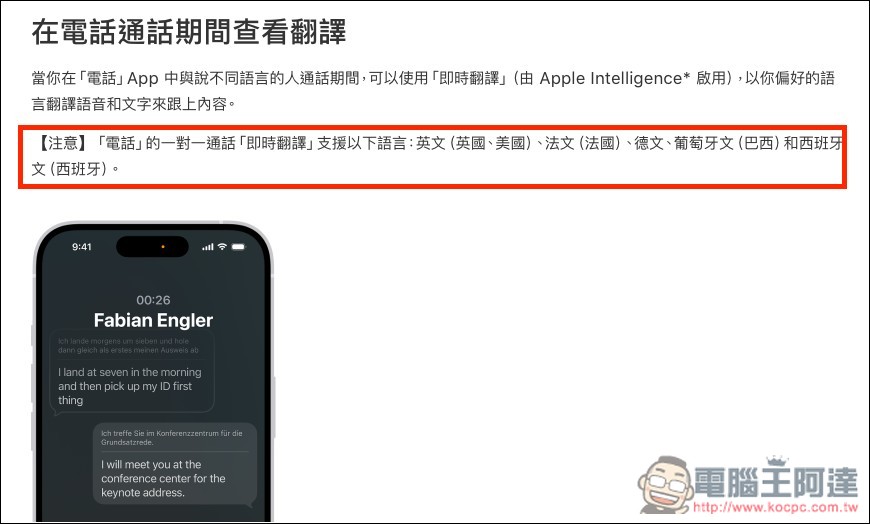
On Apple’s official website, in the “View during iPhone calls” instructions, the supported languages listed are only: English (UK, US), French (France), German, Portuguese (Brazil), and Spanish (Spain), but in fact, Chinese now works too.
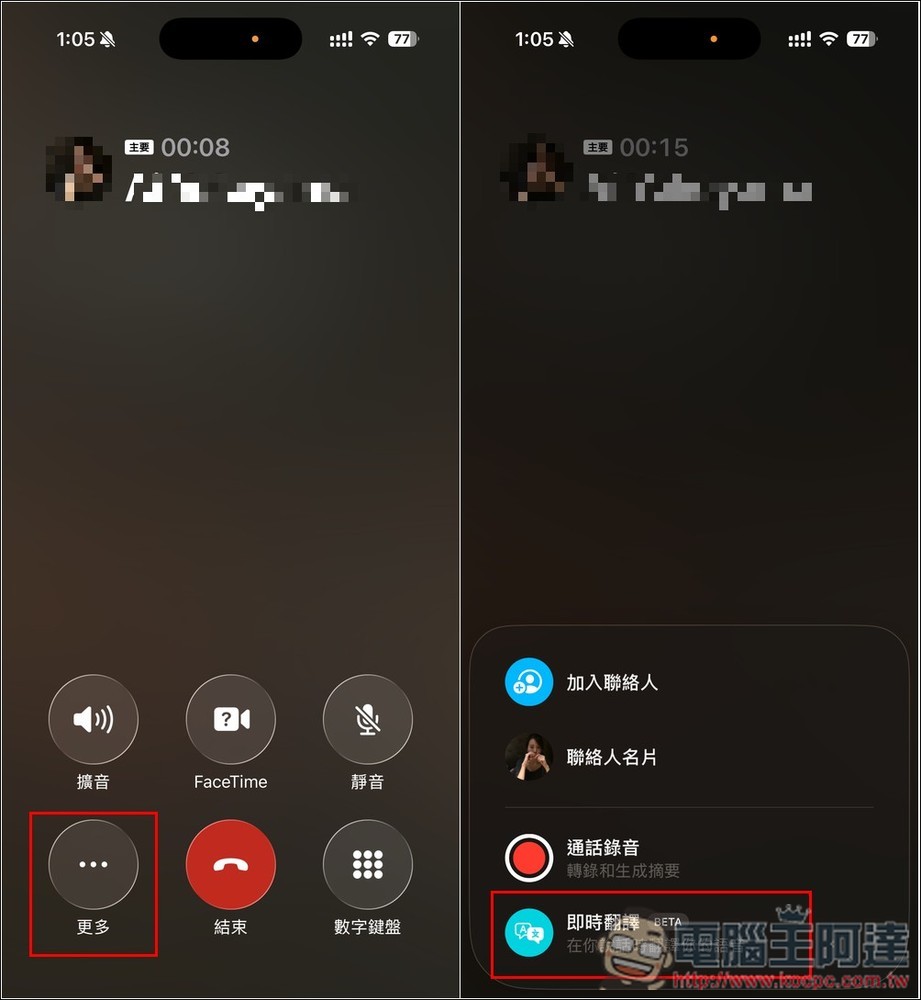
Using it is also simple: when a call comes in, answer it, then tap “More” in the bottom-left corner of the call screen to find the Live Translate BETA feature:
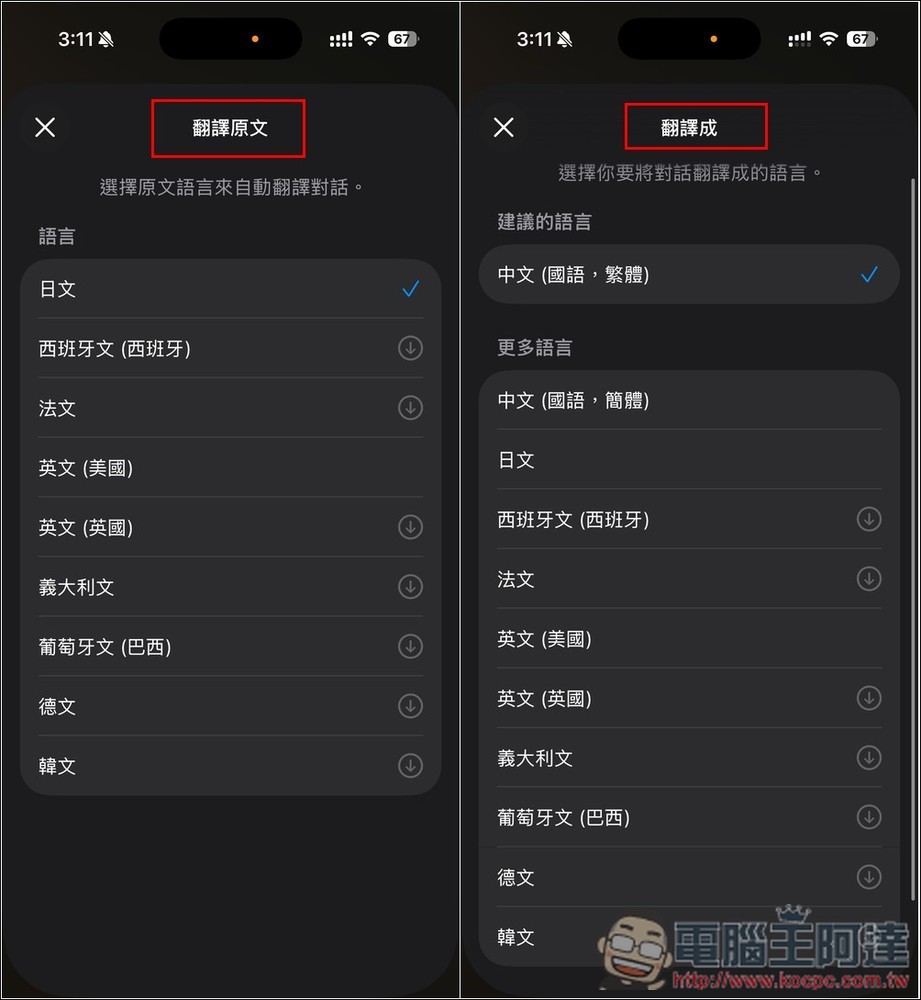
Next, you can select the source language and target language. The target language defaults to Chinese, so no adjustment is needed. As for the source language, I’m not sure if the system detects the caller’s country—I tested with a Japanese phone number, and it was already set to Japanese from the start, so I didn’t need to adjust it either.
After pressing “Start Translation,” the system will announce something like that translation is starting, and both you and the other person will hear it. After that, when the other person speaks in a foreign language, the iPhone will display translated subtitles in real time. In my case, the other person speaks Japanese, and the screen translates it into Chinese in real time. What’s even more important is that when I respond in Chinese, the other person hears the translation in Japanese audio, meaning they also know what you’re saying—it’s not just one-way translation.
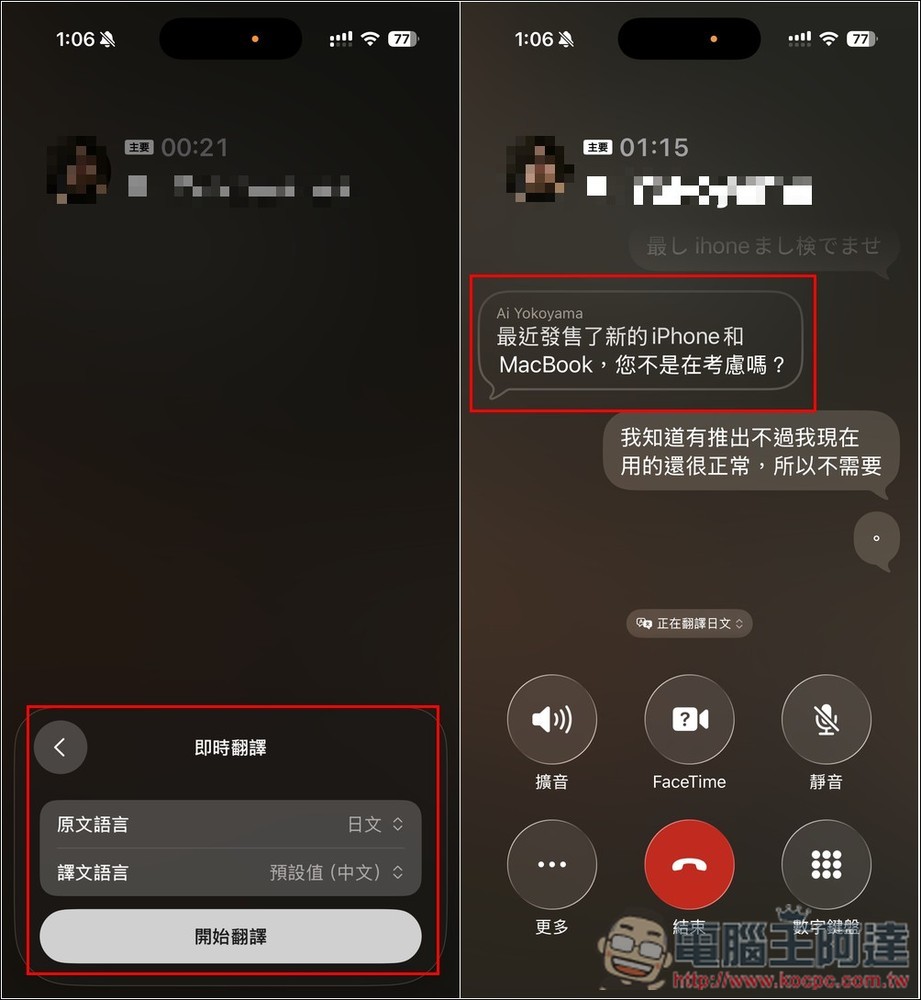
In short:
- The other person speaks Japanese -> real-time Chinese translation subtitles displayed on iPhone
- After I understand the meaning, I respond in Chinese, the system automatically translates it into Japanese, and then tells the other person through Japanese voice.
Additionally, both parties can hear the Japanese the other person speaks and the Chinese I speak, which means the Japanese voice translation is only sent to the other person after I finish speaking Chinese.
I tested a short dialogue, and the translations were quite accurate. Both on my end and the other person’s end, they could understand what I was saying.
These are the currently supported languages.
- Japanese, Spanish, French, English, Italian, Portuguese (Brazil), German, Korean
- Translation languages: Chinese (Mandarin, Traditional), Chinese (Mandarin, Simplified), Japanese, Spanish, French, English, Italian, Portuguese (Brazil), German, Korean
However, the translation feature is currently tucked away under “More” in the menu as “Real-Time Translation,” and I find the activation process a bit cumbersome. When you receive a call from a foreigner, you still have to spend a few seconds turning it on. It would be even better if Apple could let users pin it to the Phone app’s home screen in the future.
Now that Apple Intelligence’s real-time translation fully supports Chinese, in the future, whether traveling abroad, answering calls from foreigners, or even sending messages, you no longer need to worry about language barriers.
For users of older iPhones, this also seems like a fairly compelling upgrade incentive. (Only iPhone 15 Pro and above can use Apple Intelligence.) Those who won’t be able to use it can watch below.Instructional video:
Source: KOCPC Chinese