


The system bar at the bottom still wastes about three times the thickness of the system bar, which seems to be a bit of a waste of the mobile phone manufacturer’s efforts to achieve a more “full screen”. Now it seems that Google has noticed this “little waste” and has been discovered by foreign media that it seems to have been testing changes in the display method to allow more content to be displayed around the system bar. Continue reading Android 15 may allow the bottom system bar to make more display space.
▲Image source: TheSpAndroid
Android 15 may allow the bottom system bar to make more display space
With the popularity of “full screen/full screen” panels with ultra-narrow borders that can utilize more of the front screen area, mobile systems from Apple to Google all adopt designs with a system control bar at the bottom.
However, it may be because in the early stages of the design, we hope to avoid the problem of visual “fighting” that makes the system bar and display content mixed together and difficult to identify. Is the “blank” space at the bottom left by various mobile systems really unacceptably large? Or is it even larger than the previous system buttons or physical buttons? Not really.
But I believe there are still many people who feel the same as the editor. This is when major mobile phone manufacturers continue to make efforts to make the screen panel borders narrower and narrower, and the video lens holes to be smaller and smaller (or even hidden). The system strip at the bottom still wastes about three times the thickness of the system strip, which seems like a waste of effort.
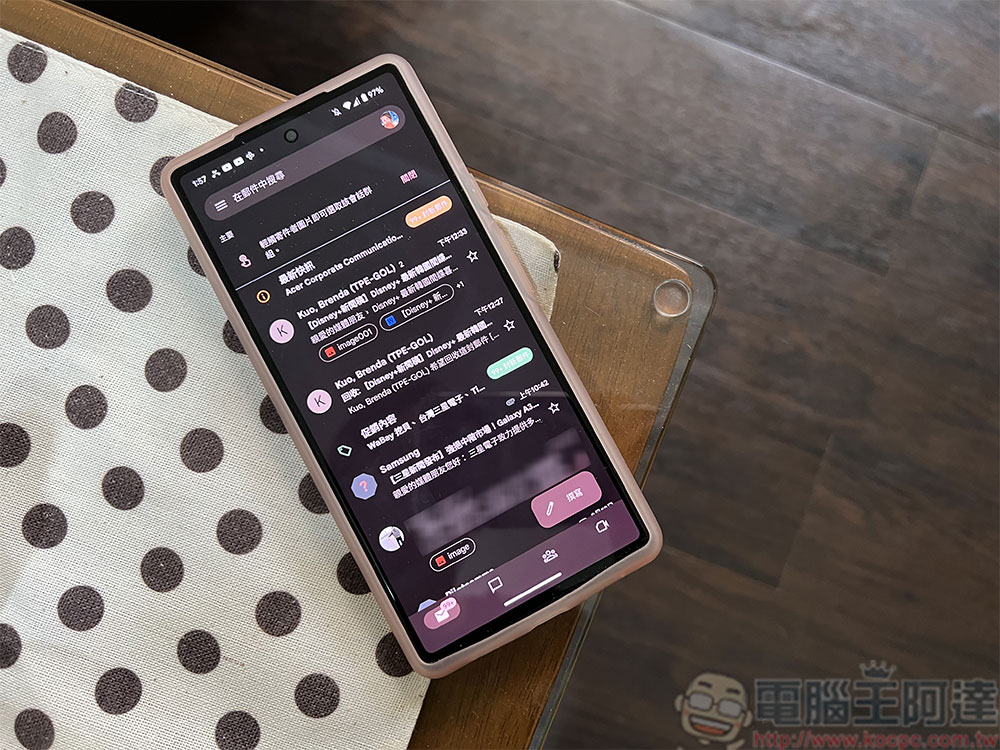
But now it seems that Google has noticed such a small waste, and has been discovered by foreign media that it seems to have been testing changes in the display method to allow more content to be displayed around the system bar.
EDGE_TO_EDGE_BY_DEFAULT
Description: Make app go edge-to-edge by default if the target SDK is VANILLA_ICE_CREAM or above.
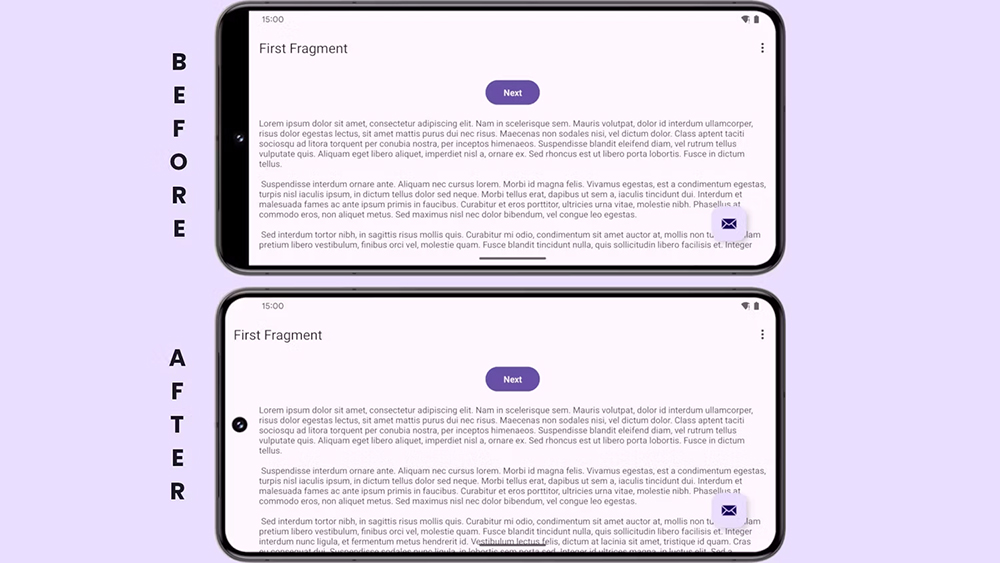
In the test update of Android 14 QPR2 Beta 3 (it also revealed that the codename of the hidden dessert of Android 15 that will be launched soon may be “vanilla ice cream”), Google uses the above new default API option to allow the system bar that is resident at the bottom of the user’s phone to “float” in the displayed content.
▲Image source: Mishaal Rahman/Android Authority
In the past, if you wanted to free up the system bar to occupy the bottom position and utilize the full screen space, you would basically need to enter the so-called full screen mode. It’s just a way to achieve more display range compared to directly hiding the system bar. This time the borderless setting allows you to cancel the thickness occupied by the original bottom display space while the system bar is displayed.
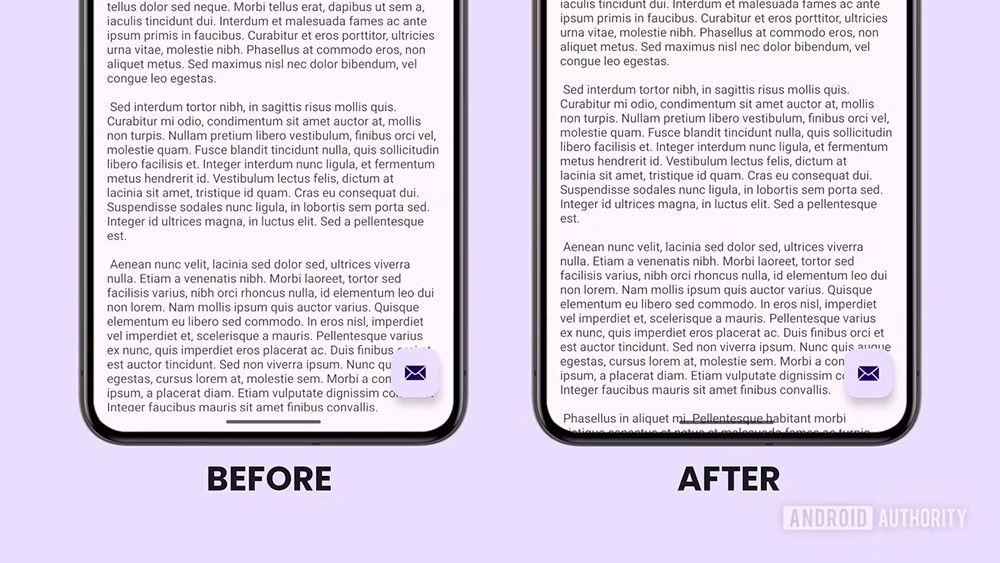
In this display mode, it means that the viewed content, such as text and images, will become a bit like being obscured by a punched bang. Only a small part of the content is obscured by the system bar – in a specific position, it may look a bit like a delete sign in the text.
▲Image source: Mishaal Rahman/Android Authority
Although whether such a change will actually be included in Android 15 in the future, it may take further testing to confirm that there are no other conditions before it can happen. But seriously speaking, after educating users about the existence of system bars for many years, Google has chosen to more radically adjust the UI interface experience. I am optimistic about the success. I even feel that maybe this system bar can take the opportunity to become more transparent, which would be a good adjustment direction.
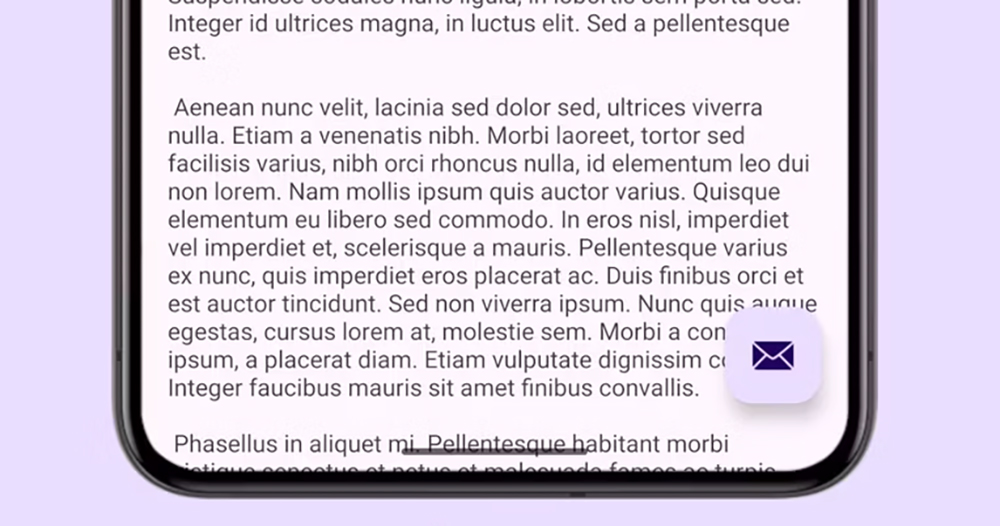
▲Image source: Mishaal Rahman/Android Authority
After all, when gesture operations such as sliding in at the bottom have become an intuitive operation for most people using such full-screen devices, it may not be necessary to have such a UI display. As for users who really have no experience with smart phone systems, how should they guide the other party to use it? Maybe in the future, you can just choose whether to activate the visual display when setting up your mobile phone to meet this kind of “entry-level” needs?
Further reading:
The Spring Festival is not boring, Apple TV+ popular works are free to watch for a limited time
Source: KOCPC Chinese