


Many good foreign comics don’t have Chinese translations, making them not so easy to read. This post recommends a fairly useful one. Chrome Extension: “Manga Translation – Manga Translator | Manga Tracker” lets you translate foreign languages in manga with one click, using… AI Translate into Traditional Chinese, directly replacing the text on the comics. Also offers screenshot and manual comic upload modes, supporting over 100 languages.

Introduction to a free Chrome extension for comic translation – never worry about not understanding foreign comics again.
“Manga Translator – Manga Translation | Manga Tracker” is an extension that automatically recognizes text in manga, Korean manhwa, or any manga image and instantly translates it, completing the translation in just 2–5 seconds. It also boasts that whether it’s Japanese manga or Korean manhwa, translation can be done within seconds without needing to download or set up anything extra.
支援的網站非常多,官方表示超過 100 多個熱門漫畫/動畫/漫畫平台。不過要注意是,這款不是完全免費的工具,使用時需註冊帳號,每日提供 20 點免費額度,每翻譯一次扣 1 點。
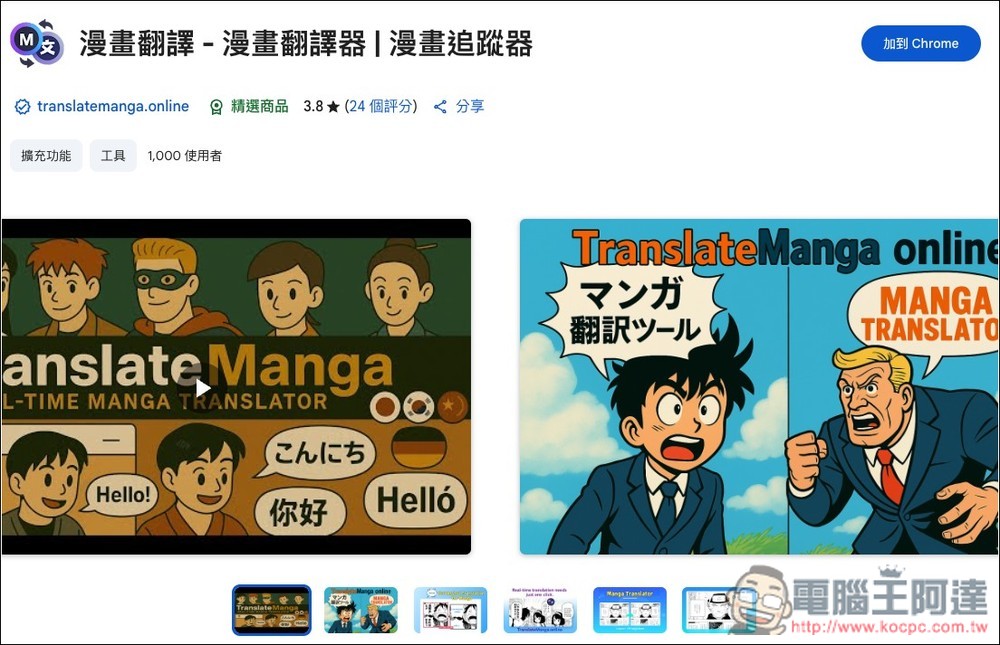
After clicking the link above to enter the Chrome Web Store page for “Manga Translation – Manga Translator | Manga Tracker”, click “Add to Chrome” in the top right corner:
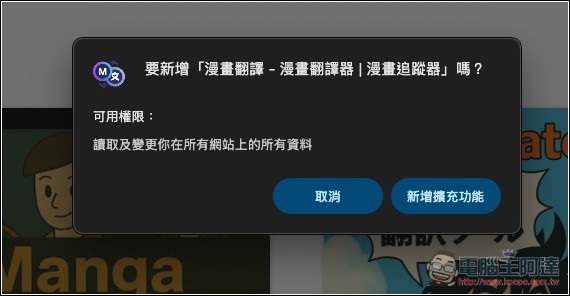
This message will pop up; click “Add extension”:
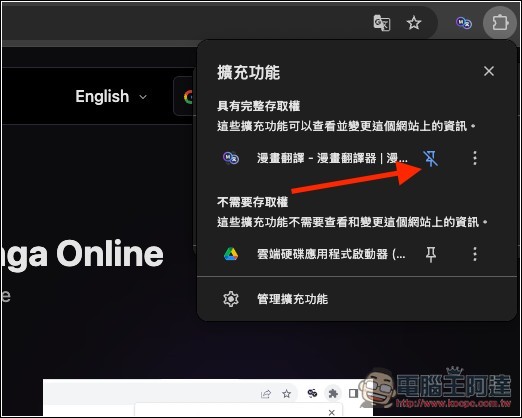
After installation, remember to pin this extension to the top right corner for easy future access:
Click the extension icon to open it in the sidebar. You need to register an account before using it; currently only Google account registration is supported. After clicking the Login With Google button, the tool’s official website will open, then click Sign in with Google again, and you’ll be logged in after authorization.
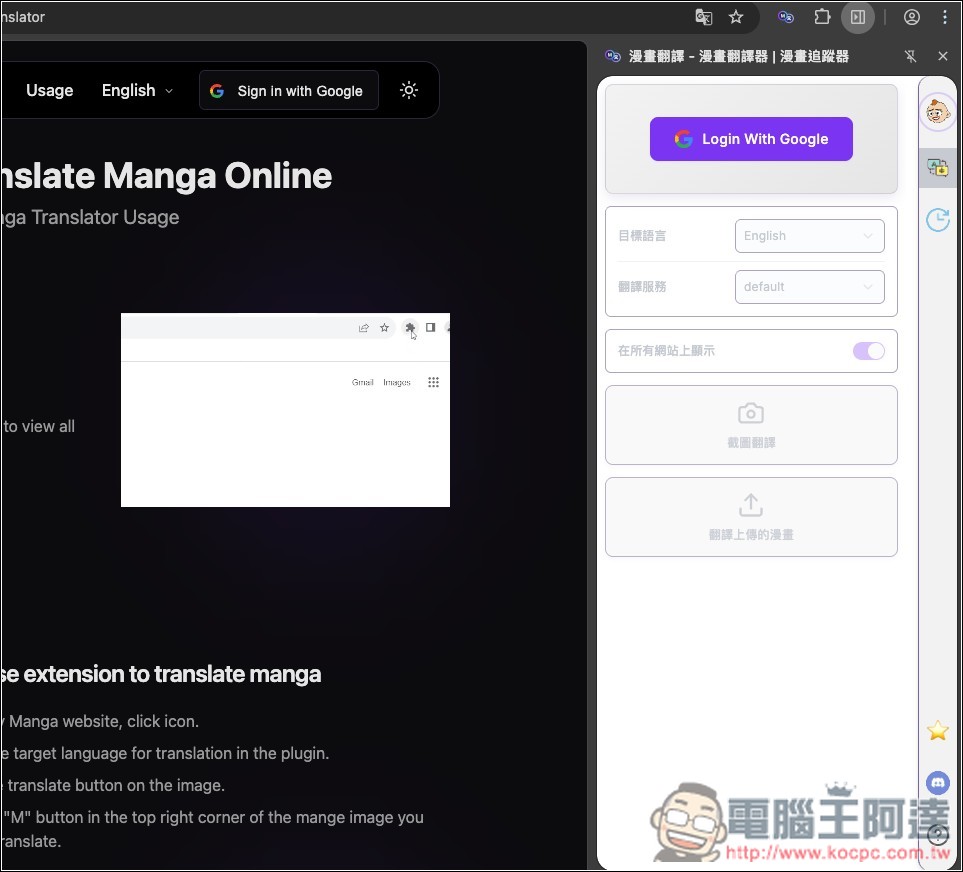
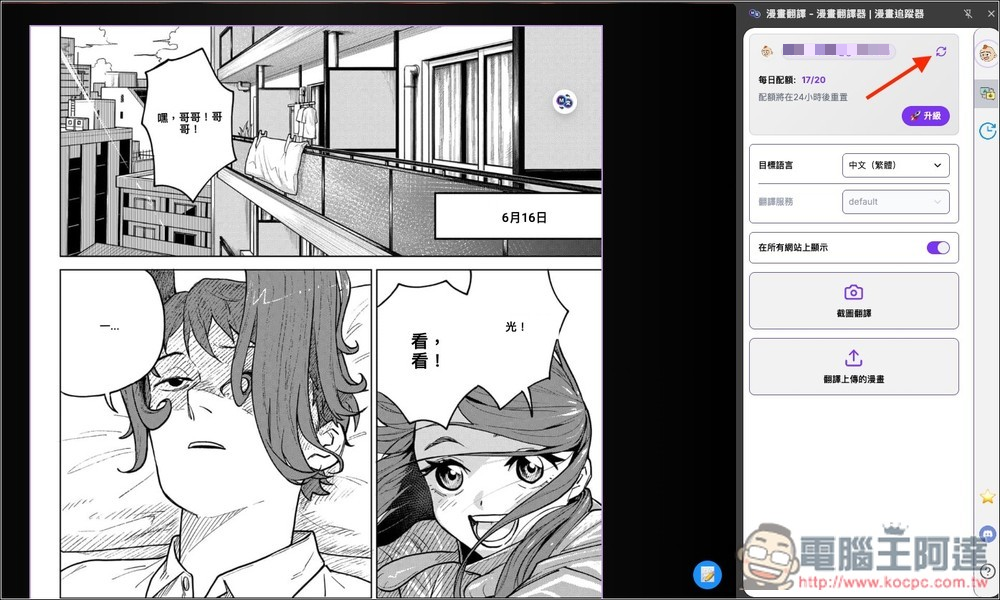
Next, open the manga you want to translate. The daily quota will be shown on the right, resetting every 24 hours, with 20 points given per day. Below, you can set the target language. The translation service cannot be changed for now, only the default is provided. There are also two modes: screenshot translation and translating uploaded manga.
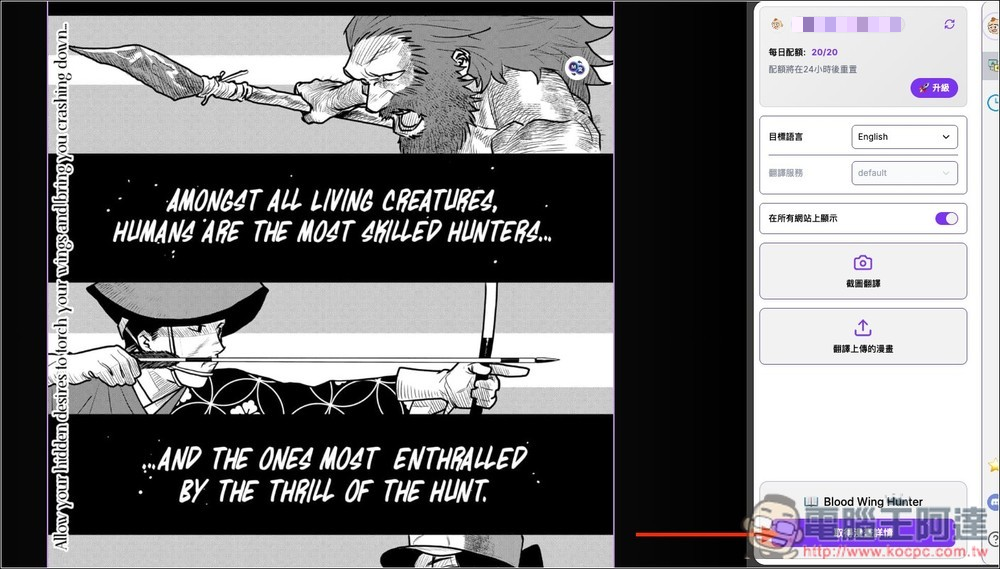
Manga from MANGA Plus by SHUEISHA
Change the target language to Traditional Chinese, then click the small icon in the upper right corner of the comic to start analyzing and translating:
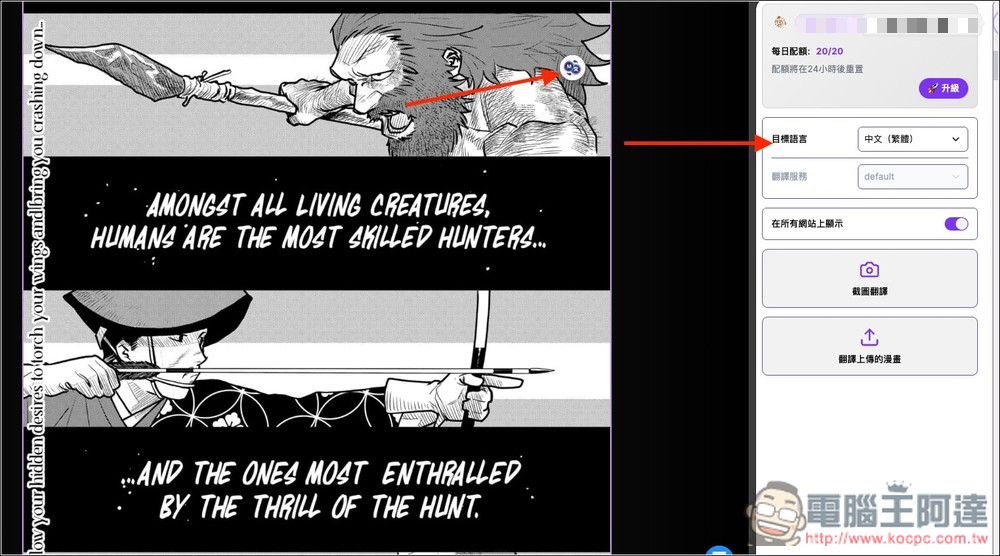
Manga from MANGA Plus by SHUEISHA
After waiting a few seconds, you’ll see the original foreign-language content turn into Traditional Chinese. However, it still makes mistakes sometimes—like in this comic panel I translated, where an unknown Traditional Chinese character appears in the middle of the lower half:
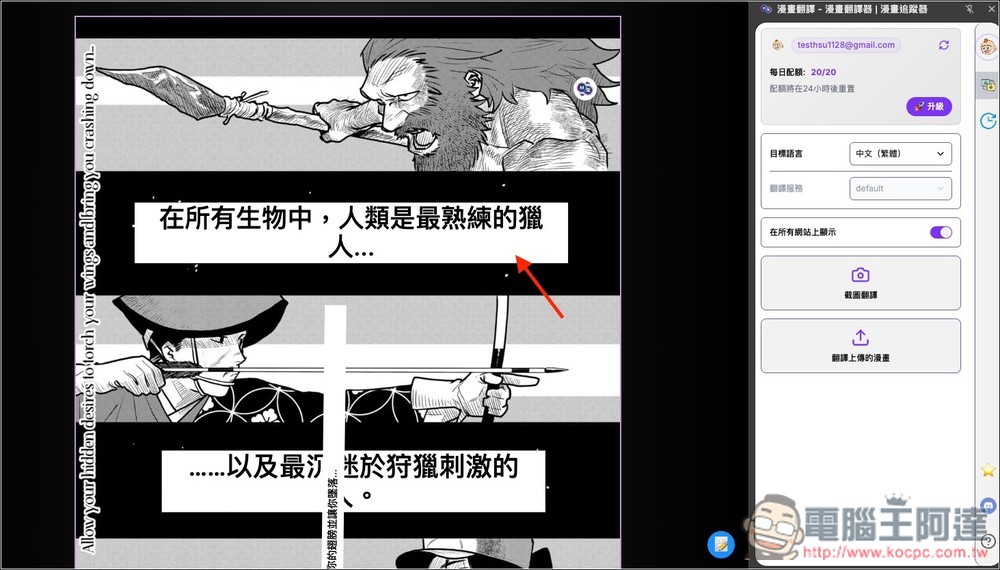
Manga from MANGA Plus by SHUEISHA
If you’re too lazy to manually translate every page, “漫畫翻譯 – 漫畫翻譯器 | 漫畫追蹤器” also offers an auto-translation feature. It’s located at the bottom right corner of the small icon. Once enabled, the next image will be translated automatically. However, since it’s automatic, it may consume more usage credits, so it’s not really recommended.
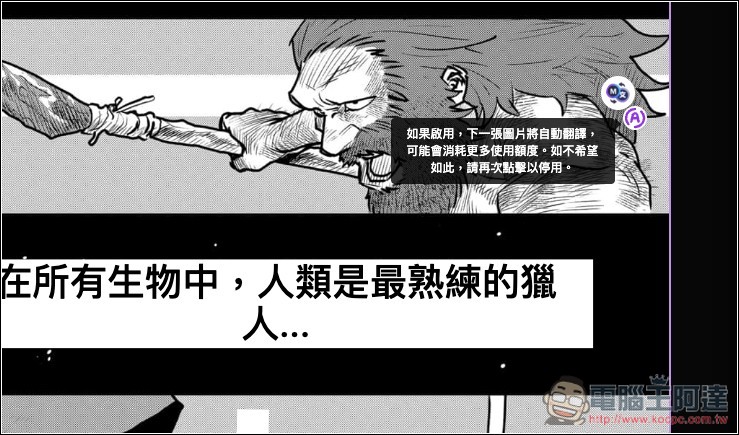
Manga from MANGA Plus by SHUEISHA
After translating some images, remember to click the refresh icon next to your account so your daily quota updates.
Manga from MANGA Plus by SHUEISHA
As for translation quality, I think it’s pretty good—better than Google Translate and Microsoft Translate. As for the paid version, only the highest tier offers unlimited quota; the others still have monthly quota limits. Those interested should take note.
Source: KOCPC Chinese