


There are thousands of members in the LINE community. Are you worried that when you are busy at work, you will find endless messages when you open the community, and you will never be able to keep up with the topics in the community? Recently, the new feature of LINE community “Message Summary” has been launched! AI is used to help users summarize LINE community chat room messages and automatically summarize them at specific times so that everyone does not miss the discussion topics in the chat room. This feature will be gradually opened in the LINE community.
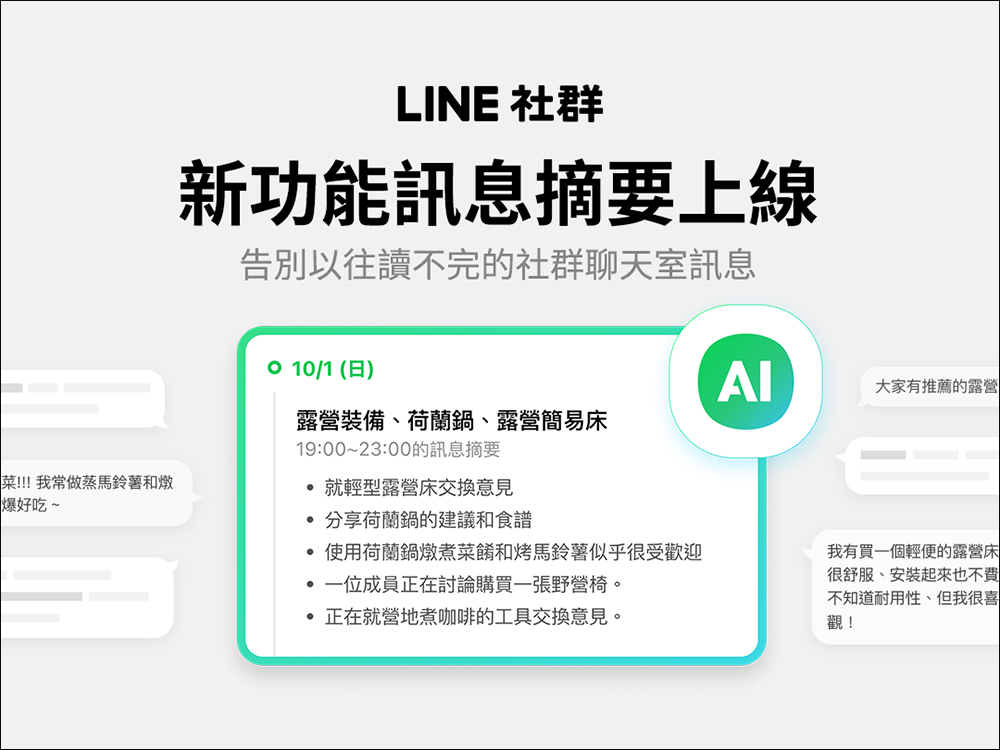
LINE’s new community “message summary” function is launched, and AI can be used to summarize the key points of social chat room topics in just one click
The maximum number of people in a LINE community is 5,000. In the large LINE community chat rooms, many like-minded people gather to discuss various topics. However, not everyone can pay attention to the discussions in social chat rooms all the time. They often open the community after finishing their busy work, which is a long process of reading messages, but it is difficult to keep up with the key topics discussed in the social chat room during this period. If you don’t want to be left out, the LINE community has announced the launch of a new feature called “Message Summary”, which will use AI to help you summarize the key points of the social chat room.
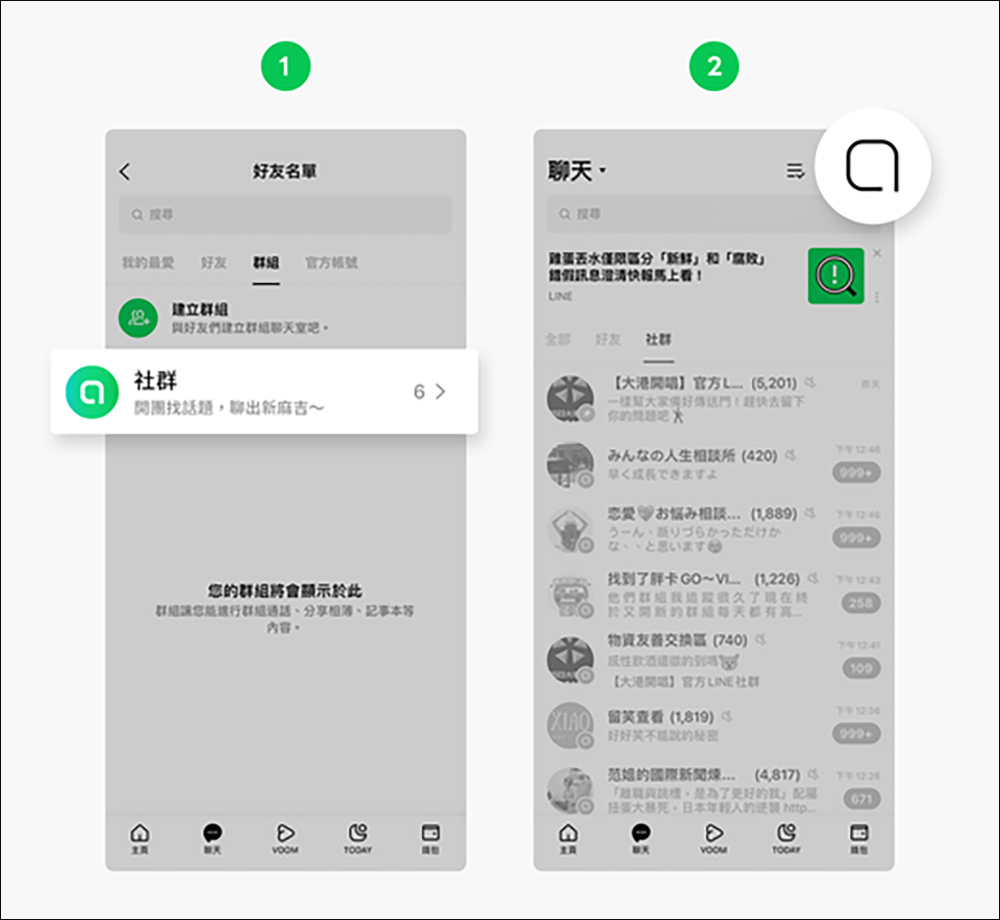
What is a “message summary”?
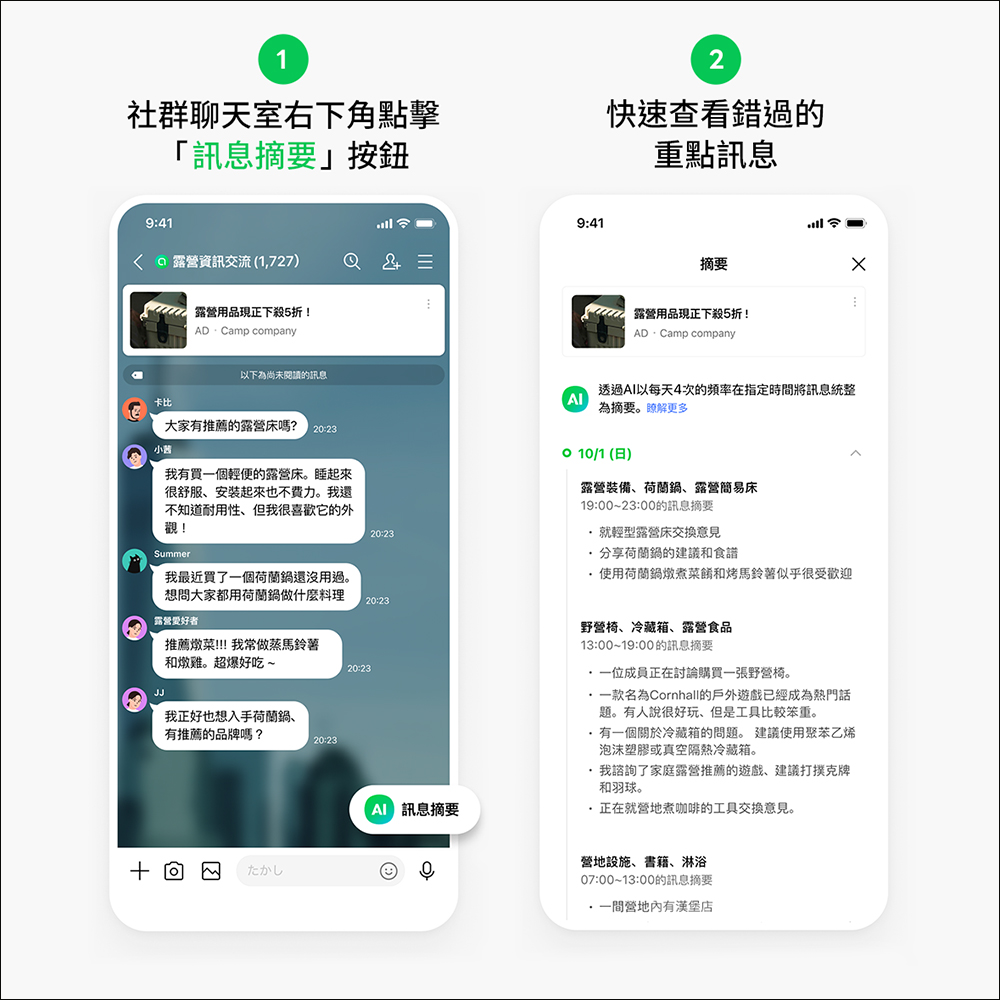
Community summary is a function that uses AI to summarize messages in LINE social chat rooms. When enough messages accumulate in the chat room, AI will automatically summarize them at a specific time without the need for active user action. Through the “Message Summary”, users can not miss the discussion topics in the social chat room. They only need to click the “Message Summary Button” in the lower right corner of the social chat room, and then they can quickly view the missed key messages.
When using the “Message Summary” function, please pay attention to the following points:
- The message summary function is updated in phases. If this function does not appear in your community, please wait a moment and confirm whether the LINE version has been updated.
- The message summarization feature uses OpenAI’s generative AI model. Its accuracy may not be 100%, and the LINE community does not make any express or implied warranty that the message summary function is flawless (including but not limited to security, inaccuracies, bugs, bugs or infringement), security, reliability, correctness, completeness, validity or suitability for a particular purpose. In addition, all information used for the summary function will not be stored in OpenAI.
- After the message summary is generated, if the chat room message that has been used as the message summary content is deleted or recalled, it will not be reflected in the generated summary content.
How to use Community Summary?
When a social chat room has the community summary function, all members in the community can browse the message summary function. Just click the “Message Summary” button in the lower right corner of the social chat room to view the summary results. When the amount of messages in the social chat room accumulates to a sufficient amount, AI will automatically summarize the summaries at a fixed time without requiring additional user action.
FAQ
- Q: Why is there no “Message Summary” button in LINE social chat rooms?
Answer: The message summary function is updated in phases. If this function does not appear in the community, please wait a moment. In addition, this function only supports LINE App version 13.16.0 (inclusive) and above. Please confirm whether the LINE version has been updated to the latest version. The PC version of LINE is not currently supported. - Q: Is it possible to “disable” the community summary feature?
Answer: If a community that already has the message summary function turns off either the “Show this community in search results” or “Open to everyone” settings, this function will be automatically removed and cannot be restored. - Q: What happens if the message used in the message digest is canceled if it is deleted?
Answer: If the summarized message is deleted or recalled, it will not have any impact on the generated message summary results. - Q: What technology does the message summary function use?
Answer: The “Message Summary” function of the LINE community uses OpenAI’s generative AI model. Therefore, summary results may not be 100% accurate. Additionally, the information used for summarization will not be saved in OpenAI. - Q: Can the message summary function be used in sub-community chat rooms?
Answer: The message summary function is currently only available in the main community chat room and does not support sub-community chat rooms.
Further reading:
Google Store Double 11 special sneak peek: Buy Pixel 8 Pro or Pixel 8 and get a limited Pixel phone bag!

Source: KOCPC Chinese