


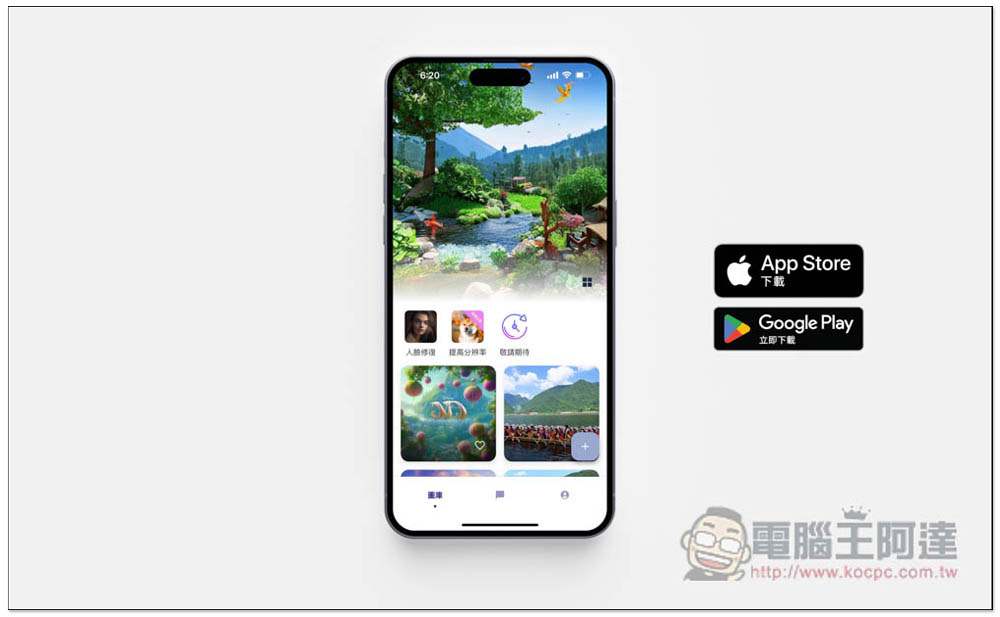
As AI becomes more and more powerful, many people will definitely want to do research to find ways to help their lives and improve work efficiency. However, many apps on the market have a single function. For example, AI drawing apps can only generate pictures, and AI chatbots can only chat. If you want to play with both, you need to install multiple apps, and you have to switch between them when using them, which is very inconvenient. The free app “Aidesu” recommended in this article allows you to have AI drawing and AI chatbot at the same time. It has no usage restrictions and supports Chinese.
In addition, it also provides practical AI face repair, resolution improvement and other functions, which are introduced in detail below. Both iOS and Android versions are available.
App Store Download / Google Play Download
Easy to use, you can easily generate high-level AI drawing functions in just one sentence
When it comes to AI drawing, many people find it difficult to get started because they need to issue prompt commands, and many AI drawings do not support Chinese well. Only by inputting English can you get the best results.
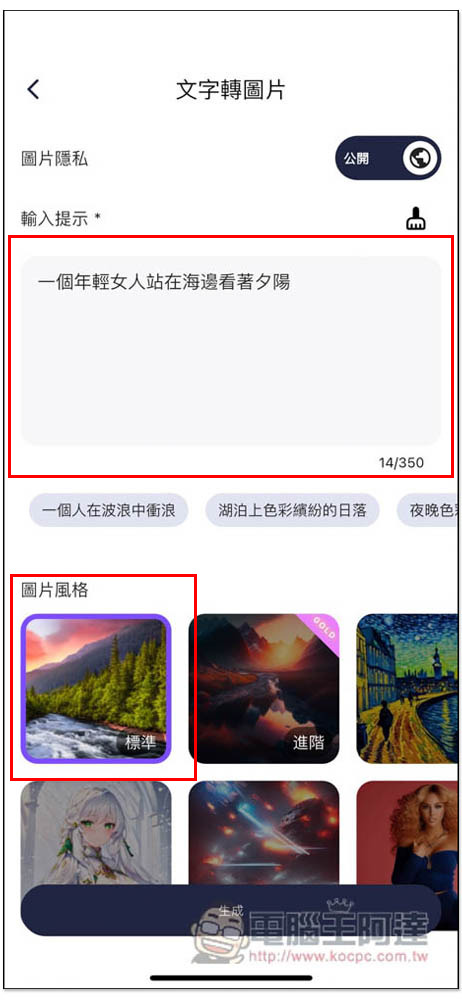
The AI drawing function provided by Aidesu should be the simplest one I have ever used. It perfectly supports Chinese. You can use Chinese to describe the picture situation you want to generate. There is no problem in one sentence, and novices can easily get started. In addition, it also provides a “picture style” option for you to choose. In this way, you don’t have to worry about producing a style that is not what you want, and you don’t have to give “picture style” prompts. It is easier to create AI drawings and can produce the results you want more accurately.
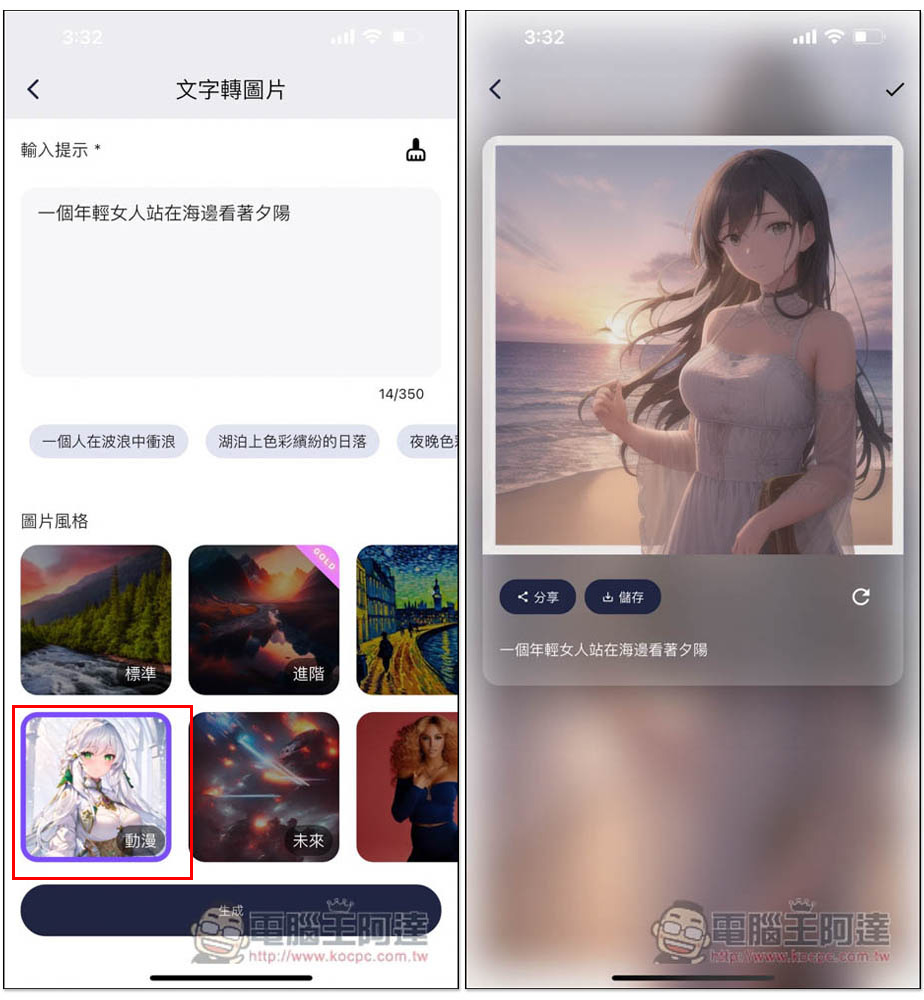
I entered a very simple sentence: “A young woman stood on the beach looking at the sunset.” The picture used the default standard style, which was not specified. If you don’t know what to prompt, there are some suggestions below the input field so you can try them first:
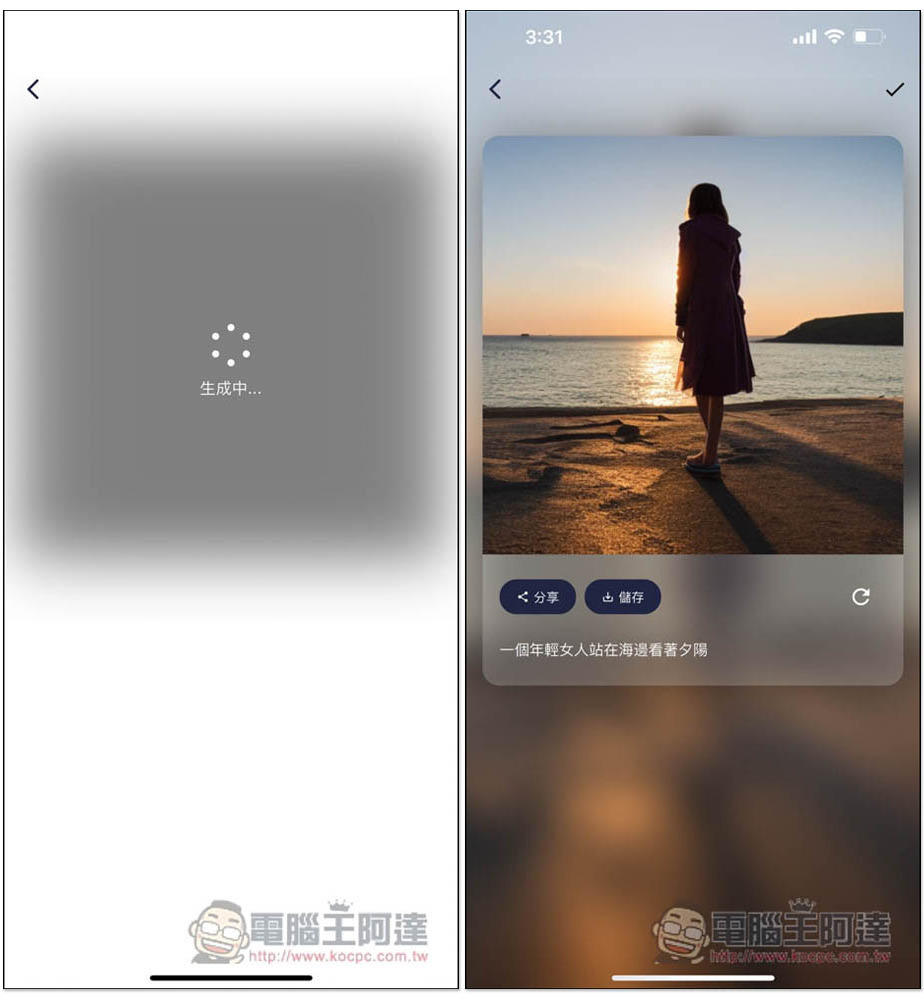
After waiting for a few seconds, AI will generate the picture, which is very fast and provides sharing functions and storage to the mobile phone album. If you are not satisfied with the result this time, you can also click on the lower right corner of the picture to rearrange the icon and produce it again:
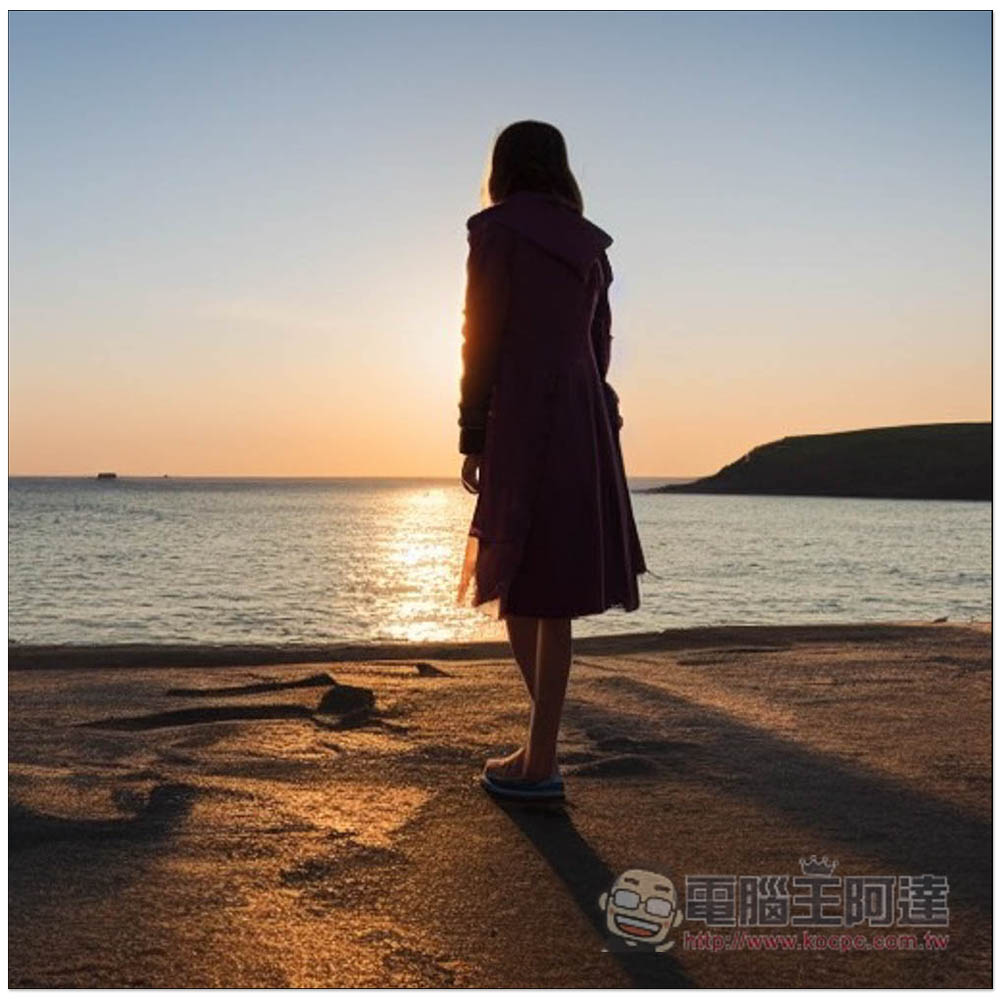
The downloaded pictures do not have watermarks. I have to say that this AI drawing effect is really good. Whether it is the light and shadow reflection on the sea, the sunset gradient, or the beach, the pictures produced are very layered and natural, and I can only enter one sentence:
Next, I tried using the same prompt, but changed the picture style to animation. Sure enough, the resulting picture turned into animation, and the same effect was quite satisfactory. The proportions of the person were natural, as were the face and fingers. This was really amazing:
Built-in community sharing, learn how others use AI drawing commands
Referring to how other people give prompts to generate AI pictures is a very important part of AI drawing, and Aidesu also has a built-in community function. Pictures generated by other netizens will be displayed at the bottom of the App homepage. If you always feel that your prompts cannot produce the pictures you want, you can refer to how other netizens give instructions on pictures. I quite like this. In the long run, your AI drawing command ability will gradually improve.
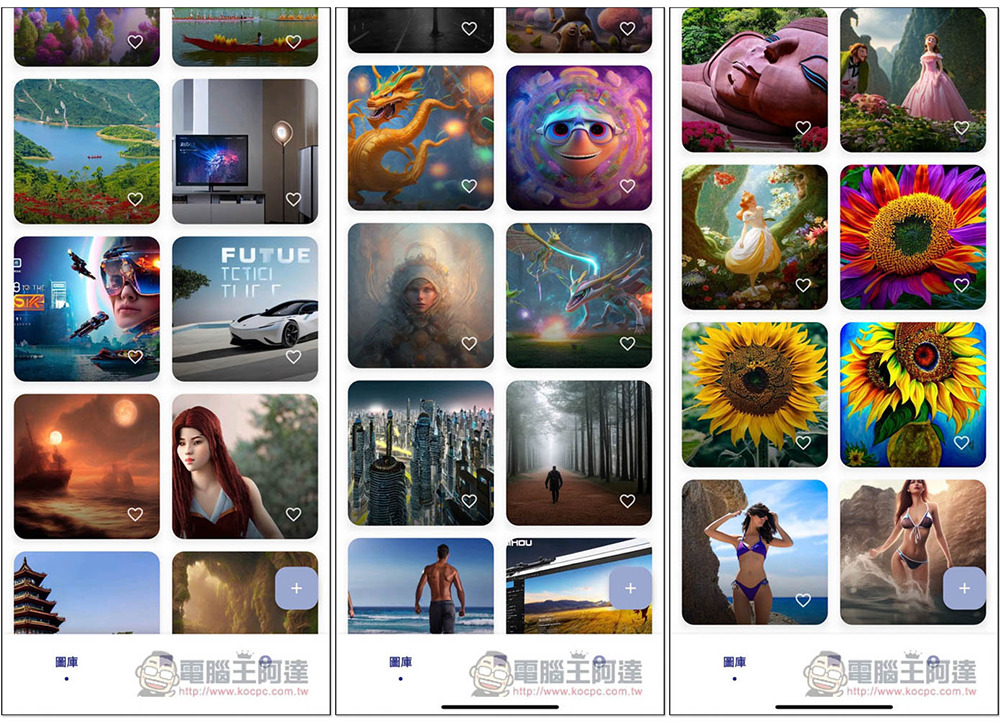
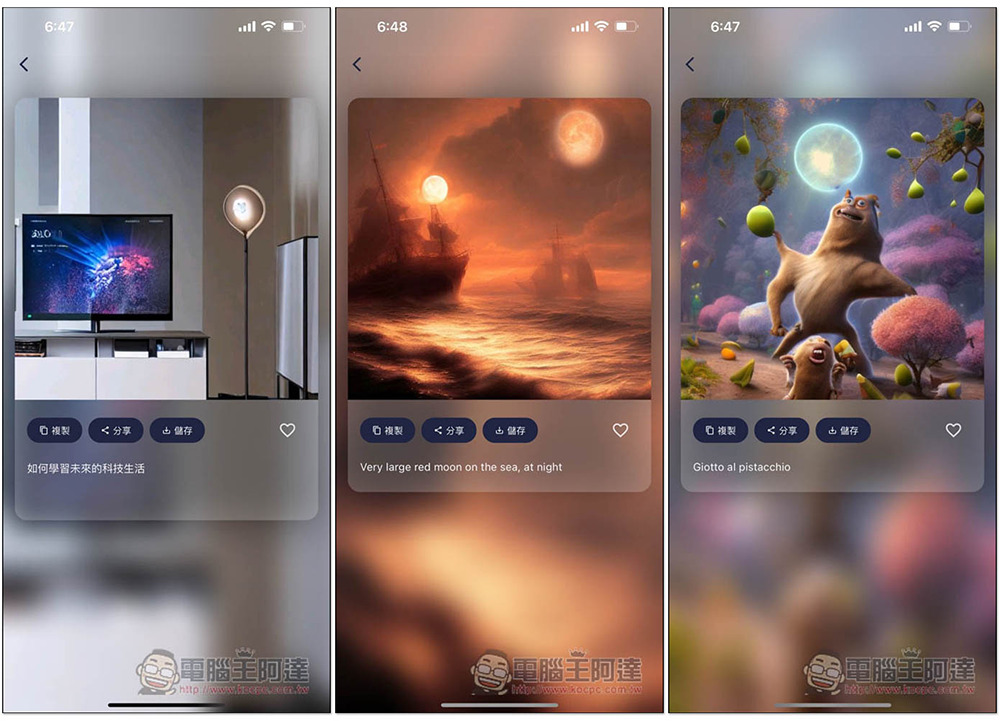
The instructions they used will be displayed below the picture. The following pictures are all very complete. Unexpectedly, they are just short sentences. It can be seen that this AI drawing model is really good and the resolution is also high. It seems that people from many countries use this app. I can find it in English and Italian just by searching. Pictures generated by other netizens can also be saved to the mobile phone album:
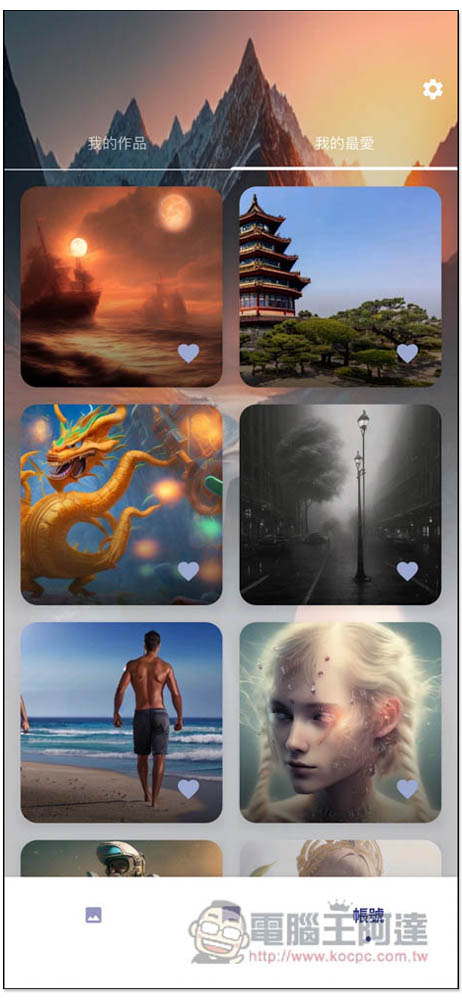
It also provides an account registration function (free) and supports quick registration of Google and Apple ID accounts. After logging in, the AI pictures you have generated will be automatically recorded in your account. You can also collect pictures of other netizens you are interested in, making it easier to find them in the future:
Aidesu official IG:@aidesu.app
App Store Download / Google Play Download
The AI chatbot using the GPT model has been set up with various expert roles
Aidesu’s AI chatbot also uses the OpenAI GPT model, and what’s amazing about it is that it has no restrictions, that is, you can ask as many questions as you want and chat for as many days as you want, unlike other apps of the same type that have hourly or daily chat limits.
In addition to the preset intelligent assistants, there are also many built-in expert roles, such as travel consultants, dream interpreters, fitness coaches, scientists, psychologists, and even Einstein, to help you get the best answers. This is something that other AI chat apps do not have, not even ChatGPT.
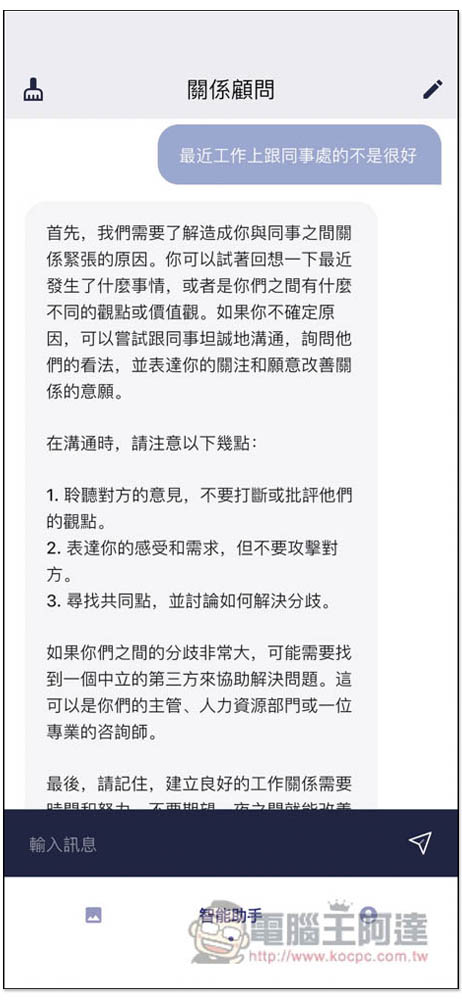
The interface is a chat window, currently using the GPT-3 model. After entering a question, you can get an answer quickly, and I have never encountered an incomplete answer. Click the pencil icon in the upper right corner to modify the type of chatbot to be used, and in the upper left corner to clear the chat content:
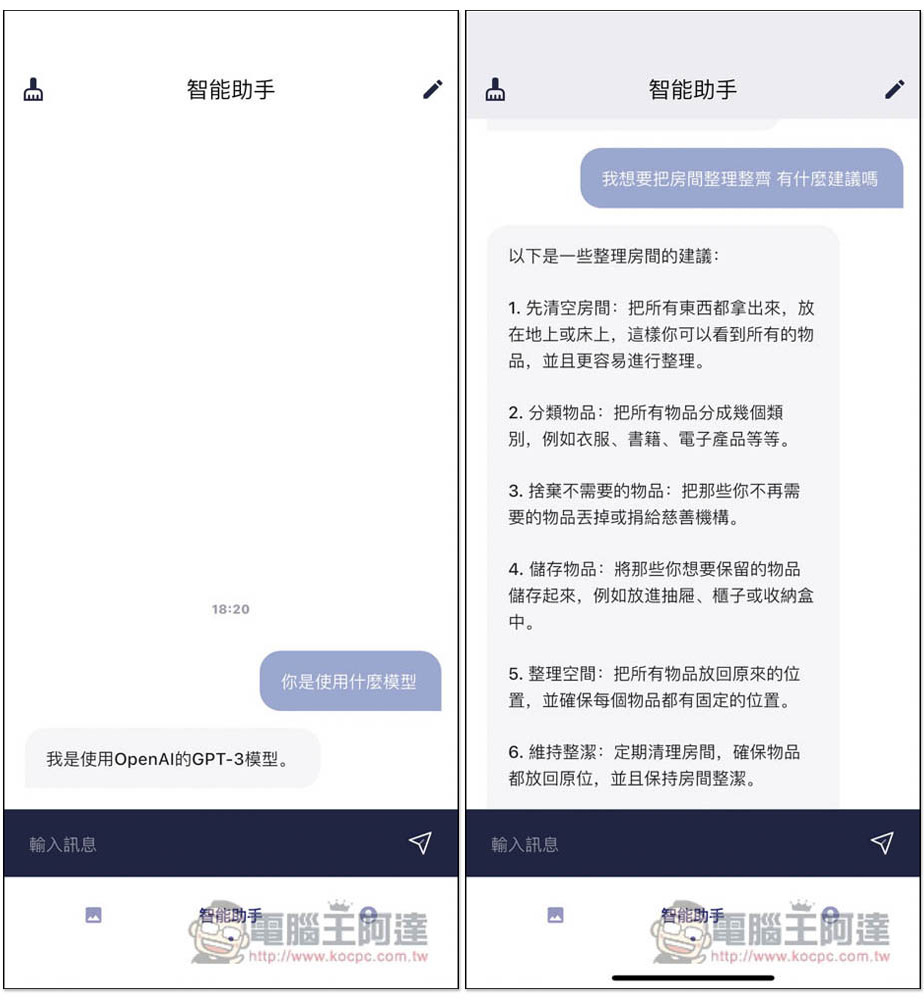
There are currently 15 expert roles in total, including “Relationship Advisor”, “Math Teacher”, “Chef”, “English Translator”, “Psychologist”, “Buddhist”, “Scientist”, “Einstein”, “Philosopher”, “Dream Interpreter”, “Debater”, “Travel Advisor”, “Fitness Coach”, “Friend” and “Intelligent Assistant”.
There are experts on almost everything in life. If your question happens to be in a certain expert role field, it is highly recommended to switch there. You will get richer and more detailed answers:
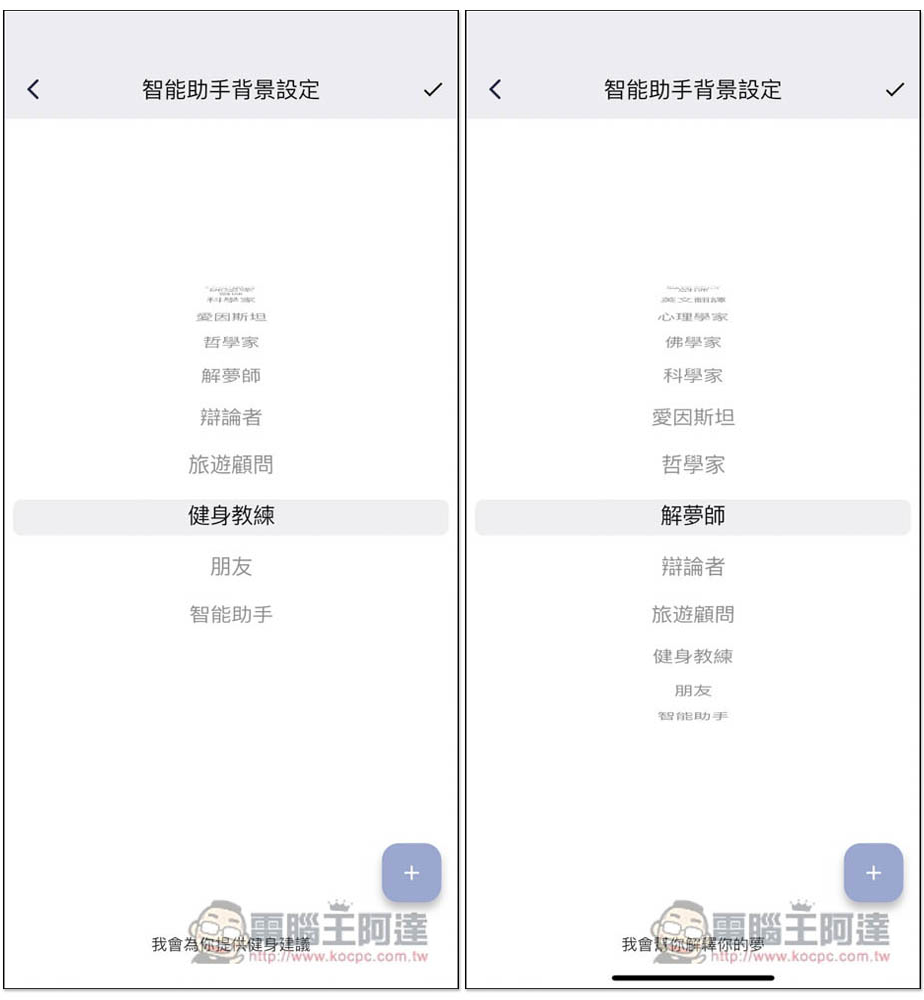
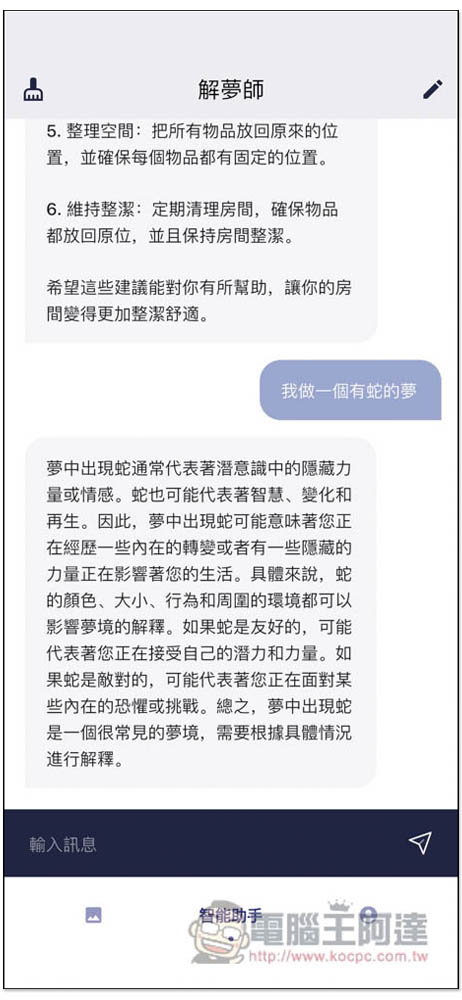
I never thought that AI chatbots could also interpret dreams (laughs). With Dream Interpreter AI, you can ask it any weird dreams you have in the future:
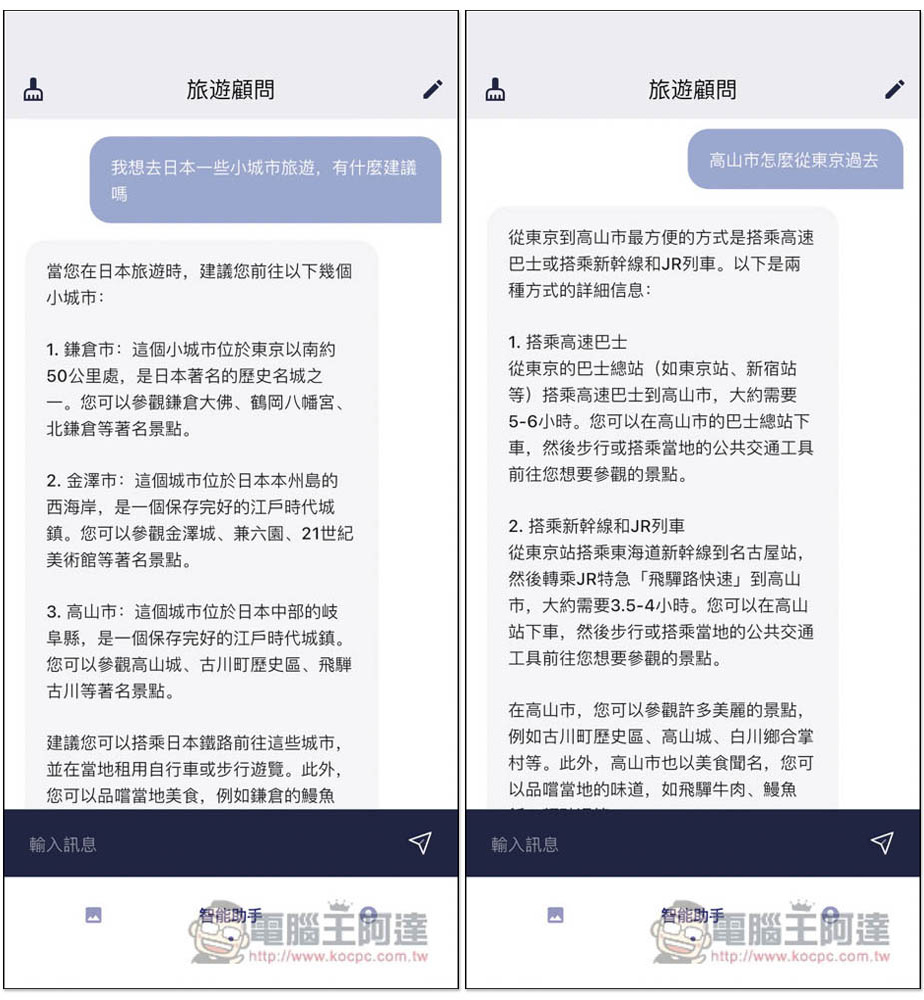
Many people are planning to travel abroad recently. If you have any questions or need advice, you can also open Aidesu’s travel advisor AI and seek its advice:
If you have any problems in life or work, you can also ask Aidesu’s AI chatbot:
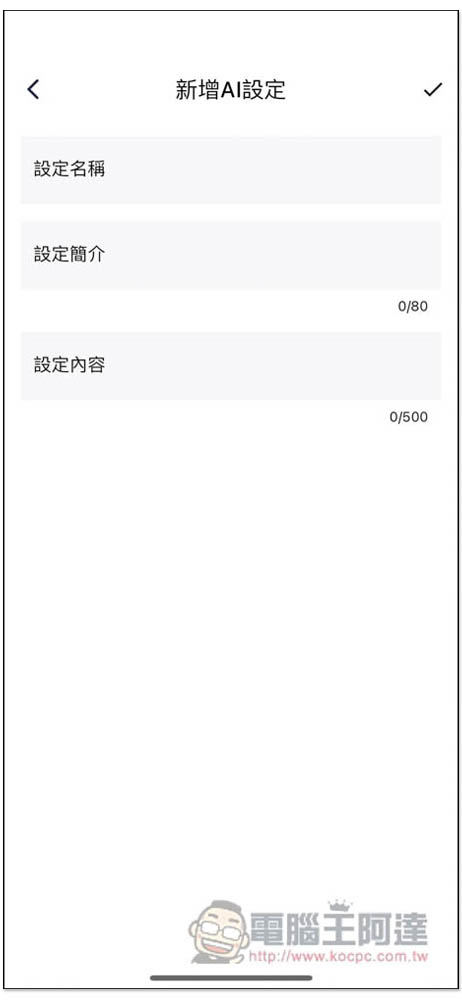
You can even add your own dedicated AI. If you see any good prompts on the Internet, or your commonly used prompts, you can also transplant them here for use:
Aidesu official IG:@aidesu.app
App Store Download / Google Play Download
It also provides image editing functions such as portrait restoration and resolution improvement.
In addition to AI drawing and chatting, Aidesu also provides other practical AI image editing functions, including portrait repair and resolution improvement. Others will be added in the future, which means that any image repair needs you have can also be achieved through this app.
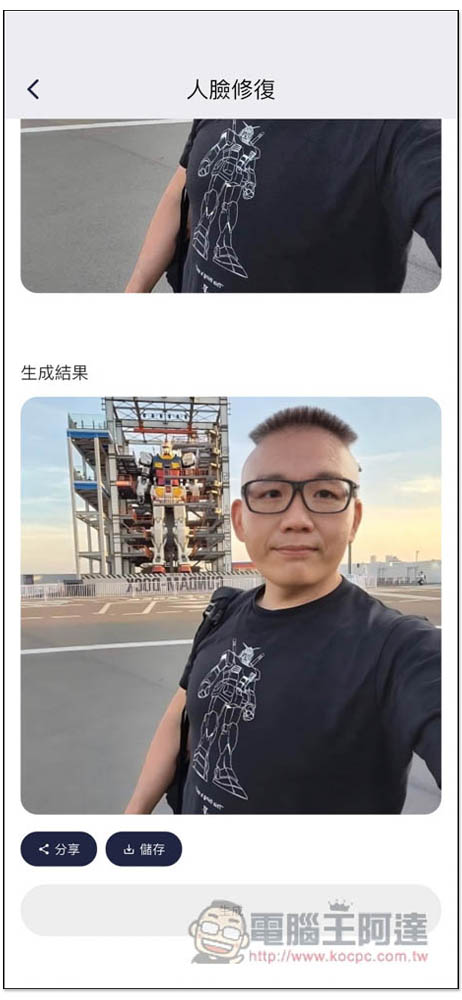
After taking photos, many people want to make their skin look better. By uploading the photos to Aidesu’s portrait repair function, you can remove wrinkles, acne, and blemishes on your face with just one click, like this photo of Ada:
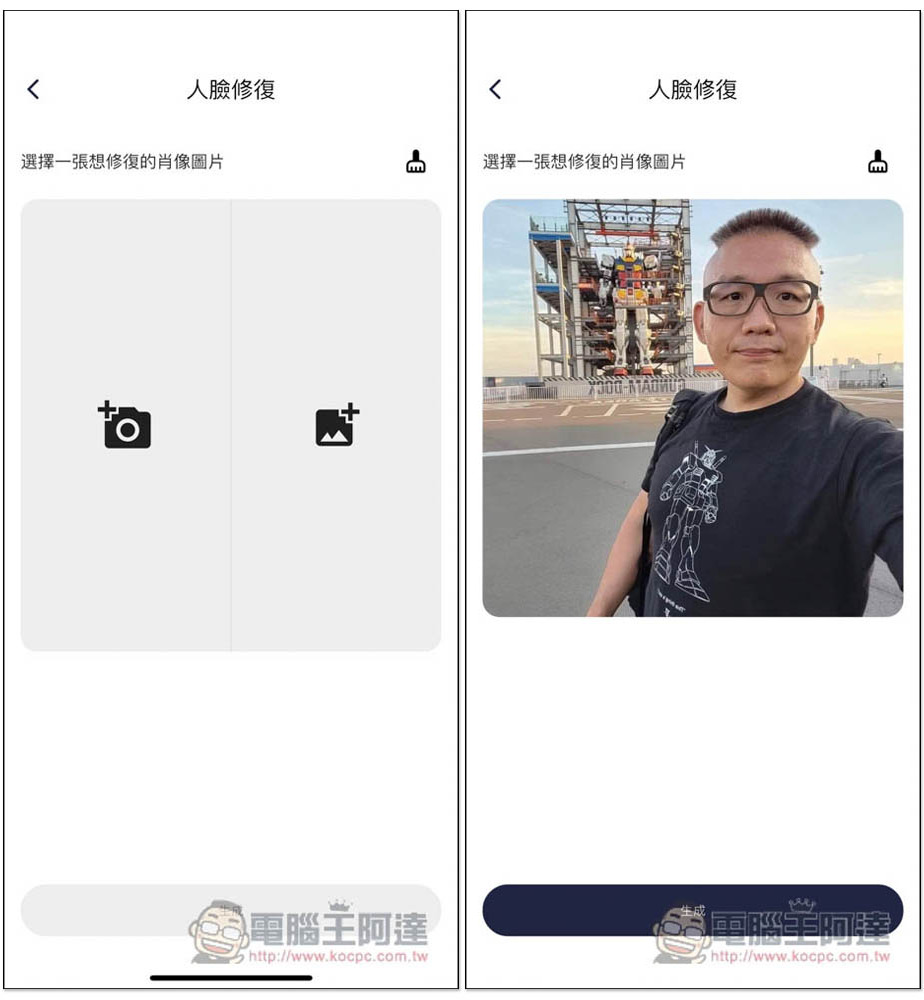
After AI repair, the skin on the face instantly became very good, and all the wrinkles on the face disappeared:
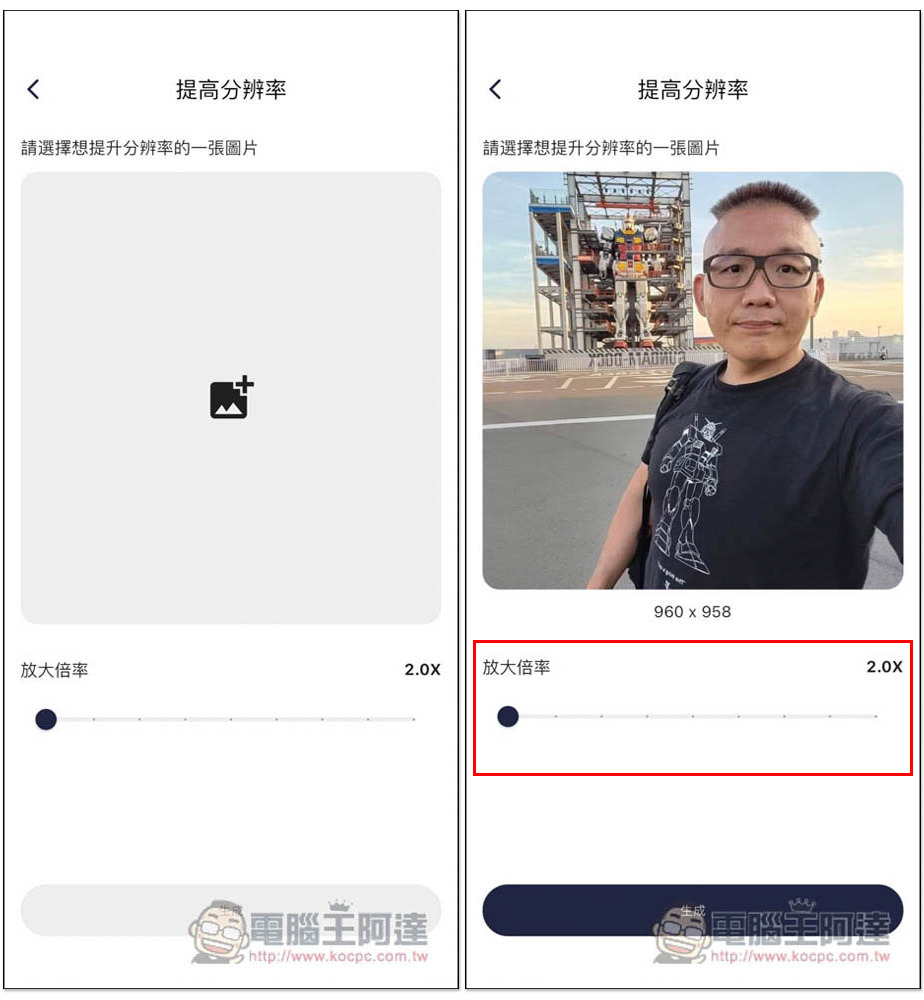
Improving the resolution is also achieved through AI, so the quality will be much better than directly modifying the image size. It also supports multiple magnifications. The free version can also enlarge up to 2 times. If you upgrade to a paid user, you can enlarge even more times:
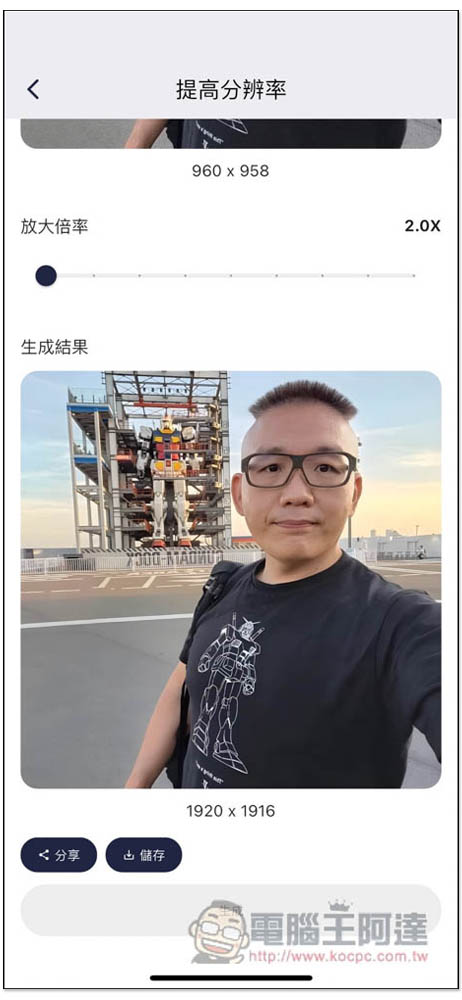
Unexpectedly, the AI magnification effect of this model is also quite good. After being increased by 2 times, the photo is not grainy or too blurry. If I didn’t tell you, few people would guess that this is an enlarged photo:
Exclusive features for Aidesu paid version
Aidesu also provides a paid version. In addition to no ads, it also has some exclusive features, which are summarized below. Without ads, it is much more comfortable to use, you will not be disturbed anymore, and the operation speed is much faster.
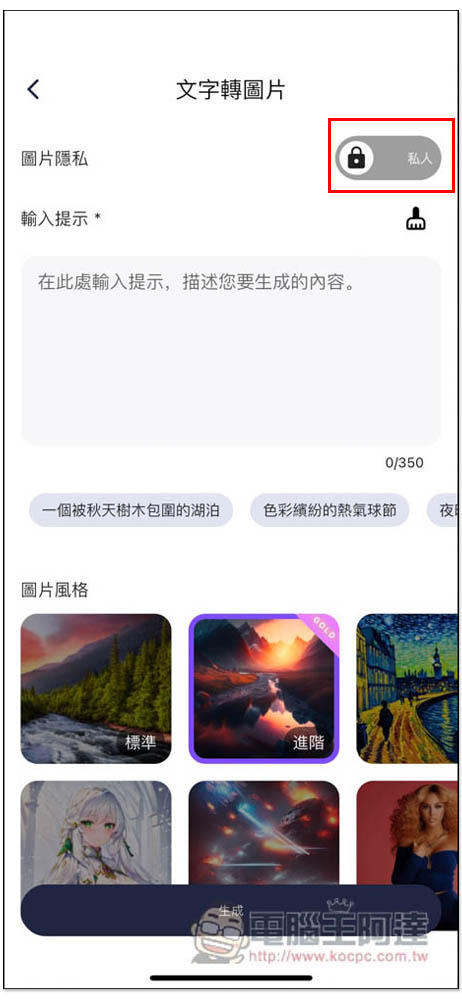
1. The AI drawing function can be set to “Private Picture”
In the AI drawing function menu, the image privacy option above can be switched to private, so that all generated images will no longer be made public. I quite like this. Not only do I not have to worry about outsiders seeing the pictures I create, but the instructions I have tried so hard will not be directly copied by others:
2. Exclusive “picture style”
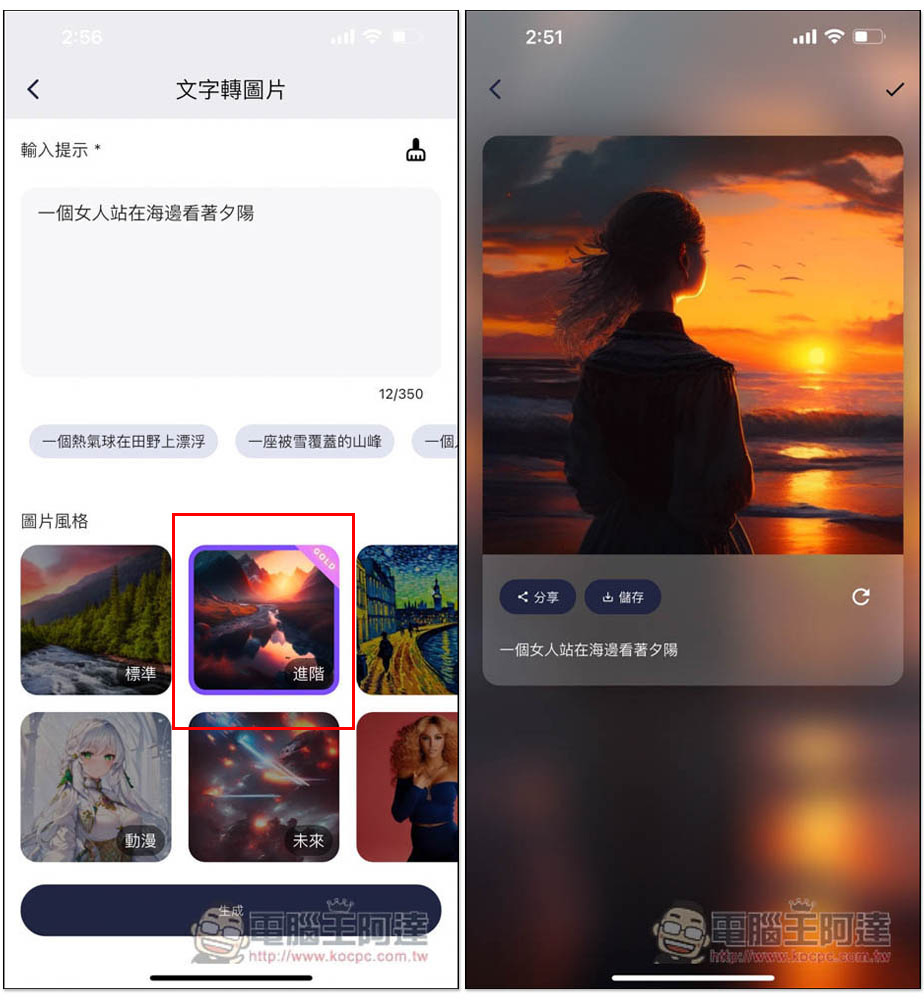
Those with GOLD displayed in the picture style section are exclusive to the paid version. The “advanced” effect will be much higher than that of “standard”. For example, if I use the same “a woman standing on the beach looking at the sunset”, the texture and details of the resulting picture will be better:
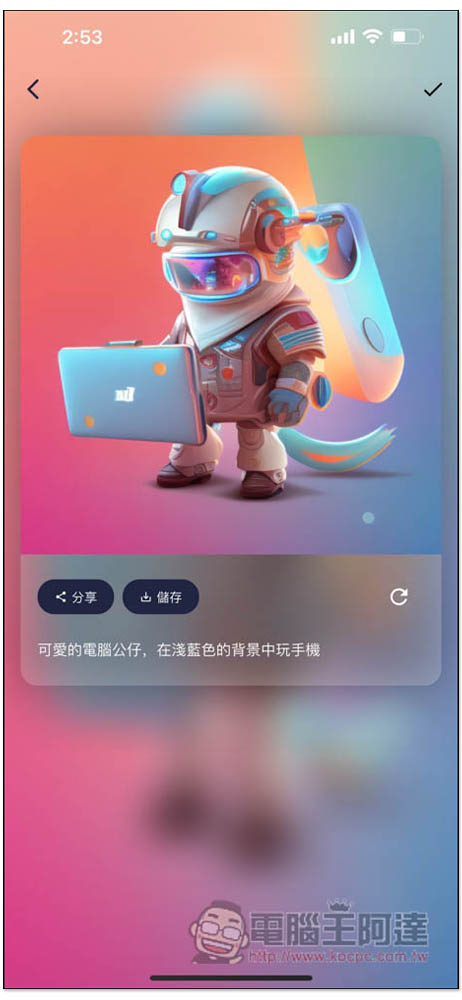
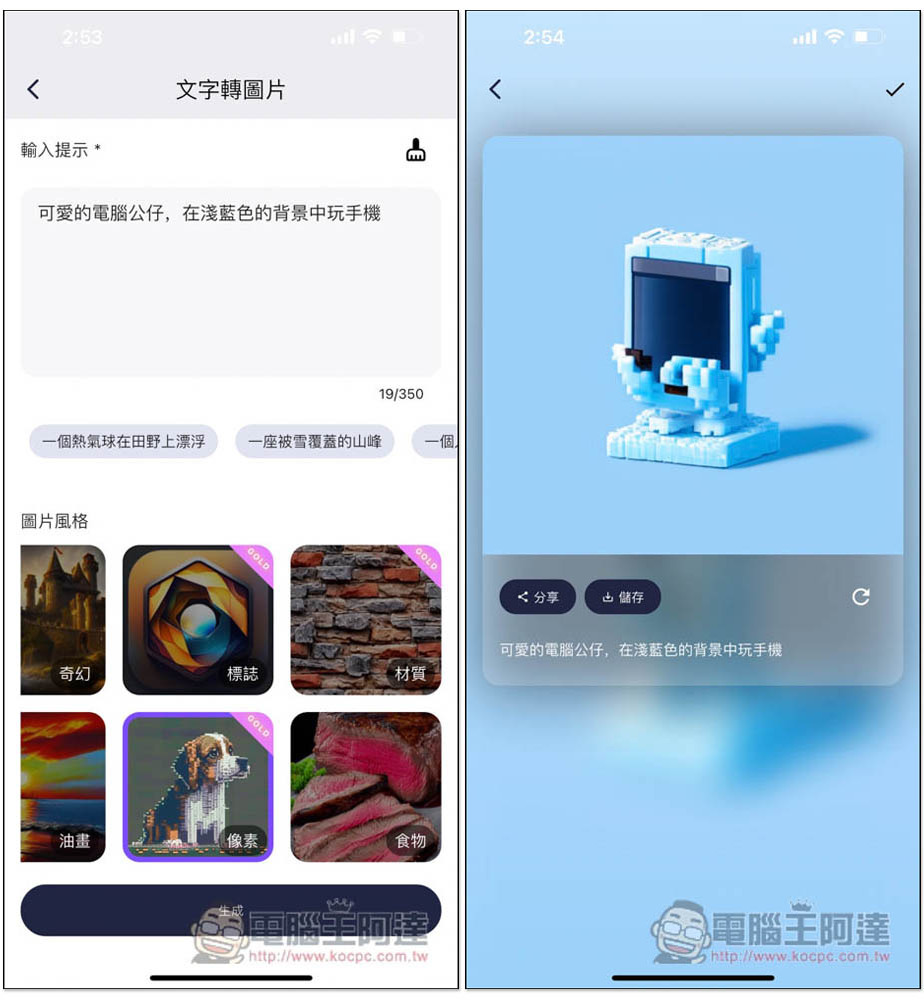
There are also logos, materials, and pixel styles at the back, which are exclusive to paying users. These are all fun to play. For example, I tried to use logos to generate a logo picture suitable for Computer King Ada. Although this one is okay, it is a bit too futuristic, so I use the regeneration function:
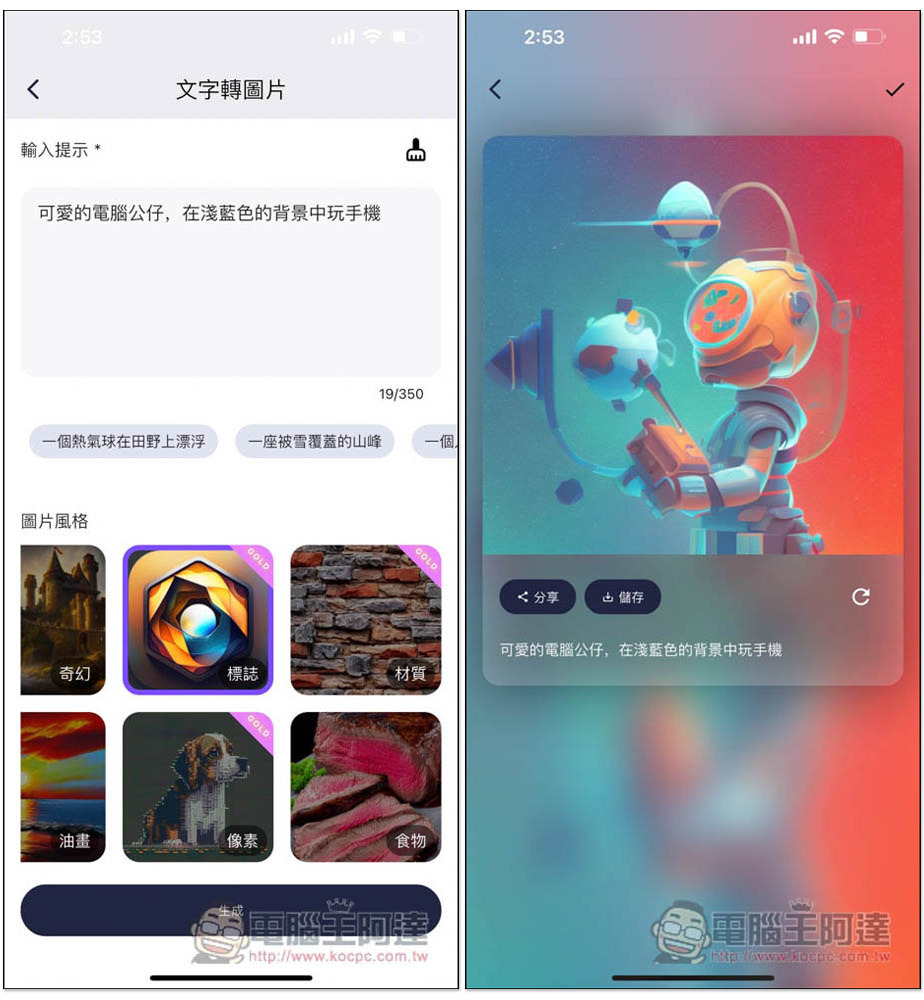
This one is quite satisfactory:
Pixel style:
3. Image resolution can be increased up to 8 times
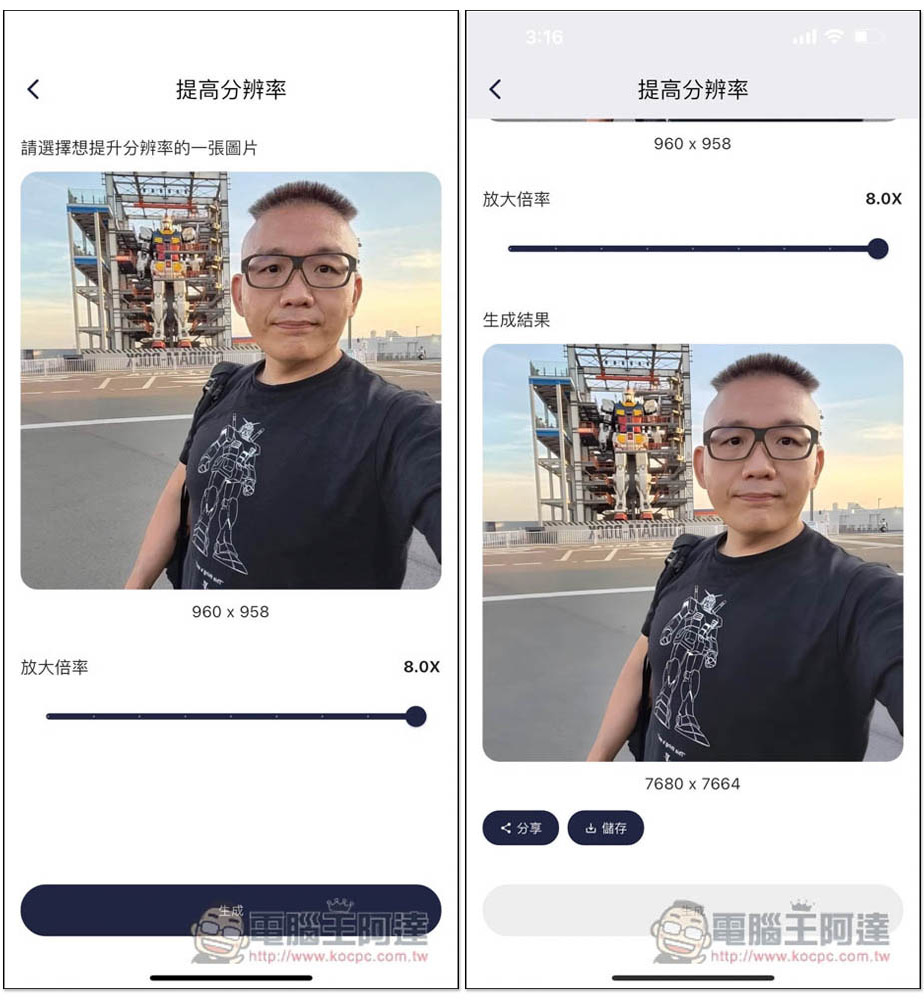
The free version can only choose 2 times the resolution function, while the paid version has more options, including 2.75x, 3.5x, 4.25x, 5.0x, 5.75x, 6.5x, 7.25x and 8x, up to 8 times, which is quite scary:
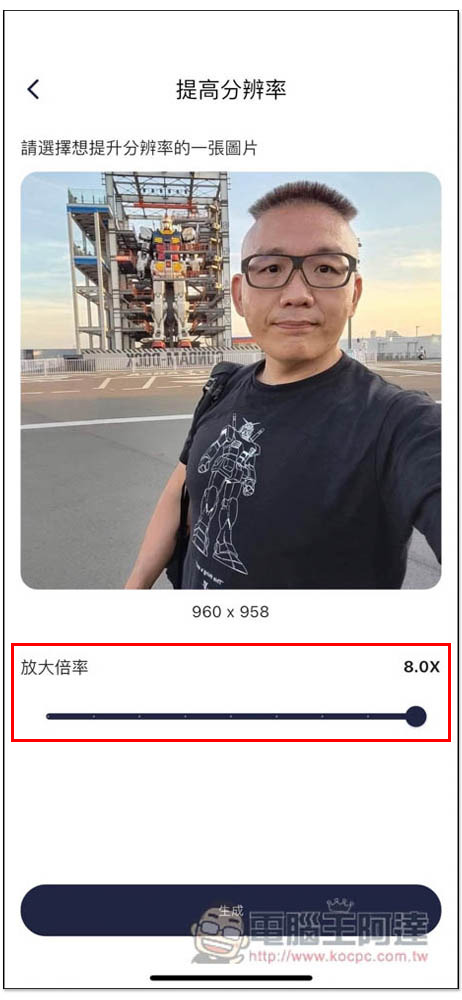
What scares me is that the 2x quality is already much better than many other tools. I didn’t expect that the 8x quality is just as great. I zoomed in from 960×958 to 7680×7664. I originally thought there would be grains, but the result was that you couldn’t see it at all. This is amazing:
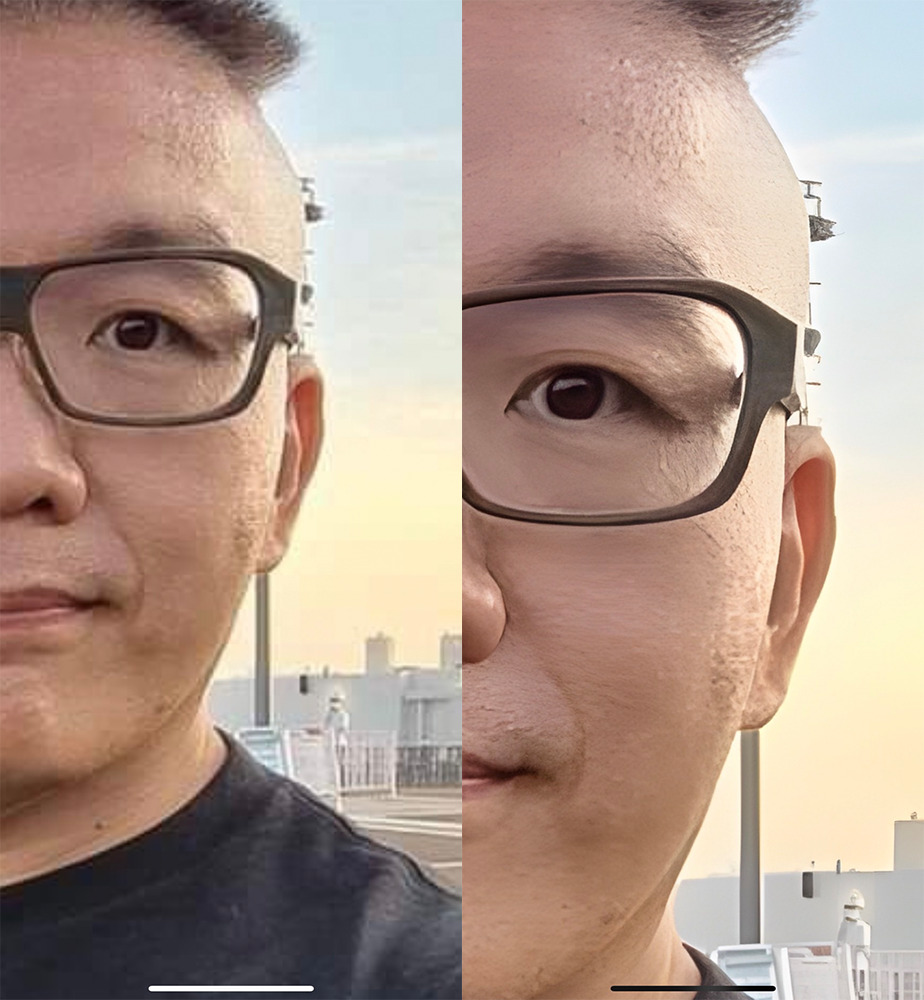
I also specially zoomed in to see the details. It was really sharp, with almost no graininess, and the smoothing effect did not make people feel fake. I will rely on this app to enlarge photos and pictures in the future:
Aidesu official IG:@aidesu.app
App Store Download / Google Play Download
Summarize
Aidesu is really a very good AI App. One app integrates AI drawing, AI chat, AI portrait restoration, and AI resolution enhancement functions. Each function is quite powerful and can basically meet your needs.
Of course, it is not without its shortcomings. The free version has no restrictions, so ads will pop up every time you use it. You have to accept this. For those who really like this app, it is worth considering upgrading to the paid version. It has no ads, has more picture styles, can be converted into private pictures, and the picture resolution and quality are also greatly improved.
Source: KOCPC Chinese