


Although there has been a ChatGPT shortcut script in the past, it needs to be implemented through the OpenAI API, which means you need to pay extra to use it. With OpenAI launching the official version of ChatGPT App a while ago, in the latest updated version earlier, OpenAI officially added support for Siri and shortcuts. As long as you update to the latest version, you can ask ChatGPT by waking up Siri, and all chat records will be saved.

ChatGPT officially supports Siri and shortcut functions. This article teaches you how to use it and change it to wake up in Chinese.
In the latest version 1.2023.152, ChatGPT has three new features, namely iPad compatibility, drag support, and the focus of this article, support for Siri and shortcuts. Remember to first confirm whether your ChatGPT version has been updated to the latest version:

Then after entering the Shortcut App, you will see the official ChatGPT shortcut script at the bottom of the homepage. You can click to display all, but there are only 2 for iPhone, and there seem to be more for iPad, there will be 4:

As shown in the figure below, there are Ask ChatGPT and Start a new chat with ChatGPT. These two are keywords to talk to Siri. If you don’t mind speaking English, you can start asking without setting anything. For example, if you want to ask ChatGPT something, just say “Hey Siri, Ask ChatGPT”. If you want to ask in a new chat room, say “Hey Siri, Start a new chat with ChatGPT”:

After Siri uses the ChatGPT script, it will ask What would you like to ask ChatGPT about? Then just say the question you want to ask. You can do it in Chinese, and Siri will also answer it in Chinese, but there is no formatting, just like the right side of the picture below:
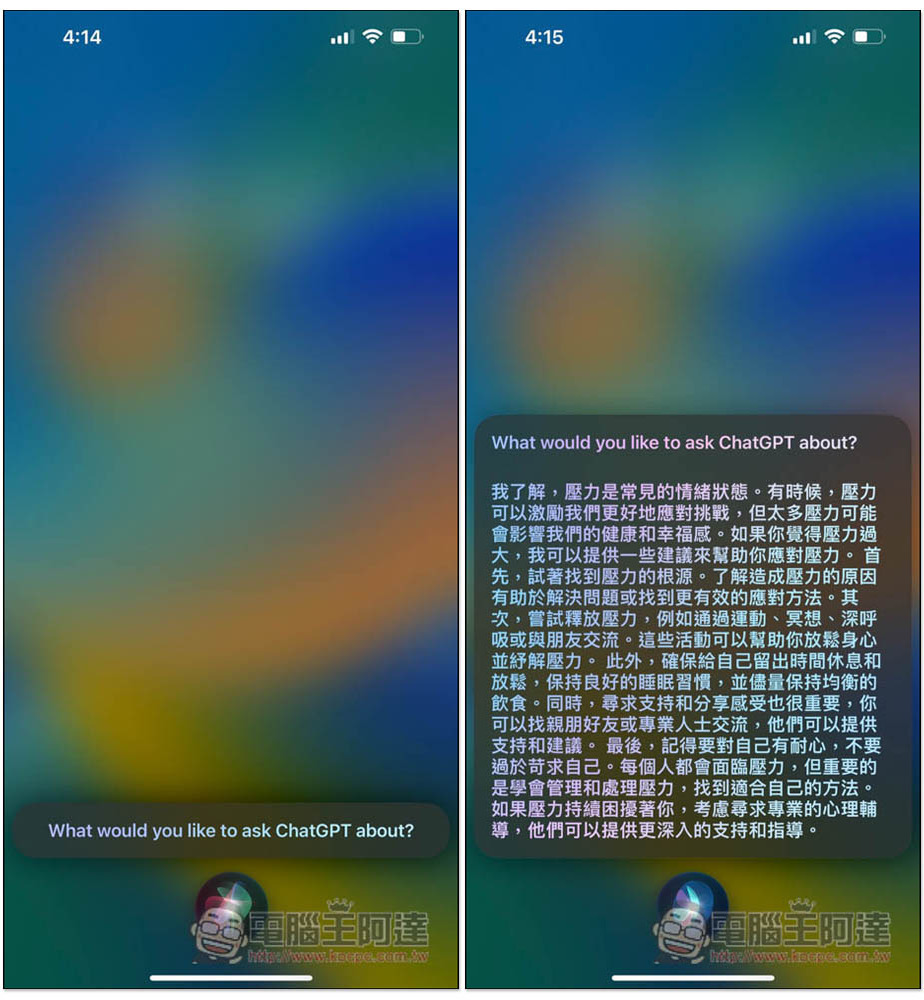
I open ChatGPT and I can indeed find what I just asked:

For people who don’t want to speak English, you can create a new shortcut. Please press the Ask ChatGPT shortcut script and select “Use in new shortcut”:

Click the arrow above and select “Rename”:

The name depends on which Chinese you want to use to start it. For example, if I type in a question, it will be like I say: “Hey Siri, ask a question”, and the script to ask ChatGPT will be started. After inputting, press Finish:

This will be stored in your shortcut script. The original official “Ask ChatGPT” of ChatGPT is still there, which means you can use the original “Ask ChatGPT” to ask Siri to ask ChatGPT, or the newly created “Ask Question” can be used:

However, even if you switch to Chinese, Siri will still say What would you like to ask ChatGPT about in the first sentence, so ignore it:

If you do not open a new chat window, the content and answers asked by Siri will be retained in the same window:

Source: KOCPC Chinese