


After iOS 17 further enhances the AirDrop sharing function that Android has caught up with. The Android 14 Beta 3 test version is not to be outdone. Corresponding to the many previous adjustments, the new version of iOS’s power interface has also been discussed by netizens using “demonstrations” of various Android brands to compare and discuss, and a new display interface experience has also been introduced. Continue reading seems a bit overwhelming? The Android 14 battery icon adds a new capsule design to the report text.
▲Image source: 9to5Google
Seems a bit big? Android 14 battery icon adds new capsule design
Although there seem to be countless cases where the functions of the two major smartphone camps, iOS and Android, pay homage to each other.
Recently, Apple WWDC saw an answering machine function that Android users should be familiar with (but users in Taiwan may not be familiar with it – after all, it has not been opened for a long time…). But on Android, in fact, Guang recently published Android Auto interface part, you can already feel the full CarPlay feel. But looking back, seriously speaking, the two major systems actually have things like A case study of jointly solving the abuse problem of trackers such as AirTag。

▲Image source: Google
After iOS 17 further enhanced the AirDrop sharing function that was caught up by Android. The Android 14 Beta 3 test version is not to be outdone. Corresponding to the many previous adjustments, the new version of iOS’s power interface has also been discussed by netizens using “demonstrations” of various Android brands to compare and discuss, and a new display interface experience has also been introduced.
▲Image source: 9to5Google
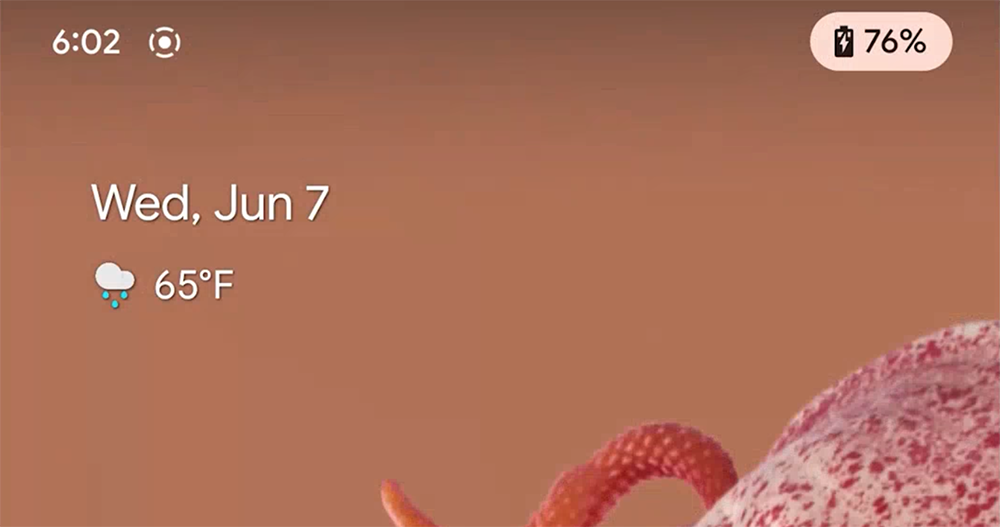
That is to say, judging from the screenshots of the demonstration by foreign media 9to5Google, there may be a lot of people who immediately thought, “Wow! Doesn’t this occupy the space of several system icons at once?” It seems that it is a bit of a change for the sake of change.
But this is actually the latest interface when plugging in and charging – after plugging in the power, a new chip capsule icon will pop up in the system status bar in the upper right corner, showing the current battery percentage, and the icon will also change according to the current full charge level. The capsule icon will also exit from the upper right corner of the system after a short stay. It will not continue to occupy the system row where space is precious.
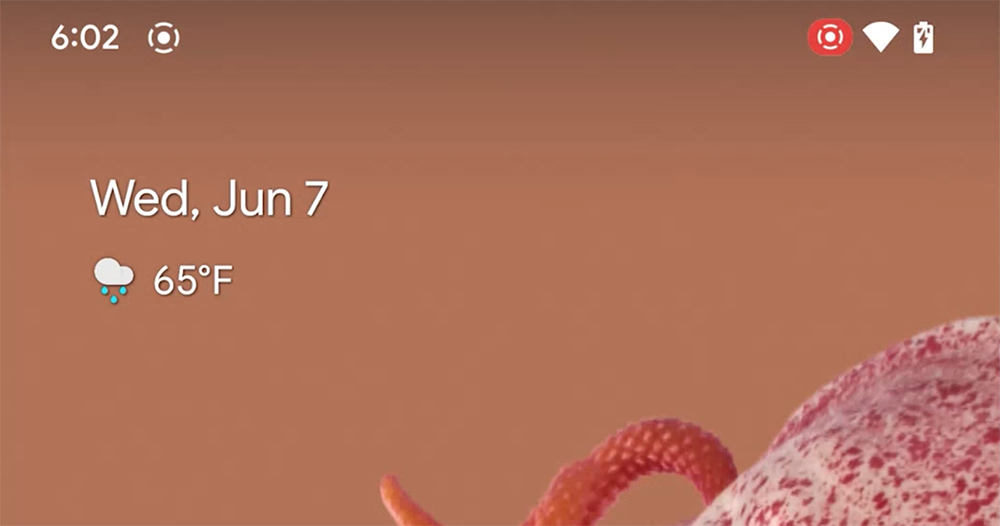
▲Image source: 9to5Google
In addition to the changes in the battery display. Among the current changes in Android 14, you can already see many examples of chip capsule icons appearing in various functions of the system. For status displays such as access to the microphone and calls, you can see capsules with a very Material You system theme appearing in the status bar – the notification bar buttons also follow a similar design.
▲Image source: Google
Although Google has been working hard recently, trying its best to find ways to regain the initiative in the development of generative AI – Really worked hard. However, there are still many adjustments and new features for the evolutionary easter eggs of the Android 14 system.
The interface part solves the problem that has troubled people for a long time.Bottom line problem with navigation column outline. also joinEnhance PIN settings, prevent others from snooping on the user’s input, and avoid leakage problems when entering passwords in public places. Overall, although Bard AI does not know when it will be available in the Chinese market. However, improvements to the Android system are actually still ongoing. I wonder if you are looking forward to this Android 14?
Further reading:
Source: KOCPC Chinese