


Mobile phones around the world are filled with experimental apps, as well as apps you’ve used or even downloaded and then forgotten about. Defenses against data threats continue to improve, but the threats themselves continue to evolve, and the battle between users and dwindling available space on their devices continues. This time I will tell you how to clear app data on iPhone or iPad and give you fresh phone space.
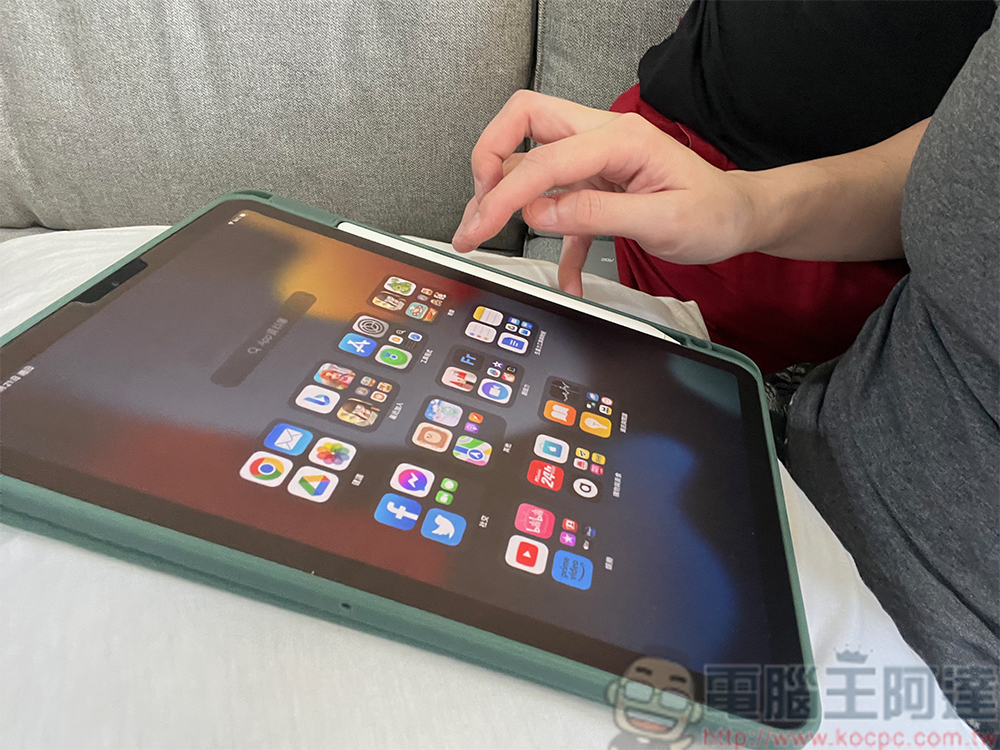
How to clear app data on iPhone or iPad?
One of the best ways to solve the twin problems of reduced space on your phone and data threats is to understand what data these apps store and how much space they take up. It is important to clean up your device by clearing out app data that is no longer needed when necessary. Although this process may be a bit painful, it is certainly necessary. Like Android devices, iPads and iPhones offer very convenient ways to do this, and if you’re another Apple user looking to save space (which may be particularly limited if you’re using the new Logic Pro and Final Cut Pro for iPad), let’s get this done quickly.
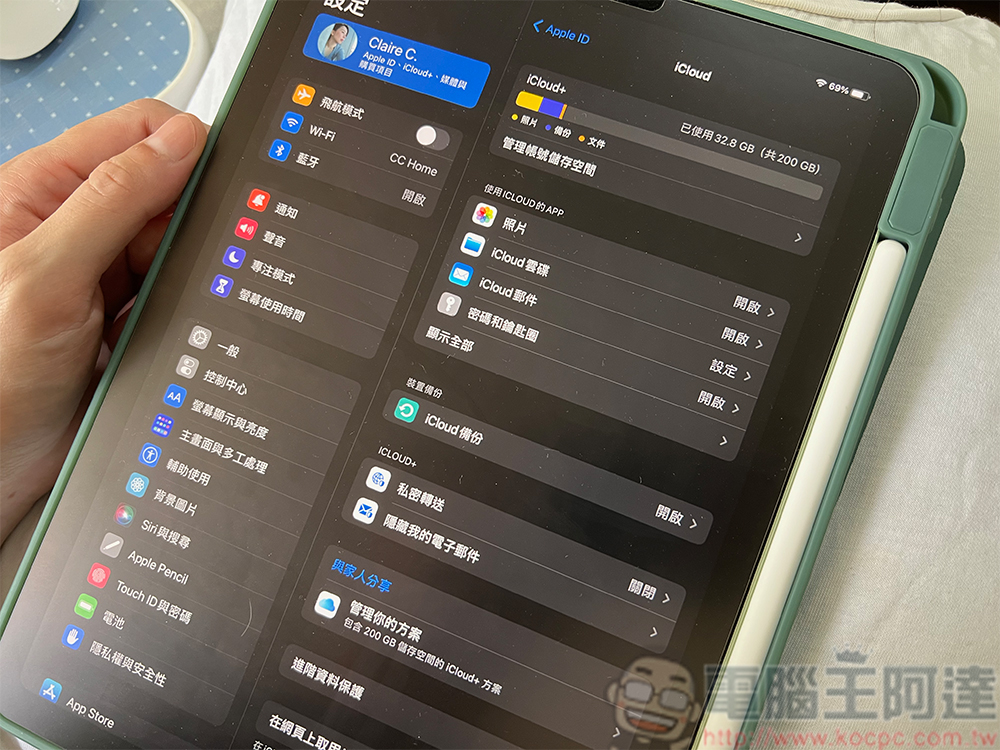
exist Apple support documentationpointed out that some of its own first-party applications, such as Notes, Podcasts, FaceTime, etc., can be deleted from the iPhone, but you should be careful, deleting these applications may have a negative impact on the device.
- Press and hold the icon of the app you want to delete until the “Delete App” prompt appears.
- Click “Remove App” or “Remove from Home Screen”.
- Confirm your choice.
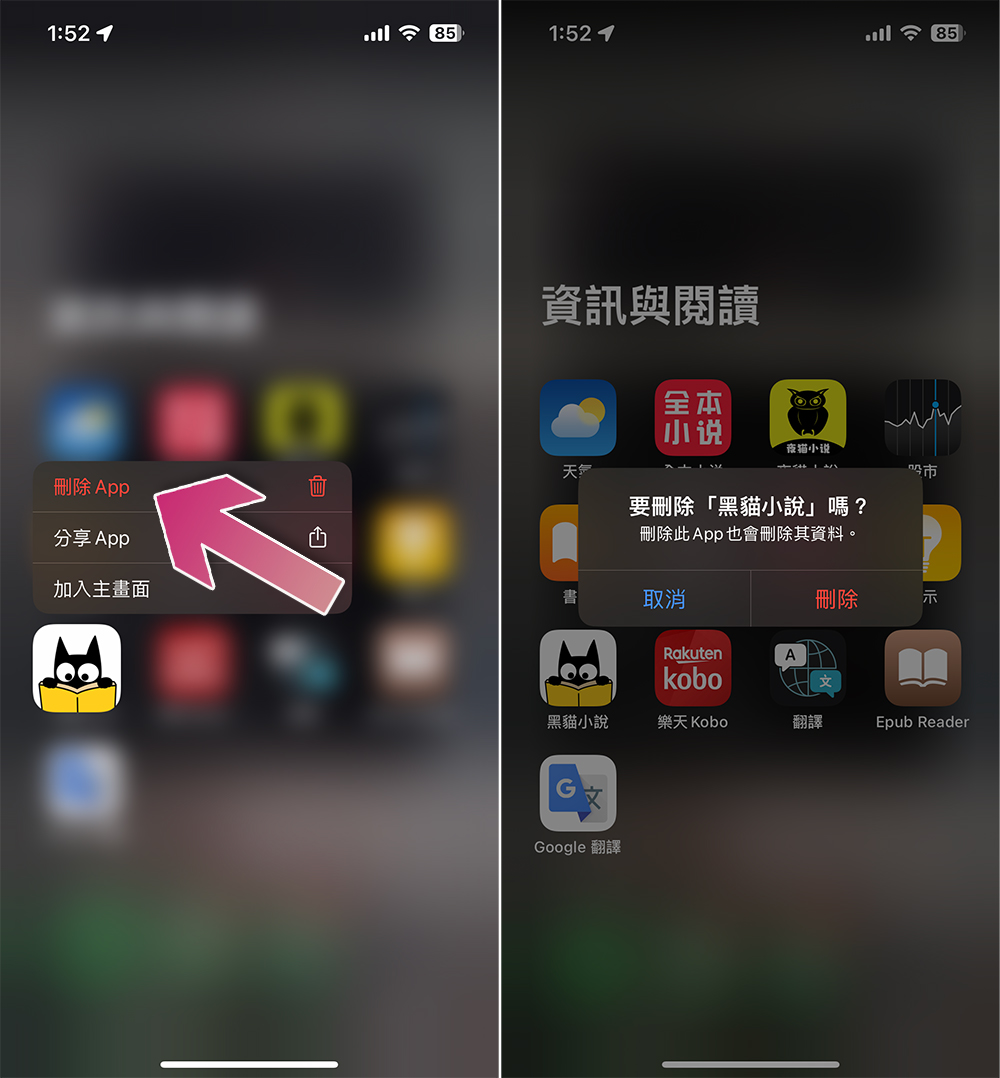
This can also be done through application libraries. However, if you don’t necessarily want to delete the entire application, iCloud provides a convenient way to delete the data stored by a specific application. The specific operation is as follows:
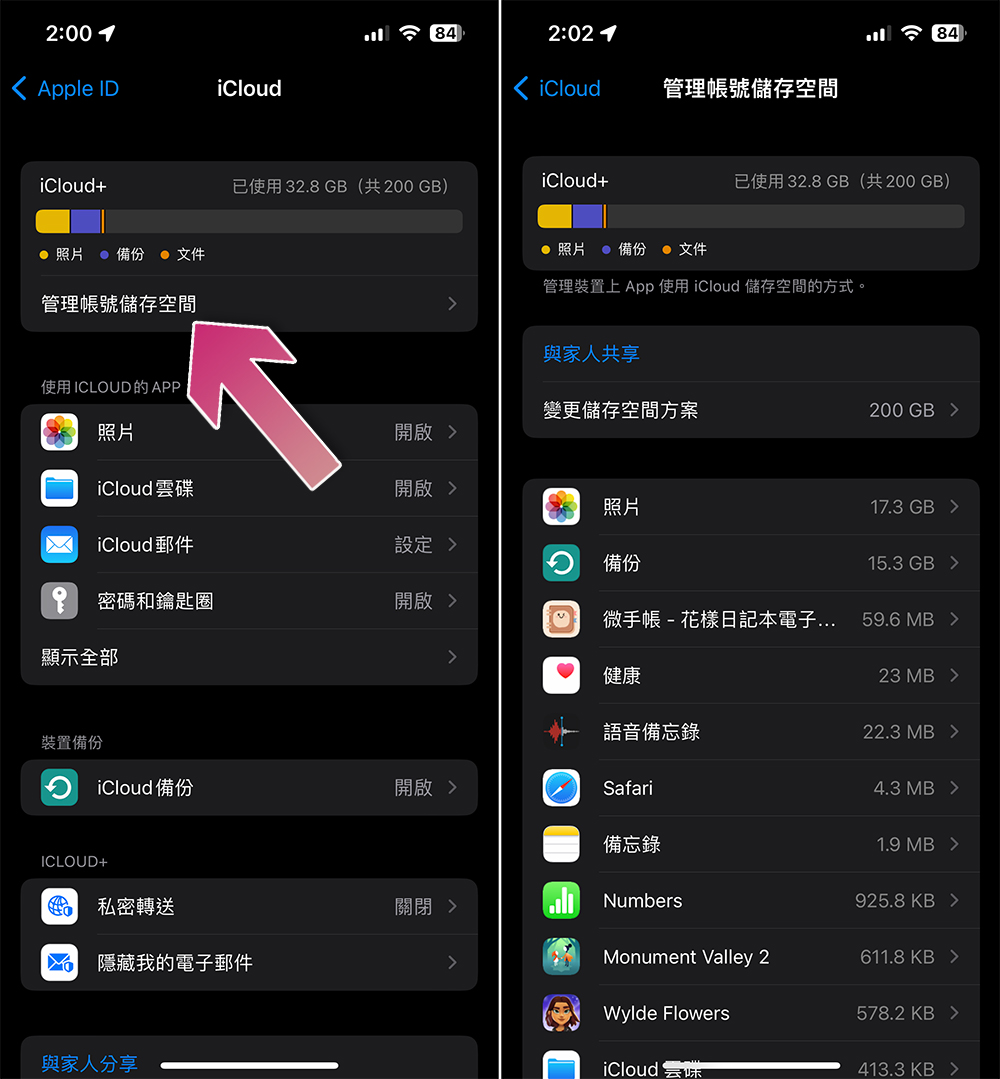
- From the Settings app on your iCloud-enabled iPhone or iPad, click your profile picture.
- Then click “iCloud”.
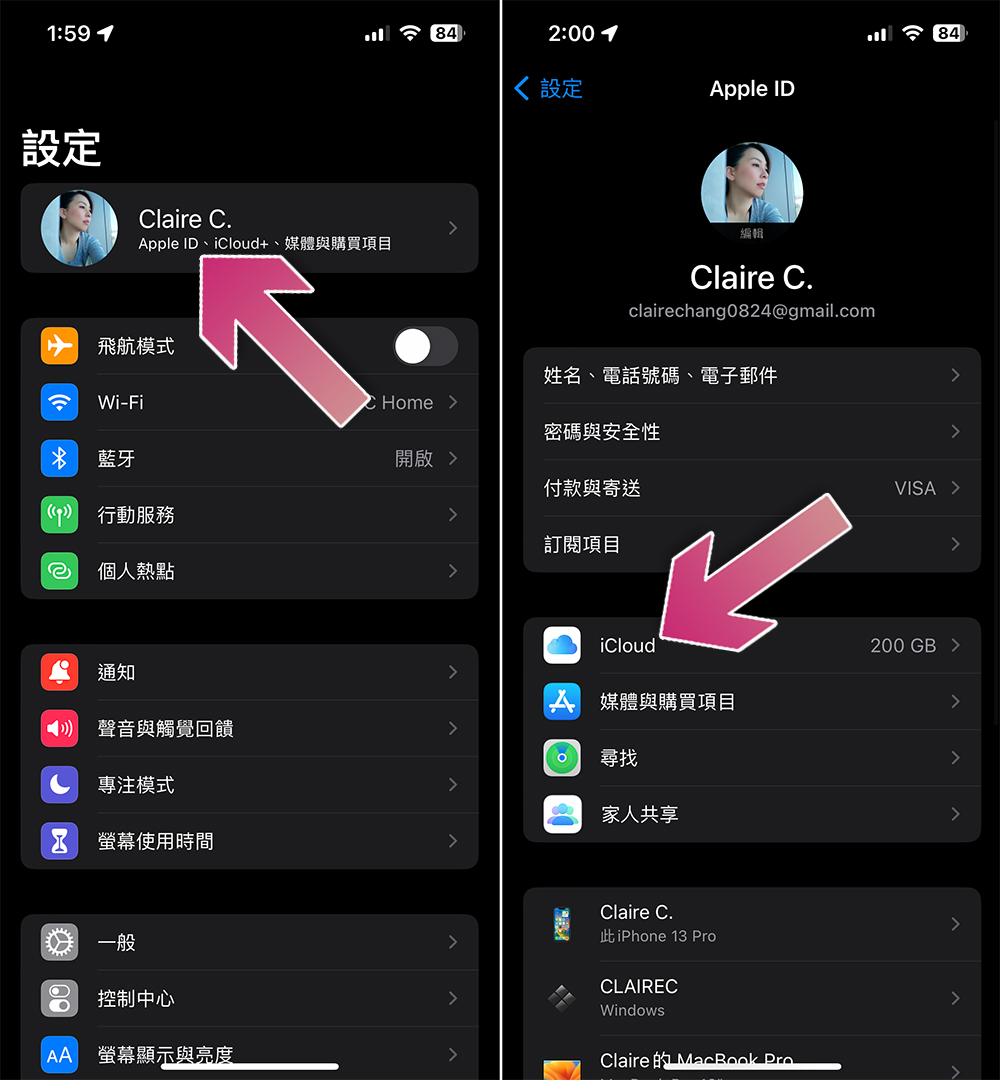
- Click “Manage Account Storage” below the storage display bar. From the inner page, scroll down to see the data file size used by each installed application.
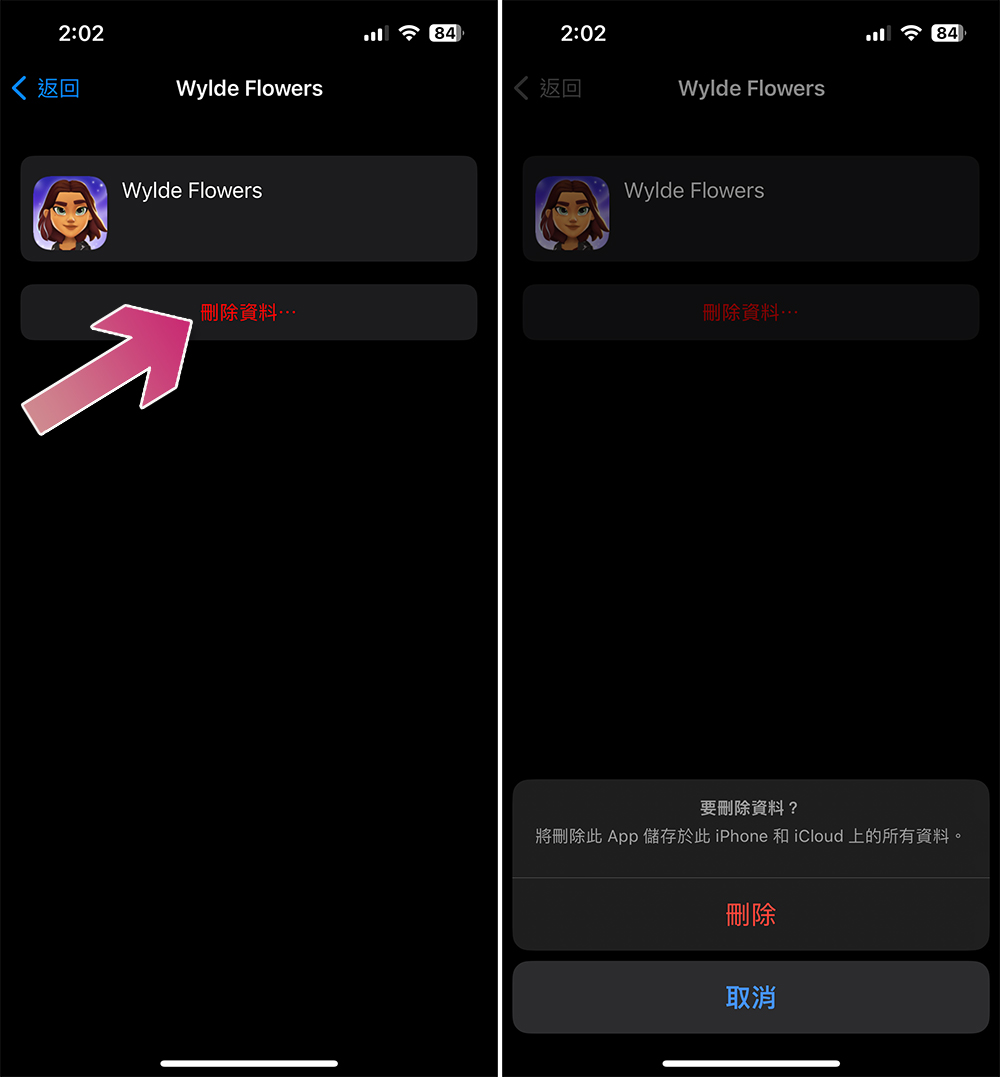
- After clicking on a specific application, you will see the option to “Delete data…”. After clicking, you will see a message asking you to confirm whether to delete all data stored by the application locally and on iCloud. Please note that these files may not be large and this feature is primarily intended for first-party apps.
Source: KOCPC Chinese